November 2026

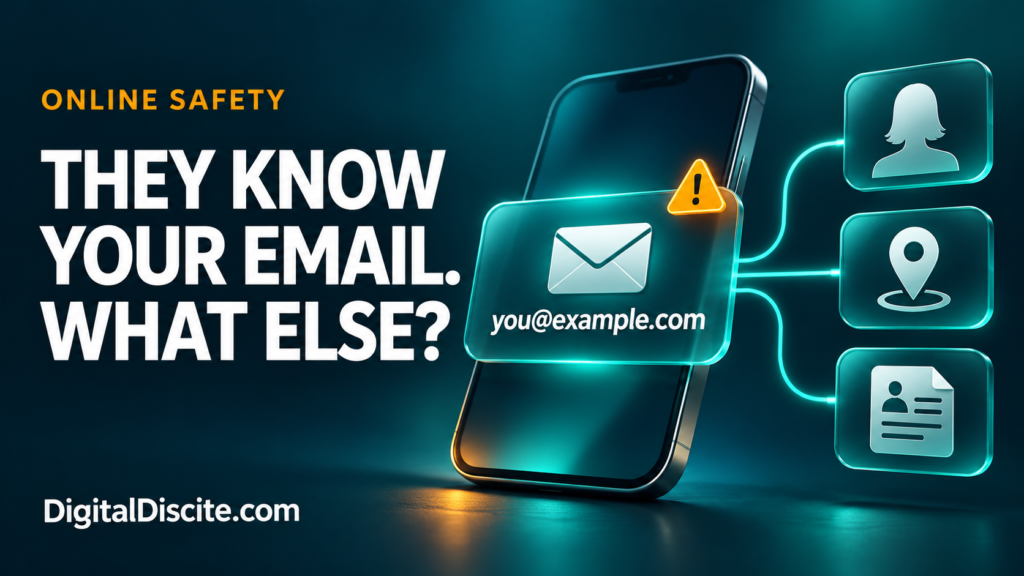
what can someone find with your email address

What Can Someone Find With Your Email Address?

You give your email address to an online shop, a potential client, or someone you have just met. Later, you wonder: can they use it to find your social accounts, phone number, or home address?

An email address can help someone connect public profiles, discover some breach history, and piece together personal information. How much they can find depends on where you have used it and what those sources reveal. The address alone does not give them access to your inbox, passwords, or live location.

The concern is not that every email address exposes a complete identity. It is that one familiar identifier can connect information you thought was separate.

What Can Someone Find With Your Email Address?

InformationWhat is realistically possible?
Your name or workplaceThe address itself, a public contact page, or an associated profile may reveal it.
A profile photo or social accountSometimes, depending on public listings, platform features, and privacy settings.
Some data-breach historyA breach-checking service may show recorded incidents involving the address.
A phone number or postal addressPossible if another public, brokered, or leaked record links those details to you.
Every account you have ever createdNo reliable, complete list can be assumed.
Your inbox or current passwordNot from knowing the address alone.
Your exact live locationNot from the email address alone.

A matching username or similar name is a clue, not proof that two profiles belong to the same person.

1. Your Address May Reveal Your Name or Organization

An address such as firstname.lastname@example.com may reveal a likely name. A work domain may identify an employer or business.

Neither guarantees someone’s current identity or employment. An address may be old, shared, or based on a nickname.

For freelancers, teachers, and small-business owners, this visibility is often intentional. Clients need a way to contact you. The useful question is whether your public work address also connects to personal accounts you would rather keep separate.

For example, using one address on both a business contact page and a personal community profile can create a connection between those activities.

2. Public Profiles May Connect More of the Dots

If you have published your email address in a portfolio, directory, public document, or profile, someone may find the surrounding information too.

Some services also have profile-discovery features. Google explains that its settings help determine what people find when they look for you using an email address or phone number. Visibility can also change after you interact with someone through its services.

This does not mean a stranger can automatically uncover every private social account.

Review what each platform makes visible and whether it offers controls for being found through contact information. Our digital citizenship and online etiquette guide covers related ways to manage your digital footprint.

Source: Google: Control What Others See About You

3. Breach Records May Reveal Previous Exposure

If a service you used suffered a data breach, your email address may appear in records of that incident.

Have I Been Pwned lets you check your own address against breaches in its database. Depending on the incident, results may describe categories of exposed data.

Keep three limitations in mind:

  • A breach result does not automatically mean your email inbox was hacked.
  • A result describing exposed passwords does not prove your current password is known.
  • No results does not establish that your address has never been exposed.

Have I Been Pwned does not display a password paired with your email address. It also restricts sensitive breach results to verified address owners.

Use the official website directly. You do not need to give an unfamiliar “email investigation” service your mailbox password.

Source: Have I Been Pwned: FAQs

A separate record may connect an email address to a name, phone number, or location. Once a person is identified, other sources may reveal more.

The US Federal Trade Commission explains that people-search sites combine information from public records, public social profiles, and other data brokers. Their reports can include addresses, employment history, and relatives.

That does not mean every email search will return an accurate home address. Coverage varies by country and service, and records can be outdated or matched to the wrong person.

If you find your information on a people-search site, look for its removal or opt-out process. Removal from one site does not erase the underlying public records, and information may reappear.

Source: FTC: What to Know About People Search Sites

5. Someone Can Use the Address to Target You With Scams

Knowing your address gives someone a place to send a message. Knowing your name, job, or a service you use can make that message more persuasive.

Imagine receiving this fictional email:

“Your business website payment failed. Confirm your card today to avoid suspension.”

If you run a website, the message may feel relevant. That relevance is not proof that the sender manages your account.

The FTC warns that phishing messages often invent account or payment problems to persuade people to click links or disclose information. Open the genuine service yourself to check a claim.

Our guide to hotel payment links sent on WhatsApp shows the same problem in travel: accurate details can make an impersonation convincing.

Source: FTC: Phishing Scams Can Be Hard to Spot

Can Someone Hack You With Just Your Email Address?

Knowing an address is different from having the credentials or authorization needed to enter the account.

Risk increases if someone also obtains a password you reused elsewhere. Credential stuffing means trying previously stolen login combinations against other services.

That is why a unique email password matters. Your inbox may receive password-reset messages for other accounts, so protecting it deserves priority.

Use a password manager to create unique passwords and enable multifactor authentication. Where supported, consider a passkey or security key. Never approve a sign-in request you did not initiate.

An unexpected password-reset email is not, by itself, proof of a successful login. Check account activity through the official app or website.

Sources: Canadian Centre for Cyber Security: Credential Stuffing, OWASP: Credential Stuffing Prevention

How to Check What Your Own Email Address Reveals

You do not need to pay for a dramatic “full identity report.” Start with a small privacy review.

  1. Search your own address in quotation marks. Review public results for old profiles, documents, or contact listings. Search engines do not cover everything.
  2. Check your profile visibility. Look at public names, photos, contact information, and discovery settings.
  3. Check your own breach history. Review the affected services and their official security advice.
  4. Remove unnecessary exposure. Edit old pages you control or ask the publisher to remove outdated contact details.
  5. Review your email security. Check recovery information, recent activity, connected apps, and signed-in devices.

Keep this review focused on your own information. Avoid unfamiliar lookup sites that demand excessive personal details to “verify” a report.

Should You Use a Separate Email Address or an Alias?

Separating public contact from important account logins can reduce unwanted connections.

A practical arrangement is:

PurposeSuggested approach
Client inquiries and public contactA dedicated work address you expect people to see.
Important personal accountsAn address you avoid publishing unnecessarily.
Shopping and newslettersA separate address or supported email-alias service.

For example, Apple’s Hide My Email can generate random addresses that forward messages to your inbox. Availability depends on the feature and service you use.

Aliases help limit disclosure of your underlying address. They do not erase information already exposed, guarantee anonymity, or replace account security.

Source: Apple: Create Unique Addresses With Hide My Email

What If You Think Someone Has Access to Your Inbox?

Treat signs of actual account access more urgently than ordinary spam.

Warning signs include unfamiliar successful sign-ins, messages you did not send, changed recovery details, or forwarding rules you did not create.

Use your provider’s official recovery process. Change the password from a trusted device, remove unfamiliar sessions and connected apps, and check recovery settings.

Also inspect forwarding, filters, and delegated access. Google specifically identifies unexpected changes to these settings as potential signs of compromise. Changing a password alone may leave other unwanted settings in place.

Source: Google: Secure a Hacked or Compromised Account

Frequently Asked Questions

Can someone find my home address from my email?

Sometimes, if other records connect the two or identify you well enough to locate an address elsewhere. It is not automatic, and a lookup result may be incorrect.

Can someone read my emails just by knowing the address?

No. The address alone does not authorize inbox access. A stolen password, compromised session, malicious connected app, or another security failure would be an additional factor.

Should I delete my email account if someone knows it?

Usually, knowing your address alone is not a reason to delete it. Secure the account and reduce unnecessary public exposure first. A new address may be useful for persistent harassment, but plan the move carefully so you retain access to important services.

Does a scam email using my real name prove I was hacked?

No. Your name may come from public information, a mailing list, or a breach elsewhere. Verify the claim independently instead of treating personalization as proof.

Your email address is meant to help people reach you. Protect the account behind it, and limit how much unrelated information that address connects.

What Can Someone Find With Your Email Address? Read More »
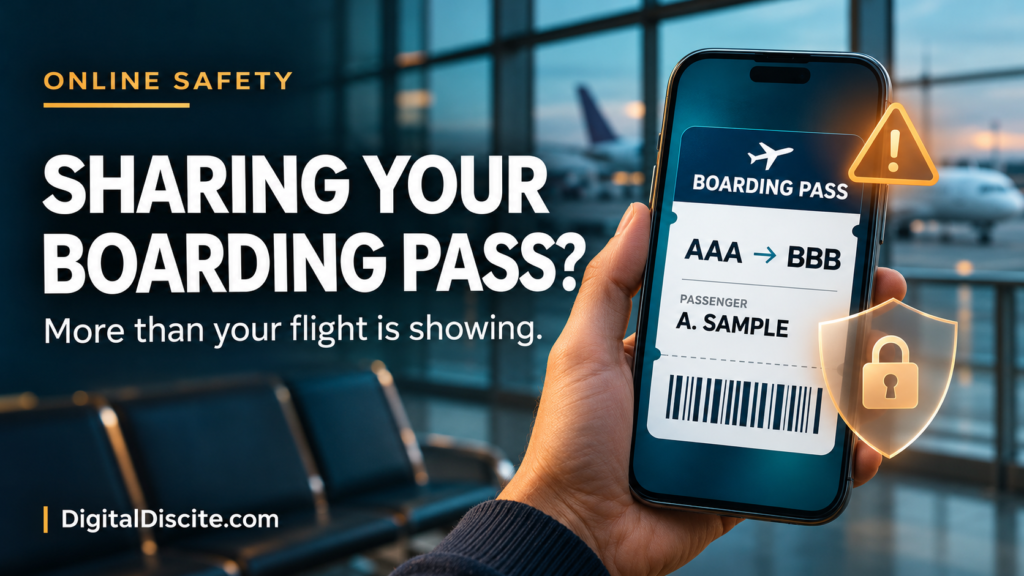
Boarding Pass Screenshot

Boarding Pass Screenshot: What Can Someone Do With It?

You are at the airport, coffee in one hand and your boarding pass in the other. A quick photo feels like a harmless way to announce that your holiday has started.

But that screenshot may share more than your destination.

Someone with a readable screenshot of your boarding pass may learn your travel details, extract information from its barcode, and potentially retrieve your booking using your surname and booking reference. What they can see or change depends on the airline’s security checks.

It does not automatically give them access to your bank account or permission to travel as you. Still, a boarding pass deserves more privacy than an ordinary holiday photo.

What Information Can a Boarding Pass Screenshot Reveal?

There are two things to consider: the text visible in the image and the information encoded in its barcode.

Depending on the airline and format, the pass may expose:

InformationWhy it matters
Passenger nameIdentifies the traveler and can help connect the trip to a public profile.
Booking reference, sometimes labeled PNR or record locatorMay help retrieve a reservation when combined with a surname.
Airline, flight number, route, and travel dateReveals where and when someone is traveling.
Seat and boarding detailsProvides additional context about the journey.
Ticket or frequent-flyer details, if includedCreates another identifier that should be kept private.

IATA’s Bar Coded Boarding Pass specification includes passenger and flight information, with additional fields depending on implementation. Not every airline includes the same details.

A boarding-pass barcode should not be assumed to contain your passport number, full payment-card details, or your entire booking record. Information encoded on the pass and information accessible through an airline’s reservation system are different things.

Source: IATA Bar Coded Boarding Pass Implementation Guide

What Can Someone Actually Do With the Screenshot?

1. Potentially Retrieve Your Booking

Some airlines let passengers start managing a reservation with a booking reference and surname.

For example, Emirates’ official booking-management page asks travelers to have those two details ready. Its tools include viewing an itinerary and managing aspects of a journey.

That makes an exposed reference more sensitive than a flight number alone. Depending on the airline, booking type, and additional authentication, someone may be able to see reservation information or attempt changes.

It would be misleading to claim that every screenshot lets a stranger cancel any flight. Available actions and verification requirements vary.

Source: Emirates: Manage Your Booking

2. Make a Scam Message More Convincing

Consider this fictional message:

“Your flight tomorrow requires an additional verification payment. Complete it now to keep your seat.”

If the sender includes your name and correct route, it can feel credible. But those details may simply have come from an image you shared.

This is a plausible misuse of exposed travel information, not proof that every personalized message began with a boarding-pass leak.

Qantas warns that phishing messages may use a person’s name and imitate familiar company branding. Verify unexpected requests through the airline’s app or website.

The same principle applies to accommodation. Our guide to hotel payment links sent on WhatsApp explains why accurate booking details do not prove that a sender is genuine.

Source: Qantas: Member Account Security

3. Learn About Your Movements

A visible route and date reveal a travel plan. Combined with public posts, they may suggest where you are, whom you are traveling with, or when you are likely to be away.

That does not prove your home is empty. It does give strangers information they did not need.

For a public travel account, consider posting location updates after leaving. For airport photos, frame the picture so tickets, luggage labels, and companions’ documents are outside the shot.

Our digital citizenship and online etiquette guide covers related habits for protecting personal information and managing your digital footprint.

Is Hiding Your Name Enough?

No. If the barcode remains readable, covering the printed name may leave encoded information exposed. Conversely, hiding the barcode while leaving the surname and booking reference visible may still expose the details used to retrieve a booking.

Not every boarding-pass code is technically a QR code. Different barcode formats are used, so cover every machine-readable code rather than looking only for a familiar square pattern.

A casual blur or a small emoji is easy to apply incompletely. The simplest option is to leave the boarding pass out of the photo.

If you must share an image publicly, use this practical editing checklist:

  • Remove every barcode and QR-style code completely.
  • Remove names, booking references, ticket numbers, and loyalty identifiers.
  • Remove itinerary details you do not intend to disclose.
  • Check nearby luggage tags and other passengers’ documents.
  • Export a separate edited image and inspect that exact file before posting.

Do not upload the original to an unfamiliar online decoder or image-editing service just to check whether it is sensitive.

Qantas explicitly advises travelers not to disclose booking references or post boarding-pass and ticket photos on social media.

Source: Qantas: Privacy and Security

What If You Already Posted Your Boarding Pass?

Act promptly, especially if any part of the booking is still upcoming.

Remove the Image

Delete the post, story, or public upload. Ask anyone who reposted it to remove their copy. Deleting your version cannot guarantee that nobody saved it, but it limits further exposure.

Check the Reservation Through an Official Channel

Open the airline’s genuine app or type its website address yourself. Review the itinerary, available contact information, and any changes you do not recognize.

Do not follow a new “support” link sent in response to your post. The FTC warns that travel scammers can impersonate airlines and hotels, including through misleading search advertisements.

Source: FTC: How to Avoid a Travel Scam

Tell the Airline What Was Exposed

If the booking reference or readable barcode was public, contact the airline through a verified channel. Explain whether the trip is upcoming and whether you have noticed suspicious activity.

Ask what protection is available for that reservation. Do not assume that downloading or printing another boarding pass changes the booking reference.

If you are already at the airport, speak to airline staff rather than experimenting with cancellation or rebooking.

Respond to Any Separate Account or Payment Exposure

Posting a boarding pass alone does not prove your password was stolen.

If you also entered credentials on a suspicious page, change them through the real service and review account access. If you supplied card information or approved an unfamiliar payment, contact your bank immediately through its official channels.

Frequently Asked Questions

Can someone board a flight with my screenshot?

A screenshot is not a substitute for all identity, document, and boarding checks. Those checks vary by airport and route. For example, US airport screening includes identity-verification measures. Do not assume the image alone allows someone to fly in your place, but report exposure of a live pass to the airline.

Source: US Government Accountability Office: Aviation Security

Is it safe to post an old boarding pass?

An old pass can still reveal personal identifiers and travel history. A completed outbound flight may also belong to a booking with remaining flights. Waiting until after travel does not make all printed or encoded information harmless.

Can I privately send my boarding pass to family?

Share only with someone who needs it, through a trusted private channel. For an airport pickup, the flight number and arrival time will usually be enough; the full boarding pass adds unnecessary information.

Is saving a screenshot on my own phone unsafe?

Keeping a private copy is different from publishing it. Protect your phone and account, and check the airline’s instructions about accepted boarding-pass formats. Do not assume every airline accepts a static screenshot.

Share the travel moment without sharing the document that helps manage the trip.

Boarding Pass Screenshot: What Can Someone Do With It? Read More »

QR code scams

QR Code Scams: What to Check Before Scanning

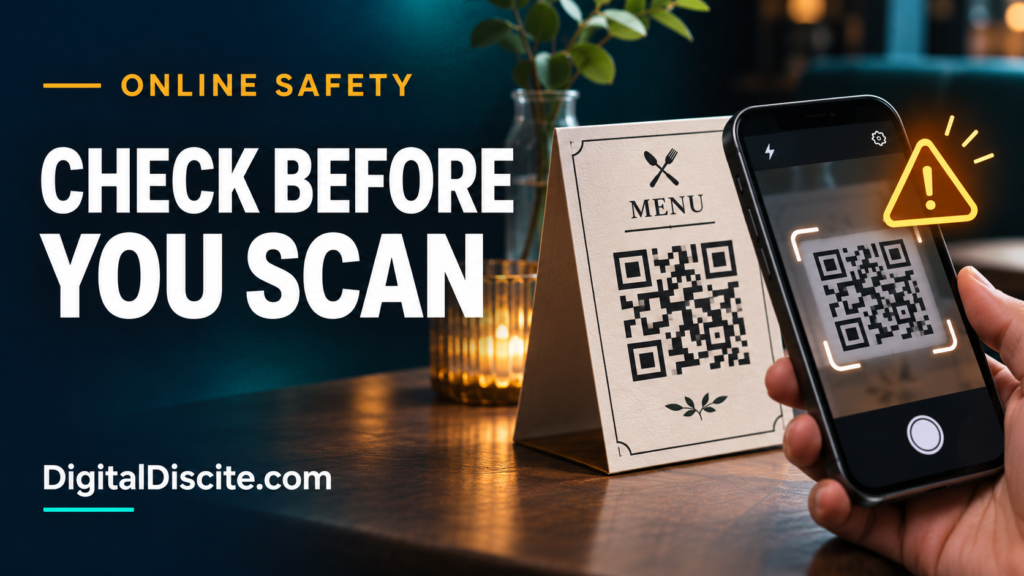
A restaurant menu. A parking sign. A parcel with a “scan to see your gift” card. QR codes make everyday tasks easier, so it is tempting to point your camera and tap without thinking.

But a familiar setting does not guarantee a trustworthy destination. QR code scams use that moment of convenience to send you somewhere you did not intend to go.

Before scanning a QR code, check who supplied it and whether it looks altered. Before opening the link, inspect the address. Before entering information or paying, independently confirm the website and request.

What Are QR Code Scams?

QR code scams use scannable codes to direct people to fraudulent websites or payment destinations. When the goal is to steal information through a fake page, the technique is often called quishing, short for QR code phishing.

The US Postal Inspection Service describes scams in which criminals impersonate familiar organizations and use QR codes to collect passwords, card details, and other personal information.

The code itself cannot tell you whether the person behind it deserves your trust. Treat it as you would a link in a message.

Source: US Postal Inspection Service: Quishing

How to Check a QR Code Before Scanning or Opening It

1. Check Where It Came From

Ask whether you expected the code and whether its purpose makes sense.

A menu code handed to you by restaurant staff has a different context from an unexpected email saying your account will close unless you scan immediately.

Be particularly cautious about codes attached to messages claiming:

  • A parcel could not be delivered.
  • Your account needs urgent verification.
  • A payment failed.
  • You must change your password immediately.

Open the relevant service yourself to check the claim. Do not use the sender’s contact details as your only verification.

Source: FTC: Scammers Hide Harmful Links in QR Codes

2. Look for Stickers or Signs of Tampering

On a physical sign, look for a second sticker covering the original code, mismatched printing, or a label that appears recently added.

These are reasons to pause, not proof of fraud. A legitimate business may also replace its labels.

The FTC has warned about criminals covering genuine parking codes with their own. If something looks wrong, ask staff or use the operator’s independently verified payment method.

Source: FTC: QR Codes on Parking Meters

Use your phone’s built-in camera or scanner where available. If it displays a link preview, read it before tapping.

Check the actual domain, not just a familiar word somewhere in the address. For example:

Illustrative addressWhat it means
restaurant.example/menuThe website is on restaurant.example.
restaurant.example.verify-now.testThe website is on verify-now.test.
verify-now.test/restaurant.exampleThe familiar name is only in the page path.

These are fictional examples, not websites to visit.

A shortened or unfamiliar address is not automatically malicious, but it may prevent you from recognizing the destination. When you cannot verify it, use another route.

The FBI recommends checking QR destinations for altered letters and misleading domains.

Source: FBI: Cybercriminals Tampering With QR Codes

4. Do Not Let a Logo or HTTPS Decide for You

A convincing design is easy to imitate. HTTPS protects the connection to a website; it does not establish that the business operating it is honest.

If a page requests sensitive information, confirm the address independently. A familiar logo and a polished payment form are not enough.

Source: Cleveland Police: Shopping Safely Online

5. Check Whether the Request Fits the Task

Imagine scanning a restaurant menu and being asked for your email password. Or scanning a parking sign and being told to install a “security update.”

The mismatch is the warning.

Ask: Why would this service need this information to do what I requested?

If an app is genuinely needed, find it through the official app store and verify its publisher. Do not install an unfamiliar download offered by the QR page.

The FBI advises using app stores instead of downloading apps through QR codes.

6. Verify the Recipient Before Paying

A QR code can direct money to the wrong recipient. Check the business name, amount, and currency before confirming any transaction.

For an unexpected payment request, navigate to a known website or official app yourself. If necessary, contact the business through independently obtained details.

Travelers should apply the same checks to accommodation requests. Our guide to hotel payment links sent on WhatsApp explains how to verify a request against your original booking.

For broader payment habits, see our guide to ICT in personal finance and shopping.

Be Careful With QR Codes Inside Unexpected Packages

An unsolicited gift can make you curious, especially when a card says scanning will reveal the sender.

The FBI has warned about packages containing QR codes that lead recipients toward requests for personal or financial information, or malicious software downloads.

Do not scan an unknown code to investigate a mystery parcel. Check your order history and contact the retailer through its genuine website if needed.

Source: FBI: Unsolicited Packages Containing QR Codes

What If You Already Scanned a Suspicious QR Code?

What matters is what happened afterward.

What happenedWhat to do next
You saw a preview but did not open itDismiss it. A preview alone does not establish that an account or device was compromised.
You opened the page but entered nothingClose it. Do not download anything, grant permissions, or continue interacting.
You entered a passwordChange it through the genuine service, including anywhere you reused it. Review active sessions and enable multifactor authentication.
You entered card details or paidContact your bank through its official app or the number on your card. Explain what you shared or authorized and ask about protecting the account and disputing the transaction.
You installed software or granted accessStop using the suspicious software and seek trusted device-security support. Use another trusted device for sensitive account recovery if compromise is suspected.

Keep relevant screenshots and transaction records. Report the code to the venue or impersonated business. For US incidents, reports can also be submitted through ReportFraud.ftc.gov or IC3.gov. Recovery of money is not guaranteed.

For account protection basics, read our digital citizenship and online etiquette guide.

Frequently Asked Questions

Can scanning a QR code hack your phone?

Scanning does not automatically mean your phone has been hacked. Risk depends on the destination and subsequent actions, including opening malicious content, installing software, or providing information. Keep your phone and browser updated.

Are restaurant QR code menus safe?

Many are legitimate. Check with staff if a label looks altered or the page requests unexpected information. Ask for another way to view the menu if you cannot verify the code.

Do I need a separate QR scanner app?

Usually not. Many phones include scanning in the camera or built-in tools. The FBI recommends avoiding unnecessary scanner downloads.

Can I tell whether a QR code is safe by its appearance?

No. A neat code can lead to a fraudulent website. Check its source, destination, and requested action rather than judging the pattern.

Make the pause a habit: check the source, inspect the destination, and verify the action before you proceed.

QR Code Scams: What to Check Before Scanning Read More »

How to Fix a Blurry Photo in Picsart

How to Fix a Blurry Photo in Picsart: Step-by-Step Guide

A favourite photo can look fine on your phone until you zoom in. Suddenly, the face looks soft, the hair loses detail, or the whole picture looks slightly out of focus.

If you want to know how to fix a blurry photo in Picsart, start with AI Enhance. It processes the image automatically, and you can review the result before saving. However, it works best on mild blur. A sharper-looking image does not always contain more accurate detail.

This guide covers mobile and desktop steps, how to keep faces looking natural, and what to try when the result still looks blurry.

Quick answer: How do you unblur a picture in Picsart?

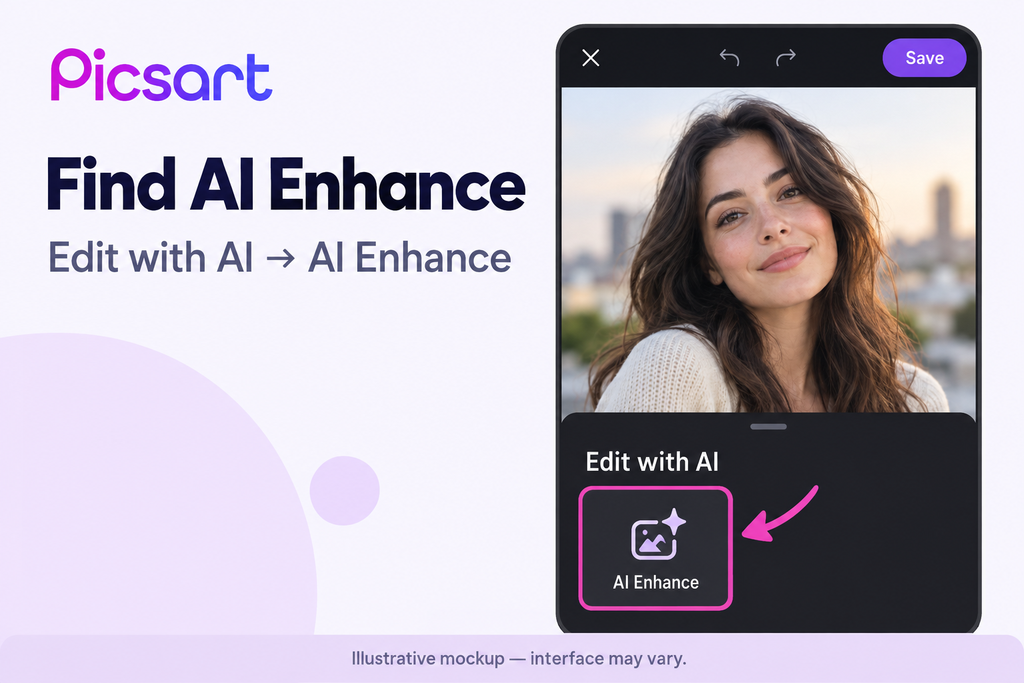
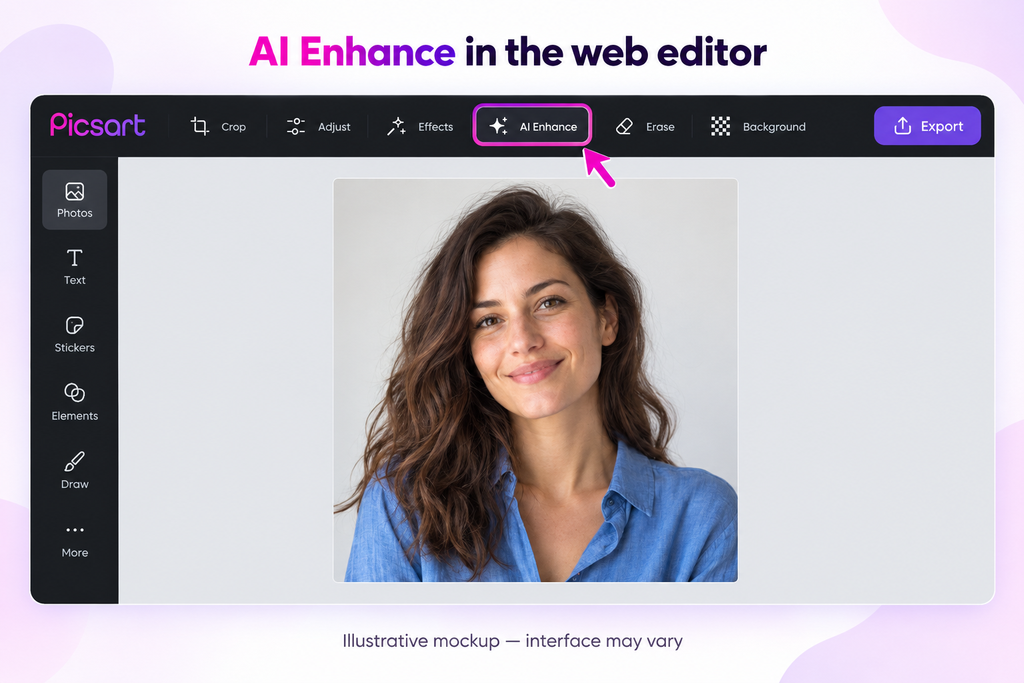
Open your photo in Picsart, choose Edit with AI → AI Enhance, wait for processing, then apply the result and save a copy. Some versions place AI Enhance under Tools instead. On desktop, upload your image to the web editor and select AI Enhance above the picture.

These paths follow Picsart’s official help instructions and editing guide. Button placement can vary by version. [1][2]

For a broader explanation of the feature, read our Picsart AI Image Enhancer guide.

Before you start: Choose the best available photo

Keep an untouched copy of your image. Then find the original camera file if you have it.

A screenshot of a photo, or an image saved repeatedly through messaging apps, may contain less detail than the original. Picsart recommends full-size originals and lists JPG and PNG as supported formats in its image-quality guidance. [3]

Check what actually looks wrong:

What you seeLikely issueSensible starting point
Slight softness around edgesMild focus blurTry AI Enhance and compare
Streaks or doubled outlinesMotion blurExpect limited improvement
Blocky edges when enlargedLow resolution or compressionFind a larger original first
Dark areas filled with specklesImage noiseAvoid aggressive sharpening
A clear subject against a soft backgroundIntentional background blurLeave the background alone

The aim is to improve the photograph without making important details look invented.

How to fix a blurry photo in the Picsart app

Step 1: Open the original image

Launch Picsart on your iPhone or Android phone and start a photo edit. Select the best-quality version from your gallery.

Before processing it, zoom in on the area you want to improve. For a portrait, check the eyes, eyebrows and hair. For a product photo, inspect edges, textures and any printed lettering.

Remember those areas so you can judge the result fairly.

Step 2: Find AI Enhance

Look for Edit with AI, then select AI Enhance.

If your layout differs, check Tools. Picsart’s current help page uses the first path, while its photo-enhancement tutorial also documents the Tools route. [1][2]

Use the enhancement feature rather than a face-changing effect if your goal is simply to reduce blur.

Step 3: Process the photo

Run AI Enhance and wait for the preview. Follow any account or access prompts shown on screen.

You do not need to add a creative text prompt for this workflow.

Step 4: Compare the result carefully

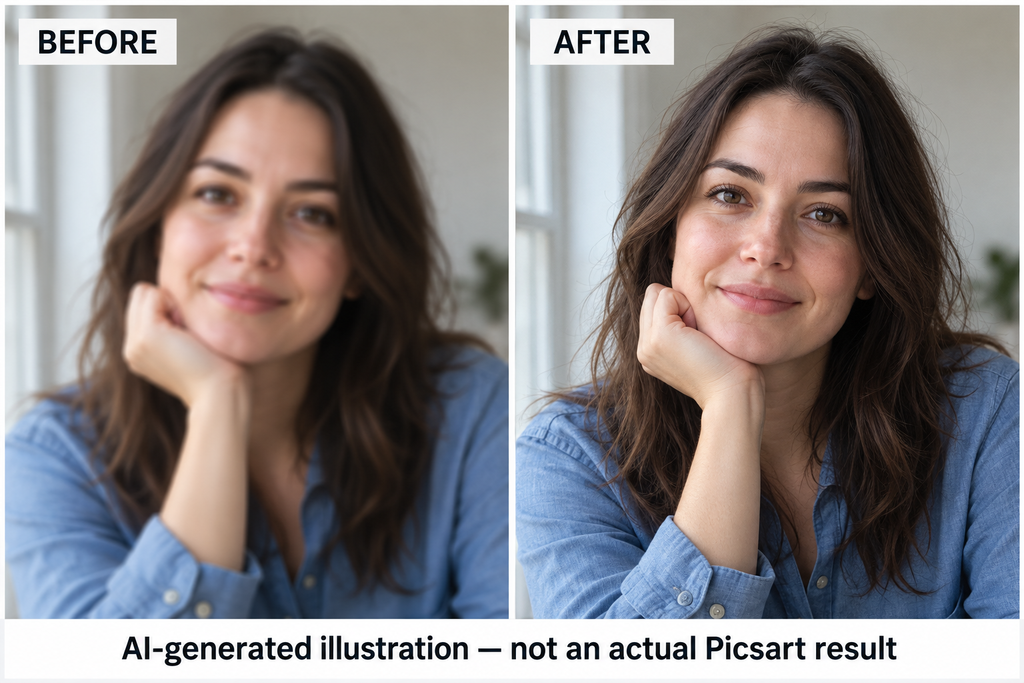
Check the original and edited versions at a similar zoom level. A smaller preview can hide defects.

Look closely at:

  • Eyes and teeth: Do they retain their original shape?
  • Hair: Does it look like hair rather than painted lines?
  • Skin: Is there still natural texture?
  • Clothing: Are patterns consistent?
  • Text: Have any letters or numbers changed?

Do not accept an edit just because it looks sharper. Reject it if it changes the person or introduces distracting artifacts.

Step 5: Apply and save a copy

If the result looks better, apply it and save the edited image separately.

Open the saved file in your gallery and inspect it again. This checks the actual export rather than only the editor preview.

How to fix a blurry photo in Picsart on desktop

You can also use Picsart in a browser.

  1. Open the Picsart AI Image Enhancer or its web editor.
  2. Upload the original photo.
  3. In the editor, select AI Enhance from the toolbar above the image.
  4. Review the processed result.
  5. Use Export to download your edited file. [1][2][4]

A larger screen is useful for checking faces, clothing patterns and fine edges. Save the download with a different filename so you can return to the original.

How to keep an enhanced face looking natural

A clear portrait should still look like the person in the original photo.

Avoid adding strong skin smoothing, beauty filters and extra sharpening immediately after enhancement. Review the first result before making further edits.

If your version offers an intensity control, start conservatively. If it does not, compare the automatic result with the original and undo it when necessary.

Pay attention to identity as well as appearance. A changed eyelid, hairline or smile can matter more than a small improvement in sharpness.

A little remaining softness is often preferable to an unnaturally altered face.

Is Picsart AI Enhance free?

Do not assume that installing Picsart for free gives you unlimited enhancement.

Picsart states that AI Enhance access depends on your plan and app version. It may require credits or a subscription. Its online enhancer page also describes the feature as premium. Check the offer shown in your account before paying or starting a trial. [1][4]

Why is your photo still blurry after enhancement?

The original has too little usable detail

A tiny face in a distant group photograph gives the software little information to work with.

Enhancement may create a more convincing appearance, but it cannot guarantee an accurate reconstruction of details the camera did not record.

The blur comes from movement

Camera shake and a moving subject can leave overlapping outlines. Sharpening those outlines may make them more noticeable.

If you took several photos, check the others before spending more time editing one badly blurred frame.

You cropped the image too heavily

Cropping removes pixels. A small section of a large photograph can still become a low-resolution image when enlarged.

Try editing the full original and use a less aggressive crop.

The image was compressed after editing

Compare the saved file in your gallery with the version posted or sent elsewhere. If only the shared version looks worse, the sharing process may be reducing its quality.

Where available, use an original-quality or file attachment option.

What to try if AI Enhance is missing or fails

These are general troubleshooting checks, rather than guaranteed fixes:

  • Update Picsart through the official app store.
  • Close and reopen the app.
  • Check your internet connection.
  • Try an original JPG or PNG.
  • Check whether your account has the required access.
  • Try the web editor if the app workflow is unavailable.

For repeated failures, contact Picsart support with your device, app version and the error message. Avoid deleting the app before checking that any projects you need are backed up.

Picsart or another photo enhancer?

Compare tools using the same original image. Judge facial accuracy, texture, edge artifacts and export quality.

Our Picsart vs Remini comparison explains the two options. You can also explore our best AI image enhancers guide.

A different tool may produce a different result, but no enhancer can promise to rescue every blurred photograph.

Frequently asked questions

Can Picsart fix a very blurry photo?

It may improve its appearance, but severe blur can remain. Picsart identifies slightly blurry and low-resolution images as suitable starting points. [1]

Does increasing resolution remove blur?

Increasing pixel dimensions and correcting blur are different tasks. A larger file can still look soft. Judge the visible result rather than the file size alone.

Can I fix a blurry face without changing it?

Sometimes mild enhancement is enough. Compare the result with the original, especially around the eyes, mouth and hairline. Undo any result that changes recognisable features.

Can Picsart recover unreadable text?

Do not rely on AI enhancement to establish exact wording or numbers. Generated details can look plausible without being correct. Find the original document or take a clearer photo when accuracy matters.

Should I enhance the same photo repeatedly?

Start with one pass. Repeated processing can exaggerate artifacts. If the result is poor, return to the original and try a different approach.

Save the clearest version that still looks right

Start with the original image, use AI Enhance, and inspect the details before saving. For mild blur, this gives you a straightforward way to try improving the photograph.

Keep the original alongside your edit. That makes it easier to choose the version that looks both clearer and believable.


Editorial sources

Feature paths and access details checked against official Picsart documentation on 25 October 2026. This is a documentation-based guide, not a hands-on product test.

  1. Picsart Help: How to use AI Enhance
  2. Picsart: How to enhance a photo
  3. Picsart Help: Choosing images for high-quality results
  4. Picsart AI Image Enhancer

How to Fix a Blurry Photo in Picsart: Step-by-Step Guide Read More »

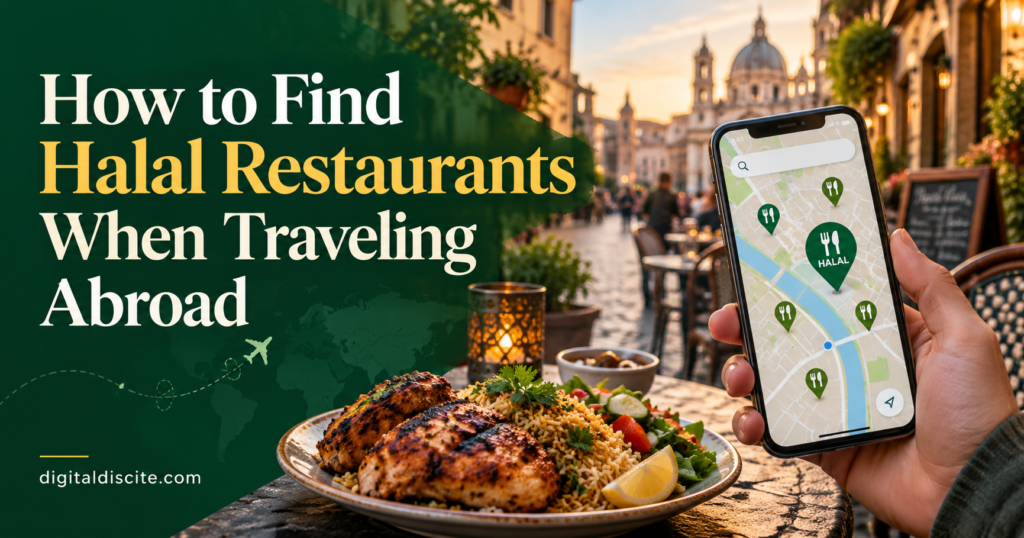
How to Find Halal Restaurants When Traveling Abroad

How to Find Halal Restaurants When Traveling Abroad

You have landed in a new city, checked into your hotel, and started looking for dinner. Google Maps shows a nearby restaurant with a halal sign. But does that mean everything on the menu is halal? And is the information still accurate?

Finding halal food abroad takes more than searching “halal restaurants near me.” A little research before your trip, followed by a few clear questions when ordering, can make eating out much easier.

The most practical approach is to find restaurants through maps and halal directories, check the exact branch, and confirm which dishes and preparation methods meet your requirements.

Here is how to do that without spending your holiday searching for somewhere to eat.

1. Research Halal Food Before Choosing Your Hotel

Start with the neighborhoods where you plan to stay and spend time. A hotel with several suitable restaurants nearby can make breakfast, late arrivals, and tired evenings easier.

Search for specific combinations such as:

  • Halal restaurants near [hotel name].
  • Halal breakfast in [neighborhood].
  • Halal-certified restaurants in [city].
  • Halal food near [airport or railway station].

Save a few options near your accommodation and another near each major sightseeing area. Check the walking route, typical menu prices, and opening hours before deciding whether a restaurant is convenient.

You can use our guide to the best AI travel planners to organize your itinerary. Ask an AI tool to suggest places to investigate, then verify each restaurant directly before relying on it.

2. Use Google Maps to Discover Options

Google Maps is a useful starting point for finding nearby restaurants and checking their location. However, a halal keyword, review, or customer photo does not independently prove a restaurant’s current halal status.

Look beyond the star rating. Read recent reviews and inspect menu photographs. Useful details include whether a diner mentions a certificate, identifies specific halal dishes, or reports a recent change in ownership or suppliers.

Check the restaurant’s own website or social account too. If the information conflicts, contact the branch rather than choosing whichever answer looks most reassuring.

A review saying “great halal food” is a lead to investigate, not a substitute for checking.

3. Cross-Check With Halal Restaurant Directories

Dedicated directories can help you discover restaurants that a general search misses.

ToolWhat to use it forWhat to confirm separately
Google MapsFinding nearby options and checking routes, photos, and reviewsCurrent halal status and the dishes covered
ZabihahFinding halal restaurant listings and information about meat sourcingThe exact branch, current details, and whether the whole menu qualifies
HalalTripDiscovering halal dining options and destination informationCertification, preparation practices, and current opening hours
Local certification directoriesChecking restaurants certified by a particular organizationValidity, outlet address, and certification scope

Zabihah explains that a restaurant may qualify for a listing if it claims to offer at least one meat dish meeting its halal guidelines. A listing therefore does not automatically mean the entire menu is halal.

HalalTrip’s restaurant directory provides another place to find dining options and reviews. Use either service to build a shortlist, then confirm the details that matter to you.

4. Understand What Restaurant Labels Actually Tell You

You may see several descriptions while searching. They should prompt different follow-up questions.

Halal-Certified

Ask which organization issued the certificate, whether it is current, and what it covers. Check that the address matches the branch you are visiting.

A certificate for a meat supplier does not necessarily certify every dish or the restaurant’s kitchen. Certification schemes also differ, so read the scope rather than relying on the logo alone.

Muslim-Owned

This describes ownership. It can be helpful information, but you can still ask about meat suppliers, ingredients, and kitchen practices.

Muslim-Friendly

Ask what the restaurant means by this term. It may describe selected meals or services rather than a fully certified restaurant.

No Pork

This statement addresses pork. It does not answer whether meat is halal-sourced, whether cooking alcohol is used, or how food is prepared.

The clearest question is: “Which items are halal, and how are they prepared?”

5. Ask Specific Questions Before Ordering

Instead of asking only “Is this halal?”, explain what you need to know.

  • Is all your meat halal, or only certain items?
  • Do you have a current halal certificate for this branch?
  • Does this dish contain pork, lard, animal stock, or cooking alcohol?
  • Are halal dishes prepared with separate utensils and cooking equipment?
  • Are the fries cooked in the same oil as non-halal meat?
  • Can you check the sauce, broth, and toppings with the chef?

For example, chicken may be halal-sourced while the sauce contains wine. A vegetable soup may use meat stock. Asking about the complete dish gives you more useful information than checking the main ingredient alone.

You do not need to ask every question at every restaurant. Focus on anything the menu, certificate, or staff explanation leaves unclear.

6. Check the Exact Branch of Restaurant Chains

Do not assume a familiar brand uses the same suppliers in every country or outlet.

Zabihah specifically notes that a listed chain branch may reflect that individual franchise’s decision to source halal meat. Check the address and contact that location before visiting.

If you are ordering delivery, also verify which branch will prepare your meal. A halal statement from another outlet may not apply.

7. Use Translation Tools for Clearer Questions

When language becomes a barrier, show staff a short written message:

“Hello. I eat halal food. Could you please check whether this dish contains pork, lard, non-halal meat or stock, or cooking alcohol? Is halal meat prepared using separate equipment? Thank you.”

Translate the message before your trip and save a screenshot. Keep questions short and show them one at a time if needed.

Camera translation can help you understand a menu, but it cannot establish meat sourcing or kitchen practices. Ask staff to check anything unclear with the chef.

8. Ask Local Muslim Communities

Local mosques, Muslim student associations, and community groups can be useful sources of suggestions, especially outside major tourist areas.

Ask for a specific recommendation: “Do you know a restaurant nearby with a current halal certificate?” or “Where can I find halal breakfast near the station?”

Treat these recommendations as starting points. Confirm the restaurant’s current arrangements yourself, particularly if the recommendation is old.

9. Check Vegetarian, Vegan, and Seafood Dishes Carefully

These options can broaden your choices when halal meat is difficult to find. Still, check the complete ingredients and preparation.

For vegetarian dishes, ask about stock, animal fats, gelatin, and cooking alcohol where relevant. For seafood, check sauces, batter, broth, and shared cooking equipment. Seafood rulings also vary, so choose according to the guidance you follow.

A vegan label is useful information about animal ingredients, but it does not by itself answer every halal-related question, including the use of alcohol.

10. Keep a Backup for Long Travel Days

A restaurant may close early, change its hours, or be farther from your route than expected. Save a second option near your hotel and carry suitable packaged snacks for long transfers.

Check destination customs rules before bringing food across borders. If you prefer preparing some meals yourself, look for accommodation with kitchen access and research nearby grocery options.

For airports and airline meals, check arrangements before departure. Do not assume a suitable meal will be available without advance planning.

A Quick Checklist Before You Eat

  • Confirm the restaurant’s exact location and current opening hours.
  • Check which dishes the halal claim covers.
  • Look at the certificate’s issuer, validity, address, and scope if available.
  • Ask about sauces, stock, cooking alcohol, and preparation where needed.
  • Choose according to the halal guidance and standards you follow.

Frequently Asked Questions

How do I find halal restaurants near me abroad?

Search Google Maps using your location, then cross-check options through halal directories, restaurant websites, or local certification listings. Contact the exact branch before relying on uncertain information.

Does a halal sign mean the whole menu is halal?

Do not assume so. Ask whether the claim covers the entire menu or selected dishes, and whether there is certification supporting it.

Can I rely on a halal food app alone?

Use it to discover options. Listings and reviews can become outdated, so check current details directly with the restaurant.

Can a restaurant serve halal food and also sell alcohol?

Some venues offer halal food while selling alcoholic drinks. Certification categories also differ: the Japan Halal Association, for example, describes a food-service certification category that permits alcohol service in the facility. Check the applicable scope, food preparation, and whether the setting meets your requirements.

What if staff cannot answer my questions?

Ask whether a manager or chef can clarify. If essential details remain uncertain, choose another dish or restaurant you can verify more confidently.

Make Food Research Part of Your Travel Plan: How to Find Halal Restaurants When Traveling Abroad

A small shortlist can save you repeated searches throughout your holiday. Find a few options before departure, check the exact branches, and keep a backup for busy days.

For more trip-planning ideas and practical guides, explore Digital Discite.

How to Find Halal Restaurants When Traveling Abroad Read More »

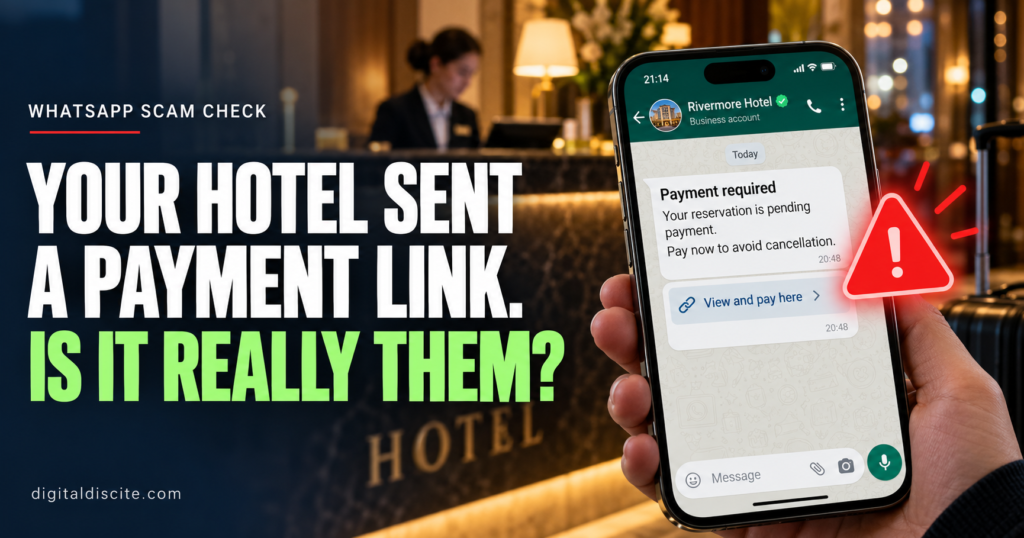
Your Hotel Sent a Payment Link on WhatsApp

Your Hotel Sent a Payment Link on WhatsApp. Is It Really Them?

Your hotel booking is confirmed. Then a WhatsApp message arrives.

It has the hotel’s logo, your name and the correct check-in date. There is just one problem: your payment supposedly failed. You must open a link and verify your card before your room is cancelled.

It feels believable because you really did book that hotel.

A hotel payment link on WhatsApp can be legitimate, but the message alone cannot prove it. Before paying, check your original booking terms and contact the hotel through a number you found independently.

Here is how to tell when a routine-looking request needs a closer look.

Some hotels manage their own payments and may contact guests about deposits or outstanding balances. A payment page hosted by an external payment provider is not automatically fraudulent.

The important questions are whether the payment matches your reservation terms and whether the hotel independently confirms the request.

Booking.com’s traveler safety guidance says it will not request card details through WhatsApp, phone, text or email. Its warning about Booking.com communications should not be confused with a blanket claim that every hotel-managed payment is fake.

Do not send your card number, security code, banking password or one-time code in a WhatsApp conversation.

Why the Message Can Know Your Real Booking Details

The most convincing hotel scams do not start with a random greeting. They reference an actual reservation.

A criminal may know the property name, travel dates and guest names. In some cases, attackers gain access to hotel booking accounts and use that access to contact guests.

The Swiss National Cyber Security Centre’s June 2026 warning describes both personalized WhatsApp scams and attacks involving compromised hotel accounts. Knowing your reservation details does not authenticate the sender.

That also explains why a suspicious request can appear inside a genuine booking platform’s messaging system. The app may be real while the account sending the message has been compromised.

What a Hotel WhatsApp Payment Scam Looks Like

Imagine receiving this message:

Hello, your reservation for 12–15 November requires card verification. Please complete the secure payment form within two hours to avoid automatic cancellation.

This is an illustrative example, not a message from a specific hotel.

The link opens a page with a familiar logo and your booking details. It asks for your card information, then a banking code.

The story may change, but common excuses include:

  • Your card was declined.
  • A refundable deposit is required immediately.
  • Your booking needs a small verification payment.
  • You must pay again because the original transaction failed.
  • A refund is waiting, but you must enter your financial details first.

The Swiss warning also documents fake hotel refund messages. An offer to return money deserves the same independent checks as a demand to pay.

Seven Warning Signs to Check Before You Pay

1. The Request Changes Your Booking Terms

Your confirmation says payment is due at the property. The message suddenly demands full payment today.

That mismatch needs an explanation from the hotel and, if you booked through one, the booking platform.

A real deposit or outstanding balance should be explainable against the terms you accepted.

2. You Are Threatened With Immediate Cancellation

A short deadline makes it harder to think clearly. Do not let a countdown replace verification.

UK fraud authorities have warned about hotel-account scams involving unexpected payment requests through booking messages, email and WhatsApp.

3. The Sender Wants Your Security Codes

A request to type a banking code into WhatsApp is a serious warning sign.

There is a difference between completing authentication in a verified bank payment flow and giving a code to someone who says they work at reception. Never share codes with the sender.

A familiar brand name can appear inside an unrelated address. For example, booking.example.com belongs to example.com, not Booking.com.

HTTPS and a padlock indicate an encrypted connection. They do not prove that the business behind the page is genuine.

Avoid opening a suspicious link just to investigate it.

5. The Payment Method Suddenly Changes

An unexplained request to use a new bank account, a personal recipient, cryptocurrency or gift cards deserves scrutiny.

A recognizable payment provider does not, by itself, prove that the recipient represents your hotel.

6. You Are Asked to Install Something

Paying for a room should not require remote access to your device, an unfamiliar app or a downloaded “verification” program.

Stop if the conversation moves in that direction.

7. The Sender Discourages Independent Checks

Be cautious if the person tells you not to contact the booking platform or insists that only the WhatsApp agent can prevent cancellation.

A refusal to let you verify the request is a reason to pause.

Step 1: Open Your Original Reservation Yourself

Launch the booking app directly or use the confirmation you already received. Avoid the new message’s links.

Check:

  • Whether you have already paid.
  • Who collects the payment.
  • When any remaining balance is due.
  • Whether a deposit or additional fee was disclosed.

Step 2: Call the Hotel Through an Independent Number

Find the hotel’s official website independently or use contact information you retained before the suspicious message arrived.

Do not use a new number supplied by the sender.

Ask reception:

“Did your team send me a WhatsApp payment request today? What amount is due, what is it for, and which payment provider do you use?”

Ask them to identify the provider and amount themselves before you supply those details.

Step 3: Contact the Booking Platform If Anything Conflicts

Use support inside the official app or website.

Explain what your confirmation says and what the new message requests. Include screenshots through the platform’s official support process.

A reply in the same suspicious conversation is not independent confirmation.

Step 4: Use the Confirmed Payment Route

If the payment is legitimate, ask whether you can access it through the official reservation page or the hotel’s verified website.

For a hotel-managed external payment, independently confirm the provider, recipient, amount and currency before entering card details. Keep the receipt.

If you cannot verify the request, hold the payment and escalate it promptly rather than ignoring a potentially genuine deadline.

What If You Already Clicked or Paid?

If you only opened the page: Close it. Do not download files, grant permissions or enter information. If something downloaded or you installed an app, use trusted security tools and seek help checking the device.

If you entered a password: Change it through the real service. Change it anywhere else you reused it, enable two-factor authentication where available, and review account sessions.

If you entered card details or approved a payment: Contact your bank immediately through its official app or the number on your card. Explain exactly what you entered or authorized. Ask about blocking or replacing the card and the relevant transaction dispute or transfer-recovery process. Recovery is not guaranteed.

If you shared a code or linked an account: Tell the affected bank or service immediately. Review active sessions or linked devices and remove unfamiliar access.

Preserve screenshots, the sender’s number, the link and transaction records. Report the incident to the booking platform, hotel and appropriate local fraud-reporting authority. Be wary of anyone demanding another fee to recover your money.

Frequently Asked Questions

No. Some hotels collect payments themselves. Verify the request independently and compare it with your booking terms.

Is it safe if the sender knows my booking number?

That detail alone is not enough. Reservation information may have been exposed or obtained through a compromised account.

Can a scam arrive inside the real booking app?

Yes. Authorities have documented attackers using compromised accommodation accounts to contact guests.

Should I cancel my hotel reservation?

A suspicious message alone does not establish that your reservation is invalid. Check its status with the hotel and booking platform before making changes that could trigger cancellation charges.

Can a hotel legitimately preauthorize my card?

A preauthorization can be part of a hotel’s payment or deposit arrangements. Confirm the applicable policy and payment route independently. The word “preauthorization” does not establish that a particular link is safe.

Before your next trip, explore our best AI travel planners and find more practical guides on Digital Discite.

Your Hotel Sent a Payment Link on WhatsApp. Is It Really Them? Read More »

Scroll to Top