
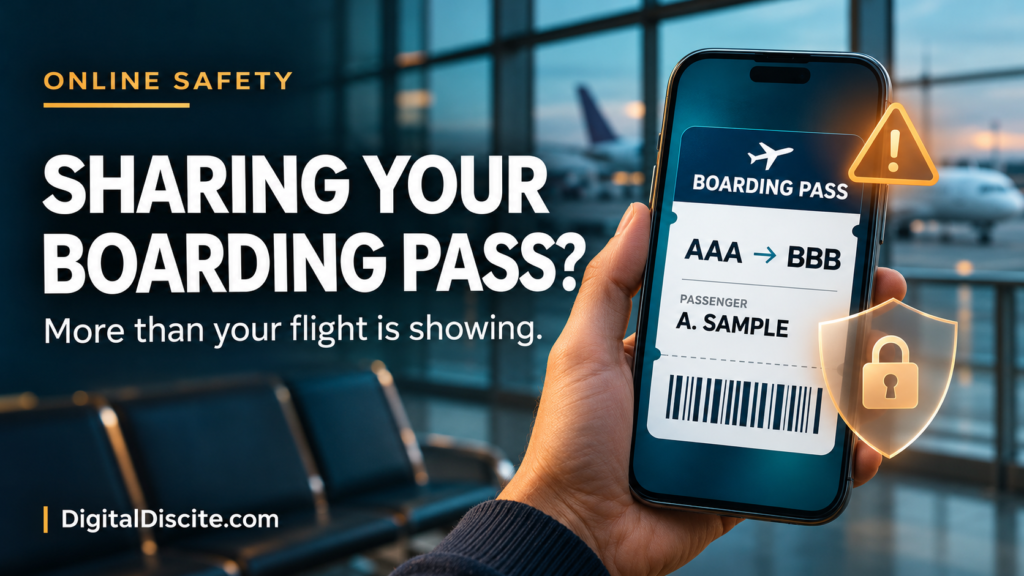
You are at the airport, coffee in one hand and your boarding pass in the other. A quick photo feels like a harmless way to announce that your holiday has started.
But that screenshot may share more than your destination.
Someone with a readable screenshot of your boarding pass may learn your travel details, extract information from its barcode, and potentially retrieve your booking using your surname and booking reference. What they can see or change depends on the airline’s security checks.
It does not automatically give them access to your bank account or permission to travel as you. Still, a boarding pass deserves more privacy than an ordinary holiday photo.
Table of Contents
What Information Can a Boarding Pass Screenshot Reveal?
There are two things to consider: the text visible in the image and the information encoded in its barcode.
Depending on the airline and format, the pass may expose:
| Information | Why it matters |
|---|---|
| Passenger name | Identifies the traveler and can help connect the trip to a public profile. |
| Booking reference, sometimes labeled PNR or record locator | May help retrieve a reservation when combined with a surname. |
| Airline, flight number, route, and travel date | Reveals where and when someone is traveling. |
| Seat and boarding details | Provides additional context about the journey. |
| Ticket or frequent-flyer details, if included | Creates another identifier that should be kept private. |
IATA’s Bar Coded Boarding Pass specification includes passenger and flight information, with additional fields depending on implementation. Not every airline includes the same details.
A boarding-pass barcode should not be assumed to contain your passport number, full payment-card details, or your entire booking record. Information encoded on the pass and information accessible through an airline’s reservation system are different things.
Source: IATA Bar Coded Boarding Pass Implementation Guide
What Can Someone Actually Do With the Screenshot?
1. Potentially Retrieve Your Booking
Some airlines let passengers start managing a reservation with a booking reference and surname.
For example, Emirates’ official booking-management page asks travelers to have those two details ready. Its tools include viewing an itinerary and managing aspects of a journey.
That makes an exposed reference more sensitive than a flight number alone. Depending on the airline, booking type, and additional authentication, someone may be able to see reservation information or attempt changes.
It would be misleading to claim that every screenshot lets a stranger cancel any flight. Available actions and verification requirements vary.
Source: Emirates: Manage Your Booking
2. Make a Scam Message More Convincing
Consider this fictional message:
“Your flight tomorrow requires an additional verification payment. Complete it now to keep your seat.”
If the sender includes your name and correct route, it can feel credible. But those details may simply have come from an image you shared.
This is a plausible misuse of exposed travel information, not proof that every personalized message began with a boarding-pass leak.
Qantas warns that phishing messages may use a person’s name and imitate familiar company branding. Verify unexpected requests through the airline’s app or website.
The same principle applies to accommodation. Our guide to hotel payment links sent on WhatsApp explains why accurate booking details do not prove that a sender is genuine.
Source: Qantas: Member Account Security
3. Learn About Your Movements
A visible route and date reveal a travel plan. Combined with public posts, they may suggest where you are, whom you are traveling with, or when you are likely to be away.
That does not prove your home is empty. It does give strangers information they did not need.
For a public travel account, consider posting location updates after leaving. For airport photos, frame the picture so tickets, luggage labels, and companions’ documents are outside the shot.
Our digital citizenship and online etiquette guide covers related habits for protecting personal information and managing your digital footprint.
Is Hiding Your Name Enough?
No. If the barcode remains readable, covering the printed name may leave encoded information exposed. Conversely, hiding the barcode while leaving the surname and booking reference visible may still expose the details used to retrieve a booking.
Not every boarding-pass code is technically a QR code. Different barcode formats are used, so cover every machine-readable code rather than looking only for a familiar square pattern.
A casual blur or a small emoji is easy to apply incompletely. The simplest option is to leave the boarding pass out of the photo.
If you must share an image publicly, use this practical editing checklist:
- Remove every barcode and QR-style code completely.
- Remove names, booking references, ticket numbers, and loyalty identifiers.
- Remove itinerary details you do not intend to disclose.
- Check nearby luggage tags and other passengers’ documents.
- Export a separate edited image and inspect that exact file before posting.
Do not upload the original to an unfamiliar online decoder or image-editing service just to check whether it is sensitive.
Qantas explicitly advises travelers not to disclose booking references or post boarding-pass and ticket photos on social media.
Source: Qantas: Privacy and Security
What If You Already Posted Your Boarding Pass?
Act promptly, especially if any part of the booking is still upcoming.
Remove the Image
Delete the post, story, or public upload. Ask anyone who reposted it to remove their copy. Deleting your version cannot guarantee that nobody saved it, but it limits further exposure.
Check the Reservation Through an Official Channel
Open the airline’s genuine app or type its website address yourself. Review the itinerary, available contact information, and any changes you do not recognize.
Do not follow a new “support” link sent in response to your post. The FTC warns that travel scammers can impersonate airlines and hotels, including through misleading search advertisements.
Source: FTC: How to Avoid a Travel Scam
Tell the Airline What Was Exposed
If the booking reference or readable barcode was public, contact the airline through a verified channel. Explain whether the trip is upcoming and whether you have noticed suspicious activity.
Ask what protection is available for that reservation. Do not assume that downloading or printing another boarding pass changes the booking reference.
If you are already at the airport, speak to airline staff rather than experimenting with cancellation or rebooking.
Respond to Any Separate Account or Payment Exposure
Posting a boarding pass alone does not prove your password was stolen.
If you also entered credentials on a suspicious page, change them through the real service and review account access. If you supplied card information or approved an unfamiliar payment, contact your bank immediately through its official channels.
Frequently Asked Questions
Can someone board a flight with my screenshot?
A screenshot is not a substitute for all identity, document, and boarding checks. Those checks vary by airport and route. For example, US airport screening includes identity-verification measures. Do not assume the image alone allows someone to fly in your place, but report exposure of a live pass to the airline.
Source: US Government Accountability Office: Aviation Security
Is it safe to post an old boarding pass?
An old pass can still reveal personal identifiers and travel history. A completed outbound flight may also belong to a booking with remaining flights. Waiting until after travel does not make all printed or encoded information harmless.
Can I privately send my boarding pass to family?
Share only with someone who needs it, through a trusted private channel. For an airport pickup, the flight number and arrival time will usually be enough; the full boarding pass adds unnecessary information.
Is saving a screenshot on my own phone unsafe?
Keeping a private copy is different from publishing it. Protect your phone and account, and check the airline’s instructions about accepted boarding-pass formats. Do not assume every airline accepts a static screenshot.
Share the travel moment without sharing the document that helps manage the trip.