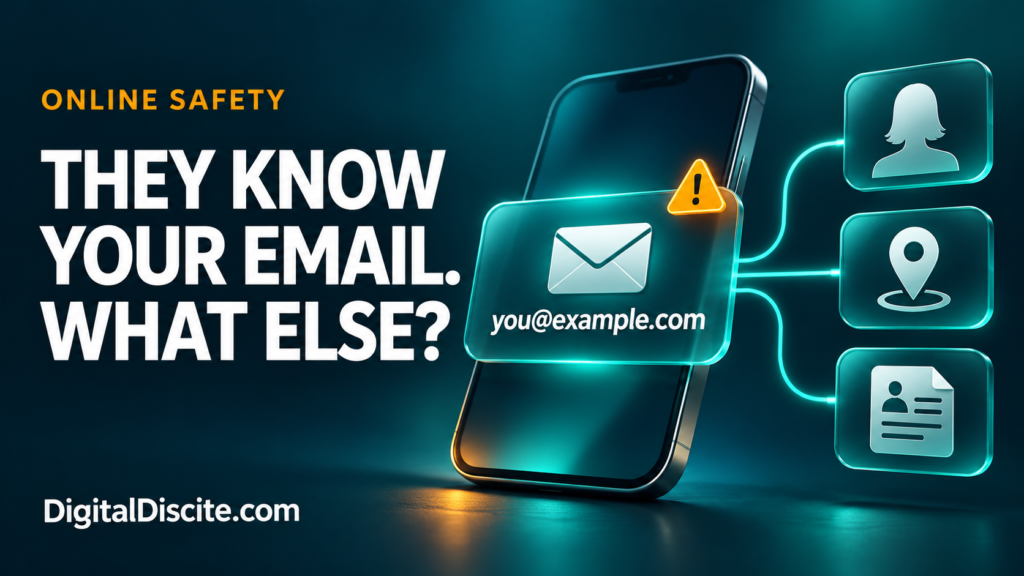
You give your email address to an online shop, a potential client, or someone you have just met. Later, you wonder: can they use it to find your social accounts, phone number, or home address?
An email address can help someone connect public profiles, discover some breach history, and piece together personal information. How much they can find depends on where you have used it and what those sources reveal. The address alone does not give them access to your inbox, passwords, or live location.
The concern is not that every email address exposes a complete identity. It is that one familiar identifier can connect information you thought was separate.
Table of Contents
What Can Someone Find With Your Email Address?
| Information | What is realistically possible? |
|---|---|
| Your name or workplace | The address itself, a public contact page, or an associated profile may reveal it. |
| A profile photo or social account | Sometimes, depending on public listings, platform features, and privacy settings. |
| Some data-breach history | A breach-checking service may show recorded incidents involving the address. |
| A phone number or postal address | Possible if another public, brokered, or leaked record links those details to you. |
| Every account you have ever created | No reliable, complete list can be assumed. |
| Your inbox or current password | Not from knowing the address alone. |
| Your exact live location | Not from the email address alone. |
A matching username or similar name is a clue, not proof that two profiles belong to the same person.
1. Your Address May Reveal Your Name or Organization
An address such as firstname.lastname@example.com may reveal a likely name. A work domain may identify an employer or business.
Neither guarantees someone’s current identity or employment. An address may be old, shared, or based on a nickname.
For freelancers, teachers, and small-business owners, this visibility is often intentional. Clients need a way to contact you. The useful question is whether your public work address also connects to personal accounts you would rather keep separate.
For example, using one address on both a business contact page and a personal community profile can create a connection between those activities.
2. Public Profiles May Connect More of the Dots
If you have published your email address in a portfolio, directory, public document, or profile, someone may find the surrounding information too.
Some services also have profile-discovery features. Google explains that its settings help determine what people find when they look for you using an email address or phone number. Visibility can also change after you interact with someone through its services.
This does not mean a stranger can automatically uncover every private social account.
Review what each platform makes visible and whether it offers controls for being found through contact information. Our digital citizenship and online etiquette guide covers related ways to manage your digital footprint.
Source: Google: Control What Others See About You
3. Breach Records May Reveal Previous Exposure
If a service you used suffered a data breach, your email address may appear in records of that incident.
Have I Been Pwned lets you check your own address against breaches in its database. Depending on the incident, results may describe categories of exposed data.
Keep three limitations in mind:
- A breach result does not automatically mean your email inbox was hacked.
- A result describing exposed passwords does not prove your current password is known.
- No results does not establish that your address has never been exposed.
Have I Been Pwned does not display a password paired with your email address. It also restricts sensitive breach results to verified address owners.
Use the official website directly. You do not need to give an unfamiliar “email investigation” service your mailbox password.
Source: Have I Been Pwned: FAQs
4. Data Brokers May Link Your Identity to Other Details
A separate record may connect an email address to a name, phone number, or location. Once a person is identified, other sources may reveal more.
The US Federal Trade Commission explains that people-search sites combine information from public records, public social profiles, and other data brokers. Their reports can include addresses, employment history, and relatives.
That does not mean every email search will return an accurate home address. Coverage varies by country and service, and records can be outdated or matched to the wrong person.
If you find your information on a people-search site, look for its removal or opt-out process. Removal from one site does not erase the underlying public records, and information may reappear.
Source: FTC: What to Know About People Search Sites
5. Someone Can Use the Address to Target You With Scams
Knowing your address gives someone a place to send a message. Knowing your name, job, or a service you use can make that message more persuasive.
Imagine receiving this fictional email:
“Your business website payment failed. Confirm your card today to avoid suspension.”
If you run a website, the message may feel relevant. That relevance is not proof that the sender manages your account.
The FTC warns that phishing messages often invent account or payment problems to persuade people to click links or disclose information. Open the genuine service yourself to check a claim.
Our guide to hotel payment links sent on WhatsApp shows the same problem in travel: accurate details can make an impersonation convincing.
Source: FTC: Phishing Scams Can Be Hard to Spot
Can Someone Hack You With Just Your Email Address?
Knowing an address is different from having the credentials or authorization needed to enter the account.
Risk increases if someone also obtains a password you reused elsewhere. Credential stuffing means trying previously stolen login combinations against other services.
That is why a unique email password matters. Your inbox may receive password-reset messages for other accounts, so protecting it deserves priority.
Use a password manager to create unique passwords and enable multifactor authentication. Where supported, consider a passkey or security key. Never approve a sign-in request you did not initiate.
An unexpected password-reset email is not, by itself, proof of a successful login. Check account activity through the official app or website.
Sources: Canadian Centre for Cyber Security: Credential Stuffing, OWASP: Credential Stuffing Prevention
How to Check What Your Own Email Address Reveals
You do not need to pay for a dramatic “full identity report.” Start with a small privacy review.
- Search your own address in quotation marks. Review public results for old profiles, documents, or contact listings. Search engines do not cover everything.
- Check your profile visibility. Look at public names, photos, contact information, and discovery settings.
- Check your own breach history. Review the affected services and their official security advice.
- Remove unnecessary exposure. Edit old pages you control or ask the publisher to remove outdated contact details.
- Review your email security. Check recovery information, recent activity, connected apps, and signed-in devices.
Keep this review focused on your own information. Avoid unfamiliar lookup sites that demand excessive personal details to “verify” a report.
Should You Use a Separate Email Address or an Alias?
Separating public contact from important account logins can reduce unwanted connections.
A practical arrangement is:
| Purpose | Suggested approach |
|---|---|
| Client inquiries and public contact | A dedicated work address you expect people to see. |
| Important personal accounts | An address you avoid publishing unnecessarily. |
| Shopping and newsletters | A separate address or supported email-alias service. |
For example, Apple’s Hide My Email can generate random addresses that forward messages to your inbox. Availability depends on the feature and service you use.
Aliases help limit disclosure of your underlying address. They do not erase information already exposed, guarantee anonymity, or replace account security.
Source: Apple: Create Unique Addresses With Hide My Email
What If You Think Someone Has Access to Your Inbox?
Treat signs of actual account access more urgently than ordinary spam.
Warning signs include unfamiliar successful sign-ins, messages you did not send, changed recovery details, or forwarding rules you did not create.
Use your provider’s official recovery process. Change the password from a trusted device, remove unfamiliar sessions and connected apps, and check recovery settings.
Also inspect forwarding, filters, and delegated access. Google specifically identifies unexpected changes to these settings as potential signs of compromise. Changing a password alone may leave other unwanted settings in place.
Source: Google: Secure a Hacked or Compromised Account
Frequently Asked Questions
Can someone find my home address from my email?
Sometimes, if other records connect the two or identify you well enough to locate an address elsewhere. It is not automatic, and a lookup result may be incorrect.
Can someone read my emails just by knowing the address?
No. The address alone does not authorize inbox access. A stolen password, compromised session, malicious connected app, or another security failure would be an additional factor.
Should I delete my email account if someone knows it?
Usually, knowing your address alone is not a reason to delete it. Secure the account and reduce unnecessary public exposure first. A new address may be useful for persistent harassment, but plan the move carefully so you retain access to important services.
Does a scam email using my real name prove I was hacked?
No. Your name may come from public information, a mailing list, or a breach elsewhere. Verify the claim independently instead of treating personalization as proof.
Your email address is meant to help people reach you. Protect the account behind it, and limit how much unrelated information that address connects.