
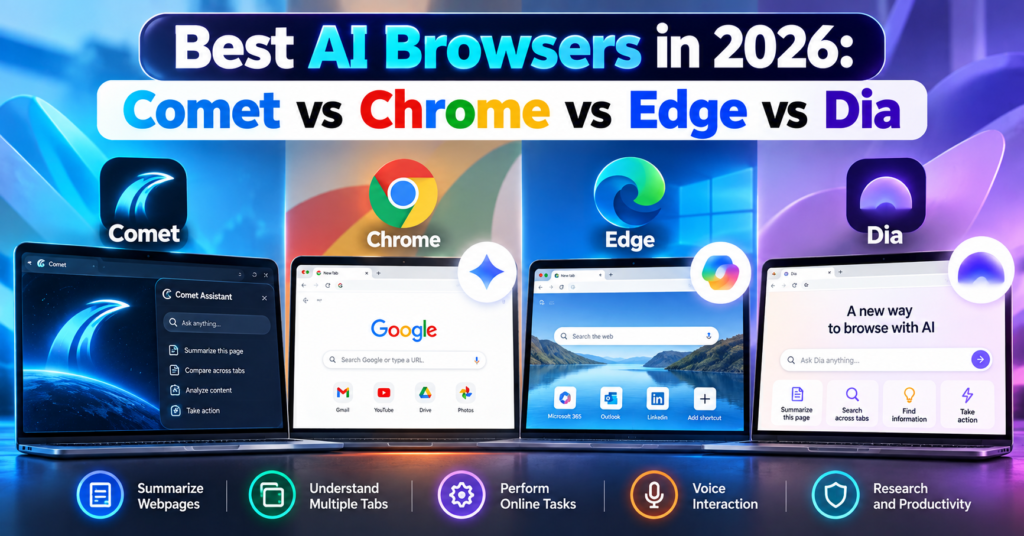
Web browsers are changing.
For years, choosing a browser mostly came down to speed, extensions, privacy, and synchronization. In 2026, there is another major factor to consider: artificial intelligence.
A new category of AI browsers can summarize webpages, understand multiple open tabs, answer questions about what you are reading, remember context, and even perform certain online tasks for you.
Four browsers stand out in this new competition:
- Perplexity Comet
- Google Chrome with Gemini
- Microsoft Edge with Copilot
- Dia Browser
But which is the best AI browser in 2026?
The answer depends on whether you want AI for research, everyday browsing, work, automation, or productivity.
In this guide, we compare Comet vs Chrome vs Edge vs Dia, including their AI features, pricing, advantages, limitations, and ideal users.
Table of Contents
What Is an AI Browser?
An AI browser is a web browser that integrates artificial intelligence directly into the browsing experience.
Instead of opening a website, copying information, switching to an AI chatbot, and pasting the content there, an AI browser can understand what you are already viewing.
Depending on the browser, you may be able to ask:
“Summarize this article.”
“Compare the products in these tabs.”
“What were the main differences between the three hotels I opened?”
“Find the webpage about AI agents I visited yesterday.”
More advanced AI browsers are moving beyond answering questions.
They can potentially navigate websites and complete multi-step tasks.
This development is part of the wider shift toward AI agents. If you want to understand how autonomous AI tools work outside browsers, read our guide to the 10 Best Free AI Agents You Can Use in 2026.
Best AI Browsers in 2026: Quick Comparison
| Feature | Comet | Chrome | Edge | Dia |
|---|---|---|---|---|
| AI assistant | Comet Assistant | Gemini | Copilot | Dia AI |
| Page summarization | Yes | Yes | Yes | Yes with AI plan |
| Multi-tab understanding | Yes | Yes | Yes | Yes |
| Agentic web actions | Yes | Yes, availability varies | Yes, through Copilot features | Task-focused AI capabilities |
| Voice interaction | Yes | AI features vary by platform | Yes | Voice/dictation features |
| Browser history intelligence | Yes | AI context features | Yes | Yes |
| Built around AI | Yes | No | Increasingly | Yes |
| Free browser | Yes | Yes | Yes | Yes |
| AI pricing | Free + Perplexity paid tiers | Some advanced features require eligible Google AI plans | Some features/plans have limits | Main AI plan starts at $20/month |
| Best for | AI research | Google users | Microsoft/work productivity | Context-heavy knowledge work |
Feature availability can differ by device, region, account, subscription and browser version.
1. Perplexity Comet
Best for: AI-powered research and web automation
Perplexity Comet is one of the clearest examples of a browser designed around artificial intelligence from the beginning.
Instead of adding an AI chatbot to a traditional browser interface, Comet puts Comet Assistant directly into the browsing workflow.
The assistant can understand webpages, work with multiple tabs and perform certain browser actions.
What Can Comet Do?
Comet can help you:
- Summarize webpages
- Analyze PDFs
- Ask questions about websites
- Compare information across tabs
- Navigate webpages
- Fill forms
- Draft content
- Manage tabs
- Use voice commands
- Assist with online tasks
Its cross-tab capabilities are particularly useful.
Imagine researching four laptops.
Instead of manually creating a spreadsheet containing their specifications, you could open the product pages and ask Comet to compare them.
The same workflow can work for hotels, software, academic research, products and competitor analysis.
Comet Assistant
Comet Assistant lives directly inside the browser.
It understands the page you are viewing and can also reference specific tabs.
For example:
“Compare the pricing on these three tabs.”
or:
“Summarize these articles and tell me where they disagree.”
This makes Comet particularly attractive for people who regularly conduct online research.
Comet Can Perform Browser Actions
Comet goes beyond summarization.
Perplexity says its browser can navigate webpages, interact with web content, fill forms and perform certain online actions.
This moves Comet closer to an agentic browser rather than simply an AI chatbot attached to a browser.
Is Comet Free?
Yes.
The Comet browser is available free, although Perplexity also offers paid subscriptions and some advanced capabilities may depend on your plan.
You can visit the official Perplexity Comet website to check current availability.
We have also covered Comet separately in our detailed Perplexity Comet Browser Review 2026, where we look more closely at whether it can replace Chrome.
Comet Pros
- Excellent AI research capabilities
- Strong multi-tab understanding
- Built-in AI assistant
- Webpage summarization
- Browser automation
- Voice mode
- Chrome data and extension importing
- Available across major desktop and mobile platforms
Comet Cons
- Much newer than Chrome and Edge
- Agentic browsing introduces additional privacy considerations
- Some advanced Perplexity capabilities may require paid access
- Users heavily invested in Google or Microsoft ecosystems may prefer their respective browsers
2. Google Chrome With Gemini
Best for: Everyday browsing and Google ecosystem users
Chrome may look like the traditional option in this comparison, but describing Chrome as a normal non-AI browser is no longer accurate.
Google has integrated Gemini directly into Chrome.
Gemini can understand the webpage you are viewing, answer questions, summarize content and compare information across tabs.
Gemini in Chrome
Suppose you have several hotel pages open while planning a trip.
You could ask Gemini to compare information from those tabs rather than repeatedly switching between them.
Gemini in Chrome can also work with Google services such as:
- Gmail
- Google Calendar
- Google Maps
- YouTube
This ecosystem integration is one of Chrome’s biggest advantages.
For example, Gemini can help draft an email in Gmail or check information using Maps while you continue browsing.
Chrome Auto Browse
Chrome is also becoming more agentic.
Google’s auto browse capabilities allow Gemini to perform certain web tasks on behalf of users.
Examples provided by Google include organizing travel, updating recurring orders and handling other repetitive web activities.
Google has also integrated its broader agentic technology more deeply into Chrome.
However, availability of these capabilities varies depending on location, device and Google AI subscription.
Gemini Can Understand Multiple Tabs
One of the most important improvements is multi-tab reasoning.
Gemini can compare information from multiple webpages.
This makes Chrome much more competitive with AI-first browsers such as Comet.
Chrome Pros
- Mature and widely supported browser
- Gemini built into Chrome
- Multi-tab AI analysis
- Strong Google integration
- Excellent extension ecosystem
- Agentic browsing capabilities
- Available across desktop and mobile
- Familiar interface
Chrome Cons
- Some advanced AI features require eligible subscriptions
- AI features vary by region and platform
- Less AI-first in design than Comet or Dia
- Users who avoid the Google ecosystem may gain less from its biggest advantage
3. Microsoft Edge With Copilot
Best for: Windows users, productivity and Microsoft ecosystem users
Microsoft Edge has quietly become one of the most AI-focused mainstream browsers.
Its main AI system is Microsoft Copilot.
Copilot is integrated directly into Edge and can understand webpages, summarize information, answer questions and work with browser context.
Microsoft has gone further with Copilot Mode.
What Is Copilot Mode?
Copilot Mode is Microsoft’s AI-focused browsing experience inside Edge.
It combines browsing, search and AI assistance more closely.
Copilot can understand open tabs and browsing history to provide more contextual answers.
For example, you could ask:
“Which of the products I opened has the longest battery life?”
without manually copying information from every tab.
Copilot Vision
Edge also includes Copilot Vision.
Vision allows Copilot to understand what you are viewing and provide contextual assistance.
That creates a more visual interaction with the browser instead of relying entirely on text prompts.
Copilot Actions
Microsoft is also developing Edge around agentic actions.
Copilot Actions can perform certain online tasks rather than simply explain how to complete them.
Edge’s AI capabilities increasingly include:
- Webpage summarization
- Multi-tab reasoning
- Browsing-history intelligence
- Voice browsing
- Product research
- Price comparison
- Video summarization
- AI image generation
- Tab organization
- Agentic actions
For work environments, Microsoft’s integration with Microsoft 365 can make Edge especially attractive.
You can learn more through the official Microsoft Edge Copilot Mode page.
Edge Pros
- Copilot built directly into Edge
- Strong Windows integration
- Multi-tab reasoning
- Copilot Vision
- Voice browsing
- AI shopping tools
- Microsoft 365 integration
- Agentic capabilities
- Mature Chromium-based browser
Edge Cons
- Copilot Mode remains an evolving experience
- Some AI features have usage or availability restrictions
- Certain enterprise capabilities require Microsoft 365 Copilot
- Feature availability varies between accounts and devices
4. Dia Browser
Best for: AI-assisted knowledge work and connected work apps
Dia takes another approach to the AI browser.
It is developed by The Browser Company, the team behind Arc.
Dia was created around a simple idea:
Your browser should understand the context of your work.
Rather than treating every tab as an isolated webpage, Dia is designed to let users work with information across tabs, browsing activity and connected applications.
Chat With Your Tabs
One of Dia’s fundamental ideas is the ability to chat with your tabs.
You might have several research pages open and ask Dia to summarize what you have discovered.
Or you could use context from your work tools when asking questions.
This makes Dia particularly interesting for people whose browser acts as their main workspace.
Dia Integrations
Dia has expanded its integrations with work applications.
Its paid AI offering can work with context from tools such as:
- Gmail
- Slack
- Notion
- Microsoft Outlook
- GitHub
- Google Calendar
- Figma
That makes Dia less about traditional search and more about connecting information from your digital workspace.
Dia Search and Work Context
Dia has continued expanding contextual search in 2026.
For example, it can search previous chats and browsing history. Recent updates have also added deeper integrations such as Figma.
This can be useful when you remember seeing something but cannot remember exactly where.
Instead of manually searching through dozens of tabs and browser-history entries, you can ask Dia to retrieve relevant context.
Is Dia Free?
This requires an important distinction.
Dia offers a free browser plan, but its main AI capabilities are part of paid plans after the trial.
At the time of writing, Dia lists:
Better Browser — Free
Includes normal browser features such as profiles, tab groups, split view, ad/tracking blocking and cross-device sync.
Better Answers — $20/month
Adds AI chat across your tools, tabs and documents.
Better Days — $100/month
Adds substantially more AI usage along with features such as reports, recaps, meeting preparation and a Morning Brief.
Because AI pricing changes frequently, check the official Dia plans page before subscribing.
You can also compare wider AI subscription costs in our AI Tools Pricing Database 2026.
Dia Pros
- Designed around AI-assisted work
- Strong contextual understanding
- Works across tabs and connected tools
- Search across browser history
- Work-app integrations
- Clean productivity-focused design
- Free browser tier
Dia Cons
- Core AI capabilities require a paid plan after trial
- $20/month may be difficult to justify for casual users
- Smaller ecosystem than Chrome or Edge
- Best features are targeted more toward knowledge workers
Comet vs Chrome vs Edge vs Dia: Which Has the Best AI?
There is no single answer because each browser approaches AI differently.
Choose Comet If You Do Lots of Research
Comet makes sense for researchers, students, marketers, writers and people who constantly compare information online.
Its combination of webpage understanding, cross-tab intelligence and browser actions makes research its strongest use case.
Choose Chrome If You Use Google Every Day
Chrome is particularly compelling if your digital life already revolves around Google’s services.
Gemini’s integration with Gmail, Calendar, Maps and YouTube makes Chrome much more than a normal browser with a chatbot.
Chrome also has the advantage of maturity, compatibility and an enormous extension ecosystem.
Choose Edge If You Use Windows and Microsoft 365
Edge is particularly attractive for Windows and Microsoft users.
Copilot Mode, Vision, multi-tab reasoning and Microsoft’s work ecosystem make it a strong productivity browser.
It is especially interesting for businesses already using Microsoft 365.
Choose Dia If Your Browser Is Your Workspace
Dia is aimed more directly at people who spend their workday inside the browser.
Its ability to connect information across tabs, history and apps such as Slack, Gmail, Notion, GitHub and Figma can be useful for professionals dealing with large amounts of digital context.
The downside is that the most interesting AI features are not included permanently in the free browser tier.
AI Browsers vs Traditional Browsers
The distinction between an “AI browser” and a “traditional browser” is becoming less meaningful.
Chrome and Edge demonstrate why.
Both started as conventional browsers and are now receiving increasingly sophisticated AI capabilities.
Meanwhile, Comet and Dia were designed during the generative-AI era.
The bigger shift is therefore not:
AI browsers vs normal browsers.
It is:
Browsers that display the web vs browsers that understand and act on the web.
That second category is becoming much more important in 2026.
Are AI Browsers Safe?
AI browsers introduce privacy and security questions that traditional browsers did not have to handle at the same level.
For an AI assistant to understand your browsing context, it may need access to information such as:
- Current webpages
- Open tabs
- Browsing history
- Connected applications
- Documents
- Account information
Agentic browsers can potentially go further by interacting with websites on your behalf.
That makes permissions extremely important.
Before giving an AI browser access to sensitive accounts, review:
- What browsing information the AI can access.
- Whether the feature can be disabled.
- What information is sent to cloud servers.
- Whether connected apps can be removed.
- Whether confirmation is required before sensitive actions.
Google and Microsoft have both introduced protections around prompt injection and sensitive actions, while Comet and Dia provide their own privacy and security controls.
However, no AI agent should be assumed to be error-free.
Be particularly cautious when allowing browser agents to interact with financial, medical, confidential business or other sensitive information.
Can AI Browsers Replace Chrome?
This question is becoming more complicated because Chrome itself is now an AI browser.
Comet and Dia originally stood out because AI was integrated much more deeply into their browsing experience.
But Google and Microsoft are moving quickly.
Chrome now combines Gemini with multi-tab reasoning and agentic browsing.
Edge combines Copilot with browsing context, Vision and actions.
That means newer AI browsers must compete not only on AI quality but also on:
- Speed
- Privacy
- Compatibility
- Extensions
- Mobile support
- Reliability
- Ecosystem integrations
- Price
Comet and Dia can still offer different experiences, but Chrome and Edge are no longer standing still.
Which AI Browser Should You Try First?
Your easiest approach is to test the browsers using the same real task.
For example, open several hotel pages and ask each AI browser:
“Compare these hotels by nightly price, location, guest rating, parking and breakfast. Put the results in a table and tell me what information is missing.”
Then try another research task involving long articles or product comparisons.
Look at:
- Accuracy
- Speed
- Sources
- Cross-tab understanding
- Ease of use
- Number of manual steps
- Privacy controls
- AI usage limits
This gives you a much better answer than choosing a browser because of marketing claims.
Frequently Asked Questions
What is the best AI browser in 2026?
Comet, Chrome, Edge and Dia are among the major AI-browser options in 2026. Comet emphasizes AI-assisted research and browser actions, Chrome combines Gemini with Google’s ecosystem, Edge integrates Copilot and Microsoft services, while Dia focuses heavily on contextual knowledge work.
Is Comet better than Chrome?
Comet offers an AI-first browsing experience and is particularly useful for research. Chrome provides a more mature browser ecosystem while increasingly offering comparable AI capabilities through Gemini. Read our full Perplexity Comet Browser Review 2026 for a detailed comparison.
Is Google Chrome an AI browser now?
Yes. Gemini is integrated into Chrome in supported markets and can summarize webpages, compare information across tabs and interact with Google services. Google has also introduced agentic browsing capabilities.
Is Microsoft Edge an AI browser?
Yes. Microsoft describes Edge as an AI browser and integrates Copilot directly into it. Copilot Mode provides additional AI-oriented browsing features.
Is Dia Browser free?
Dia has a free browser plan. However, its main AI capabilities are included in paid plans after the trial. Dia currently lists its Better Answers AI plan at $20 per month.
Can AI browsers perform tasks for me?
Some can. Agentic browser features can navigate webpages and perform certain online actions. The exact capabilities depend on the browser, account, device, region and subscription.
Which AI browser is best for students?
Comet can be particularly useful for research and summarizing multiple sources, while Chrome with Gemini can also summarize and compare information across tabs. Students should verify AI-generated summaries against original sources before using them academically.
Which AI browser is best for work?
Edge can be particularly useful in Microsoft 365 environments, while Dia focuses heavily on context from workplace tools. Chrome is attractive for Google Workspace users, and Comet can be useful for research-heavy professional workflows.
Are AI browsers free?
Chrome, Edge and Comet can be downloaded for free. Dia also has a free browser tier, although its primary AI capabilities require a paid plan after the trial. Some advanced AI functionality in Chrome, Edge and Comet may also depend on subscriptions, usage limits, region or account eligibility.
Final Thoughts
AI browsers are becoming one of the most interesting software categories of 2026.
Perplexity Comet shows what happens when a browser is designed around AI-assisted research and action.
Google Chrome demonstrates how Gemini can transform the world’s most established browser into an increasingly intelligent browsing assistant.
Microsoft Edge combines Copilot with productivity, browsing context and agentic features.
Dia takes a different path by trying to understand not just the webpage in front of you, but the wider context of your work.
The most important development is bigger than any one browser.
For decades, browsers mainly helped us find and display information.
AI browsers are increasingly trying to understand that information and act on it.
That shift could fundamentally change how we use the web over the next few years.
For more AI software, agents and productivity tools, explore Digital Discite’s Best Tech Tools.