
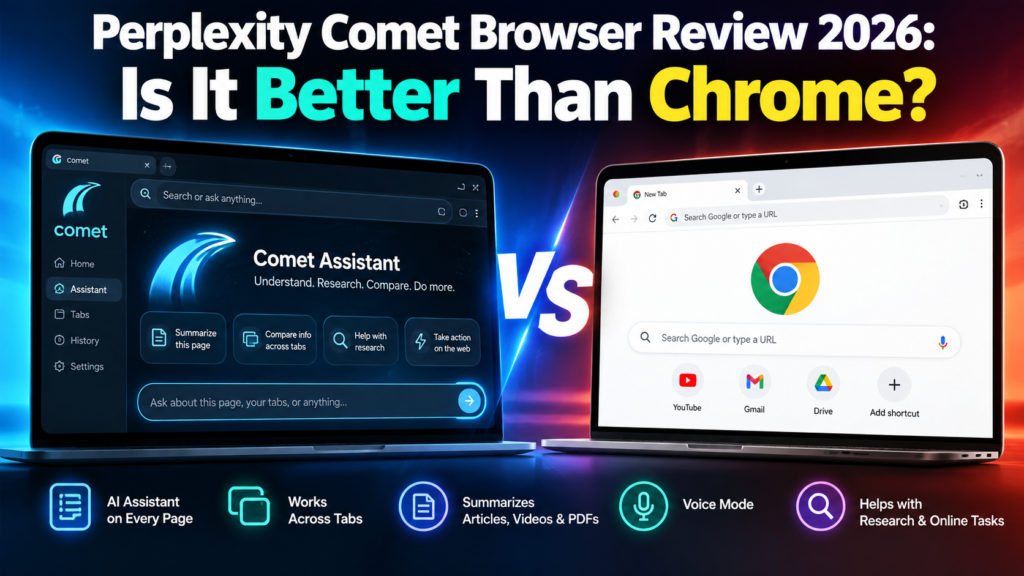
The Perplexity Comet Browser is no longer an experimental AI browser available only to a small group of users. Comet is now available for free worldwide, making it one of the most interesting alternatives to Google Chrome in 2026.
But Comet is not simply Chrome with an AI chatbot added to the side.
Perplexity designed Comet around an AI assistant that can understand webpages, work across tabs, summarize information, help with research, and assist with online tasks.
That raises an obvious question:
Is Perplexity Comet actually better than Google Chrome?
For people who spend hours researching, comparing products, reading long articles, studying, or working across dozens of browser tabs, Comet offers some impressive advantages. However, Chrome remains a mature browser with a huge ecosystem and increasingly powerful Gemini-based AI features.
In this Perplexity Comet Browser review 2026, we will look at its features, advantages, limitations, privacy, and how it compares with Google Chrome.
Table of Contents
What Is Perplexity Comet Browser?
Comet is an AI-powered web browser developed by Perplexity.
Instead of treating artificial intelligence as an optional feature, Comet places AI directly inside the browsing experience.
Its main feature is Comet Assistant, which appears alongside the websites you visit. The assistant can understand the content of your open pages and help you work with that information.
For example, while reading a long report, you could ask Comet:
“Summarize the important points from this page.”
Or if several tabs contain different products:
“Compare the products in these tabs and create a table showing price, features, pros and cons.”
This is where Comet begins to feel different from a traditional browser.
Perplexity says Comet users can use the assistant for research, coding, meetings, shopping and other online activities.
If you are interested in AI systems that can go beyond ordinary chatbot conversations, you can also read our 10 Best Free AI Agents You Can Use in 2026.
Is Perplexity Comet Free in 2026?
Yes.
Perplexity Comet can now be downloaded for free.
Comet originally launched in limited release in July 2025. Perplexity later opened the browser to everyone worldwide for free after millions of people joined its waiting list.
You can download it from the official Perplexity Comet website.
The browser itself being free does not mean every premium Perplexity feature or AI allowance is unlimited. Perplexity continues to offer paid subscriptions with additional capabilities and usage allowances.
For a wider comparison of AI subscription costs, see our AI Tools Pricing Database 2026.
Perplexity Comet Browser: Key Features
1. Built-In Comet Assistant
The biggest difference between Comet and a conventional browser is its integrated AI assistant.
You do not always have to copy text from a webpage, open another AI tool, paste the information, and then ask your question.
Comet Assistant can work with the webpage you are already viewing.
You can ask questions about:
- Articles
- Research
- Products
- Documents
- Images
- Websites
- Multiple open tabs
This can make web research considerably faster.
2. Ask Questions About Any Webpage
Imagine opening a 5,000-word article when you only need three pieces of information.
Instead of reading everything, you can ask Comet questions about the page.
For example:
“What are the main conclusions?”
“Explain this article in simple language.”
“What are the advantages and disadvantages mentioned here?”
This is particularly useful for students, researchers, marketers and professionals who regularly process large amounts of information.
3. Cross-Tab Intelligence
This may be one of Comet’s most useful features.
Comet can work with information across multiple tabs.
Suppose you are researching laptops and have five different models open.
Instead of manually switching between every tab, you could ask Comet to compare them.
The same idea can be applied to:
- Hotels
- Flights
- Software
- Research papers
- News reports
- AI tools
- Competitors
- Online products
This turns the browser into more of a research workspace.
4. Instant Webpage Summaries
Comet also provides quick summarization.
According to Perplexity’s documentation, its summarization capabilities can work with content including articles, videos, PDFs and social media pages.
For someone who regularly researches online, this can save a considerable amount of reading time.
5. Voice Mode
Comet supports voice interaction as well.
Instead of typing every request, users can talk to the assistant and ask questions while browsing.
Voice interaction can be useful when multitasking or when you want to quickly ask questions about information on the screen.
6. Chrome Data and Extension Support
Moving away from Chrome can be difficult because users may have years of bookmarks, saved passwords and browser extensions.
Perplexity has tried to make switching easier.
Its Comet documentation says users can import Chrome data including:
- Bookmarks
- Saved passwords
- Autofill information
- Browsing history
- Preferences
- Chrome extensions
This significantly lowers the barrier for existing Chrome users who simply want to test Comet.
Perplexity Comet vs Google Chrome
Here is the practical comparison.
| Feature | Perplexity Comet | Google Chrome |
|---|---|---|
| Free browser | Yes | Yes |
| Built-in AI | Yes, Comet Assistant | Yes, Gemini integration |
| Ask questions about webpages | Yes | Yes, through supported Gemini features |
| Cross-tab AI research | Strong focus | Available/evolving through Gemini |
| Webpage summarization | Yes | AI features available |
| Chrome extensions | Supported | Native |
| Built-in ad blocking | Yes | More limited natively |
| AI-first interface | Yes | No — traditional browser enhanced with AI |
| Browser maturity | Newer | Extremely mature |
| Google ecosystem | Limited | Excellent |
| Best suited for | AI research and assisted browsing | General browsing and Google ecosystem users |
Where Comet Is Better Than Chrome
AI Is Central to the Experience
Chrome has powerful AI capabilities, and Google has continued expanding Gemini throughout Chrome.
However, Chrome is fundamentally a traditional web browser that is becoming more intelligent.
Comet approaches the problem from the opposite direction.
It is designed around the idea that an AI assistant should accompany you while browsing.
That difference becomes noticeable when researching across many websites.
Research Is Faster
Comet is particularly attractive for users who constantly perform tasks such as:
- Comparing information
- Summarizing pages
- Researching competitors
- Reading reports
- Finding answers across tabs
- Organizing online information
Rather than repeatedly moving information between your browser and an AI chatbot, much of the interaction happens directly inside the browser.
Built-In Ad Blocking
Comet also includes built-in ad blocking.
Perplexity says this is partly intended to reduce tracking from advertising networks while also providing a cleaner browsing experience.
For users accustomed to installing separate ad-blocking extensions, having the functionality built into the browser is convenient.
Where Google Chrome Is Still Better
Comet has some impressive AI features, but that does not automatically make it the best browser for everyone.
Chrome Is More Mature
Google Chrome has been developed for many years and has an enormous global user base.
That maturity matters.
Users rely on Chrome for compatibility with websites, enterprise environments, extensions, synchronization and countless existing workflows.
Comet is much newer.
New AI browsers can therefore experience changes in functionality more frequently than established browsers.
Google Ecosystem Integration
If most of your digital life revolves around:
- Gmail
- Google Drive
- Google Docs
- Google Calendar
- Android
- Google Search
- Google Password Manager
Chrome remains extremely convenient.
Google is also aggressively adding Gemini and agentic features to its products, so the AI gap between traditional browsers and AI-first browsers is becoming smaller.
Chrome’s AI Is Improving Quickly
Comet is not competing against the Chrome of several years ago.
Google announced numerous AI and agentic upgrades across Search, Gemini and Chrome during Google I/O 2026.
That means the browser competition is increasingly becoming:
Comet Assistant vs Gemini-powered Chrome
rather than simply:
AI browser vs normal browser.
Is Perplexity Comet Safe?
Comet includes many protections expected from a modern browser, including safe-browsing protections, a password manager, security updates and privacy controls.
Perplexity says much of Comet’s browsing data is stored locally on the user’s device.
However, there is an important distinction when using AI.
When you ask Comet Assistant to perform a task requiring personal context, information such as the current webpage and relevant browsing history may be sent to Perplexity’s servers so the request can be completed.
Perplexity has also introduced a Privacy Snapshot that lets users review privacy settings and control where Comet Assistant can take actions.
Users can, for example:
- Disable Comet Assistant
- Prevent the assistant from acting on selected websites
- Manage ad blocking
- Review browser permissions
- Adjust privacy settings
You can read the official Comet privacy and security information before allowing an AI assistant to interact with sensitive accounts.
As with any AI browser, avoid giving unnecessary access to financial, confidential or highly sensitive information.
Who Should Use Comet?
Comet makes the most sense for people who spend significant amounts of time researching online.
It may be particularly useful for:
Students: Summarizing educational material and comparing sources.
Researchers: Processing information across multiple tabs.
Marketers: Studying competitors, products and industry information.
Content creators: Researching topics and organizing sources.
Developers: Understanding documentation and technical webpages.
Online shoppers: Comparing products and specifications.
Professionals: Working through large amounts of online information more efficiently.
Who Should Stay With Chrome?
Chrome may still be the better option if you primarily want a familiar, stable browser and do not regularly need AI assistance.
It also makes sense for users heavily dependent on Google’s ecosystem.
There is no requirement to completely replace Chrome either.
You can keep Chrome as your main browser and install Comet separately for research-intensive work.
That is probably one of the easiest ways to decide whether an AI browser genuinely improves your workflow.
Pros and Cons of Perplexity Comet
Pros
- Free to download
- AI assistant built directly into the browser
- Excellent for web research
- Can understand information across tabs
- Quickly summarizes webpages
- Supports voice interaction
- Can import Chrome data
- Supports Chrome extensions
- Built-in ad blocking
- Useful for comparing information
Cons
- Much newer than Chrome
- AI features introduce additional privacy considerations
- Some advanced Perplexity capabilities may require paid access or have usage limits
- Features and allowances can change as the product evolves
- Chrome remains stronger for deeply integrated Google workflows
Is Perplexity Comet Better Than Chrome?
Comet is better than Chrome for some workflows, but it is not universally a better browser.
For AI-assisted research, webpage understanding, summarization and working across multiple tabs, Comet has a compelling approach. Its biggest advantage is that AI feels like part of the browser rather than a separate destination.
Chrome, however, remains the stronger choice for users who prioritize browser maturity, established workflows and deep integration with Google’s ecosystem.
The most interesting development is not necessarily whether Comet will replace Chrome.
It is that web browsers are turning into AI assistants.
Comet is one of the clearest examples of that transition.
Frequently Asked Questions
Is Perplexity Comet free?
Yes. Perplexity has made the Comet browser available to download for free worldwide. Some advanced Perplexity services, subscription features or usage allowances may still require payment.
Is Comet better than Google Chrome?
It depends on your workflow. Comet is particularly strong for AI-assisted research, summarization and cross-tab analysis. Chrome remains highly mature and deeply integrated with Google’s services.
Can Comet use Chrome extensions?
Yes. Perplexity’s documentation says Comet can import Chrome extensions along with bookmarks, passwords, history and other browser information.
Is Comet available on Windows?
Yes. Comet is available for Windows. Perplexity also currently lists Comet for Mac, iOS and Android.
Does Comet have an AI assistant?
Yes. Comet Assistant is one of the browser’s main features. It can understand webpages, answer questions about open tabs and assist with online tasks.
Can Comet replace Chrome?
For some users, yes. However, people heavily invested in Google’s ecosystem may prefer keeping Chrome as their primary browser while using Comet for AI-heavy research.
Is Comet safe to use?
Comet includes standard browser protections and additional privacy controls. However, AI-assisted actions can require webpage or browsing context to be processed by Perplexity. Users should review permissions and avoid granting unnecessary access to sensitive information.
Perplexity Comet Browser review
The Perplexity Comet Browser is worth trying in 2026, especially now that it is available free worldwide.
It is particularly useful for people who regularly research, compare information, read long webpages or manage many tabs.
Chrome remains difficult to replace as a general-purpose browser, but Comet offers something genuinely different: a browsing experience designed around an AI assistant from the beginning.
If your browser is mainly somewhere you open websites, Chrome remains excellent.
If you want your browser to help understand and work with those websites, Comet becomes much more interesting.
For more tools that can research, automate and complete tasks, explore our Best Tech Tools section.