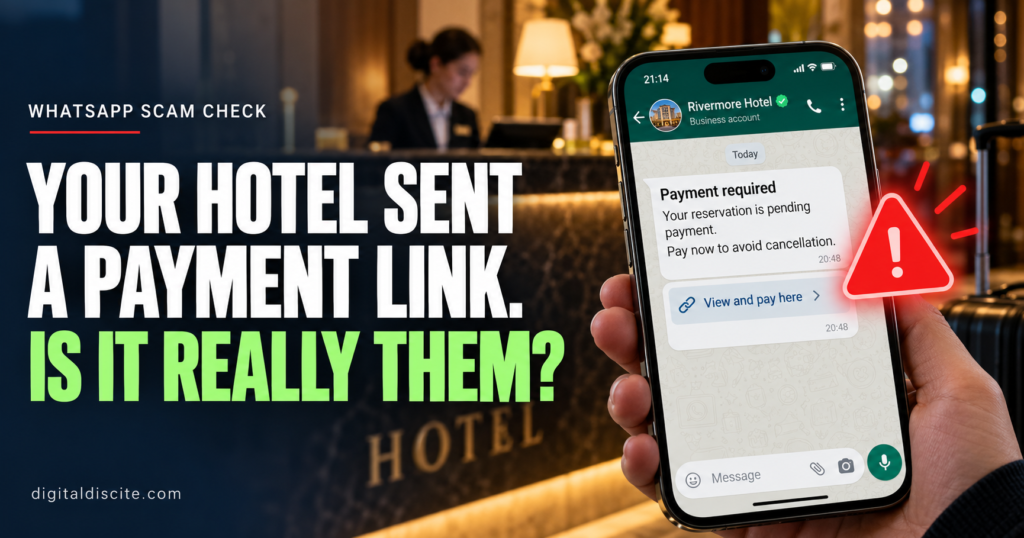
Your hotel booking is confirmed. Then a WhatsApp message arrives.
It has the hotel’s logo, your name and the correct check-in date. There is just one problem: your payment supposedly failed. You must open a link and verify your card before your room is cancelled.
It feels believable because you really did book that hotel.
A hotel payment link on WhatsApp can be legitimate, but the message alone cannot prove it. Before paying, check your original booking terms and contact the hotel through a number you found independently.
Here is how to tell when a routine-looking request needs a closer look.
Table of Contents
Can Hotels Send Payment Links on WhatsApp?
Some hotels manage their own payments and may contact guests about deposits or outstanding balances. A payment page hosted by an external payment provider is not automatically fraudulent.
The important questions are whether the payment matches your reservation terms and whether the hotel independently confirms the request.
Booking.com’s traveler safety guidance says it will not request card details through WhatsApp, phone, text or email. Its warning about Booking.com communications should not be confused with a blanket claim that every hotel-managed payment is fake.
Do not send your card number, security code, banking password or one-time code in a WhatsApp conversation.
Why the Message Can Know Your Real Booking Details
The most convincing hotel scams do not start with a random greeting. They reference an actual reservation.
A criminal may know the property name, travel dates and guest names. In some cases, attackers gain access to hotel booking accounts and use that access to contact guests.
The Swiss National Cyber Security Centre’s June 2026 warning describes both personalized WhatsApp scams and attacks involving compromised hotel accounts. Knowing your reservation details does not authenticate the sender.
That also explains why a suspicious request can appear inside a genuine booking platform’s messaging system. The app may be real while the account sending the message has been compromised.
What a Hotel WhatsApp Payment Scam Looks Like
Imagine receiving this message:
Hello, your reservation for 12–15 November requires card verification. Please complete the secure payment form within two hours to avoid automatic cancellation.
This is an illustrative example, not a message from a specific hotel.
The link opens a page with a familiar logo and your booking details. It asks for your card information, then a banking code.
The story may change, but common excuses include:
- Your card was declined.
- A refundable deposit is required immediately.
- Your booking needs a small verification payment.
- You must pay again because the original transaction failed.
- A refund is waiting, but you must enter your financial details first.
The Swiss warning also documents fake hotel refund messages. An offer to return money deserves the same independent checks as a demand to pay.
Seven Warning Signs to Check Before You Pay
1. The Request Changes Your Booking Terms
Your confirmation says payment is due at the property. The message suddenly demands full payment today.
That mismatch needs an explanation from the hotel and, if you booked through one, the booking platform.
A real deposit or outstanding balance should be explainable against the terms you accepted.
2. You Are Threatened With Immediate Cancellation
A short deadline makes it harder to think clearly. Do not let a countdown replace verification.
UK fraud authorities have warned about hotel-account scams involving unexpected payment requests through booking messages, email and WhatsApp.
3. The Sender Wants Your Security Codes
A request to type a banking code into WhatsApp is a serious warning sign.
There is a difference between completing authentication in a verified bank payment flow and giving a code to someone who says they work at reception. Never share codes with the sender.
4. The Link Looks Almost Right
A familiar brand name can appear inside an unrelated address. For example, booking.example.com belongs to example.com, not Booking.com.
HTTPS and a padlock indicate an encrypted connection. They do not prove that the business behind the page is genuine.
Avoid opening a suspicious link just to investigate it.
5. The Payment Method Suddenly Changes
An unexplained request to use a new bank account, a personal recipient, cryptocurrency or gift cards deserves scrutiny.
A recognizable payment provider does not, by itself, prove that the recipient represents your hotel.
6. You Are Asked to Install Something
Paying for a room should not require remote access to your device, an unfamiliar app or a downloaded “verification” program.
Stop if the conversation moves in that direction.
7. The Sender Discourages Independent Checks
Be cautious if the person tells you not to contact the booking platform or insists that only the WhatsApp agent can prevent cancellation.
A refusal to let you verify the request is a reason to pause.
How to Verify a Hotel Payment Link
Step 1: Open Your Original Reservation Yourself
Launch the booking app directly or use the confirmation you already received. Avoid the new message’s links.
Check:
- Whether you have already paid.
- Who collects the payment.
- When any remaining balance is due.
- Whether a deposit or additional fee was disclosed.
Step 2: Call the Hotel Through an Independent Number
Find the hotel’s official website independently or use contact information you retained before the suspicious message arrived.
Do not use a new number supplied by the sender.
Ask reception:
“Did your team send me a WhatsApp payment request today? What amount is due, what is it for, and which payment provider do you use?”
Ask them to identify the provider and amount themselves before you supply those details.
Step 3: Contact the Booking Platform If Anything Conflicts
Use support inside the official app or website.
Explain what your confirmation says and what the new message requests. Include screenshots through the platform’s official support process.
A reply in the same suspicious conversation is not independent confirmation.
Step 4: Use the Confirmed Payment Route
If the payment is legitimate, ask whether you can access it through the official reservation page or the hotel’s verified website.
For a hotel-managed external payment, independently confirm the provider, recipient, amount and currency before entering card details. Keep the receipt.
If you cannot verify the request, hold the payment and escalate it promptly rather than ignoring a potentially genuine deadline.
What If You Already Clicked or Paid?
If you only opened the page: Close it. Do not download files, grant permissions or enter information. If something downloaded or you installed an app, use trusted security tools and seek help checking the device.
If you entered a password: Change it through the real service. Change it anywhere else you reused it, enable two-factor authentication where available, and review account sessions.
If you entered card details or approved a payment: Contact your bank immediately through its official app or the number on your card. Explain exactly what you entered or authorized. Ask about blocking or replacing the card and the relevant transaction dispute or transfer-recovery process. Recovery is not guaranteed.
If you shared a code or linked an account: Tell the affected bank or service immediately. Review active sessions or linked devices and remove unfamiliar access.
Preserve screenshots, the sender’s number, the link and transaction records. Report the incident to the booking platform, hotel and appropriate local fraud-reporting authority. Be wary of anyone demanding another fee to recover your money.
Frequently Asked Questions
Is every hotel WhatsApp payment link a scam?
No. Some hotels collect payments themselves. Verify the request independently and compare it with your booking terms.
Is it safe if the sender knows my booking number?
That detail alone is not enough. Reservation information may have been exposed or obtained through a compromised account.
Can a scam arrive inside the real booking app?
Yes. Authorities have documented attackers using compromised accommodation accounts to contact guests.
Should I cancel my hotel reservation?
A suspicious message alone does not establish that your reservation is invalid. Check its status with the hotel and booking platform before making changes that could trigger cancellation charges.
Can a hotel legitimately preauthorize my card?
A preauthorization can be part of a hotel’s payment or deposit arrangements. Confirm the applicable policy and payment route independently. The word “preauthorization” does not establish that a particular link is safe.
Before your next trip, explore our best AI travel planners and find more practical guides on Digital Discite.