Online Safety

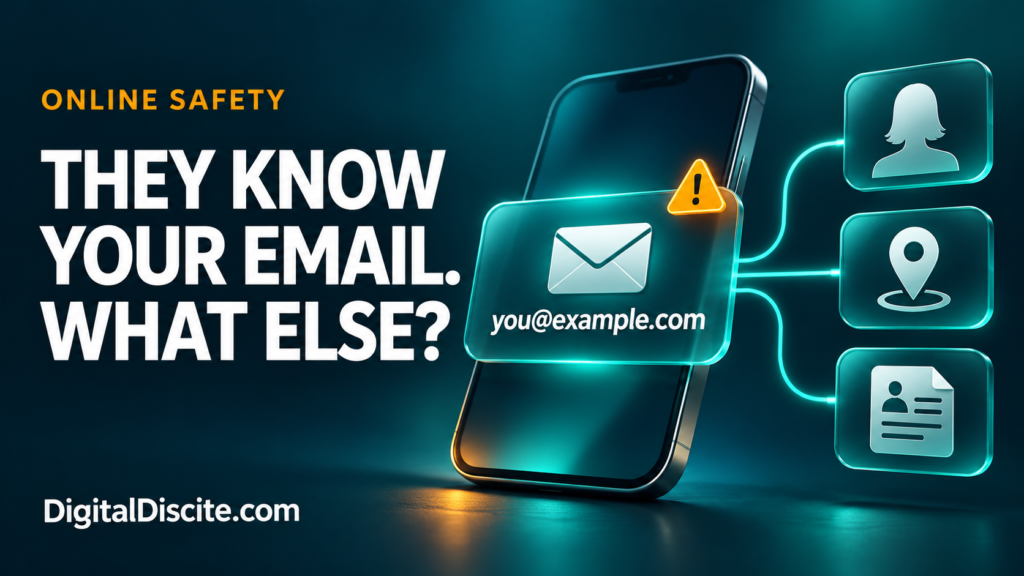
what can someone find with your email address

What Can Someone Find With Your Email Address?

You give your email address to an online shop, a potential client, or someone you have just met. Later, you wonder: can they use it to find your social accounts, phone number, or home address?

An email address can help someone connect public profiles, discover some breach history, and piece together personal information. How much they can find depends on where you have used it and what those sources reveal. The address alone does not give them access to your inbox, passwords, or live location.

The concern is not that every email address exposes a complete identity. It is that one familiar identifier can connect information you thought was separate.

What Can Someone Find With Your Email Address?

InformationWhat is realistically possible?
Your name or workplaceThe address itself, a public contact page, or an associated profile may reveal it.
A profile photo or social accountSometimes, depending on public listings, platform features, and privacy settings.
Some data-breach historyA breach-checking service may show recorded incidents involving the address.
A phone number or postal addressPossible if another public, brokered, or leaked record links those details to you.
Every account you have ever createdNo reliable, complete list can be assumed.
Your inbox or current passwordNot from knowing the address alone.
Your exact live locationNot from the email address alone.

A matching username or similar name is a clue, not proof that two profiles belong to the same person.

1. Your Address May Reveal Your Name or Organization

An address such as firstname.lastname@example.com may reveal a likely name. A work domain may identify an employer or business.

Neither guarantees someone’s current identity or employment. An address may be old, shared, or based on a nickname.

For freelancers, teachers, and small-business owners, this visibility is often intentional. Clients need a way to contact you. The useful question is whether your public work address also connects to personal accounts you would rather keep separate.

For example, using one address on both a business contact page and a personal community profile can create a connection between those activities.

2. Public Profiles May Connect More of the Dots

If you have published your email address in a portfolio, directory, public document, or profile, someone may find the surrounding information too.

Some services also have profile-discovery features. Google explains that its settings help determine what people find when they look for you using an email address or phone number. Visibility can also change after you interact with someone through its services.

This does not mean a stranger can automatically uncover every private social account.

Review what each platform makes visible and whether it offers controls for being found through contact information. Our digital citizenship and online etiquette guide covers related ways to manage your digital footprint.

Source: Google: Control What Others See About You

3. Breach Records May Reveal Previous Exposure

If a service you used suffered a data breach, your email address may appear in records of that incident.

Have I Been Pwned lets you check your own address against breaches in its database. Depending on the incident, results may describe categories of exposed data.

Keep three limitations in mind:

  • A breach result does not automatically mean your email inbox was hacked.
  • A result describing exposed passwords does not prove your current password is known.
  • No results does not establish that your address has never been exposed.

Have I Been Pwned does not display a password paired with your email address. It also restricts sensitive breach results to verified address owners.

Use the official website directly. You do not need to give an unfamiliar “email investigation” service your mailbox password.

Source: Have I Been Pwned: FAQs

A separate record may connect an email address to a name, phone number, or location. Once a person is identified, other sources may reveal more.

The US Federal Trade Commission explains that people-search sites combine information from public records, public social profiles, and other data brokers. Their reports can include addresses, employment history, and relatives.

That does not mean every email search will return an accurate home address. Coverage varies by country and service, and records can be outdated or matched to the wrong person.

If you find your information on a people-search site, look for its removal or opt-out process. Removal from one site does not erase the underlying public records, and information may reappear.

Source: FTC: What to Know About People Search Sites

5. Someone Can Use the Address to Target You With Scams

Knowing your address gives someone a place to send a message. Knowing your name, job, or a service you use can make that message more persuasive.

Imagine receiving this fictional email:

“Your business website payment failed. Confirm your card today to avoid suspension.”

If you run a website, the message may feel relevant. That relevance is not proof that the sender manages your account.

The FTC warns that phishing messages often invent account or payment problems to persuade people to click links or disclose information. Open the genuine service yourself to check a claim.

Our guide to hotel payment links sent on WhatsApp shows the same problem in travel: accurate details can make an impersonation convincing.

Source: FTC: Phishing Scams Can Be Hard to Spot

Can Someone Hack You With Just Your Email Address?

Knowing an address is different from having the credentials or authorization needed to enter the account.

Risk increases if someone also obtains a password you reused elsewhere. Credential stuffing means trying previously stolen login combinations against other services.

That is why a unique email password matters. Your inbox may receive password-reset messages for other accounts, so protecting it deserves priority.

Use a password manager to create unique passwords and enable multifactor authentication. Where supported, consider a passkey or security key. Never approve a sign-in request you did not initiate.

An unexpected password-reset email is not, by itself, proof of a successful login. Check account activity through the official app or website.

Sources: Canadian Centre for Cyber Security: Credential Stuffing, OWASP: Credential Stuffing Prevention

How to Check What Your Own Email Address Reveals

You do not need to pay for a dramatic “full identity report.” Start with a small privacy review.

  1. Search your own address in quotation marks. Review public results for old profiles, documents, or contact listings. Search engines do not cover everything.
  2. Check your profile visibility. Look at public names, photos, contact information, and discovery settings.
  3. Check your own breach history. Review the affected services and their official security advice.
  4. Remove unnecessary exposure. Edit old pages you control or ask the publisher to remove outdated contact details.
  5. Review your email security. Check recovery information, recent activity, connected apps, and signed-in devices.

Keep this review focused on your own information. Avoid unfamiliar lookup sites that demand excessive personal details to “verify” a report.

Should You Use a Separate Email Address or an Alias?

Separating public contact from important account logins can reduce unwanted connections.

A practical arrangement is:

PurposeSuggested approach
Client inquiries and public contactA dedicated work address you expect people to see.
Important personal accountsAn address you avoid publishing unnecessarily.
Shopping and newslettersA separate address or supported email-alias service.

For example, Apple’s Hide My Email can generate random addresses that forward messages to your inbox. Availability depends on the feature and service you use.

Aliases help limit disclosure of your underlying address. They do not erase information already exposed, guarantee anonymity, or replace account security.

Source: Apple: Create Unique Addresses With Hide My Email

What If You Think Someone Has Access to Your Inbox?

Treat signs of actual account access more urgently than ordinary spam.

Warning signs include unfamiliar successful sign-ins, messages you did not send, changed recovery details, or forwarding rules you did not create.

Use your provider’s official recovery process. Change the password from a trusted device, remove unfamiliar sessions and connected apps, and check recovery settings.

Also inspect forwarding, filters, and delegated access. Google specifically identifies unexpected changes to these settings as potential signs of compromise. Changing a password alone may leave other unwanted settings in place.

Source: Google: Secure a Hacked or Compromised Account

Frequently Asked Questions

Can someone find my home address from my email?

Sometimes, if other records connect the two or identify you well enough to locate an address elsewhere. It is not automatic, and a lookup result may be incorrect.

Can someone read my emails just by knowing the address?

No. The address alone does not authorize inbox access. A stolen password, compromised session, malicious connected app, or another security failure would be an additional factor.

Should I delete my email account if someone knows it?

Usually, knowing your address alone is not a reason to delete it. Secure the account and reduce unnecessary public exposure first. A new address may be useful for persistent harassment, but plan the move carefully so you retain access to important services.

Does a scam email using my real name prove I was hacked?

No. Your name may come from public information, a mailing list, or a breach elsewhere. Verify the claim independently instead of treating personalization as proof.

Your email address is meant to help people reach you. Protect the account behind it, and limit how much unrelated information that address connects.

What Can Someone Find With Your Email Address? Read More »
Boarding Pass Screenshot

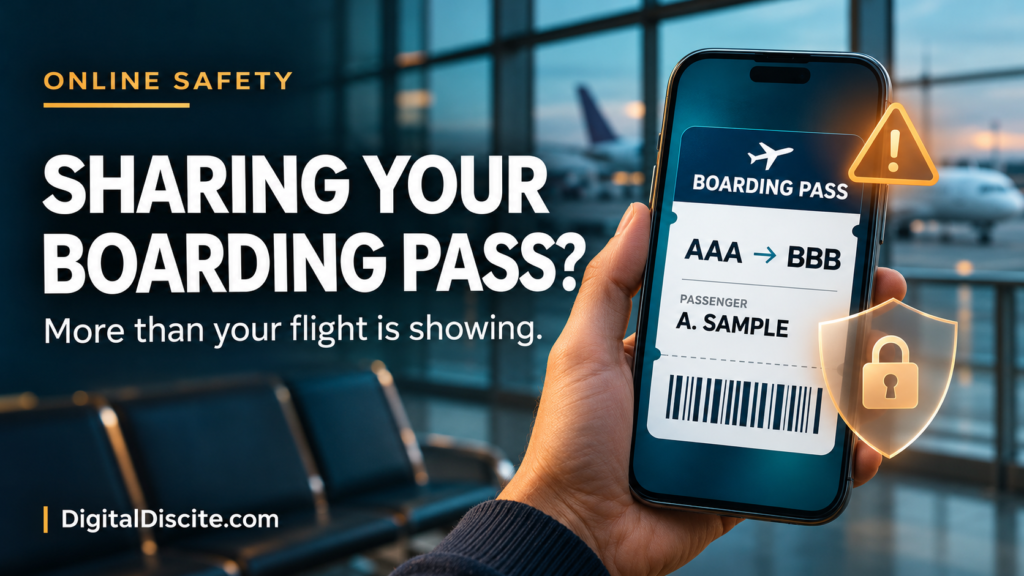
Boarding Pass Screenshot: What Can Someone Do With It?

You are at the airport, coffee in one hand and your boarding pass in the other. A quick photo feels like a harmless way to announce that your holiday has started.

But that screenshot may share more than your destination.

Someone with a readable screenshot of your boarding pass may learn your travel details, extract information from its barcode, and potentially retrieve your booking using your surname and booking reference. What they can see or change depends on the airline’s security checks.

It does not automatically give them access to your bank account or permission to travel as you. Still, a boarding pass deserves more privacy than an ordinary holiday photo.

What Information Can a Boarding Pass Screenshot Reveal?

There are two things to consider: the text visible in the image and the information encoded in its barcode.

Depending on the airline and format, the pass may expose:

InformationWhy it matters
Passenger nameIdentifies the traveler and can help connect the trip to a public profile.
Booking reference, sometimes labeled PNR or record locatorMay help retrieve a reservation when combined with a surname.
Airline, flight number, route, and travel dateReveals where and when someone is traveling.
Seat and boarding detailsProvides additional context about the journey.
Ticket or frequent-flyer details, if includedCreates another identifier that should be kept private.

IATA’s Bar Coded Boarding Pass specification includes passenger and flight information, with additional fields depending on implementation. Not every airline includes the same details.

A boarding-pass barcode should not be assumed to contain your passport number, full payment-card details, or your entire booking record. Information encoded on the pass and information accessible through an airline’s reservation system are different things.

Source: IATA Bar Coded Boarding Pass Implementation Guide

What Can Someone Actually Do With the Screenshot?

1. Potentially Retrieve Your Booking

Some airlines let passengers start managing a reservation with a booking reference and surname.

For example, Emirates’ official booking-management page asks travelers to have those two details ready. Its tools include viewing an itinerary and managing aspects of a journey.

That makes an exposed reference more sensitive than a flight number alone. Depending on the airline, booking type, and additional authentication, someone may be able to see reservation information or attempt changes.

It would be misleading to claim that every screenshot lets a stranger cancel any flight. Available actions and verification requirements vary.

Source: Emirates: Manage Your Booking

2. Make a Scam Message More Convincing

Consider this fictional message:

“Your flight tomorrow requires an additional verification payment. Complete it now to keep your seat.”

If the sender includes your name and correct route, it can feel credible. But those details may simply have come from an image you shared.

This is a plausible misuse of exposed travel information, not proof that every personalized message began with a boarding-pass leak.

Qantas warns that phishing messages may use a person’s name and imitate familiar company branding. Verify unexpected requests through the airline’s app or website.

The same principle applies to accommodation. Our guide to hotel payment links sent on WhatsApp explains why accurate booking details do not prove that a sender is genuine.

Source: Qantas: Member Account Security

3. Learn About Your Movements

A visible route and date reveal a travel plan. Combined with public posts, they may suggest where you are, whom you are traveling with, or when you are likely to be away.

That does not prove your home is empty. It does give strangers information they did not need.

For a public travel account, consider posting location updates after leaving. For airport photos, frame the picture so tickets, luggage labels, and companions’ documents are outside the shot.

Our digital citizenship and online etiquette guide covers related habits for protecting personal information and managing your digital footprint.

Is Hiding Your Name Enough?

No. If the barcode remains readable, covering the printed name may leave encoded information exposed. Conversely, hiding the barcode while leaving the surname and booking reference visible may still expose the details used to retrieve a booking.

Not every boarding-pass code is technically a QR code. Different barcode formats are used, so cover every machine-readable code rather than looking only for a familiar square pattern.

A casual blur or a small emoji is easy to apply incompletely. The simplest option is to leave the boarding pass out of the photo.

If you must share an image publicly, use this practical editing checklist:

  • Remove every barcode and QR-style code completely.
  • Remove names, booking references, ticket numbers, and loyalty identifiers.
  • Remove itinerary details you do not intend to disclose.
  • Check nearby luggage tags and other passengers’ documents.
  • Export a separate edited image and inspect that exact file before posting.

Do not upload the original to an unfamiliar online decoder or image-editing service just to check whether it is sensitive.

Qantas explicitly advises travelers not to disclose booking references or post boarding-pass and ticket photos on social media.

Source: Qantas: Privacy and Security

What If You Already Posted Your Boarding Pass?

Act promptly, especially if any part of the booking is still upcoming.

Remove the Image

Delete the post, story, or public upload. Ask anyone who reposted it to remove their copy. Deleting your version cannot guarantee that nobody saved it, but it limits further exposure.

Check the Reservation Through an Official Channel

Open the airline’s genuine app or type its website address yourself. Review the itinerary, available contact information, and any changes you do not recognize.

Do not follow a new “support” link sent in response to your post. The FTC warns that travel scammers can impersonate airlines and hotels, including through misleading search advertisements.

Source: FTC: How to Avoid a Travel Scam

Tell the Airline What Was Exposed

If the booking reference or readable barcode was public, contact the airline through a verified channel. Explain whether the trip is upcoming and whether you have noticed suspicious activity.

Ask what protection is available for that reservation. Do not assume that downloading or printing another boarding pass changes the booking reference.

If you are already at the airport, speak to airline staff rather than experimenting with cancellation or rebooking.

Respond to Any Separate Account or Payment Exposure

Posting a boarding pass alone does not prove your password was stolen.

If you also entered credentials on a suspicious page, change them through the real service and review account access. If you supplied card information or approved an unfamiliar payment, contact your bank immediately through its official channels.

Frequently Asked Questions

Can someone board a flight with my screenshot?

A screenshot is not a substitute for all identity, document, and boarding checks. Those checks vary by airport and route. For example, US airport screening includes identity-verification measures. Do not assume the image alone allows someone to fly in your place, but report exposure of a live pass to the airline.

Source: US Government Accountability Office: Aviation Security

Is it safe to post an old boarding pass?

An old pass can still reveal personal identifiers and travel history. A completed outbound flight may also belong to a booking with remaining flights. Waiting until after travel does not make all printed or encoded information harmless.

Can I privately send my boarding pass to family?

Share only with someone who needs it, through a trusted private channel. For an airport pickup, the flight number and arrival time will usually be enough; the full boarding pass adds unnecessary information.

Is saving a screenshot on my own phone unsafe?

Keeping a private copy is different from publishing it. Protect your phone and account, and check the airline’s instructions about accepted boarding-pass formats. Do not assume every airline accepts a static screenshot.

Share the travel moment without sharing the document that helps manage the trip.

Boarding Pass Screenshot: What Can Someone Do With It? Read More »

QR code scams

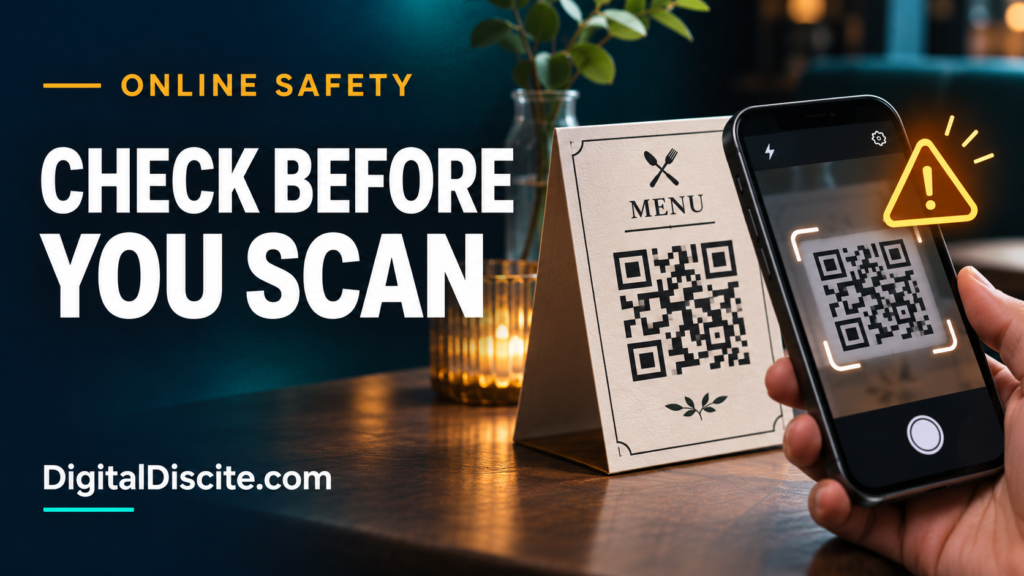
QR Code Scams: What to Check Before Scanning

A restaurant menu. A parking sign. A parcel with a “scan to see your gift” card. QR codes make everyday tasks easier, so it is tempting to point your camera and tap without thinking.

But a familiar setting does not guarantee a trustworthy destination. QR code scams use that moment of convenience to send you somewhere you did not intend to go.

Before scanning a QR code, check who supplied it and whether it looks altered. Before opening the link, inspect the address. Before entering information or paying, independently confirm the website and request.

What Are QR Code Scams?

QR code scams use scannable codes to direct people to fraudulent websites or payment destinations. When the goal is to steal information through a fake page, the technique is often called quishing, short for QR code phishing.

The US Postal Inspection Service describes scams in which criminals impersonate familiar organizations and use QR codes to collect passwords, card details, and other personal information.

The code itself cannot tell you whether the person behind it deserves your trust. Treat it as you would a link in a message.

Source: US Postal Inspection Service: Quishing

How to Check a QR Code Before Scanning or Opening It

1. Check Where It Came From

Ask whether you expected the code and whether its purpose makes sense.

A menu code handed to you by restaurant staff has a different context from an unexpected email saying your account will close unless you scan immediately.

Be particularly cautious about codes attached to messages claiming:

  • A parcel could not be delivered.
  • Your account needs urgent verification.
  • A payment failed.
  • You must change your password immediately.

Open the relevant service yourself to check the claim. Do not use the sender’s contact details as your only verification.

Source: FTC: Scammers Hide Harmful Links in QR Codes

2. Look for Stickers or Signs of Tampering

On a physical sign, look for a second sticker covering the original code, mismatched printing, or a label that appears recently added.

These are reasons to pause, not proof of fraud. A legitimate business may also replace its labels.

The FTC has warned about criminals covering genuine parking codes with their own. If something looks wrong, ask staff or use the operator’s independently verified payment method.

Source: FTC: QR Codes on Parking Meters

Use your phone’s built-in camera or scanner where available. If it displays a link preview, read it before tapping.

Check the actual domain, not just a familiar word somewhere in the address. For example:

Illustrative addressWhat it means
restaurant.example/menuThe website is on restaurant.example.
restaurant.example.verify-now.testThe website is on verify-now.test.
verify-now.test/restaurant.exampleThe familiar name is only in the page path.

These are fictional examples, not websites to visit.

A shortened or unfamiliar address is not automatically malicious, but it may prevent you from recognizing the destination. When you cannot verify it, use another route.

The FBI recommends checking QR destinations for altered letters and misleading domains.

Source: FBI: Cybercriminals Tampering With QR Codes

4. Do Not Let a Logo or HTTPS Decide for You

A convincing design is easy to imitate. HTTPS protects the connection to a website; it does not establish that the business operating it is honest.

If a page requests sensitive information, confirm the address independently. A familiar logo and a polished payment form are not enough.

Source: Cleveland Police: Shopping Safely Online

5. Check Whether the Request Fits the Task

Imagine scanning a restaurant menu and being asked for your email password. Or scanning a parking sign and being told to install a “security update.”

The mismatch is the warning.

Ask: Why would this service need this information to do what I requested?

If an app is genuinely needed, find it through the official app store and verify its publisher. Do not install an unfamiliar download offered by the QR page.

The FBI advises using app stores instead of downloading apps through QR codes.

6. Verify the Recipient Before Paying

A QR code can direct money to the wrong recipient. Check the business name, amount, and currency before confirming any transaction.

For an unexpected payment request, navigate to a known website or official app yourself. If necessary, contact the business through independently obtained details.

Travelers should apply the same checks to accommodation requests. Our guide to hotel payment links sent on WhatsApp explains how to verify a request against your original booking.

For broader payment habits, see our guide to ICT in personal finance and shopping.

Be Careful With QR Codes Inside Unexpected Packages

An unsolicited gift can make you curious, especially when a card says scanning will reveal the sender.

The FBI has warned about packages containing QR codes that lead recipients toward requests for personal or financial information, or malicious software downloads.

Do not scan an unknown code to investigate a mystery parcel. Check your order history and contact the retailer through its genuine website if needed.

Source: FBI: Unsolicited Packages Containing QR Codes

What If You Already Scanned a Suspicious QR Code?

What matters is what happened afterward.

What happenedWhat to do next
You saw a preview but did not open itDismiss it. A preview alone does not establish that an account or device was compromised.
You opened the page but entered nothingClose it. Do not download anything, grant permissions, or continue interacting.
You entered a passwordChange it through the genuine service, including anywhere you reused it. Review active sessions and enable multifactor authentication.
You entered card details or paidContact your bank through its official app or the number on your card. Explain what you shared or authorized and ask about protecting the account and disputing the transaction.
You installed software or granted accessStop using the suspicious software and seek trusted device-security support. Use another trusted device for sensitive account recovery if compromise is suspected.

Keep relevant screenshots and transaction records. Report the code to the venue or impersonated business. For US incidents, reports can also be submitted through ReportFraud.ftc.gov or IC3.gov. Recovery of money is not guaranteed.

For account protection basics, read our digital citizenship and online etiquette guide.

Frequently Asked Questions

Can scanning a QR code hack your phone?

Scanning does not automatically mean your phone has been hacked. Risk depends on the destination and subsequent actions, including opening malicious content, installing software, or providing information. Keep your phone and browser updated.

Are restaurant QR code menus safe?

Many are legitimate. Check with staff if a label looks altered or the page requests unexpected information. Ask for another way to view the menu if you cannot verify the code.

Do I need a separate QR scanner app?

Usually not. Many phones include scanning in the camera or built-in tools. The FBI recommends avoiding unnecessary scanner downloads.

Can I tell whether a QR code is safe by its appearance?

No. A neat code can lead to a fraudulent website. Check its source, destination, and requested action rather than judging the pattern.

Make the pause a habit: check the source, inspect the destination, and verify the action before you proceed.

QR Code Scams: What to Check Before Scanning Read More »

Your Hotel Sent a Payment Link on WhatsApp

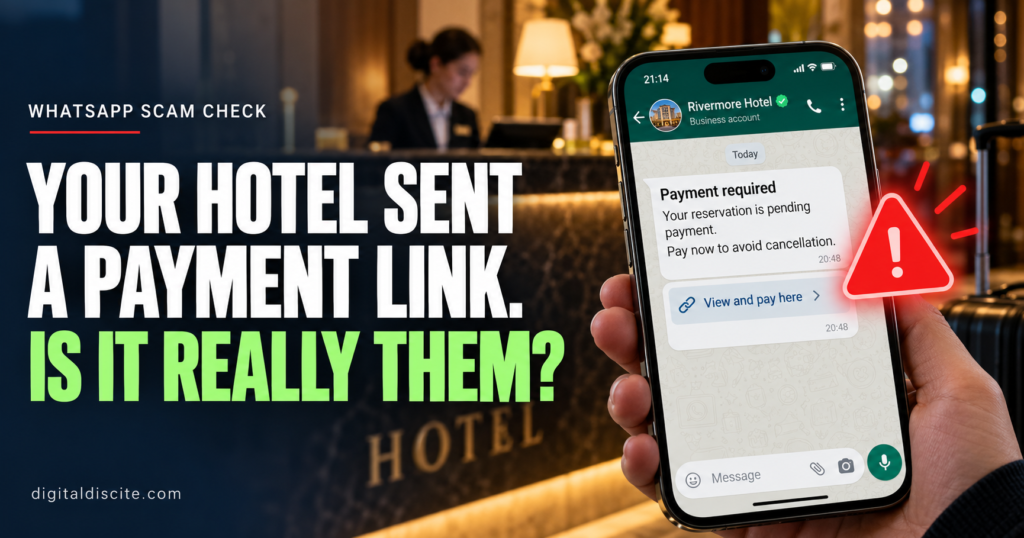
Your Hotel Sent a Payment Link on WhatsApp. Is It Really Them?

Your hotel booking is confirmed. Then a WhatsApp message arrives.

It has the hotel’s logo, your name and the correct check-in date. There is just one problem: your payment supposedly failed. You must open a link and verify your card before your room is cancelled.

It feels believable because you really did book that hotel.

A hotel payment link on WhatsApp can be legitimate, but the message alone cannot prove it. Before paying, check your original booking terms and contact the hotel through a number you found independently.

Here is how to tell when a routine-looking request needs a closer look.

Some hotels manage their own payments and may contact guests about deposits or outstanding balances. A payment page hosted by an external payment provider is not automatically fraudulent.

The important questions are whether the payment matches your reservation terms and whether the hotel independently confirms the request.

Booking.com’s traveler safety guidance says it will not request card details through WhatsApp, phone, text or email. Its warning about Booking.com communications should not be confused with a blanket claim that every hotel-managed payment is fake.

Do not send your card number, security code, banking password or one-time code in a WhatsApp conversation.

Why the Message Can Know Your Real Booking Details

The most convincing hotel scams do not start with a random greeting. They reference an actual reservation.

A criminal may know the property name, travel dates and guest names. In some cases, attackers gain access to hotel booking accounts and use that access to contact guests.

The Swiss National Cyber Security Centre’s June 2026 warning describes both personalized WhatsApp scams and attacks involving compromised hotel accounts. Knowing your reservation details does not authenticate the sender.

That also explains why a suspicious request can appear inside a genuine booking platform’s messaging system. The app may be real while the account sending the message has been compromised.

What a Hotel WhatsApp Payment Scam Looks Like

Imagine receiving this message:

Hello, your reservation for 12–15 November requires card verification. Please complete the secure payment form within two hours to avoid automatic cancellation.

This is an illustrative example, not a message from a specific hotel.

The link opens a page with a familiar logo and your booking details. It asks for your card information, then a banking code.

The story may change, but common excuses include:

  • Your card was declined.
  • A refundable deposit is required immediately.
  • Your booking needs a small verification payment.
  • You must pay again because the original transaction failed.
  • A refund is waiting, but you must enter your financial details first.

The Swiss warning also documents fake hotel refund messages. An offer to return money deserves the same independent checks as a demand to pay.

Seven Warning Signs to Check Before You Pay

1. The Request Changes Your Booking Terms

Your confirmation says payment is due at the property. The message suddenly demands full payment today.

That mismatch needs an explanation from the hotel and, if you booked through one, the booking platform.

A real deposit or outstanding balance should be explainable against the terms you accepted.

2. You Are Threatened With Immediate Cancellation

A short deadline makes it harder to think clearly. Do not let a countdown replace verification.

UK fraud authorities have warned about hotel-account scams involving unexpected payment requests through booking messages, email and WhatsApp.

3. The Sender Wants Your Security Codes

A request to type a banking code into WhatsApp is a serious warning sign.

There is a difference between completing authentication in a verified bank payment flow and giving a code to someone who says they work at reception. Never share codes with the sender.

A familiar brand name can appear inside an unrelated address. For example, booking.example.com belongs to example.com, not Booking.com.

HTTPS and a padlock indicate an encrypted connection. They do not prove that the business behind the page is genuine.

Avoid opening a suspicious link just to investigate it.

5. The Payment Method Suddenly Changes

An unexplained request to use a new bank account, a personal recipient, cryptocurrency or gift cards deserves scrutiny.

A recognizable payment provider does not, by itself, prove that the recipient represents your hotel.

6. You Are Asked to Install Something

Paying for a room should not require remote access to your device, an unfamiliar app or a downloaded “verification” program.

Stop if the conversation moves in that direction.

7. The Sender Discourages Independent Checks

Be cautious if the person tells you not to contact the booking platform or insists that only the WhatsApp agent can prevent cancellation.

A refusal to let you verify the request is a reason to pause.

Step 1: Open Your Original Reservation Yourself

Launch the booking app directly or use the confirmation you already received. Avoid the new message’s links.

Check:

  • Whether you have already paid.
  • Who collects the payment.
  • When any remaining balance is due.
  • Whether a deposit or additional fee was disclosed.

Step 2: Call the Hotel Through an Independent Number

Find the hotel’s official website independently or use contact information you retained before the suspicious message arrived.

Do not use a new number supplied by the sender.

Ask reception:

“Did your team send me a WhatsApp payment request today? What amount is due, what is it for, and which payment provider do you use?”

Ask them to identify the provider and amount themselves before you supply those details.

Step 3: Contact the Booking Platform If Anything Conflicts

Use support inside the official app or website.

Explain what your confirmation says and what the new message requests. Include screenshots through the platform’s official support process.

A reply in the same suspicious conversation is not independent confirmation.

Step 4: Use the Confirmed Payment Route

If the payment is legitimate, ask whether you can access it through the official reservation page or the hotel’s verified website.

For a hotel-managed external payment, independently confirm the provider, recipient, amount and currency before entering card details. Keep the receipt.

If you cannot verify the request, hold the payment and escalate it promptly rather than ignoring a potentially genuine deadline.

What If You Already Clicked or Paid?

If you only opened the page: Close it. Do not download files, grant permissions or enter information. If something downloaded or you installed an app, use trusted security tools and seek help checking the device.

If you entered a password: Change it through the real service. Change it anywhere else you reused it, enable two-factor authentication where available, and review account sessions.

If you entered card details or approved a payment: Contact your bank immediately through its official app or the number on your card. Explain exactly what you entered or authorized. Ask about blocking or replacing the card and the relevant transaction dispute or transfer-recovery process. Recovery is not guaranteed.

If you shared a code or linked an account: Tell the affected bank or service immediately. Review active sessions or linked devices and remove unfamiliar access.

Preserve screenshots, the sender’s number, the link and transaction records. Report the incident to the booking platform, hotel and appropriate local fraud-reporting authority. Be wary of anyone demanding another fee to recover your money.

Frequently Asked Questions

No. Some hotels collect payments themselves. Verify the request independently and compare it with your booking terms.

Is it safe if the sender knows my booking number?

That detail alone is not enough. Reservation information may have been exposed or obtained through a compromised account.

Can a scam arrive inside the real booking app?

Yes. Authorities have documented attackers using compromised accommodation accounts to contact guests.

Should I cancel my hotel reservation?

A suspicious message alone does not establish that your reservation is invalid. Check its status with the hotel and booking platform before making changes that could trigger cancellation charges.

Can a hotel legitimately preauthorize my card?

A preauthorization can be part of a hotel’s payment or deposit arrangements. Confirm the applicable policy and payment route independently. The word “preauthorization” does not establish that a particular link is safe.

Before your next trip, explore our best AI travel planners and find more practical guides on Digital Discite.

Your Hotel Sent a Payment Link on WhatsApp. Is It Really Them? Read More »

How Much Can a Stranger Find Out About You From One Photo

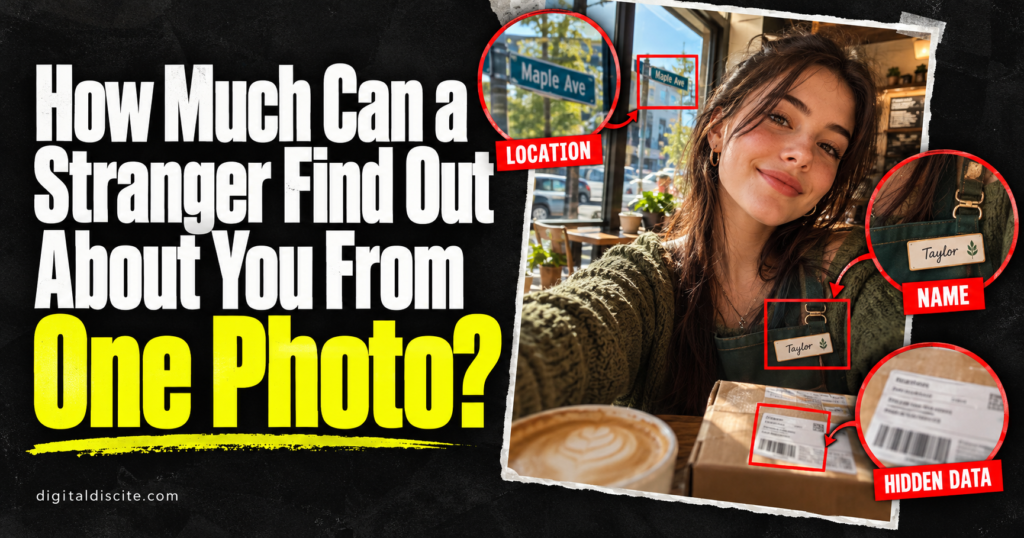
How Much Can a Stranger Find Out About You From One Photo?

You checked your outfit, fixed the lighting, and posted the photo. But did you check the delivery label on the table behind you?

A picture you share for one reason can reveal information you never meant to publish. Sometimes it is a name on a badge. Sometimes it is a recognizable building. In an original photo file, it could even be saved location coordinates.

One photo can sometimes reveal where it was taken, connect to your public profiles, or expose personal details in the background. But it cannot reliably reveal your whole life. What someone can learn depends on the image, the file they receive, and the information already available elsewhere.

Here is what deserves a second look before you post.

The Three Ways a Photo Can Reveal Personal Information

Photo privacy is easier to understand when you separate three sources of information:

SourceWhat it might revealImportant limit
Visible detailsA name, workplace, school, address, or recognizable placeThe detail must be visible and readable enough
File metadataCapture time, device information, or saved GPS coordinatesThe information must exist and survive sharing
Connections to other contentA public profile or webpage using the same imageThe relevant content must be accessible and discoverable

A stranger viewing a social media post does not necessarily receive the original file. Someone receiving an original attachment may have access to information that is absent from a displayed social media copy.

1. Where the Photo Was Taken

The most obvious location clue is a landmark. But smaller details can matter too: a restaurant sign, a school entrance, a street name, or a distinctive view from a window.

A recognizable place may identify a venue or neighborhood. A generic wall or café interior may reveal very little.

Google explicitly warns that people may infer a photo’s location from landmarks even when shared location information is excluded.

Removing GPS information does not remove the location clues inside the picture.

Also, where a photo was taken is not necessarily where you live. A hotel selfie, for example, does not establish your home address or prove you are still at the hotel.

2. Your Name, Workplace, or School

A workday selfie might include an employee badge. A graduation photo may show a university name. A child’s uniform may display a school crest.

These details can provide context that you did not mention in the caption.

Pay attention to:

  • Name badges and lanyards.
  • Certificates and documents on walls.
  • Uniform logos.
  • Work email addresses on screens.
  • Event passes showing names and organizations.

None of these clues automatically proves someone’s current employment or enrollment. An old event photo may be outdated. However, it can still expose information you intended to keep separate from your public account.

3. An Address or Other Private Information in the Background

Sometimes the revealing detail is something you stopped noticing.

A parcel label may show a name and delivery address. An open laptop may display a private message. A document on the desk may contain contact details.

Mirrors and reflective surfaces can also show parts of a room that were outside your intended composition.

Before posting, inspect the image at full size. Focus on the edges and background, where your attention probably was not when taking it.

You do not have to be the main subject of a photo for your information to appear in it. Check other people’s documents and screens too.

4. Hidden Information in the Photo File

Photo files can contain metadata: information describing the image and how it was created. EXIF is a common form of photo metadata.

Depending on the device, settings, and file, this may include:

  • The recorded capture date and time.
  • Camera or phone model.
  • Exposure and other camera settings.
  • GPS coordinates, if location recording was enabled.

Apple warns that recipients of photos containing location metadata may be able to learn where those images were taken.

However, not every photo contains GPS data, and not every sharing method preserves it. A location displayed in a photo app may also be an app-generated estimate rather than coordinates embedded in the file.

Metadata is not unquestionable evidence. Dates and other fields can be edited or inaccurate.

5. Another Public Profile Using the Same Picture

Reusing a profile photo across accounts can make those accounts easier to connect.

Reverse image search services can locate matching images on indexed webpages. Google says its image search results may include similar images and websites containing the image. TinEye focuses on matching copies, including some cropped, resized, or edited versions.

For example, the same portrait might appear on a public professional biography and a personal profile. A match could connect information that was previously on separate pages.

There are limits. Search engines do not cover every website, and an image match does not automatically verify the identity of everyone pictured.

Reverse image search is also different from facial recognition. Finding another copy of a photograph is not the same as identifying any person from any selfie.

6. A Moment in Your Day—But Not Necessarily Your Routine

A photo may show that you visited a gym, attended an event, or traveled somewhere. A live caption or location tag can make the timing more revealing.

But one image rarely establishes a reliable routine. A claim that someone visits a place every morning usually needs more evidence than one post.

The larger privacy concern is accumulation. Separate posts can gradually reveal patterns that no single photo proves.

If you prefer to keep your current location private, consider posting after you leave rather than sharing an identifiable location in real time.

Can AI Find Your Exact Location From a Photo?

Sometimes image analysis can help recognize a landmark, read visible text, or suggest a place. Results depend heavily on the available clues.

A distinctive landmark is very different from an ordinary bedroom or an unmarked road. An AI tool may give a confident answer even when it is wrong.

Treat an AI location suggestion as a hypothesis that needs verification.

Likewise, AI enhancement cannot guarantee recovery of unreadable text. An enlarged or generated detail can look convincing without accurately representing the original.

If you explore image-analysis services through our AI tools pricing database, review their image retention and privacy policies before uploading personal photos.

Does Instagram Remove Photo Metadata?

Do not assume every app or sharing route handles metadata the same way.

A displayed social media image, an original file sent as an attachment, and a photo shared through a cloud link can expose different information. Platform behavior can also change.

The practical approach is to remove information you do not want to share before uploading, then check the actual shared copy where possible.

Even if location metadata is absent, the picture, caption, tags, and associated profile may still reveal a place.

How to Make a Photo Safer Before Sharing

Check the background

Look for addresses, badges, documents, screens, and recognizable views. Include reflections in your review.

Crop out unnecessary details

When possible, remove sensitive areas entirely. If covering information, use a fully opaque block and export a new copy.

Inspect the final image to ensure the text is no longer readable. Do not rely on a decorative sticker or light blur without checking the result.

Review location information

On iPhone, open the photo in Photos and swipe up or tap the Info button to inspect its information.

When sharing from Photos, use the sharing Options to turn off Location. To stop Camera collecting location for future photos, Apple documents this route:

Settings → Privacy & Security → Location Services → Camera → Never

On Android, camera settings vary by manufacturer. Look for options such as location tags, save location, or GPS tags. Disabling future location recording does not automatically remove information from existing photos.

If using Google Photos, review location-sharing controls for the relevant album or sharing method. Google distinguishes camera-recorded locations from estimated locations; its estimated locations are not shared.

Choose the audience deliberately

Some photos are suitable for a public account. Others belong in a smaller group.

A private audience reduces exposure, but recipients may still save or forward an image.

Use different pictures when account separation matters

Using separate profile images can reduce one obvious connection between accounts. It does not guarantee anonymity, because usernames, biographies, and other details may still connect them.

Avoid creating a new exposure while checking privacy

Uploading a sensitive photo to an unfamiliar “privacy scanner” means giving another service access to it. Prefer built-in or trusted local tools when they meet your needs.

Our guide to the best AI browsers discusses related questions about the information AI services can access.

A Simple Example: The Birthday Selfie

Imagine a fictional birthday selfie taken at home.

The person’s face is in focus. Behind them is a parcel label, and a work badge rests on the table.

The label might expose a delivery address. The badge might reveal an employer. If an original shared file also contains location coordinates, that could add another location clue.

Now change the picture: crop out the label and badge, exclude location information, and share it with a chosen audience.

The memory remains. Several unnecessary disclosures are reduced.

This example illustrates possible exposure; it does not mean every selfie contains enough information to identify someone’s home.

Frequently Asked Questions

Can someone get my IP address from a photo?

A normal image file does not inherently reveal the uploader’s IP address. That is different from visiting a website or opening a tracking link, which may expose connection information to the service operating it.

Does a screenshot remove location metadata?

A screenshot normally creates a new image rather than preserving the original photo’s full metadata. However, it can contain its own metadata and still show every visible clue on the screen. Inspect it before sharing.

Can someone find my address from a selfie?

Sometimes, if it contains a readable address, useful location data, or other strong clues. A face alone does not automatically reveal a home address.

Is blurring my face enough?

It may reduce facial visibility, but it does not conceal a badge, address label, location clue, caption, or file metadata.

Can a photo reveal my passwords or bank details?

Not simply because it is a photo. It could expose those details if they are visible on a screen or document in the image. Posting an ordinary selfie does not automatically grant access to your accounts.

Should I stop posting personal photos?

You can make deliberate sharing choices without abandoning photography. Check what is visible, what the file contains, and who can access it.

Before You Tap Share

One photo may reveal very little. Another may contain a readable address or a precise location tag.

The useful habit is to review the whole image, not just how you look in it.

Check the background. Check the location information. Check the audience.

For more guides on technology and digital privacy, visit Digital Discite.

How Much Can a Stranger Find Out About You From One Photo? Read More »

Can Someone Clone Your Voice From an Instagram Reel

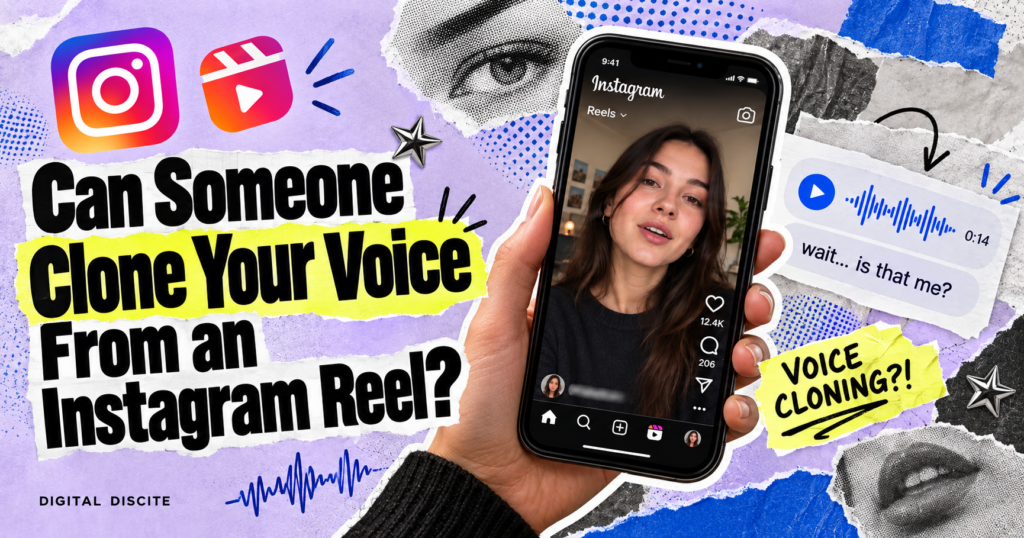
Can Someone Clone Your Voice From an Instagram Reel?

You post a Reel about your holiday, share a quick review, or record yourself telling a funny story. Your voice is clear, your profile is public, and the video feels harmless.

Could someone use that recording to make you say something you never said? Can Someone Clone Your Voice From an Instagram Reel?

Yes. An Instagram Reel containing clear speech could provide audio for an AI voice clone. That does not mean every Reel produces a convincing imitation, or that posting your voice automatically puts you in danger. It means a familiar voice should no longer be treated as proof of identity.

Here is what the technology can do, where the real risks begin, and how to protect yourself without giving up social media.

Can Someone Really Clone Your Voice From an Instagram Reel?

AI voice cloning creates synthetic speech that resembles a particular person. Depending on the system, it can imitate aspects of their tone, pronunciation, rhythm, and accent.

The person does not have to record every sentence that appears in the fake audio. A system can generate new speech using the voice as a reference.

The FTC has warned that scammers can use short voice recordings taken from online content to impersonate loved ones. A Reel is therefore a plausible source of audio, although the agency’s warning is about online recordings generally, rather than a specific Instagram security flaw.

Someone does not necessarily need access to your Instagram account. If they can already hear your speech in a public video, the recording itself is the relevant exposure.

A cloned voice is an imitation of how you sound. It does not give someone your memories, passwords, or control of your account.

How Much Audio Does AI Need to Clone a Voice?

There is no universal minimum that guarantees a convincing result.

Microsoft’s VALL-E research demonstrated personalized speech generation using a three-second reference recording. However, Microsoft also explains that similarity and naturalness depend on the recording’s length, quality, background noise, and other factors. A research demonstration is not a promise that every three-second Instagram clip will work equally well.

Commercial guidance can be more demanding. ElevenLabs recommends roughly one to two minutes of good audio for instant voice cloning and emphasizes the importance of recording quality.

The sensible conclusion is that short clips can create a risk, while clearer and more suitable recordings can improve the imitation.

Audio in a ReelWhat it means for voice-cloning risk
One person speaking clearlyProvides a more useful voice reference
Speech covered by loud musicMakes the voice harder to isolate reliably
Several people talking togetherMakes it harder to identify one speaker cleanly
Multiple clear talking videosCreates more potential reference material
Music with no recording of your voiceDoes not itself supply a sample of your speaking voice

These are practical comparisons, not a test that can certify a Reel as safe. Background music, filters, and noise should not be treated as security protections.

Why a Reel Can Reveal More Than Your Voice

Voice audio is only part of the picture.

Imagine a hypothetical creator who posts a talking Reel from an airport. The caption names the destination. Other posts reveal their partner’s name, and comments identify a close relative.

An impersonator could use those public details to make a message feel believable: “I’m still at the airport. My payment isn’t working. Can you send money?”

This example illustrates a broader problem: a fake voice becomes more persuasive when the story includes real details. It does not establish how frequently criminals use Instagram Reels for this purpose.

Your posting choices matter, but so does the information surrounding the video.

What Could Someone Do With a Cloned Voice?

The FBI has documented criminals using AI-generated audio to impersonate relatives in emergencies and to impersonate known contacts when seeking financial help.

For an Instagram user, plausible misuse includes:

  • A fake voice message asking a relative for urgent money.
  • Audio that appears to endorse a product or investment.
  • A fabricated statement intended to damage someone’s reputation.
  • A message impersonating a colleague or business contact.

These are possible scenarios, not evidence that anyone who posts talking videos will be targeted.

Also, voice cloning does not automatically unlock your bank account or bypass every identity check. Different services use different safeguards. The immediate concern for many families is that someone may trust the voice enough to send money or reveal sensitive information.

How Can You Recognize an AI Voice Scam?

Some fake recordings may have odd pauses, inconsistent pronunciation, or an unusual delivery. Others may sound convincing, especially in a short, emotional message.

Treat audio glitches as clues rather than a dependable detection method.

Pay closer attention to the request:

  • Is the caller demanding immediate action?
  • Are they insisting that you keep the conversation secret?
  • Are they asking for money through an unfamiliar payment route?
  • Do they want a password, verification code, or account recovery code?
  • Are they discouraging you from hanging up or contacting anyone else?

These warning signs also apply to ordinary impersonation scams. You do not need to prove that a voice is AI-generated before deciding to verify a suspicious request.

What Should You Do If a Familiar Voice Asks for Money?

1. Pause before acting

A frightening story can make verification feel like a delay you cannot afford. Take a moment before sending money or sharing information.

2. Contact the person independently

End the conversation and call a number you already know. Do not rely on a new number supplied by the caller or a link in the message.

If you cannot reach the person, try another trusted relative or contact who can check on them.

3. Use a private family phrase as an extra check

Agree on a phrase privately and keep it out of public posts and chats with strangers. Change it if it becomes exposed.

Use it alongside independent contact. A phrase is less useful if an attacker has already learned it.

4. Verify payment requests through an established channel

For work requests, follow your normal approval process. For family requests, confirm the situation before transferring money.

A useful household rule is: urgent requests still require a separate check.

How to Reduce the Risk When Posting Instagram Reels

Review who can see your videos

Meta explains that Reels follow an account’s privacy settings. A private account limits the audience, but an approved viewer could still record or share content.

For a public creator, consider which personal videos need to reach everyone and which are better shared with a smaller audience.

Share fewer details that support impersonation

Be selective about posting live travel updates, family contact information, school details, and routines.

You can still create useful, personal content while leaving out information that would help a stranger invent an emergency involving you.

Discuss voice scams with your family

Explain that a familiar-sounding voice can be faked. Agree on how you will verify unexpected requests before anyone faces a stressful call.

This conversation may be especially useful for relatives who assume that recognizing your voice proves it is you.

Protect the account as well as the audio

Use a unique password and enable two-factor authentication.

Account security serves a different purpose from protecting public recordings. It helps reduce the chance that an impersonator can send messages through your real profile, which could make a scam more believable.

For more on managing AI-related permissions, read our guide to the best AI browsers.

Be cautious with voice-upload services

Before uploading recordings to a voice or AI service, check its consent requirements, retention policy, deletion options, and rules about using recordings for model improvement.

If you compare products through our AI tools pricing database, review privacy terms alongside price and features.

What If Someone Has Already Used Your Voice?

Preserve the evidence before reporting the content. Save the message, account handle, URL, timestamps, screenshots, and any payment details.

Report impersonating accounts or abusive content through the relevant platform. Warn the people likely to receive fake requests, using a communication channel they already trust.

If money was sent, contact the bank or payment provider immediately and ask whether the transaction can be stopped or recovered. Report suspected fraud to the appropriate authority in your country. In the United States, reporting options include the FTC’s ReportFraud website and the FBI’s Internet Crime Complaint Center.

Avoid paying anyone who promises to erase every copy of a cloned voice.

Frequently Asked Questions

Can someone clone my voice without following me?

Potentially, yes, if they can access a public recording of you speaking. Following your account is not a technical requirement for imitating an accessible voice recording.

Can someone clone my voice from a private Reel?

A private audience reduces exposure. It does not guarantee that nobody with access can copy or share the recording.

Does adding music prevent voice cloning?

No dependable protection follows from adding music. It may affect audio quality, but it should not be treated as a security measure.

Will deleting a Reel remove an existing voice clone?

Deleting the Reel can reduce future access through your profile. It cannot reliably retrieve recordings someone already copied or remove a voice model created elsewhere.

Should I stop posting videos with my voice?

You do not need to assume every talking video will cause harm. Make deliberate choices about your audience, limit unnecessary personal details, and establish a verification habit with family and colleagues.

The Habit That Matters Most

Your next Reel might contain enough speech for someone to attempt a voice imitation. The quality of the result will vary, and a short clip is not a guarantee of a perfect clone.

The most useful response is a simple rule: when a familiar voice makes an unexpected request for money or sensitive information, verify it through another trusted channel.

Explore more practical technology guides on Digital Discite.

Can Someone Clone Your Voice From an Instagram Reel? Read More »

Scroll to Top