
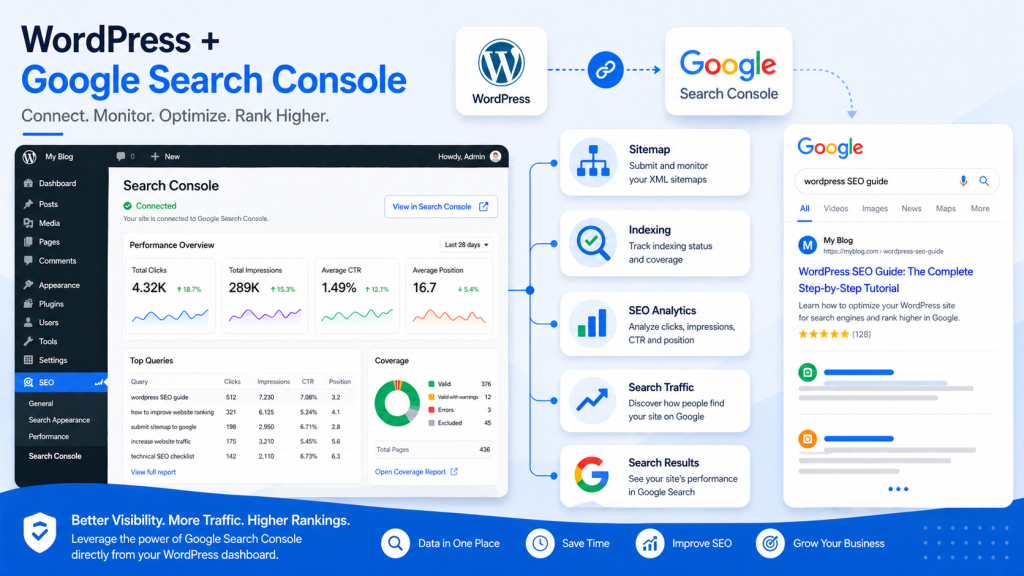


If you’re serious about improving your website’s visibility on search engines, there’s one tool you simply can’t ignore: Google Search Console (GSC). Whether you’re a beginner blogger, an SEO professional, or a business owner, this powerful (and free) tool provides deep insights into how your site performs on Google Search.
In this comprehensive guide, you’ll learn what Google Search Console is, why it matters, and how to use it effectively to boost rankings, traffic, and overall SEO health.
What is Google Search Console?
Google Search Console is a free web service offered by Google that helps website owners monitor, maintain, and troubleshoot their site’s presence in search results.
Unlike analytics tools that focus on user behavior, GSC focuses on search performance and technical SEO—giving you direct data from Google itself.
Key Functions:
- Monitor search traffic and keyword performance
- Identify indexing issues
- Submit sitemaps
- Detect technical SEO problems
- Improve mobile usability and Core Web Vitals
Why Google Search Console is Essential for SEO


1. Understand How Users Find You
GSC shows which keywords bring users to your site, along with impressions, clicks, and click-through rate (CTR).
2. Fix Indexing Problems
If your pages aren’t appearing on Google, GSC tells you why—and how to fix it.
3. Improve Technical SEO
From mobile usability to page experience signals, GSC highlights issues that impact rankings.
4. Monitor Website Health
You’ll get alerts about:
- Crawl errors
- Security issues
- Manual penalties
Key Features of Google Search Console
🔍 Performance Report
This is the heart of GSC.
It shows:
- Total clicks
- Total impressions
- Average CTR
- Average position
You can filter by:
- Keywords
- Pages
- Countries
- Devices
👉 Pro Tip: Look for keywords with high impressions but low CTR—these are optimization opportunities.
📄 URL Inspection Tool
Check how Google views a specific page.
You can:
- See if a page is indexed
- Request indexing
- View crawl status
Perfect for debugging SEO issues quickly.
🧭 Index Coverage Report
This report tells you which pages are:
- Indexed
- Excluded
- Having errors
Common issues include:
- “Crawled – currently not indexed”
- “Duplicate without user-selected canonical”
Fixing these improves your visibility dramatically.
📱 Mobile Usability Report
Google prioritizes mobile-first indexing, so this feature is crucial.
It identifies:
- Text too small to read
- Clickable elements too close
- Content wider than screen
⚡ Core Web Vitals
These metrics measure user experience:
- LCP (Largest Contentful Paint) – loading speed
- FID (First Input Delay) – interactivity
- CLS (Cumulative Layout Shift) – visual stability
Improving these can boost rankings and user satisfaction.
How to Set Up Google Search Console


Step-by-Step Guide:
- Go to Google Search Console
- Add your website (property)
- Verify ownership using one of these methods:
- DNS record
- HTML file upload
- Google Analytics
- Submit your XML sitemap
- Start analyzing data
Best Practices for Using Google Search Console
✅ Optimize Underperforming Keywords
Find keywords with:
- High impressions
- Low CTR
Then improve:
- Titles
- Meta descriptions
✅ Fix Coverage Errors Regularly
Don’t ignore indexing issues—these directly affect your visibility.
✅ Monitor Backlinks
GSC shows:
- External links
- Top linking sites
This helps you evaluate your link-building strategy.
✅ Use Data for Content Strategy
Identify:
- Top-performing pages
- High-ranking keywords
Then create more content around those topics.
Common Mistakes to Avoid
- Ignoring alerts from Google
- Not submitting a sitemap
- Overlooking mobile usability issues
- Focusing only on rankings, not CTR
Advanced Tips for Power Users
🔧 Combine with Analytics Tools
Pair GSC with tools like Google Analytics for deeper insights.
📊 Export Data for Analysis
Download performance data and analyze trends over time.
🔄 Re-optimize Old Content
Use GSC data to refresh outdated pages and regain rankings.
Final Thoughts
Google Search Console isn’t just a tool—it’s your direct communication line with Google. If you’re not using it effectively, you’re leaving valuable SEO insights (and traffic) on the table.
By regularly monitoring your site, fixing issues, and optimizing based on real data, you can significantly improve your search visibility and grow your organic traffic.
Best SEO Tools for Beginners in 2025
Image SEO Optimization Guide (2026): How to Optimize Images for Higher Rankings