SEO Tools

Ubersuggest SEO Tool

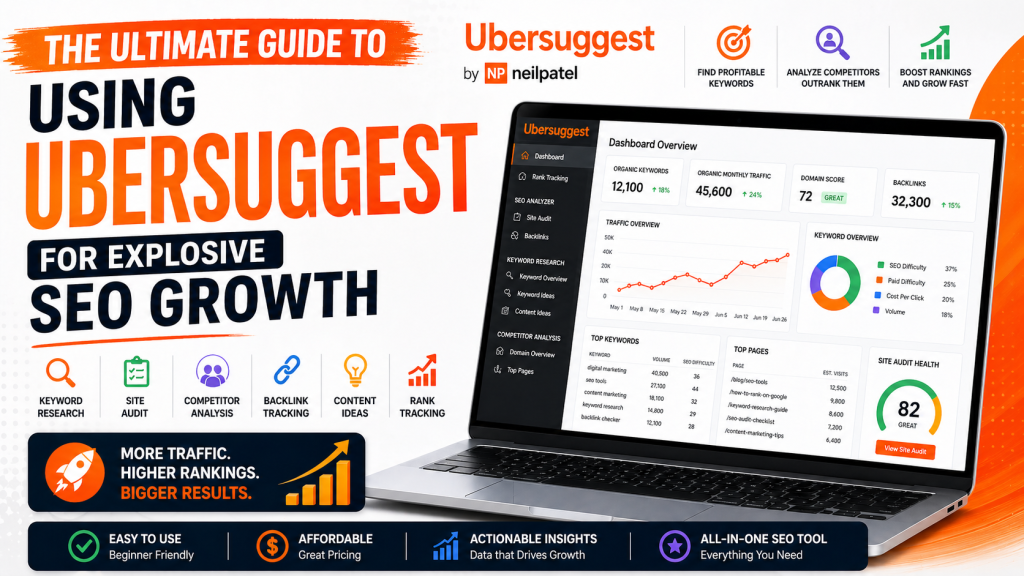
Ubersuggest SEO Tool: Complete Guide to Keyword Research, Backlinks and Traffic Growth

UberSuggest Dashboard
Ubersuggest Keyword Overview
Ubersuggest Graph

Ubersuggest SEO tool is one of the most powerful and beginner-friendly platforms for improving your website’s search engine rankings. Search engine optimization (SEO) is no longer optional—it’s the backbone of online visibility. Whether you’re running a blog, an eCommerce store, or a corporate website, ranking on search engines like Google Search determines your success.

That’s where Ubersuggest comes in—a powerful, user-friendly SEO tool designed to help you uncover keywords, analyze competitors, and grow your organic traffic without needing a massive budget.

In this comprehensive guide, you’ll learn everything you need to know about Ubersuggest—from features and benefits to practical strategies you can apply today.

What is Ubersuggest?

Ubersuggest
Neil Patel Keyword Ideas
Site Audit

Ubersuggest is an all-in-one SEO platform created by Neil Patel. Originally launched as a simple keyword suggestion tool, it has evolved into a full-fledged SEO suite.

Core Capabilities:

  • Keyword research
  • Site audits
  • Competitor analysis
  • Backlink tracking
  • Content ideas
  • Rank tracking

Unlike many expensive SEO tools, Ubersuggest is designed to be accessible for beginners while still powerful enough for professionals.

Why Ubersuggest is a Game-Changer for SEO

Average SEO Traffic Growth Over Time
Ranking Distribution
Issues Ubersuggest

1. Affordable SEO Solution

Compared to tools like Ahrefs or SEMrush, Ubersuggest offers a much more budget-friendly pricing structure, including a free tier.

2. Beginner-Friendly Interface

You don’t need to be an SEO expert. The dashboard is clean, intuitive, and easy to navigate.

3. Actionable Insights

Ubersuggest doesn’t just give data—it tells you what to do next.

Key Features of Ubersuggest (Deep Dive)

🔍 1. Keyword Research

Key Features Ubersuggest
Ubersuggest Keyword Ideas
Ubersuggest Keyword Overview Digital Marketing

Keyword research is the foundation of SEO, and Ubersuggest excels at it.

What You Get:

  • Search volume
  • SEO difficulty
  • Paid difficulty
  • Cost-per-click (CPC)
  • Keyword suggestions (long-tail & short-tail)

Pro Tip:

Focus on low-difficulty, high-volume keywords to rank faster.

📊 2. Site Audit

Ubersuggest Site Health Overview
Ubersuggest Site Health
Ubersuggest SEO Content Checklist

The Site Audit feature scans your website for SEO issues.

It Identifies:

  • Broken links
  • Slow-loading pages
  • Missing meta tags
  • Duplicate content
  • Mobile usability issues

Fixing these can dramatically improve your rankings.

🧠 3. Competitor Analysis

Ubersuggest Competitor Analysis
Ubersuggest Competitors in organic search
Ubersuggest keyword overlap

Want to outrank competitors? Ubersuggest shows you exactly what they’re doing.

You Can Discover:

  • Their top-performing pages
  • Keywords they rank for
  • Estimated traffic
  • Backlinks

This allows you to reverse-engineer their success.

🔗 4. Backlink Data

Ubersuggest Backlink Data
Ubersuggest Backlink Analytics
Ubersuggest Domain Prospects

Backlinks remain a major ranking factor.

Ubersuggest Helps You:

  • Analyze your backlink profile
  • Discover new link opportunities
  • Track referring domains

✍️ 5. Content Ideas

SEO Blog Platforms

Struggling with content ideas? This feature shows:

  • Popular blog posts
  • Social shares
  • Estimated visits

You can quickly identify what content works in your niche.

How to Use Ubersuggest Effectively (Step-by-Step)

Step 1: Start with Keyword Research

Find keywords relevant to your niche.

Step 2: Analyze Competitors

Look at what top-ranking websites are doing.

Step 3: Create Optimized Content

Use your keywords naturally in:

  • Titles
  • Headings
  • Meta descriptions

Step 4: Perform Site Audit

Fix technical issues that hurt rankings.

Step 5: Build Backlinks

Reach out to websites for guest posts or collaborations.

Ubersuggest vs Other SEO Tools

FeatureUbersuggestAhrefsSEMrush
PriceLowHighHigh
Ease of UseEasyMediumMedium
Keyword ResearchYesYesYes
Site AuditYesYesYes
BacklinksYesAdvancedAdvanced

👉 Ubersuggest is ideal for small businesses, bloggers, and startups.

SEO Strategies Using Ubersuggest

🚀 1. Target Long-Tail Keywords

They are easier to rank and bring highly targeted traffic.

📈 2. Update Old Content

Use Ubersuggest to find new keywords and refresh existing posts.

🔗 3. Steal Competitor Backlinks (Ethically)

Find where competitors get links and pitch your content there.

📝 4. Create Data-Driven Content

Use content ideas to produce articles people already love.

Pros and Cons of the Ubersuggest SEO Tool

✅ Pros

  • Affordable pricing
  • Easy to use
  • Comprehensive features
  • Great for beginners

❌ Cons

  • Limited data compared to premium tools
  • Fewer advanced features for experts

Final Thoughts for Ubersuggest SEO Tool

If you’re serious about growing your website traffic, Ubersuggest is one of the best tools to start with. It combines simplicity with powerful insights, making SEO accessible to everyone.

Whether you’re a beginner or an experienced marketer, using Ubersuggest strategically can help you:

  • Rank higher on search engines
  • Drive more organic traffic
  • Outperform competitors

FAQs

Is Ubersuggest free?

Yes, it offers a free version with limited daily searches.

Is it good for beginners?

Absolutely. It’s one of the easiest SEO tools to learn.

Can it replace premium tools?

For many users—yes. But advanced SEOs may still prefer tools like Ahrefs or SEMrush.

Best SEO Tools for Beginners in 2025

Ubersuggest SEO Tool: Complete Guide to Keyword Research, Backlinks and Traffic Growth Read More »
Google Search Console Guide How to Improve SEO and Traffic

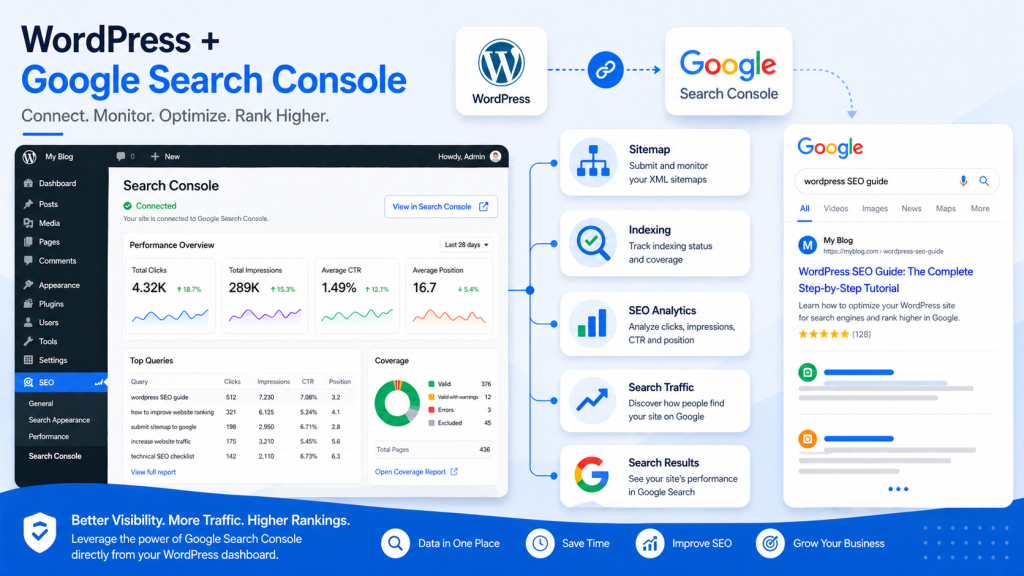
Google Search Console Guide: How to Improve SEO and Traffic

Google Search Console Guide
Google Search Console Performance
Google Search Console Page Indexing

If you’re serious about improving your website’s visibility on search engines, there’s one tool you simply can’t ignore: Google Search Console (GSC). Whether you’re a beginner blogger, an SEO professional, or a business owner, this powerful (and free) tool provides deep insights into how your site performs on Google Search.

In this comprehensive guide, you’ll learn what Google Search Console is, why it matters, and how to use it effectively to boost rankings, traffic, and overall SEO health.

What is Google Search Console?

Google Search Console is a free web service offered by Google that helps website owners monitor, maintain, and troubleshoot their site’s presence in search results.

Unlike analytics tools that focus on user behavior, GSC focuses on search performance and technical SEO—giving you direct data from Google itself.

Key Functions:

  • Monitor search traffic and keyword performance
  • Identify indexing issues
  • Submit sitemaps
  • Detect technical SEO problems
  • Improve mobile usability and Core Web Vitals

Why Google Search Console is Essential for SEO

Why Google Search Console is Essential for SEO
Google Search Console Known Pages
Google Search Console Core Web Vitals

1. Understand How Users Find You

GSC shows which keywords bring users to your site, along with impressions, clicks, and click-through rate (CTR).

2. Fix Indexing Problems

If your pages aren’t appearing on Google, GSC tells you why—and how to fix it.

3. Improve Technical SEO

From mobile usability to page experience signals, GSC highlights issues that impact rankings.

4. Monitor Website Health

You’ll get alerts about:

  • Crawl errors
  • Security issues
  • Manual penalties

Key Features of Google Search Console

🔍 Performance Report

This is the heart of GSC.

It shows:

  • Total clicks
  • Total impressions
  • Average CTR
  • Average position

You can filter by:

  • Keywords
  • Pages
  • Countries
  • Devices

👉 Pro Tip: Look for keywords with high impressions but low CTR—these are optimization opportunities.

📄 URL Inspection Tool

Check how Google views a specific page.

You can:

  • See if a page is indexed
  • Request indexing
  • View crawl status

Perfect for debugging SEO issues quickly.

🧭 Index Coverage Report

This report tells you which pages are:

  • Indexed
  • Excluded
  • Having errors

Common issues include:

  • “Crawled – currently not indexed”
  • “Duplicate without user-selected canonical”

Fixing these improves your visibility dramatically.

📱 Mobile Usability Report

Google prioritizes mobile-first indexing, so this feature is crucial.

It identifies:

  • Text too small to read
  • Clickable elements too close
  • Content wider than screen

⚡ Core Web Vitals

These metrics measure user experience:

  • LCP (Largest Contentful Paint) – loading speed
  • FID (First Input Delay) – interactivity
  • CLS (Cumulative Layout Shift) – visual stability

Improving these can boost rankings and user satisfaction.

How to Set Up Google Search Console

How to Set Up Google Search Console
How to Set Up Google Search Console: Verify Domain Ownership
Add a new sitemap

Step-by-Step Guide:

  1. Go to Google Search Console
  2. Add your website (property)
  3. Verify ownership using one of these methods:
    • DNS record
    • HTML file upload
    • Google Analytics
  4. Submit your XML sitemap
  5. Start analyzing data

Best Practices for Using Google Search Console

✅ Optimize Underperforming Keywords

Find keywords with:

  • High impressions
  • Low CTR

Then improve:

  • Titles
  • Meta descriptions

✅ Fix Coverage Errors Regularly

Don’t ignore indexing issues—these directly affect your visibility.

✅ Monitor Backlinks

GSC shows:

  • External links
  • Top linking sites

This helps you evaluate your link-building strategy.

✅ Use Data for Content Strategy

Identify:

  • Top-performing pages
  • High-ranking keywords

Then create more content around those topics.

Common Mistakes to Avoid

  • Ignoring alerts from Google
  • Not submitting a sitemap
  • Overlooking mobile usability issues
  • Focusing only on rankings, not CTR

Advanced Tips for Power Users

🔧 Combine with Analytics Tools

Pair GSC with tools like Google Analytics for deeper insights.

📊 Export Data for Analysis

Download performance data and analyze trends over time.

🔄 Re-optimize Old Content

Use GSC data to refresh outdated pages and regain rankings.

Final Thoughts

Google Search Console isn’t just a tool—it’s your direct communication line with Google. If you’re not using it effectively, you’re leaving valuable SEO insights (and traffic) on the table.

By regularly monitoring your site, fixing issues, and optimizing based on real data, you can significantly improve your search visibility and grow your organic traffic.

Best SEO Tools for Beginners in 2025

Image SEO Optimization Guide (2026): How to Optimize Images for Higher Rankings

Google Search Console Guide: How to Improve SEO and Traffic Read More »

Image SEO Optimization Guide

Image SEO Optimization Guide (2026): How to Optimize Images for Higher Rankings

Image SEO Optimization Guide
https://images.openai.com/static-rsc-4/llQXmr7wS7BA1ObU46JwXgViL8X-4dcEssJmQVUzCDHpj99JiZBCBc2z156gXBXa_X3RSydSR9PMlMbSkQY2zPUJtWmpODIQqLny10GPutZEoyFzcXPcz83oP_luZraUvI-DVaQkxCJfVUncrvlrht9fNjvUL53uFbxx7c5GORYpjJOw3nxHehi1nVuBj_5u?purpose=fullsize
https://images.openai.com/static-rsc-4/GrS7SBbjE7EHiVfV4Mcjqe2MEwbxp7qHHdYvxyTaRFxzvXBikfl4U928nTKYUjqJfuZUhRtTfDMmHKju4NYTN1_TheVxkkfoHzM431q4Vp6v12f8Ul_aMSnJkw_mNSICzQNwBVGNopMoLFgU9EkVLD-bO1b7MK7BpyQ6Y3xVC1wJ5CrhjDVDl6Umdve3quyJ?purpose=fullsize

📌 Quick Answer (Snippet Optimized)

Image SEO Optimization is the process of optimizing images to improve website speed, search rankings, and visibility in search engines like Google Images.

🧠 Why Image SEO Matters

  • Improves page speed
  • Boosts Google rankings
  • Increases traffic from image search
  • Enhances user experience

🔧 7 Best Image SEO Optimization Practices

1. Use High-Quality Images

Clear images improve engagement and rankings.

👉 You can enhance images using
AI Image Enhancer

2. Compress Images

Reduce file size without losing quality.

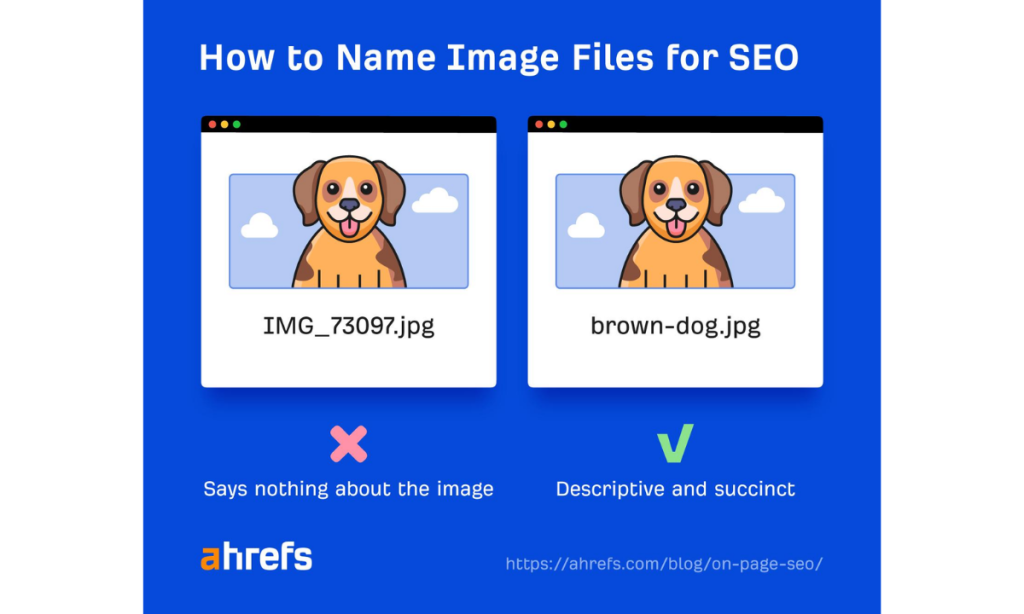
3. Use Proper File Names

Example:

  • ❌ IMG1234.jpg
  • ✅ ai-image-enhancer-before-after.jpg

4. Add Alt Text (VERY IMPORTANT)

Describe your image using keywords.

Example:

“AI image enhancer improving blurry photo to HD”

5. Use Responsive Images

Ensure images work on mobile devices.

6. Choose the Right Format

  • JPEG → photos
  • PNG → graphics
  • WebP → best performance

7. Add Image Captions

Captions increase engagement and context.

📊 Common Image SEO Optimization Mistakes

  • Using low-quality images
  • Missing alt text
  • Large file sizes
  • Irrelevant file names

Want to improve image quality before optimizing?
👉 Read: Picsart AI Image Enhancer

🏆 Final Thoughts

Image SEO is one of the easiest ways to improve rankings — yet most bloggers ignore it.

Start by improving image quality and optimizing properly.

🧩 FAQs for Image SEO Optimization Guide (2026)

❓ What is Image SEO Optimization?

Image SEO Optimization is the process of optimizing images to improve website rankings, page speed, and visibility in search engines.

❓ How do I optimize images for SEO?

To optimize images:

  1. Use high-quality images
  2. Compress file size
  3. Add alt text
  4. Use descriptive file names
  5. Choose the right format

❓ Does image quality affect SEO?

Yes, high-quality images improve user engagement and reduce bounce rates, which can positively impact SEO rankings.

❓ What is alt text in image SEO?

Alt text is a description of an image that helps search engines understand its content and improves accessibility.

❓ How can I improve image quality before SEO?

You can enhance images using tools like Picsart AI Image Enhancer before optimizing them for SEO.

❓ What is the best image format for SEO?

WebP is the best format for SEO because it offers high quality with smaller file sizes, improving page speed.

Image SEO Optimization Guide (2026): How to Optimize Images for Higher Rankings Read More »

Digital Discite - SEO Tools for Beginners

Best SEO Tools for Beginners in 2025

1. Introduction

In 2025, SEO is essential for anyone running a website, blog, or online business. Higher search rankings mean more visibility, traffic, and potential revenue.

For beginners, SEO can feel overwhelming. Challenges like keyword research, on-page optimization, backlink tracking, and analytics often seem complex and technical.

That’s where SEO tools for beginners come in. These tools simplify the process, provide actionable insights, and help you make informed decisions without guesswork.

Preview: This guide explores the best SEO tools for beginners in 2025 that make optimizing your website easier and more effective.

2. Why Beginners Need SEO Tools

Using SEO tools for beginners offers several advantages:

  • Save time: Automate keyword research and content analysis.
  • Learn best practices: Tools provide guidance on optimization techniques.
  • Track performance: Monitor rankings, traffic, and site health.
  • Boost confidence: Beginners can implement SEO strategies with clarity.

These tools make learning SEO less intimidating and more actionable.

3. Key Features to Look for in SEO Tools

When selecting SEO tools for beginners, consider:

  • Keyword research: Find search terms with high potential.
  • Content optimization: Improve readability, keyword usage, and meta tags.
  • Backlink tracking: Monitor links pointing to your site.
  • Technical audits: Identify errors, broken links, and crawl issues.
  • Reporting & analytics: Track progress and measure SEO impact.

Focusing on these features ensures the tools are practical for beginners.

4. Best SEO Tools for Beginners in 2025

1. Google Search Console

  • Free and essential for monitoring indexing and search performance.
  • Provides search queries, click data, and technical issues.

👉 Read our complete Google Search Console setup guide to get started.

2. Ubersuggest

  • Keyword research and content suggestions.
  • Beginner-friendly interface with SEO tips.

👉 Explore our complete Ubersuggest SEO tool guide to unlock its full potential.

3. SEMRush (Free Version)

  • Basic competitor analysis, keyword research, and site audit tools.
  • Great starting point for tracking website performance.

4. Ahrefs Webmaster Tools

  • Backlink analysis and website health monitoring.
  • Helps beginners understand link-building importance.

5. Moz Free SEO Tools

  • Keyword explorer, domain analysis, and SEO recommendations.
  • Simple interface for beginners to grasp essential metrics.

6. AnswerThePublic

  • Generate content ideas and FAQs based on search queries.
  • Perfect for planning blog posts and videos.

7. Yoast SEO (WordPress Plugin)

  • On-page SEO guidance and readability suggestions.
  • Ideal for WordPress beginners optimizing posts and pages.

8. SEO Minion (Chrome Extension)

  • Analyze on-page SEO, SERPs, and links.
  • Quick insights without leaving the browser.

5. How to Use SEO Tools Effectively

To maximize the benefit of SEO tools for beginners:

  1. Start with keyword research → Use Ubersuggest or Moz.
  2. Optimize your content → Implement Yoast or SEMRush suggestions.
  3. Track backlinks and performance → Use Ahrefs and Google Search Console.
  4. Monitor progress regularly → Check rankings, clicks, and site health monthly.

Combining tools ensures you cover all SEO aspects without feeling overwhelmed.

6. Common Mistakes Beginners Should Avoid

  • Using too many tools at once and getting confused.
  • Ignoring SEO basics while relying solely on tools.
  • Keyword stuffing or over-optimizing content.
  • Failing to monitor and adjust strategies based on data.

Staying focused and consistent will yield better results than using every tool at once.

7. Tips for Maximizing SEO Results

  • Start with one or two SEO tools for beginners and gradually expand.
  • Schedule monthly site audits to track performance.
  • Focus on high-impact keywords and quality content.
  • Follow tutorials and join SEO communities for ongoing learning.

8. Conclusion

SEO tools for beginners make learning SEO accessible, practical, and actionable. By using the right tools, tracking results, and applying best practices, even newcomers can improve search rankings and website visibility in 2025.

Call to Action: Start using one or two of these beginner-friendly SEO tools today and watch your website grow!

Top Writing Tools to Sound Professional in 2025

Best SEO Tools for Beginners in 2025 Read More »

Scroll to Top