
October 2026

Best AI Travel Planners

Best AI Travel Planners in 2026: Plan an Entire Trip With AI

Planning a vacation used to mean opening dozens of tabs.

One for flights. Another for hotels. Google Maps for locations. YouTube for inspiration. Reddit for recommendations. A spreadsheet for your budget. And another document for your itinerary.

AI travel planners are changing that in 2026.

The latest AI trip-planning tools can help you choose a destination, compare flights and hotels, build day-by-day itineraries, find restaurants, organize reservations, create packing lists and adjust plans when your budget changes.

Some can even use live travel information rather than relying only on general AI knowledge.

But not every AI travel planner is equally useful.

In this guide, we compare the best AI travel planners in 2026, including Google Gemini, Mindtrip, Layla, Wanderlog, ChatGPT and Perplexity, and explain which tool makes the most sense for different types of travelers.

What Is an AI Travel Planner?

An AI travel planner uses artificial intelligence to help research, organize and sometimes book a trip.

Instead of manually searching:

Best hotels in New York under $200

then:

Best restaurants near Times Square

then:

Things to do in New York in 4 days

you can give an AI planner one detailed request.

For example:

“Plan a five-day trip to New York for two adults with a $2,000 budget. Find a hotel near public transportation, include one Broadway show, affordable restaurants and the major attractions, but don’t make the schedule too busy.”

The AI can turn those requirements into a complete itinerary.

More advanced travel planners can also incorporate:

  • Live flight information
  • Hotel prices
  • Maps
  • Travel times
  • Restaurant information
  • Reviews
  • Attractions
  • Reservations
  • Personal preferences
  • Existing bookings

This is where AI travel planning becomes considerably more useful than simply asking a chatbot for a list of places to visit.

Best AI Travel Planners in 2026: Quick Comparison

AI Travel PlannerBest ForLive Travel DataCollaborative PlanningFree Access
Google GeminiComplete AI trip researchYesThrough Google ecosystemYes + paid tiers
MindtripVisual all-in-one trip planningYesYesFree access available
LaylaPlanning + booking assistanceYesTrip planning toolsFree planning available
WanderlogDetailed itineraries & group tripsYesYesYes
ChatGPTFlexible custom itinerariesDepends on features/tools usedLimited compared with dedicated plannersFree + paid tiers
PerplexityTravel research and source checkingWeb researchLimitedFree + paid tiers

Features and pricing can change frequently, so always check the provider’s current plan before relying on a particular feature.

1. Google Gemini

Best for: Planning a trip using Google Flights, Hotels, Maps and other Google services

Google has a major advantage in AI travel planning.

It already operates several of the services travelers use when organizing trips.

That includes:

  • Google Search
  • Google Maps
  • Google Flights
  • Google Hotels
  • Gmail
  • YouTube

Gemini can bring information from these services together while creating an itinerary.

What Can Gemini Do for Travel?

Gemini can help with:

  • Destination research
  • Day-by-day itineraries
  • Flight research
  • Hotel research
  • Restaurant recommendations
  • Attractions
  • Maps and locations
  • Packing lists
  • Budget planning
  • Travel-time estimates
  • Existing reservation organization

Google says Gemini can use real-world information from Google Maps, Flights and Hotels, including locations, reviews and prices.

That makes it particularly useful when your travel questions depend on current information.

Gemini Can Use Your Existing Travel Information

One of Gemini’s more interesting advantages is personalization.

If you choose to enable relevant Google personalization features, Gemini can use information from services such as Gmail, Search, Photos and YouTube.

Imagine your flight confirmation is already in Gmail.

Instead of explaining every detail again, Gemini can potentially use that context when helping organize the trip.

That could eventually make AI travel planning feel much closer to having a personal travel assistant.

Google AI Mode for Travel

Google is also adding travel features directly to AI Mode in Search.

In 2026, Google expanded AI Mode so travelers can:

  • Compare flights
  • Compare hotels
  • Create itineraries
  • Track flight prices
  • View points or miles rates
  • Find hotel availability

Google says its flight-price information can come from more than 300 airline and travel-site partners.

This is important because AI travel recommendations are much more useful when connected to current prices.

Best For

Gemini is particularly suitable for travelers already using Google Maps, Gmail, Google Flights and other Google services.

2. Mindtrip

Best for: Visual, all-in-one AI trip planning

Mindtrip is one of the more interesting dedicated AI travel planners.

Instead of being a general-purpose chatbot that can also discuss travel, Mindtrip is built specifically around trip planning.

You start by chatting with the AI.

Tell it:

  • Where you want to go
  • Your travel dates
  • Budget
  • Interests
  • Travel style
  • Preferences
  • Things you dislike

Mindtrip then uses that information to build recommendations and itineraries.

Visual Travel Planning

One advantage of Mindtrip is presentation.

Recommendations can include:

  • Photos
  • Maps
  • Reviews
  • Locations
  • Itinerary information

This makes it easier to visualize a trip than receiving a long text response from a normal chatbot.

Plan With Friends

Mindtrip also supports collaborative planning.

You can invite friends or family members and work together on an itinerary.

This solves one of the most annoying parts of group travel:

Endless messages like:

“What about this hotel?”

“Did everyone check the restaurant I sent?”

“What are we doing Tuesday?”

Instead, the group can work around the same trip plan.

You can explore it through the official Mindtrip website.

Best For

Mindtrip is especially useful for couples, families and groups who want a dedicated visual planning experience instead of a general AI chatbot.

3. Layla

Best for: Travelers who want AI planning combined with booking assistance

Layla is another dedicated AI trip planner.

It aims to cover more of the trip-planning process in one place.

You can tell Layla where you want to go, how long you are traveling and what kind of experience you want.

It can then help create a personalized itinerary.

What Can Layla Plan?

Layla can incorporate:

  • Flights
  • Hotels
  • Activities
  • Maps
  • Itineraries
  • Travel preferences
  • Live pricing

The goal is to reduce the need to repeatedly move between different travel websites.

Human Booking Assistance

Layla has an interesting approach to the final booking stage.

While AI helps build and refine the trip, the service can connect the planning process with human travel assistance for booking.

That distinction matters.

AI can be excellent for researching options, but spending thousands of dollars on a trip is very different from asking AI to recommend a restaurant.

Having human verification during booking can provide additional reassurance when real money and reservations are involved.

Best For

Layla is worth considering if you want to move from:

“Where should I go?”

to:

“Help me organize and book this trip.”

without manually rebuilding your itinerary across multiple websites.

4. Wanderlog

Best for: Detailed itineraries, road trips and group travel

Wanderlog combines traditional travel-planning tools with AI.

This makes it particularly useful for travelers who want more control over their itinerary rather than allowing AI to decide everything.

Wanderlog AI Assistant

Wanderlog includes an AI Assistant that can answer travel questions and help create itineraries.

Suggested places can then be added directly to your trip plan.

But AI is only part of the platform.

Wanderlog also provides:

  • Day-by-day itineraries
  • Maps
  • Reservation organization
  • Hotel planning
  • Flight information
  • Live flight status
  • Budget tracking
  • Expense splitting
  • Packing checklists
  • Offline access
  • Group collaboration

Excellent for Group Trips

Wanderlog’s collaborative features are particularly useful.

Friends can work together on the same trip in real time.

You can also track expenses and split costs.

That makes it useful for:

  • Friend-group vacations
  • Family trips
  • Road trips
  • Multi-city travel

Map-Based Planning

When you add a location to your trip, it appears on the map.

This makes it easier to identify bad itineraries.

For example, AI might suggest:

Museum → Restaurant → Attraction → Hotel

but when you view them on a map, you may discover the AI has you crossing the city several times.

A visual map makes these problems much easier to catch.

Best For

Wanderlog is one of the better choices if you want AI assistance while retaining detailed manual control over your itinerary.

5. ChatGPT

Best for: Highly customized travel itineraries and brainstorming

ChatGPT is not exclusively a travel application.

That can actually be an advantage.

Instead of forcing your trip into a predetermined planning interface, you can describe very specific requirements in natural language.

For example:

“Plan a seven-day Italy trip starting in Rome and ending in Venice. We’re traveling with two children, don’t want to change hotels more than three times, prefer trains, want one relaxed afternoon every two days, and have a total ground budget of $3,500 excluding flights.”

AI is particularly good at working through complicated combinations of constraints like these.

What Can ChatGPT Help With?

You can use it for:

  • Destination ideas
  • Complete itineraries
  • Budget planning
  • Packing lists
  • Restaurant research
  • Hotel comparisons
  • Attraction research
  • Transportation planning
  • Visa-information research
  • Travel checklists
  • Reworking an itinerary

Its biggest strength is flexibility.

You can keep refining the plan conversationally.

For example:

“Day three looks too busy. Remove one attraction.”

Then:

“Move the museum to the rainy day.”

Then:

“Now create a packing list based on this itinerary.”

AI Agents and Travel

Travel planning is also becoming a good example of what AI agents can do.

Instead of simply answering questions, agentic AI can potentially research multiple websites, compare options and complete multi-step planning tasks.

If you are interested in that wider trend, read Digital Discite’s guide to the 10 Best Free AI Agents You Can Use in 2026.

Best For

ChatGPT works well for travelers who want a very customized plan and prefer conversational planning over a fixed travel-planner interface.

6. Perplexity

Best for: Researching destinations with visible sources

Perplexity takes a different approach.

Its strength is research.

When planning travel, you often need answers to questions such as:

  • Is this neighborhood safe for tourists?
  • What is the best time to visit?
  • Has this attraction changed its opening hours?
  • What transportation options are available?
  • Are there new entry requirements?
  • What are travelers saying about a destination?

Perplexity searches the web and provides citations alongside its answers.

That makes it useful when you want to investigate the sources behind a travel recommendation.

Perplexity + Comet

Perplexity also offers its Comet AI browser.

Comet can help research information across webpages and tabs, making it potentially useful for comparing:

  • Hotels
  • Flights
  • Destinations
  • Travel guides
  • Attractions

If you want to learn more about AI-powered browsing, read our guide to the Best AI Browsers in 2026: Comet vs Chrome vs Edge vs Dia.

Best For

Perplexity is particularly useful during the research stage of a trip when verifying information matters more than creating a beautiful itinerary.

Which AI Travel Planner Is Best for Different Travelers?

Different tools solve different parts of travel planning.

For Complete Trip Research

Try Google Gemini.

Its connections with Maps, Flights, Hotels and other Google services give it access to a strong travel-data ecosystem.

For Visual Trip Planning

Try Mindtrip.

Its visual recommendations and dedicated travel interface make the planning process easier to explore.

For AI + Booking Assistance

Consider Layla.

Its combination of AI planning and booking support is useful for travelers who want help beyond itinerary generation.

For Group Trips

Try Wanderlog.

Collaboration, reservations, maps, budgeting and expense splitting make it especially useful when several people are traveling together.

For Complicated Custom Itineraries

Try ChatGPT.

Natural-language conversations make it easy to describe unusual requirements and repeatedly modify a trip.

For Research and Fact Checking

Try Perplexity.

Its source-focused search experience can help verify travel claims before you rely on them.

Can AI Really Plan an Entire Trip?

In 2026, the answer is:

Almost — but you should still verify important details yourself.

AI can now handle a large portion of travel planning.

It can help:

  1. Choose a destination.
  2. Research flights.
  3. Compare hotels.
  4. Build an itinerary.
  5. Find restaurants.
  6. Suggest attractions.
  7. Organize transportation.
  8. Create a budget.
  9. Prepare a packing list.
  10. Adjust the trip when plans change.

What AI should not do is convince you to stop checking important information.

Before paying or traveling, independently verify:

  • Flight dates and times
  • Hotel cancellation policies
  • Visa requirements
  • Passport requirements
  • Entry rules
  • Travel advisories
  • Attraction opening hours
  • Transportation schedules
  • Final prices
  • Medical or vaccination requirements

AI-generated travel information can still be outdated or incorrect.

How to Plan an Entire Trip With AI

A good AI itinerary depends heavily on the prompt you provide.

Instead of writing:

“Plan a trip to Japan.”

provide specific constraints.

A much better prompt would be:

“Plan a 10-day Japan trip for two adults in October 2026. We are flying into Tokyo and leaving from Osaka. Our total budget excluding international flights is $4,000. We like food, technology, photography and historical places. We don’t want nightlife or theme parks. Use public transportation and avoid changing hotels too often. Create a realistic day-by-day itinerary with estimated travel times and a suggested budget.”

Then refine the result.

Ask:

“Which days are too crowded?”

Then:

“Add one completely relaxed afternoon.”

Then:

“Show the itinerary on a neighborhood-by-neighborhood basis.”

Then:

“Create a packing checklist.”

The quality of the itinerary normally improves when you treat AI as a planning conversation, not a one-prompt itinerary generator.

AI Travel Planning vs Traditional Travel Planning

Traditional planning usually looks like this:

Search → open tabs → compare → take notes → map locations → create itinerary → book

AI compresses many of those steps.

The new workflow looks more like:

Describe trip → AI researches → AI organizes → you verify → book

That does not eliminate travel research.

It reduces the amount of repetitive work required to organize that research.

The Biggest Problem With AI Travel Planners

The biggest weakness remains trust.

An itinerary can look extremely professional while containing one incorrect detail.

AI might:

  • Suggest a closed restaurant
  • Underestimate travel time
  • Recommend an attraction on its closed day
  • Use an outdated hotel price
  • Miss a reservation requirement
  • Suggest an unrealistic connection
  • Provide outdated visa information

That is why access to live data is becoming so important.

Google’s ability to connect Gemini with Maps, Flights and Hotels is one example.

Dedicated travel platforms are also increasingly connecting AI recommendations with live inventory and pricing.

The next generation of AI travel planners will likely compete less on who can write the nicest itinerary and more on who has the most reliable real-world travel data.

Can AI Help You Save Money on Travel?

Yes, particularly during the research stage.

You can ask AI to:

  • Compare alternative airports
  • Identify cheaper travel dates
  • Compare neighborhoods
  • Find free attractions
  • Create daily spending limits
  • Compare hotel vs vacation-rental costs
  • Suggest public transportation instead of taxis
  • Find alternative destinations
  • Build an itinerary around your budget

For example, accommodation is often one of the largest travel expenses.

Our Hotel vs Airbnb: Cost Comparison for 10 Popular US Cities (2026) can help you understand how the two options compare in major US destinations.

Budget travelers can also explore our 10 Best Affordable US Cities for Weekend Trips in 2026.

AI Travel Planning Is Just Getting Started

Travel is becoming one of the most practical applications of consumer AI.

It makes sense.

Planning a trip requires exactly the kind of work AI is increasingly good at:

Searching + comparing + organizing + personalizing + revising.

Google is already bringing flight-price tracking and hotel discovery into conversational AI search.

Dedicated platforms such as Mindtrip, Layla and Wanderlog are building AI directly into trip-management interfaces.

General AI tools can handle increasingly complicated travel-planning requests.

The result is a new kind of travel workflow.

Instead of spending hours searching dozens of websites, travelers can begin with a conversation and use traditional travel services primarily for verification and booking.

Frequently Asked Questions

What is the best AI travel planner in 2026?

There is no single tool that is ideal for every traveler. Google Gemini is strong for Google-powered travel research, Mindtrip offers a visual dedicated planner, Wanderlog is excellent for collaborative itinerary management, Layla combines planning with booking assistance, ChatGPT offers highly flexible custom planning, and Perplexity is useful for source-based research.

Can AI plan my entire vacation?

AI can handle most of the research and organization involved in planning a vacation, including destinations, itineraries, hotels, flights, restaurants and budgets. However, travelers should verify important booking, entry, safety and schedule information before paying or traveling.

What is the best free AI trip planner?

Several major tools provide some level of free access, including Gemini, Wanderlog, ChatGPT, Perplexity and dedicated travel planners. Free-plan limits and AI features change frequently, so check current pricing before choosing one.

Can Gemini plan a trip?

Yes. Google says Gemini can use information from Google Maps, Flights and Hotels to build personalized itineraries and travel recommendations.

Can AI find cheap flights?

AI can help compare travel dates, airports and flight options. Google’s AI Mode can also access current flight information and supports flight-price tracking.

Is ChatGPT good for travel planning?

Yes. ChatGPT is particularly useful when you have detailed requirements because you can continuously modify an itinerary using natural-language instructions.

Is AI travel planning safe?

AI is useful for research and organization, but important details should be independently verified. Never rely solely on an AI-generated answer for visa rules, entry requirements, medical requirements, flight schedules or other high-impact travel decisions.

Can AI book a vacation for me?

Some travel platforms are moving closer to end-to-end booking, while others primarily generate recommendations or direct users to booking services. Always review the final price, dates, cancellation policy and traveler details before confirming a purchase.

Best AI Travel Planners

The best AI travel planners in 2026 can do far more than generate a generic list of tourist attractions.

They can help research destinations, compare options, build personalized itineraries, organize reservations, track travel information and continuously adjust a trip around your preferences.

Google Gemini stands out because of its connection to Google’s massive travel ecosystem.

Mindtrip provides a compelling visual planning experience.

Layla brings AI planning closer to actual booking.

Wanderlog combines AI with excellent itinerary and group-planning tools.

ChatGPT provides enormous flexibility for customized trips.

And Perplexity is particularly useful when you want to research travel information while seeing the underlying sources.

But the best approach may not be choosing only one.

You could use Gemini for live travel research, ChatGPT for itinerary customization, Perplexity for verification and Wanderlog for organizing the final trip.

AI can now do much of the planning.

You should still make the final decisions.

For more travel ideas, hotel comparisons and destination guides, explore Digital Discite’s Travel section. For more artificial intelligence and productivity software, visit Best Tech Tools.

Best AI Travel Planners in 2026: Plan an Entire Trip With AI Read More »
Microsoft Copilot Autopilot

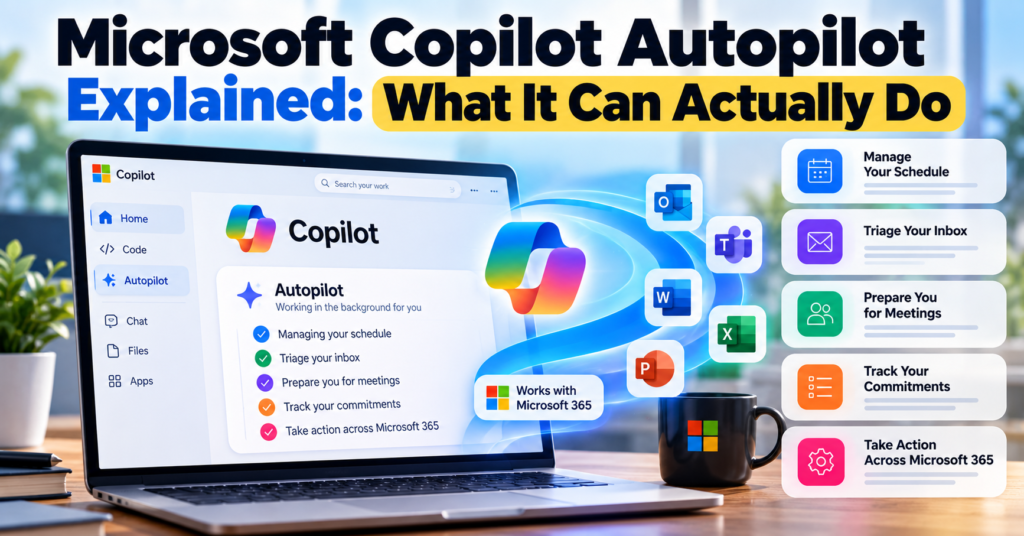
Microsoft Copilot Autopilot Explained: What It Can Actually Do

Microsoft Copilot is changing from an AI chatbot into something much more ambitious.

On September 25, 2026, Microsoft announced a major redesign of Copilot built around three experiences: Home, Code, and Autopilot.

Home brings everyday AI work into one place. Code lets users build apps and tools using natural-language instructions.

But Microsoft Copilot Autopilot is arguably the most interesting part of the announcement.

Unlike a normal AI assistant that waits for you to ask a question, Autopilot is designed to keep working in the background.

It can remember priorities, monitor work, coordinate schedules, prepare for meetings, track commitments, and take actions using Microsoft 365.

So what exactly is Microsoft Copilot Autopilot, what can it actually do, and can you use it today?

Let’s break it down.

What Is Microsoft Copilot Autopilot?

Microsoft Copilot Autopilot is an always-on AI agent designed to work continuously on your behalf.

Microsoft describes Autopilot as having its own:

  • Identity
  • Memory
  • Workspace
  • Access to tools
  • Persistent context

The important word here is persistent.

Most AI chatbots operate one conversation at a time.

You ask:

“Summarize these emails.”

The AI completes the request, gives you an answer, and waits for another prompt.

Autopilot is designed differently.

You can give it an ongoing responsibility, and it can continue working toward that objective without requiring you to repeatedly provide instructions.

Microsoft says Autopilot is cloud-hosted and works with Microsoft 365 and Work IQ while following the permissions and policies established by the user and organization.

This places Autopilot in the rapidly growing category of autonomous AI agents.

If you want to explore similar technology, read our 10 Best Free AI Agents You Can Use in 2026.

Microsoft Copilot Home vs Code vs Autopilot

Understanding Microsoft’s new Copilot is easier if we separate its three main experiences.

Copilot FeatureWhat It Does
HomeCentral workspace for Chat, Cowork, Office content and everyday AI work
CodeBuilds apps, dashboards and tools from natural-language instructions
AutopilotPersistent AI agent that can continue working in the background

Think of them this way:

Home: “Help me work.”

Code: “Build this for me.”

Autopilot: “Take responsibility for this and keep it moving.”

That last capability is what makes Autopilot particularly interesting.

What Can Microsoft Copilot Autopilot Actually Do?

Microsoft has demonstrated several practical examples of what Autopilot is intended to handle.

1. Manage Your Schedule

Autopilot can help coordinate meetings and schedules.

Instead of manually checking everyone’s calendars, identifying available times and sending messages back and forth, an Autopilot can assist with the coordination process.

For example, you could give it an ongoing objective such as:

“Help coordinate my project meetings and make sure the necessary people are included.”

Because Autopilot can work with Microsoft 365 context and permissions, it can potentially keep handling that responsibility as your schedule changes.

This is very different from asking an ordinary chatbot for suggested meeting times.

2. Triage Your Inbox

Microsoft also lists inbox triage as one of Autopilot’s potential responsibilities.

Anyone working in an organization can receive dozens or even hundreds of emails.

An Autopilot could help identify:

  • Important messages
  • Messages requiring action
  • Urgent requests
  • Follow-ups
  • Commitments
  • Emails related to active projects

The key difference again is persistence.

Rather than repeatedly asking Copilot:

“What important emails did I receive?”

Autopilot is designed to keep track of what matters as work develops.

3. Prepare You for Meetings

Autopilot can help prepare meeting materials before a meeting starts.

Imagine having a meeting about a project tomorrow.

Relevant information might be scattered across:

  • Outlook emails
  • Teams conversations
  • OneDrive files
  • SharePoint documents
  • Previous meetings
  • Calendar events

Instead of manually collecting everything, Autopilot can use organizational context to help prepare the information you need.

Microsoft’s earlier description of this technology also included proactively identifying important meetings and preparing relevant materials.

4. Track Your Commitments

This could become one of Autopilot’s most useful productivity features.

During a normal workweek, commitments are scattered everywhere.

You might write:

“I’ll send the report Friday.”

in Teams.

Then tell someone through email:

“I’ll review the document tomorrow.”

And during another meeting, you might agree to prepare a presentation.

Keeping track of all those promises manually can be difficult.

Autopilot is designed to maintain context over time, which means it can potentially recognize and track these commitments.

5. Identify Upcoming Deadlines

Autopilot can also keep track of upcoming work.

Microsoft says its persistent agents can identify deliverables and help keep projects moving.

For example, if an important deadline is approaching, the agent could recognize that relevant work still needs attention.

This moves AI beyond simply answering:

“What is on my calendar tomorrow?”

The larger goal is for AI to understand what needs to happen next.

6. Block Time on Your Calendar

Microsoft has also described the technology as being able to automatically block time on your calendar for upcoming work.

Imagine Autopilot recognizes that you promised to finish a presentation by Friday.

Instead of simply reminding you about the deadline, it could help reserve time for completing the task.

That is a subtle but important distinction.

Traditional assistants primarily provide information.

Agentic assistants increasingly take actions.

7. Spot Work That Is Getting Stuck

Another interesting use case is identifying stalled decisions.

Projects often slow down because:

  • Someone has not replied.
  • Approval is still pending.
  • A decision has not been made.
  • A document has not been reviewed.
  • An important meeting has not been scheduled.

Autopilot can potentially recognize these situations using its persistent understanding of your work.

It can then surface the issue before it becomes a larger blocker.

8. Work Across Microsoft 365

One of Microsoft’s biggest advantages in AI is its existing productivity ecosystem.

Autopilot can work across Microsoft 365 services and organizational information.

Microsoft has specifically described connections involving services such as:

  • Outlook
  • Teams
  • OneDrive
  • SharePoint
  • Calendar
  • Email
  • Contacts

This matters because an AI agent becomes much more useful when it understands the context surrounding your work.

Instead of treating an email, meeting and document as unrelated items, it can potentially understand that they all belong to the same project.

9. Continue Working When You Are Offline

This is one of the biggest differences between Autopilot and ordinary Copilot interactions.

Autopilot is cloud-hosted.

That means its work does not necessarily stop simply because you close your laptop.

A long-running task can continue in the background.

You could potentially assign something before leaving work and return later to see what progress has been made.

This is much closer to delegating work to a digital assistant than having a conversation with a chatbot.

10. Remember Context Across Days and Weeks

Autopilot has persistent memory and context.

That means it is designed to understand work beyond a single conversation.

For example, it could potentially understand:

  • Your active projects
  • Important priorities
  • People you work with
  • Previous decisions
  • Upcoming commitments
  • Recurring responsibilities

Microsoft uses Work IQ to provide much of this organizational context.

Over time, the goal is for Autopilot to become increasingly useful because it understands how work gets done around you.

What Is Work IQ?

Work IQ is an important part of Microsoft’s AI strategy.

It provides Copilot with context about your organization and work.

Rather than answering only from a generic AI model, Copilot can use permitted organizational context to understand things such as:

  • Your role
  • Your company
  • Your projects
  • Your team
  • Relevant documents
  • Workplace relationships
  • Previous work activity

This context helps Autopilot understand not only what you asked, but potentially why it matters.

Microsoft says Autopilot uses Microsoft 365 and Work IQ while operating within organizational guardrails.

Autopilot Has Its Own Identity

This is one of the most unusual aspects of Microsoft’s approach.

An Autopilot can have its own organizational identity.

Microsoft’s technical documentation describes Autopilots as persistent members of an organization rather than agents that simply impersonate an individual employee.

Depending on how an organization configures one, an Autopilot can have its own:

  • Email
  • Calendar
  • OneDrive
  • Teams presence
  • Organizational identity

This makes the concept closer to a digital coworker.

For example, a team could eventually have an Autopilot responsible for coordinating a particular workflow.

Because actions are associated with the agent’s own identity, organizations can more clearly determine what the AI did instead of attributing every action to an employee.

Does Autopilot Work Without Human Approval?

Not necessarily.

“Autopilot” does not mean the AI receives unlimited control.

Organizations determine what an agent can access and what actions it can perform.

Microsoft says Autopilot operates within the guardrails established by users and organizations.

That includes controls involving:

  • Permissions
  • Security
  • Privacy
  • Governance
  • Available tools
  • Organizational policies

This is particularly important for companies dealing with confidential information.

The goal is not to give an AI unrestricted access to an entire organization.

Instead, Microsoft wants businesses to determine the scope within which an Autopilot can operate.

Microsoft Copilot vs Autopilot: What’s the Difference?

The easiest way to understand the difference is reactive AI vs persistent AI.

Traditional Copilot interaction:

You: “Prepare a summary of today’s meetings.”

Copilot: Creates the summary.

The task ends.

Autopilot interaction is closer to:

You: “Keep me prepared for important customer meetings.”

The Autopilot could maintain that responsibility over time.

It may use permitted context to identify relevant meetings, collect information and help prepare you without requiring the exact same instruction every day.

That is a significant shift in how people interact with AI.

Autopilot vs AI Agents

Autopilot is a type of AI agent, but Microsoft gives the term a more specific meaning.

Many AI agents can reason through tasks and perform actions.

Microsoft’s Autopilot concept emphasizes:

Persistence + Identity + Memory + Organizational permissions.

An Autopilot is intended to hold an ongoing role rather than simply complete a single task.

For example:

A normal AI agent might:

“Create a weekly sales report.”

An Autopilot could have the ongoing responsibility:

“Monitor sales performance and prepare the team for the weekly sales review.”

The second instruction represents a continuing job rather than a one-time request.

For more examples of agentic tools, visit our Best Tech Tools section.

What Happened to Microsoft Scout?

If you have previously heard about Microsoft Scout, there is an important update.

Microsoft Scout has become Microsoft Autopilot.

Microsoft originally introduced Scout in June 2026 as its always-on personal AI agent.

With the September Copilot redesign, that concept has evolved into Autopilot.

So if you encounter older articles discussing Microsoft’s Scout agent, they are describing the technology that developed into what Microsoft now calls Autopilot.

Can You Use Microsoft Copilot Autopilot Right Now?

Not everyone can use it yet.

As of September 2026, Microsoft Copilot Autopilot is in Private Preview.

That means Microsoft is expanding access gradually rather than making the feature immediately available to every Copilot user.

Meanwhile, the new Copilot Home and Code experiences are beginning to roll out through Microsoft’s Frontier program.

Microsoft describes Frontier as its early-access program for testing new AI capabilities.

So if you open Copilot today and cannot find an Autopilot button, nothing is necessarily wrong with your account.

The feature simply has not reached general availability yet.

How Much Will Copilot Autopilot Cost?

Microsoft is also changing how organizations pay for more advanced AI work.

The company has announced usage-based billing for agentic workloads.

This makes sense because an always-running agent can consume significantly more computing resources than a chatbot answering occasional questions.

Instead of thinking only about:

“How much does Copilot cost per user?”

Businesses increasingly need to think about:

“How much AI work are our agents actually performing?”

Microsoft is introducing tools designed to help organizations monitor and control that consumption.

Pricing and availability are likely to evolve as Autopilot moves beyond private preview.

For comparisons with other AI subscriptions, see our AI Tools Pricing Database 2026.

Is Microsoft Autopilot Safe?

Autopilot raises more serious security questions than an ordinary chatbot because it can potentially take actions and maintain access to organizational resources.

Microsoft’s approach relies heavily on identity and permission controls.

Each Autopilot can operate with defined access rather than receiving unrestricted access to everything inside Microsoft 365.

Organizations can determine:

  • What the agent can access
  • What tools it can use
  • Who it can interact with
  • What actions it can perform
  • Who is responsible for managing it

Microsoft also states that Autopilot is subject to existing security, privacy and governance controls.

Still, organizations should carefully configure permissions before allowing autonomous AI agents to interact with sensitive information.

Who Could Benefit Most From Autopilot?

Autopilot could be particularly useful for people whose jobs involve large amounts of coordination.

Examples include:

Managers: Tracking projects, meetings, decisions and deadlines.

Executives: Preparing for meetings and managing large amounts of communication.

Project managers: Following deliverables and identifying blockers.

Sales teams: Tracking customer communication and preparing for meetings.

HR teams: Coordinating recurring administrative workflows.

Operations teams: Monitoring processes that continue throughout the day.

Knowledge workers: Managing information spread across email, documents, meetings and messaging apps.

However, its usefulness will depend heavily on how well it performs once broader real-world access becomes available.

Why Microsoft Autopilot Matters

The most important part of Autopilot is not any single feature.

It represents a change in how Microsoft thinks people will use AI at work.

The first generation of workplace AI was largely:

Ask → Answer

The next generation is becoming:

Assign → Monitor → Act → Continue

That changes AI from something you occasionally consult into something that can potentially hold ongoing responsibilities.

Microsoft already owns many of the applications where workplace activity happens: Outlook, Teams, Word, Excel, PowerPoint, OneDrive and SharePoint.

Connecting persistent AI agents across that ecosystem could make Autopilot considerably more powerful than a standalone chatbot.

Frequently Asked Questions

What is Microsoft Copilot Autopilot?

Microsoft Copilot Autopilot is an always-on AI agent designed to work continuously in the background. It has persistent context, memory, identity and access to approved tools.

Is Microsoft Autopilot the same as Windows Autopilot?

No. They are completely different products.

Windows Autopilot is Microsoft’s technology for deploying and configuring Windows devices.

Copilot Autopilot is Microsoft’s new persistent AI-agent technology.

Is Microsoft Copilot Autopilot available now?

Autopilot is currently in Private Preview as of September 2026. It has not yet been released to every Copilot user.

Can Autopilot work when my computer is turned off?

Autopilot is cloud-hosted and designed to continue background work rather than depending entirely on your local computer remaining active.

Can Autopilot read my emails?

Its access depends on the permissions and organizational policies configured for the agent. Microsoft has demonstrated Autopilot working with Microsoft 365 context, including Outlook and other workplace services.

Can Autopilot schedule meetings?

Yes. Meeting and schedule coordination is one of the use cases Microsoft has described for its persistent agent technology.

Can Autopilot send emails?

Microsoft’s Autopilot architecture can give agents their own Microsoft 365 identity, including email capabilities, subject to the permissions and policies configured by the organization.

What happened to Microsoft Scout?

Microsoft Scout has evolved into what Microsoft now calls Autopilot. Scout was originally introduced in June 2026 as Microsoft’s always-on personal agent.

Is Microsoft Autopilot an AI agent?

Yes. It belongs to Microsoft’s new category of persistent AI agents that can hold ongoing roles, maintain context and take permitted actions.

Final Thoughts

Microsoft Copilot Autopilot could be one of the biggest changes to workplace AI in 2026.

Instead of asking Copilot to complete individual tasks, Microsoft wants users to eventually give AI ongoing responsibilities.

An Autopilot could monitor commitments, coordinate meetings, prepare information, identify blockers and continue working while you focus elsewhere.

But there is an important reality check.

Autopilot is still in Private Preview.

Many of its most ambitious capabilities have therefore not yet been tested at scale by ordinary Microsoft 365 users.

The technology is promising, but we will know much more once Microsoft expands access and businesses begin using persistent agents in everyday workflows.

For now, Microsoft’s direction is clear:

Copilot is moving beyond “What can AI answer for me?”

The next question is becoming:

“What work can I hand over to AI?”

For more AI agents, productivity software and emerging technology, explore Digital Discite’s Best Tech Tools.

Microsoft Copilot Autopilot Explained: What It Can Actually Do Read More »

Best AI Browsers

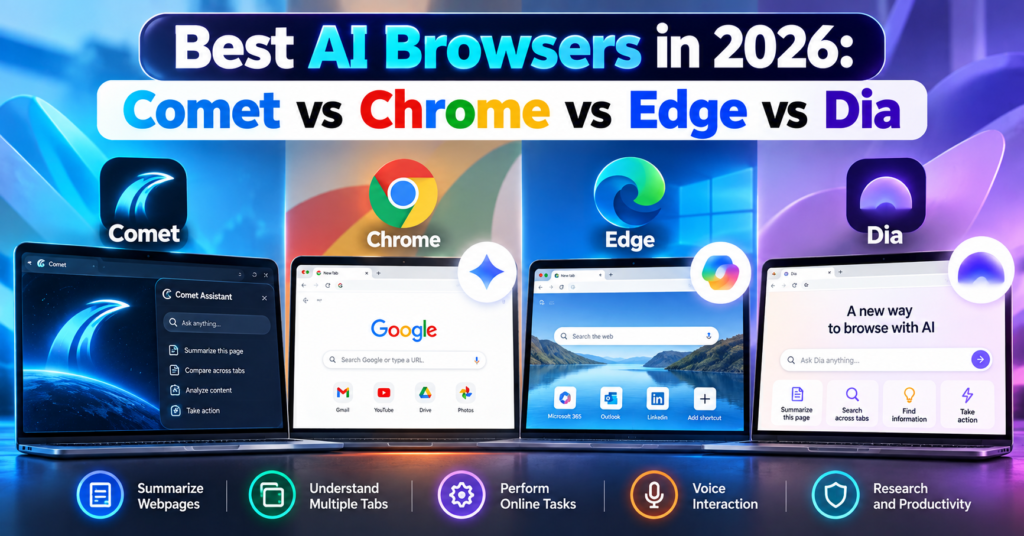
Best AI Browsers in 2026: Comet vs Chrome vs Edge vs Dia

Web browsers are changing.

For years, choosing a browser mostly came down to speed, extensions, privacy, and synchronization. In 2026, there is another major factor to consider: artificial intelligence.

A new category of AI browsers can summarize webpages, understand multiple open tabs, answer questions about what you are reading, remember context, and even perform certain online tasks for you.

Four browsers stand out in this new competition:

  • Perplexity Comet
  • Google Chrome with Gemini
  • Microsoft Edge with Copilot
  • Dia Browser

But which is the best AI browser in 2026?

The answer depends on whether you want AI for research, everyday browsing, work, automation, or productivity.

In this guide, we compare Comet vs Chrome vs Edge vs Dia, including their AI features, pricing, advantages, limitations, and ideal users.

What Is an AI Browser?

An AI browser is a web browser that integrates artificial intelligence directly into the browsing experience.

Instead of opening a website, copying information, switching to an AI chatbot, and pasting the content there, an AI browser can understand what you are already viewing.

Depending on the browser, you may be able to ask:

“Summarize this article.”

“Compare the products in these tabs.”

“What were the main differences between the three hotels I opened?”

“Find the webpage about AI agents I visited yesterday.”

More advanced AI browsers are moving beyond answering questions.

They can potentially navigate websites and complete multi-step tasks.

This development is part of the wider shift toward AI agents. If you want to understand how autonomous AI tools work outside browsers, read our guide to the 10 Best Free AI Agents You Can Use in 2026.

Best AI Browsers in 2026: Quick Comparison

FeatureCometChromeEdgeDia
AI assistantComet AssistantGeminiCopilotDia AI
Page summarizationYesYesYesYes with AI plan
Multi-tab understandingYesYesYesYes
Agentic web actionsYesYes, availability variesYes, through Copilot featuresTask-focused AI capabilities
Voice interactionYesAI features vary by platformYesVoice/dictation features
Browser history intelligenceYesAI context featuresYesYes
Built around AIYesNoIncreasinglyYes
Free browserYesYesYesYes
AI pricingFree + Perplexity paid tiersSome advanced features require eligible Google AI plansSome features/plans have limitsMain AI plan starts at $20/month
Best forAI researchGoogle usersMicrosoft/work productivityContext-heavy knowledge work

Feature availability can differ by device, region, account, subscription and browser version.

1. Perplexity Comet

Best for: AI-powered research and web automation

Perplexity Comet is one of the clearest examples of a browser designed around artificial intelligence from the beginning.

Instead of adding an AI chatbot to a traditional browser interface, Comet puts Comet Assistant directly into the browsing workflow.

The assistant can understand webpages, work with multiple tabs and perform certain browser actions.

What Can Comet Do?

Comet can help you:

  • Summarize webpages
  • Analyze PDFs
  • Ask questions about websites
  • Compare information across tabs
  • Navigate webpages
  • Fill forms
  • Draft content
  • Manage tabs
  • Use voice commands
  • Assist with online tasks

Its cross-tab capabilities are particularly useful.

Imagine researching four laptops.

Instead of manually creating a spreadsheet containing their specifications, you could open the product pages and ask Comet to compare them.

The same workflow can work for hotels, software, academic research, products and competitor analysis.

Comet Assistant

Comet Assistant lives directly inside the browser.

It understands the page you are viewing and can also reference specific tabs.

For example:

“Compare the pricing on these three tabs.”

or:

“Summarize these articles and tell me where they disagree.”

This makes Comet particularly attractive for people who regularly conduct online research.

Comet Can Perform Browser Actions

Comet goes beyond summarization.

Perplexity says its browser can navigate webpages, interact with web content, fill forms and perform certain online actions.

This moves Comet closer to an agentic browser rather than simply an AI chatbot attached to a browser.

Is Comet Free?

Yes.

The Comet browser is available free, although Perplexity also offers paid subscriptions and some advanced capabilities may depend on your plan.

You can visit the official Perplexity Comet website to check current availability.

We have also covered Comet separately in our detailed Perplexity Comet Browser Review 2026, where we look more closely at whether it can replace Chrome.

Comet Pros

  • Excellent AI research capabilities
  • Strong multi-tab understanding
  • Built-in AI assistant
  • Webpage summarization
  • Browser automation
  • Voice mode
  • Chrome data and extension importing
  • Available across major desktop and mobile platforms

Comet Cons

  • Much newer than Chrome and Edge
  • Agentic browsing introduces additional privacy considerations
  • Some advanced Perplexity capabilities may require paid access
  • Users heavily invested in Google or Microsoft ecosystems may prefer their respective browsers

2. Google Chrome With Gemini

Best for: Everyday browsing and Google ecosystem users

Chrome may look like the traditional option in this comparison, but describing Chrome as a normal non-AI browser is no longer accurate.

Google has integrated Gemini directly into Chrome.

Gemini can understand the webpage you are viewing, answer questions, summarize content and compare information across tabs.

Gemini in Chrome

Suppose you have several hotel pages open while planning a trip.

You could ask Gemini to compare information from those tabs rather than repeatedly switching between them.

Gemini in Chrome can also work with Google services such as:

  • Gmail
  • Google Calendar
  • Google Maps
  • YouTube

This ecosystem integration is one of Chrome’s biggest advantages.

For example, Gemini can help draft an email in Gmail or check information using Maps while you continue browsing.

Chrome Auto Browse

Chrome is also becoming more agentic.

Google’s auto browse capabilities allow Gemini to perform certain web tasks on behalf of users.

Examples provided by Google include organizing travel, updating recurring orders and handling other repetitive web activities.

Google has also integrated its broader agentic technology more deeply into Chrome.

However, availability of these capabilities varies depending on location, device and Google AI subscription.

Gemini Can Understand Multiple Tabs

One of the most important improvements is multi-tab reasoning.

Gemini can compare information from multiple webpages.

This makes Chrome much more competitive with AI-first browsers such as Comet.

Chrome Pros

  • Mature and widely supported browser
  • Gemini built into Chrome
  • Multi-tab AI analysis
  • Strong Google integration
  • Excellent extension ecosystem
  • Agentic browsing capabilities
  • Available across desktop and mobile
  • Familiar interface

Chrome Cons

  • Some advanced AI features require eligible subscriptions
  • AI features vary by region and platform
  • Less AI-first in design than Comet or Dia
  • Users who avoid the Google ecosystem may gain less from its biggest advantage

3. Microsoft Edge With Copilot

Best for: Windows users, productivity and Microsoft ecosystem users

Microsoft Edge has quietly become one of the most AI-focused mainstream browsers.

Its main AI system is Microsoft Copilot.

Copilot is integrated directly into Edge and can understand webpages, summarize information, answer questions and work with browser context.

Microsoft has gone further with Copilot Mode.

What Is Copilot Mode?

Copilot Mode is Microsoft’s AI-focused browsing experience inside Edge.

It combines browsing, search and AI assistance more closely.

Copilot can understand open tabs and browsing history to provide more contextual answers.

For example, you could ask:

“Which of the products I opened has the longest battery life?”

without manually copying information from every tab.

Copilot Vision

Edge also includes Copilot Vision.

Vision allows Copilot to understand what you are viewing and provide contextual assistance.

That creates a more visual interaction with the browser instead of relying entirely on text prompts.

Copilot Actions

Microsoft is also developing Edge around agentic actions.

Copilot Actions can perform certain online tasks rather than simply explain how to complete them.

Edge’s AI capabilities increasingly include:

  • Webpage summarization
  • Multi-tab reasoning
  • Browsing-history intelligence
  • Voice browsing
  • Product research
  • Price comparison
  • Video summarization
  • AI image generation
  • Tab organization
  • Agentic actions

For work environments, Microsoft’s integration with Microsoft 365 can make Edge especially attractive.

You can learn more through the official Microsoft Edge Copilot Mode page.

Edge Pros

  • Copilot built directly into Edge
  • Strong Windows integration
  • Multi-tab reasoning
  • Copilot Vision
  • Voice browsing
  • AI shopping tools
  • Microsoft 365 integration
  • Agentic capabilities
  • Mature Chromium-based browser

Edge Cons

  • Copilot Mode remains an evolving experience
  • Some AI features have usage or availability restrictions
  • Certain enterprise capabilities require Microsoft 365 Copilot
  • Feature availability varies between accounts and devices

4. Dia Browser

Best for: AI-assisted knowledge work and connected work apps

Dia takes another approach to the AI browser.

It is developed by The Browser Company, the team behind Arc.

Dia was created around a simple idea:

Your browser should understand the context of your work.

Rather than treating every tab as an isolated webpage, Dia is designed to let users work with information across tabs, browsing activity and connected applications.

Chat With Your Tabs

One of Dia’s fundamental ideas is the ability to chat with your tabs.

You might have several research pages open and ask Dia to summarize what you have discovered.

Or you could use context from your work tools when asking questions.

This makes Dia particularly interesting for people whose browser acts as their main workspace.

Dia Integrations

Dia has expanded its integrations with work applications.

Its paid AI offering can work with context from tools such as:

  • Gmail
  • Slack
  • Notion
  • Microsoft Outlook
  • GitHub
  • Google Calendar
  • Figma

That makes Dia less about traditional search and more about connecting information from your digital workspace.

Dia Search and Work Context

Dia has continued expanding contextual search in 2026.

For example, it can search previous chats and browsing history. Recent updates have also added deeper integrations such as Figma.

This can be useful when you remember seeing something but cannot remember exactly where.

Instead of manually searching through dozens of tabs and browser-history entries, you can ask Dia to retrieve relevant context.

Is Dia Free?

This requires an important distinction.

Dia offers a free browser plan, but its main AI capabilities are part of paid plans after the trial.

At the time of writing, Dia lists:

Better Browser — Free

Includes normal browser features such as profiles, tab groups, split view, ad/tracking blocking and cross-device sync.

Better Answers — $20/month

Adds AI chat across your tools, tabs and documents.

Better Days — $100/month

Adds substantially more AI usage along with features such as reports, recaps, meeting preparation and a Morning Brief.

Because AI pricing changes frequently, check the official Dia plans page before subscribing.

You can also compare wider AI subscription costs in our AI Tools Pricing Database 2026.

Dia Pros

  • Designed around AI-assisted work
  • Strong contextual understanding
  • Works across tabs and connected tools
  • Search across browser history
  • Work-app integrations
  • Clean productivity-focused design
  • Free browser tier

Dia Cons

  • Core AI capabilities require a paid plan after trial
  • $20/month may be difficult to justify for casual users
  • Smaller ecosystem than Chrome or Edge
  • Best features are targeted more toward knowledge workers

Comet vs Chrome vs Edge vs Dia: Which Has the Best AI?

There is no single answer because each browser approaches AI differently.

Choose Comet If You Do Lots of Research

Comet makes sense for researchers, students, marketers, writers and people who constantly compare information online.

Its combination of webpage understanding, cross-tab intelligence and browser actions makes research its strongest use case.

Choose Chrome If You Use Google Every Day

Chrome is particularly compelling if your digital life already revolves around Google’s services.

Gemini’s integration with Gmail, Calendar, Maps and YouTube makes Chrome much more than a normal browser with a chatbot.

Chrome also has the advantage of maturity, compatibility and an enormous extension ecosystem.

Choose Edge If You Use Windows and Microsoft 365

Edge is particularly attractive for Windows and Microsoft users.

Copilot Mode, Vision, multi-tab reasoning and Microsoft’s work ecosystem make it a strong productivity browser.

It is especially interesting for businesses already using Microsoft 365.

Choose Dia If Your Browser Is Your Workspace

Dia is aimed more directly at people who spend their workday inside the browser.

Its ability to connect information across tabs, history and apps such as Slack, Gmail, Notion, GitHub and Figma can be useful for professionals dealing with large amounts of digital context.

The downside is that the most interesting AI features are not included permanently in the free browser tier.

AI Browsers vs Traditional Browsers

The distinction between an “AI browser” and a “traditional browser” is becoming less meaningful.

Chrome and Edge demonstrate why.

Both started as conventional browsers and are now receiving increasingly sophisticated AI capabilities.

Meanwhile, Comet and Dia were designed during the generative-AI era.

The bigger shift is therefore not:

AI browsers vs normal browsers.

It is:

Browsers that display the web vs browsers that understand and act on the web.

That second category is becoming much more important in 2026.

Are AI Browsers Safe?

AI browsers introduce privacy and security questions that traditional browsers did not have to handle at the same level.

For an AI assistant to understand your browsing context, it may need access to information such as:

  • Current webpages
  • Open tabs
  • Browsing history
  • Connected applications
  • Documents
  • Account information

Agentic browsers can potentially go further by interacting with websites on your behalf.

That makes permissions extremely important.

Before giving an AI browser access to sensitive accounts, review:

  1. What browsing information the AI can access.
  2. Whether the feature can be disabled.
  3. What information is sent to cloud servers.
  4. Whether connected apps can be removed.
  5. Whether confirmation is required before sensitive actions.

Google and Microsoft have both introduced protections around prompt injection and sensitive actions, while Comet and Dia provide their own privacy and security controls.

However, no AI agent should be assumed to be error-free.

Be particularly cautious when allowing browser agents to interact with financial, medical, confidential business or other sensitive information.

Can AI Browsers Replace Chrome?

This question is becoming more complicated because Chrome itself is now an AI browser.

Comet and Dia originally stood out because AI was integrated much more deeply into their browsing experience.

But Google and Microsoft are moving quickly.

Chrome now combines Gemini with multi-tab reasoning and agentic browsing.

Edge combines Copilot with browsing context, Vision and actions.

That means newer AI browsers must compete not only on AI quality but also on:

  • Speed
  • Privacy
  • Compatibility
  • Extensions
  • Mobile support
  • Reliability
  • Ecosystem integrations
  • Price

Comet and Dia can still offer different experiences, but Chrome and Edge are no longer standing still.

Which AI Browser Should You Try First?

Your easiest approach is to test the browsers using the same real task.

For example, open several hotel pages and ask each AI browser:

“Compare these hotels by nightly price, location, guest rating, parking and breakfast. Put the results in a table and tell me what information is missing.”

Then try another research task involving long articles or product comparisons.

Look at:

  • Accuracy
  • Speed
  • Sources
  • Cross-tab understanding
  • Ease of use
  • Number of manual steps
  • Privacy controls
  • AI usage limits

This gives you a much better answer than choosing a browser because of marketing claims.

Frequently Asked Questions

What is the best AI browser in 2026?

Comet, Chrome, Edge and Dia are among the major AI-browser options in 2026. Comet emphasizes AI-assisted research and browser actions, Chrome combines Gemini with Google’s ecosystem, Edge integrates Copilot and Microsoft services, while Dia focuses heavily on contextual knowledge work.

Is Comet better than Chrome?

Comet offers an AI-first browsing experience and is particularly useful for research. Chrome provides a more mature browser ecosystem while increasingly offering comparable AI capabilities through Gemini. Read our full Perplexity Comet Browser Review 2026 for a detailed comparison.

Is Google Chrome an AI browser now?

Yes. Gemini is integrated into Chrome in supported markets and can summarize webpages, compare information across tabs and interact with Google services. Google has also introduced agentic browsing capabilities.

Is Microsoft Edge an AI browser?

Yes. Microsoft describes Edge as an AI browser and integrates Copilot directly into it. Copilot Mode provides additional AI-oriented browsing features.

Is Dia Browser free?

Dia has a free browser plan. However, its main AI capabilities are included in paid plans after the trial. Dia currently lists its Better Answers AI plan at $20 per month.

Can AI browsers perform tasks for me?

Some can. Agentic browser features can navigate webpages and perform certain online actions. The exact capabilities depend on the browser, account, device, region and subscription.

Which AI browser is best for students?

Comet can be particularly useful for research and summarizing multiple sources, while Chrome with Gemini can also summarize and compare information across tabs. Students should verify AI-generated summaries against original sources before using them academically.

Which AI browser is best for work?

Edge can be particularly useful in Microsoft 365 environments, while Dia focuses heavily on context from workplace tools. Chrome is attractive for Google Workspace users, and Comet can be useful for research-heavy professional workflows.

Are AI browsers free?

Chrome, Edge and Comet can be downloaded for free. Dia also has a free browser tier, although its primary AI capabilities require a paid plan after the trial. Some advanced AI functionality in Chrome, Edge and Comet may also depend on subscriptions, usage limits, region or account eligibility.

Final Thoughts

AI browsers are becoming one of the most interesting software categories of 2026.

Perplexity Comet shows what happens when a browser is designed around AI-assisted research and action.

Google Chrome demonstrates how Gemini can transform the world’s most established browser into an increasingly intelligent browsing assistant.

Microsoft Edge combines Copilot with productivity, browsing context and agentic features.

Dia takes a different path by trying to understand not just the webpage in front of you, but the wider context of your work.

The most important development is bigger than any one browser.

For decades, browsers mainly helped us find and display information.

AI browsers are increasingly trying to understand that information and act on it.

That shift could fundamentally change how we use the web over the next few years.

For more AI software, agents and productivity tools, explore Digital Discite’s Best Tech Tools.

Best AI Browsers in 2026: Comet vs Chrome vs Edge vs Dia Read More »

Perplexity Comet Browser review

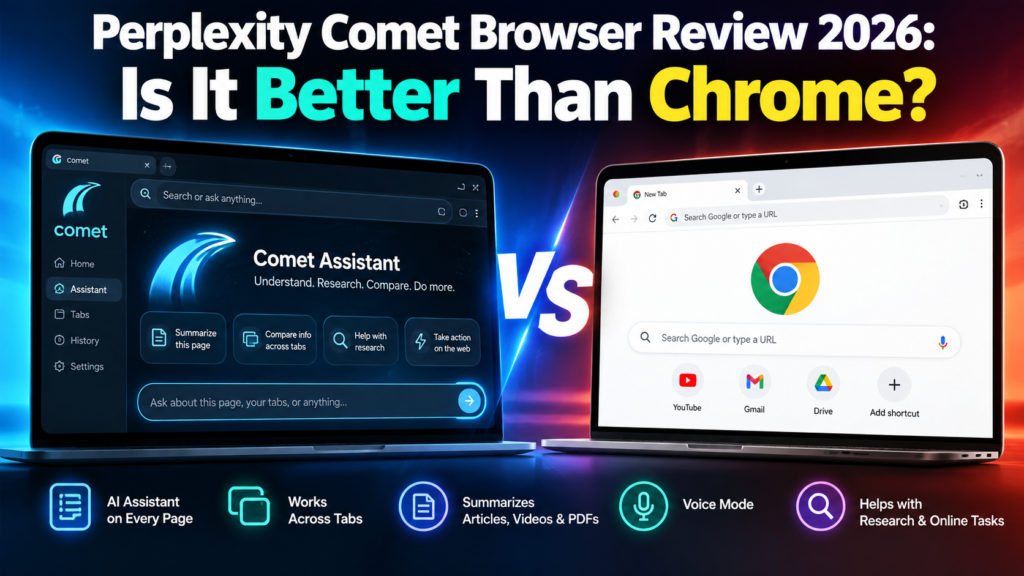
Perplexity Comet Browser Review 2026: Is It Better Than Chrome?

The Perplexity Comet Browser is no longer an experimental AI browser available only to a small group of users. Comet is now available for free worldwide, making it one of the most interesting alternatives to Google Chrome in 2026.

But Comet is not simply Chrome with an AI chatbot added to the side.

Perplexity designed Comet around an AI assistant that can understand webpages, work across tabs, summarize information, help with research, and assist with online tasks.

That raises an obvious question:

Is Perplexity Comet actually better than Google Chrome?

For people who spend hours researching, comparing products, reading long articles, studying, or working across dozens of browser tabs, Comet offers some impressive advantages. However, Chrome remains a mature browser with a huge ecosystem and increasingly powerful Gemini-based AI features.

In this Perplexity Comet Browser review 2026, we will look at its features, advantages, limitations, privacy, and how it compares with Google Chrome.

What Is Perplexity Comet Browser?

Comet is an AI-powered web browser developed by Perplexity.

Instead of treating artificial intelligence as an optional feature, Comet places AI directly inside the browsing experience.

Its main feature is Comet Assistant, which appears alongside the websites you visit. The assistant can understand the content of your open pages and help you work with that information.

For example, while reading a long report, you could ask Comet:

“Summarize the important points from this page.”

Or if several tabs contain different products:

“Compare the products in these tabs and create a table showing price, features, pros and cons.”

This is where Comet begins to feel different from a traditional browser.

Perplexity says Comet users can use the assistant for research, coding, meetings, shopping and other online activities.

If you are interested in AI systems that can go beyond ordinary chatbot conversations, you can also read our 10 Best Free AI Agents You Can Use in 2026.

Is Perplexity Comet Free in 2026?

Yes.

Perplexity Comet can now be downloaded for free.

Comet originally launched in limited release in July 2025. Perplexity later opened the browser to everyone worldwide for free after millions of people joined its waiting list.

You can download it from the official Perplexity Comet website.

The browser itself being free does not mean every premium Perplexity feature or AI allowance is unlimited. Perplexity continues to offer paid subscriptions with additional capabilities and usage allowances.

For a wider comparison of AI subscription costs, see our AI Tools Pricing Database 2026.

Perplexity Comet Browser: Key Features

1. Built-In Comet Assistant

The biggest difference between Comet and a conventional browser is its integrated AI assistant.

You do not always have to copy text from a webpage, open another AI tool, paste the information, and then ask your question.

Comet Assistant can work with the webpage you are already viewing.

You can ask questions about:

  • Articles
  • Research
  • Products
  • Documents
  • Images
  • Websites
  • Multiple open tabs

This can make web research considerably faster.

2. Ask Questions About Any Webpage

Imagine opening a 5,000-word article when you only need three pieces of information.

Instead of reading everything, you can ask Comet questions about the page.

For example:

“What are the main conclusions?”

“Explain this article in simple language.”

“What are the advantages and disadvantages mentioned here?”

This is particularly useful for students, researchers, marketers and professionals who regularly process large amounts of information.

3. Cross-Tab Intelligence

This may be one of Comet’s most useful features.

Comet can work with information across multiple tabs.

Suppose you are researching laptops and have five different models open.

Instead of manually switching between every tab, you could ask Comet to compare them.

The same idea can be applied to:

  • Hotels
  • Flights
  • Software
  • Research papers
  • News reports
  • AI tools
  • Competitors
  • Online products

This turns the browser into more of a research workspace.

4. Instant Webpage Summaries

Comet also provides quick summarization.

According to Perplexity’s documentation, its summarization capabilities can work with content including articles, videos, PDFs and social media pages.

For someone who regularly researches online, this can save a considerable amount of reading time.

5. Voice Mode

Comet supports voice interaction as well.

Instead of typing every request, users can talk to the assistant and ask questions while browsing.

Voice interaction can be useful when multitasking or when you want to quickly ask questions about information on the screen.

6. Chrome Data and Extension Support

Moving away from Chrome can be difficult because users may have years of bookmarks, saved passwords and browser extensions.

Perplexity has tried to make switching easier.

Its Comet documentation says users can import Chrome data including:

  • Bookmarks
  • Saved passwords
  • Autofill information
  • Browsing history
  • Preferences
  • Chrome extensions

This significantly lowers the barrier for existing Chrome users who simply want to test Comet.

Perplexity Comet vs Google Chrome

Here is the practical comparison.

FeaturePerplexity CometGoogle Chrome
Free browserYesYes
Built-in AIYes, Comet AssistantYes, Gemini integration
Ask questions about webpagesYesYes, through supported Gemini features
Cross-tab AI researchStrong focusAvailable/evolving through Gemini
Webpage summarizationYesAI features available
Chrome extensionsSupportedNative
Built-in ad blockingYesMore limited natively
AI-first interfaceYesNo — traditional browser enhanced with AI
Browser maturityNewerExtremely mature
Google ecosystemLimitedExcellent
Best suited forAI research and assisted browsingGeneral browsing and Google ecosystem users

Where Comet Is Better Than Chrome

AI Is Central to the Experience

Chrome has powerful AI capabilities, and Google has continued expanding Gemini throughout Chrome.

However, Chrome is fundamentally a traditional web browser that is becoming more intelligent.

Comet approaches the problem from the opposite direction.

It is designed around the idea that an AI assistant should accompany you while browsing.

That difference becomes noticeable when researching across many websites.

Research Is Faster

Comet is particularly attractive for users who constantly perform tasks such as:

  • Comparing information
  • Summarizing pages
  • Researching competitors
  • Reading reports
  • Finding answers across tabs
  • Organizing online information

Rather than repeatedly moving information between your browser and an AI chatbot, much of the interaction happens directly inside the browser.

Built-In Ad Blocking

Comet also includes built-in ad blocking.

Perplexity says this is partly intended to reduce tracking from advertising networks while also providing a cleaner browsing experience.

For users accustomed to installing separate ad-blocking extensions, having the functionality built into the browser is convenient.

Where Google Chrome Is Still Better

Comet has some impressive AI features, but that does not automatically make it the best browser for everyone.

Chrome Is More Mature

Google Chrome has been developed for many years and has an enormous global user base.

That maturity matters.

Users rely on Chrome for compatibility with websites, enterprise environments, extensions, synchronization and countless existing workflows.

Comet is much newer.

New AI browsers can therefore experience changes in functionality more frequently than established browsers.

Google Ecosystem Integration

If most of your digital life revolves around:

  • Gmail
  • Google Drive
  • Google Docs
  • Google Calendar
  • Android
  • Google Search
  • Google Password Manager

Chrome remains extremely convenient.

Google is also aggressively adding Gemini and agentic features to its products, so the AI gap between traditional browsers and AI-first browsers is becoming smaller.

Chrome’s AI Is Improving Quickly

Comet is not competing against the Chrome of several years ago.

Google announced numerous AI and agentic upgrades across Search, Gemini and Chrome during Google I/O 2026.

That means the browser competition is increasingly becoming:

Comet Assistant vs Gemini-powered Chrome

rather than simply:

AI browser vs normal browser.

Is Perplexity Comet Safe?

Comet includes many protections expected from a modern browser, including safe-browsing protections, a password manager, security updates and privacy controls.

Perplexity says much of Comet’s browsing data is stored locally on the user’s device.

However, there is an important distinction when using AI.

When you ask Comet Assistant to perform a task requiring personal context, information such as the current webpage and relevant browsing history may be sent to Perplexity’s servers so the request can be completed.

Perplexity has also introduced a Privacy Snapshot that lets users review privacy settings and control where Comet Assistant can take actions.

Users can, for example:

  • Disable Comet Assistant
  • Prevent the assistant from acting on selected websites
  • Manage ad blocking
  • Review browser permissions
  • Adjust privacy settings

You can read the official Comet privacy and security information before allowing an AI assistant to interact with sensitive accounts.

As with any AI browser, avoid giving unnecessary access to financial, confidential or highly sensitive information.

Who Should Use Comet?

Comet makes the most sense for people who spend significant amounts of time researching online.

It may be particularly useful for:

Students: Summarizing educational material and comparing sources.

Researchers: Processing information across multiple tabs.

Marketers: Studying competitors, products and industry information.

Content creators: Researching topics and organizing sources.

Developers: Understanding documentation and technical webpages.

Online shoppers: Comparing products and specifications.

Professionals: Working through large amounts of online information more efficiently.

Who Should Stay With Chrome?

Chrome may still be the better option if you primarily want a familiar, stable browser and do not regularly need AI assistance.

It also makes sense for users heavily dependent on Google’s ecosystem.

There is no requirement to completely replace Chrome either.

You can keep Chrome as your main browser and install Comet separately for research-intensive work.

That is probably one of the easiest ways to decide whether an AI browser genuinely improves your workflow.

Pros and Cons of Perplexity Comet

Pros

  • Free to download
  • AI assistant built directly into the browser
  • Excellent for web research
  • Can understand information across tabs
  • Quickly summarizes webpages
  • Supports voice interaction
  • Can import Chrome data
  • Supports Chrome extensions
  • Built-in ad blocking
  • Useful for comparing information

Cons

  • Much newer than Chrome
  • AI features introduce additional privacy considerations
  • Some advanced Perplexity capabilities may require paid access or have usage limits
  • Features and allowances can change as the product evolves
  • Chrome remains stronger for deeply integrated Google workflows

Is Perplexity Comet Better Than Chrome?

Comet is better than Chrome for some workflows, but it is not universally a better browser.

For AI-assisted research, webpage understanding, summarization and working across multiple tabs, Comet has a compelling approach. Its biggest advantage is that AI feels like part of the browser rather than a separate destination.

Chrome, however, remains the stronger choice for users who prioritize browser maturity, established workflows and deep integration with Google’s ecosystem.

The most interesting development is not necessarily whether Comet will replace Chrome.

It is that web browsers are turning into AI assistants.

Comet is one of the clearest examples of that transition.

Frequently Asked Questions

Is Perplexity Comet free?

Yes. Perplexity has made the Comet browser available to download for free worldwide. Some advanced Perplexity services, subscription features or usage allowances may still require payment.

Is Comet better than Google Chrome?

It depends on your workflow. Comet is particularly strong for AI-assisted research, summarization and cross-tab analysis. Chrome remains highly mature and deeply integrated with Google’s services.

Can Comet use Chrome extensions?

Yes. Perplexity’s documentation says Comet can import Chrome extensions along with bookmarks, passwords, history and other browser information.

Is Comet available on Windows?

Yes. Comet is available for Windows. Perplexity also currently lists Comet for Mac, iOS and Android.

Does Comet have an AI assistant?

Yes. Comet Assistant is one of the browser’s main features. It can understand webpages, answer questions about open tabs and assist with online tasks.

Can Comet replace Chrome?

For some users, yes. However, people heavily invested in Google’s ecosystem may prefer keeping Chrome as their primary browser while using Comet for AI-heavy research.

Is Comet safe to use?

Comet includes standard browser protections and additional privacy controls. However, AI-assisted actions can require webpage or browsing context to be processed by Perplexity. Users should review permissions and avoid granting unnecessary access to sensitive information.

Perplexity Comet Browser review

The Perplexity Comet Browser is worth trying in 2026, especially now that it is available free worldwide.

It is particularly useful for people who regularly research, compare information, read long webpages or manage many tabs.

Chrome remains difficult to replace as a general-purpose browser, but Comet offers something genuinely different: a browsing experience designed around an AI assistant from the beginning.

If your browser is mainly somewhere you open websites, Chrome remains excellent.

If you want your browser to help understand and work with those websites, Comet becomes much more interesting.

For more tools that can research, automate and complete tasks, explore our Best Tech Tools section.

Perplexity Comet Browser Review 2026: Is It Better Than Chrome? Read More »

Scroll to Top