SEO Tools

Best GEO Tools

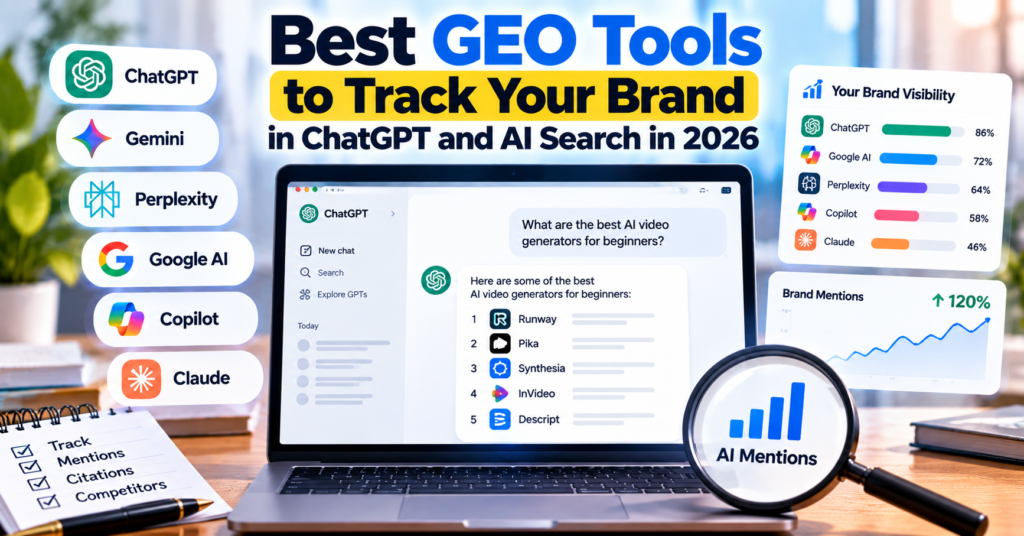
Best GEO Tools to Track Your Brand in ChatGPT and AI Search in 2026

Ranking on Google is no longer the only way people discover brands online.

A potential customer might now ask ChatGPT:

“Which AI video generator is best for beginners?”

Or ask Perplexity:

“What are the best SEO tools for a small business?”

Instead of opening ten Google results, the user may get an AI-generated answer that mentions only a handful of brands.

That creates a new question for marketers:

Is AI actually mentioning your brand?

Traditional SEO rank trackers were not designed to answer that question. A newer category of GEO tools can track brand mentions, citations, prompts, competitors, and visibility across ChatGPT and other AI search platforms.

In this guide, we compare some of the best GEO tools for tracking your brand in AI search in 2026.

If you are also building your traditional search strategy, explore our SEO Tools guides alongside the GEO platforms covered below.

What Is GEO?

GEO stands for Generative Engine Optimization.

It is the process of improving the likelihood that your brand, website, products, or content will appear in answers generated by AI-powered search and assistant platforms.

These can include:

  • ChatGPT
  • Google AI Overviews
  • Google AI Mode
  • Gemini
  • Perplexity
  • Microsoft Copilot
  • Claude

Traditional SEO normally asks:

“Where does my page rank for this keyword?”

GEO asks a different question:

“When someone asks AI this question, does the AI mention or cite my brand?”

That difference is important.

A website could perform well in Google Search while still receiving little visibility in AI-generated answers.

Best GEO Tools for AI Search Visibility

GEO ToolMain StrengthUseful For
OtterlyAIPrompt and citation monitoringBloggers, marketers and growing brands
Peec AIChatGPT visibility and citation intelligenceBrands and agencies
Ahrefs Brand RadarLarge-scale AI visibility researchSEO professionals and established brands
Semrush AI VisibilitySEO + AI visibility in one ecosystemExisting Semrush users
ScrunchAI visibility plus agent/site intelligenceLarger companies and marketing teams

Let’s look at each platform more closely.

1. OtterlyAI

OtterlyAI is designed specifically for monitoring and improving visibility in AI search.

It can monitor how your brand and website appear across platforms including ChatGPT, Gemini, Perplexity, Google AI Overviews, Google AI Mode and Microsoft Copilot.

Instead of tracking conventional keyword positions, you can monitor prompts that potential customers might ask AI.

For example, a video software company might track:

“Best AI video generators with audio”

“Best video editing software for beginners”

“AI video tools for marketers”

OtterlyAI can then show whether the brand appears in AI-generated responses.

What OtterlyAI Tracks

The platform includes capabilities such as:

  • Brand mentions
  • Website citations
  • Prompt monitoring
  • Brand coverage
  • AI-search sentiment
  • Competitor visibility
  • Prompt research
  • Content auditing
  • GEO recommendations

One particularly useful feature is citation tracking.

Being mentioned and being cited are different.

An AI assistant could recommend your company without linking to your website. Alternatively, your article might appear as a source supporting an AI answer.

Tracking both gives marketers a clearer picture of their AI visibility.

OtterlyAI also says monitored prompts can be checked daily, making it useful for watching visibility change after content updates.

Useful for: Content publishers, SEO professionals and businesses beginning to invest seriously in GEO.

2. Peec AI

Peec AI focuses heavily on understanding how brands appear across AI search, with dedicated tools for ChatGPT visibility.

It tracks signals such as brand mention frequency, citations, sentiment and competitor performance.

This can answer questions that a normal rank tracker cannot.

For example:

  • How often does ChatGPT recommend my brand?
  • Which websites does ChatGPT cite when discussing my topic?
  • Which competitors appear instead of me?
  • Is AI describing my brand positively or negatively?
  • Which topics represent opportunities for additional visibility?

Citation Intelligence

One of Peec AI’s interesting areas is citation intelligence.

AI answers are often influenced by third-party sources.

That could include industry websites, review platforms, publishers, forums or other authoritative pages.

Finding those sources can reveal a different type of outreach opportunity.

Instead of asking only:

“Which websites should link to me for SEO?”

GEO teams can also ask:

“Which websites are influencing the AI answers where I want my brand to appear?”

That could make digital PR and content outreach increasingly important to GEO.

Useful for: Agencies, SaaS businesses and marketing teams that want detailed ChatGPT and AI-search competitive intelligence.

3. Ahrefs Brand Radar

Ahrefs Brand Radar brings AI visibility monitoring into the Ahrefs ecosystem.

This makes it particularly interesting for marketers already using Ahrefs for backlinks, keywords and competitor research.

Brand Radar can measure metrics including:

  • AI mentions
  • Citations
  • AI Share of Voice
  • Cited pages
  • Competitor visibility
  • Custom prompts

It covers major AI surfaces such as ChatGPT, Perplexity, Gemini, Copilot, Google AI Overviews and Google AI Mode.

Why Brand Radar Is Different

Its biggest advantage is scale.

Rather than relying entirely on a small list of prompts manually entered by the user, Ahrefs maintains a very large AI visibility database built around search-backed prompts.

You can therefore explore topics where your brand appears without knowing every relevant prompt beforehand.

Custom prompt tracking is also available when you want to monitor specific buyer questions.

For example:

“Best accounting software for freelancers”

could be tracked repeatedly to see whether your company gains or loses visibility.

Ahrefs also stresses an important limitation of AI visibility data: these measurements represent modeled visibility rather than the exact number of people who actually saw a particular AI answer.

That distinction is worth remembering when comparing any GEO platform.

Useful for: SEO teams, agencies and established websites that want to connect traditional search intelligence with AI visibility.

4. Semrush AI Visibility

Semrush has expanded beyond conventional SEO with tools for monitoring brand visibility inside AI-generated answers.

Its AI visibility features can analyze platforms including ChatGPT, Gemini, Perplexity and Google AI experiences.

Users can monitor metrics such as:

  • AI Visibility Score
  • Brand mentions
  • Citations
  • Cited pages
  • Topics
  • Sentiment
  • Competitor visibility

One major benefit is integration.

Many businesses already use Semrush for keyword research, competitor analysis, site auditing and position tracking.

AI visibility can therefore sit beside existing SEO data rather than requiring an entirely separate workflow.

If you are still building the traditional side of your search strategy, our Google Search Console guide explains another essential source of organic-search performance data.

Semrush is also included in our AI Tools Pricing Database 2026 if you want to compare its broader pricing with other AI and marketing platforms.

Useful for: Marketing teams that want conventional SEO and AI-search monitoring within the same broader platform.

5. Scrunch

Scrunch approaches AI visibility from a slightly different angle.

It monitors how brands appear in AI responses but also focuses on how AI agents interact with websites.

Its AI-search tracking can include:

  • Brand presence
  • Competitor presence
  • Share of voice
  • Citations
  • Response position
  • Sentiment
  • AI referral activity
  • AI-search trends

Scrunch can also provide information about AI bots visiting a website through supported infrastructure integrations.

That can help companies understand whether AI systems are crawling, indexing or retrieving their content.

This becomes particularly interesting as the web moves beyond human visitors.

In traditional analytics, the main question was:

“Which humans visited my website?”

An emerging question is:

“Which AI systems are accessing my content, and what information are they finding?”

Scrunch is therefore broader than a simple ChatGPT rank tracker.

Useful for: Larger websites, enterprise brands and teams interested in both AI visibility and AI-agent interactions.

GEO Tools vs Traditional SEO Tools

The easiest way to understand GEO software is to compare it with familiar SEO software.

Traditional SEOGEO / AI Search
Keyword rankingsPrompt visibility
SERP positionAI mentions
Organic clicksAI referrals
BacklinksAI citations and source influence
Competitor rankingsAI Share of Voice
Google snippetsGenerated answers
Search Console impressionsAI-answer visibility

The two strategies should not be treated as competitors.

Strong technical SEO, useful content, authority and crawlability can still help machines discover and understand your website.

For traditional optimization, DigitalDiscite’s Image SEO Optimization Guide can also help make your website assets easier for search systems to understand.

GEO adds another measurement layer on top.

What Should You Track in a GEO Tool?

Do not subscribe to a GEO platform simply because it provides an attractive “AI visibility score.”

Look deeper.

A useful GEO dashboard should help you understand several signals:

Brand Mentions

How frequently does your company appear in relevant AI responses?

Citations

Does the AI system actually use your website as a source?

Prompt Coverage

Which important customer questions include your brand — and which do not?

AI Share of Voice

How visible are you compared with competitors across relevant AI conversations?

Cited Sources

Which websites repeatedly influence AI answers in your niche?

This can uncover PR, partnership and content opportunities.

Sentiment

How is your company being described when it appears?

A mention is not automatically a positive recommendation.

Platform Differences

Do not assume visibility in ChatGPT means visibility everywhere.

ChatGPT, Gemini, Perplexity, Copilot and Google AI experiences can return different brands and sources.

Can You Track ChatGPT Visibility Manually?

Yes — but only on a small scale.

You could create 20 important prompts and manually ask them in ChatGPT every week.

Then record:

  • Whether your brand appeared
  • Which competitors appeared
  • Which URLs were cited
  • Where your brand appeared in the response
  • How the answer changed over time

The problem is scalability.

AI answers can also vary between runs, models, locations and other contextual factors.

Once you want to monitor hundreds of prompts across several AI platforms, dedicated GEO software becomes much more practical.

Tracking visibility is only the first step.

Use the data to identify patterns.

If competitors consistently appear for a high-value prompt and your brand does not, examine the sources AI systems are using.

You may discover that competing brands have:

  • Better comparison pages
  • More authoritative third-party mentions
  • Clearer product information
  • Original research or statistics
  • Stronger topical coverage
  • Better structured content
  • More trusted citations around the web

Create content that directly answers real customer questions instead of publishing pages purely around keyword variations.

Clear definitions, comparison tables, original data, transparent pricing, expert explanations and regularly updated factual information can all make content more useful to both humans and AI systems.

For more tools that can support research and content workflows, browse DigitalDiscite’s Best Tech Tools collection.

Are GEO Tools Replacing SEO Tools?

Not yet.

Google Search still matters enormously.

The bigger change is that discovery is becoming fragmented.

A customer might discover a company through Google, research it with ChatGPT, compare alternatives through Perplexity and eventually visit the company’s website directly.

That means marketers increasingly need to understand search visibility and AI visibility together.

Google Search Console can tell you what happens in Google Search.

A GEO tracker can tell you whether your brand is becoming part of AI-generated conversations.

Those are different datasets.

Both can matter.

Frequently Asked Questions

What is the best tool for tracking brand mentions in ChatGPT?

Several dedicated platforms now monitor ChatGPT visibility, including OtterlyAI, Peec AI, Ahrefs Brand Radar, Semrush and Scrunch. The right option depends on whether you mainly need prompt tracking, competitive research, content optimization or enterprise reporting.

Can Google Search Console track ChatGPT mentions?

No. Google Search Console primarily reports performance related to Google Search. It does not provide a dashboard showing every prompt where ChatGPT mentions your company.

What is GEO in SEO?

GEO means Generative Engine Optimization. It focuses on improving visibility inside AI-generated answers from systems such as ChatGPT, Gemini, Perplexity and other AI-search experiences.

What is AI Share of Voice?

AI Share of Voice estimates your brand’s visibility relative to competitors across a defined set of AI answers or prompts. Exact calculation methods vary between platforms.

Is GEO the same as AEO?

They overlap heavily. AEO usually means Answer Engine Optimization, while GEO specifically emphasizes generative AI engines. In practice, SEO, AEO and GEO increasingly intersect.

Do small websites need GEO tools?

Not necessarily. A small website can begin by manually testing its most commercially important prompts. Dedicated monitoring becomes more valuable when the number of prompts, competitors, markets or AI platforms becomes difficult to track manually.

Final Thoughts

SEO used to revolve heavily around one question:

Where do we rank on Google?

AI search adds another:

Does AI know enough about our brand to mention, cite or recommend it?

Tools such as OtterlyAI, Peec AI, Ahrefs Brand Radar, Semrush and Scrunch are building analytics around that question.

The important thing is not to chase a single GEO score.

Track the prompts your customers actually ask. Watch which competitors appear. Study the sources AI systems cite. Then use those insights to improve your content, authority and overall presence across the web.

GEO is still evolving quickly in 2026, but one thing is already clear: search visibility is no longer limited to a list of ten blue links.

Best GEO Tools to Track Your Brand in ChatGPT and AI Search in 2026 Read More »
Ubersuggest SEO Tool

Ubersuggest SEO Tool: Complete Guide to Keyword Research, Backlinks and Traffic Growth

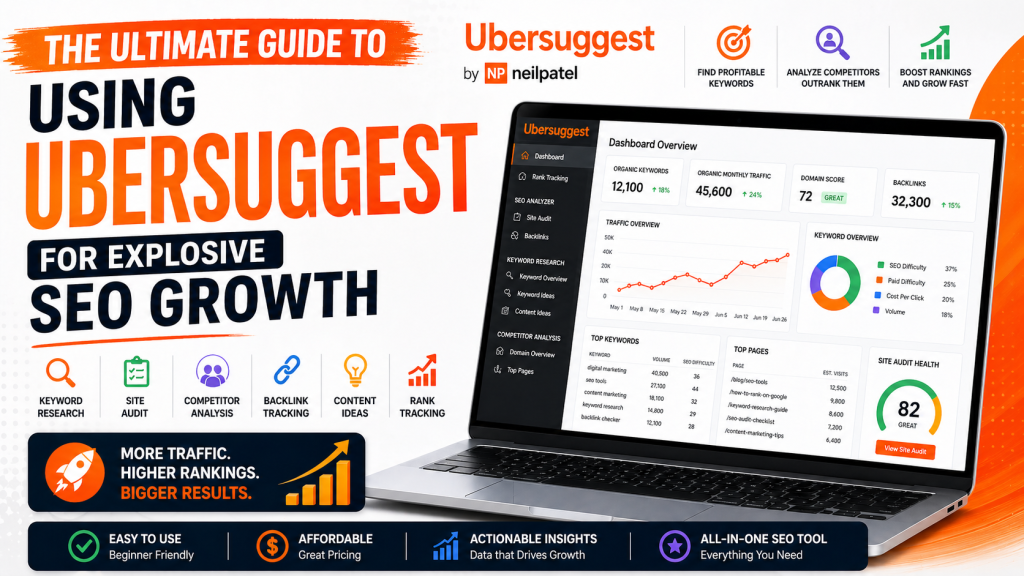
UberSuggest Dashboard
Ubersuggest Keyword Overview
Ubersuggest Graph

Ubersuggest SEO tool is one of the most powerful and beginner-friendly platforms for improving your website’s search engine rankings. Search engine optimization (SEO) is no longer optional—it’s the backbone of online visibility. Whether you’re running a blog, an eCommerce store, or a corporate website, ranking on search engines like Google Search determines your success.

That’s where Ubersuggest comes in—a powerful, user-friendly SEO tool designed to help you uncover keywords, analyze competitors, and grow your organic traffic without needing a massive budget.

In this comprehensive guide, you’ll learn everything you need to know about Ubersuggest—from features and benefits to practical strategies you can apply today.

What is Ubersuggest?

Ubersuggest
Neil Patel Keyword Ideas
Site Audit

Ubersuggest is an all-in-one SEO platform created by Neil Patel. Originally launched as a simple keyword suggestion tool, it has evolved into a full-fledged SEO suite.

Core Capabilities:

  • Keyword research
  • Site audits
  • Competitor analysis
  • Backlink tracking
  • Content ideas
  • Rank tracking

Unlike many expensive SEO tools, Ubersuggest is designed to be accessible for beginners while still powerful enough for professionals.

Why Ubersuggest is a Game-Changer for SEO

Average SEO Traffic Growth Over Time
Ranking Distribution
Issues Ubersuggest

1. Affordable SEO Solution

Compared to tools like Ahrefs or SEMrush, Ubersuggest offers a much more budget-friendly pricing structure, including a free tier.

2. Beginner-Friendly Interface

You don’t need to be an SEO expert. The dashboard is clean, intuitive, and easy to navigate.

3. Actionable Insights

Ubersuggest doesn’t just give data—it tells you what to do next.

Key Features of Ubersuggest (Deep Dive)

🔍 1. Keyword Research

Key Features Ubersuggest
Ubersuggest Keyword Ideas
Ubersuggest Keyword Overview Digital Marketing

Keyword research is the foundation of SEO, and Ubersuggest excels at it.

What You Get:

  • Search volume
  • SEO difficulty
  • Paid difficulty
  • Cost-per-click (CPC)
  • Keyword suggestions (long-tail & short-tail)

Pro Tip:

Focus on low-difficulty, high-volume keywords to rank faster.

📊 2. Site Audit

Ubersuggest Site Health Overview
Ubersuggest Site Health
Ubersuggest SEO Content Checklist

The Site Audit feature scans your website for SEO issues.

It Identifies:

  • Broken links
  • Slow-loading pages
  • Missing meta tags
  • Duplicate content
  • Mobile usability issues

Fixing these can dramatically improve your rankings.

🧠 3. Competitor Analysis

Ubersuggest Competitor Analysis
Ubersuggest Competitors in organic search
Ubersuggest keyword overlap

Want to outrank competitors? Ubersuggest shows you exactly what they’re doing.

You Can Discover:

  • Their top-performing pages
  • Keywords they rank for
  • Estimated traffic
  • Backlinks

This allows you to reverse-engineer their success.

🔗 4. Backlink Data

Ubersuggest Backlink Data
Ubersuggest Backlink Analytics
Ubersuggest Domain Prospects

Backlinks remain a major ranking factor.

Ubersuggest Helps You:

  • Analyze your backlink profile
  • Discover new link opportunities
  • Track referring domains

✍️ 5. Content Ideas

SEO Blog Platforms

Struggling with content ideas? This feature shows:

  • Popular blog posts
  • Social shares
  • Estimated visits

You can quickly identify what content works in your niche.

How to Use Ubersuggest Effectively (Step-by-Step)

Step 1: Start with Keyword Research

Find keywords relevant to your niche.

Step 2: Analyze Competitors

Look at what top-ranking websites are doing.

Step 3: Create Optimized Content

Use your keywords naturally in:

  • Titles
  • Headings
  • Meta descriptions

Step 4: Perform Site Audit

Fix technical issues that hurt rankings.

Step 5: Build Backlinks

Reach out to websites for guest posts or collaborations.

Ubersuggest vs Other SEO Tools

FeatureUbersuggestAhrefsSEMrush
PriceLowHighHigh
Ease of UseEasyMediumMedium
Keyword ResearchYesYesYes
Site AuditYesYesYes
BacklinksYesAdvancedAdvanced

👉 Ubersuggest is ideal for small businesses, bloggers, and startups.

SEO Strategies Using Ubersuggest

🚀 1. Target Long-Tail Keywords

They are easier to rank and bring highly targeted traffic.

📈 2. Update Old Content

Use Ubersuggest to find new keywords and refresh existing posts.

🔗 3. Steal Competitor Backlinks (Ethically)

Find where competitors get links and pitch your content there.

📝 4. Create Data-Driven Content

Use content ideas to produce articles people already love.

Pros and Cons of the Ubersuggest SEO Tool

✅ Pros

  • Affordable pricing
  • Easy to use
  • Comprehensive features
  • Great for beginners

❌ Cons

  • Limited data compared to premium tools
  • Fewer advanced features for experts

Final Thoughts for Ubersuggest SEO Tool

If you’re serious about growing your website traffic, Ubersuggest is one of the best tools to start with. It combines simplicity with powerful insights, making SEO accessible to everyone.

Whether you’re a beginner or an experienced marketer, using Ubersuggest strategically can help you:

  • Rank higher on search engines
  • Drive more organic traffic
  • Outperform competitors

FAQs

Is Ubersuggest free?

Yes, it offers a free version with limited daily searches.

Is it good for beginners?

Absolutely. It’s one of the easiest SEO tools to learn.

Can it replace premium tools?

For many users—yes. But advanced SEOs may still prefer tools like Ahrefs or SEMrush.

Best SEO Tools for Beginners in 2025

Ubersuggest SEO Tool: Complete Guide to Keyword Research, Backlinks and Traffic Growth Read More »

Google Search Console Guide How to Improve SEO and Traffic

Google Search Console Guide: How to Improve SEO and Traffic

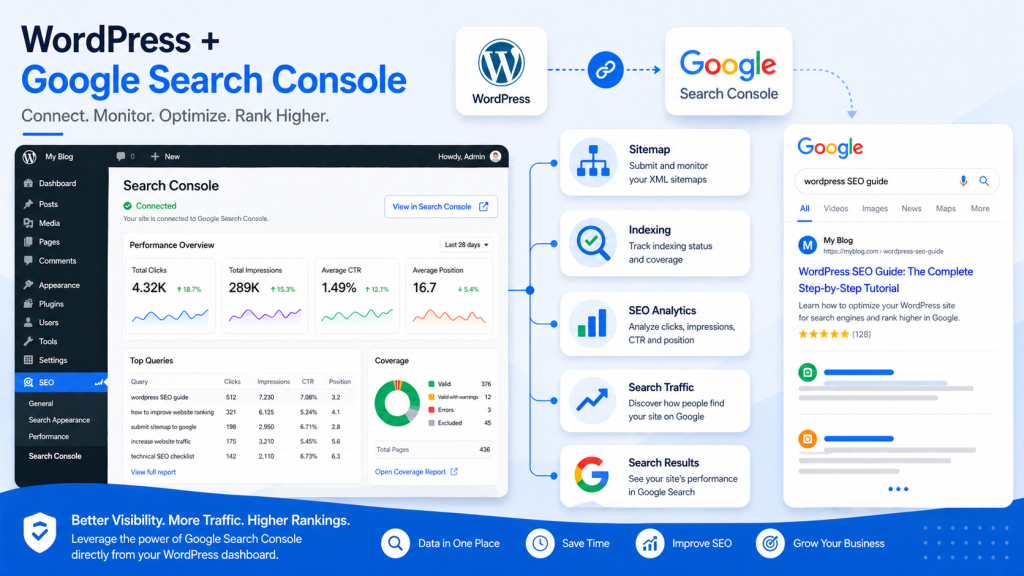
Google Search Console Guide
Google Search Console Performance
Google Search Console Page Indexing

If you’re serious about improving your website’s visibility on search engines, there’s one tool you simply can’t ignore: Google Search Console (GSC). Whether you’re a beginner blogger, an SEO professional, or a business owner, this powerful (and free) tool provides deep insights into how your site performs on Google Search.

In this comprehensive guide, you’ll learn what Google Search Console is, why it matters, and how to use it effectively to boost rankings, traffic, and overall SEO health.

What is Google Search Console?

Google Search Console is a free web service offered by Google that helps website owners monitor, maintain, and troubleshoot their site’s presence in search results.

Unlike analytics tools that focus on user behavior, GSC focuses on search performance and technical SEO—giving you direct data from Google itself.

Key Functions:

  • Monitor search traffic and keyword performance
  • Identify indexing issues
  • Submit sitemaps
  • Detect technical SEO problems
  • Improve mobile usability and Core Web Vitals

Why Google Search Console is Essential for SEO

Why Google Search Console is Essential for SEO
Google Search Console Known Pages
Google Search Console Core Web Vitals

1. Understand How Users Find You

GSC shows which keywords bring users to your site, along with impressions, clicks, and click-through rate (CTR).

2. Fix Indexing Problems

If your pages aren’t appearing on Google, GSC tells you why—and how to fix it.

3. Improve Technical SEO

From mobile usability to page experience signals, GSC highlights issues that impact rankings.

4. Monitor Website Health

You’ll get alerts about:

  • Crawl errors
  • Security issues
  • Manual penalties

Key Features of Google Search Console

🔍 Performance Report

This is the heart of GSC.

It shows:

  • Total clicks
  • Total impressions
  • Average CTR
  • Average position

You can filter by:

  • Keywords
  • Pages
  • Countries
  • Devices

👉 Pro Tip: Look for keywords with high impressions but low CTR—these are optimization opportunities.

📄 URL Inspection Tool

Check how Google views a specific page.

You can:

  • See if a page is indexed
  • Request indexing
  • View crawl status

Perfect for debugging SEO issues quickly.

🧭 Index Coverage Report

This report tells you which pages are:

  • Indexed
  • Excluded
  • Having errors

Common issues include:

  • “Crawled – currently not indexed”
  • “Duplicate without user-selected canonical”

Fixing these improves your visibility dramatically.

📱 Mobile Usability Report

Google prioritizes mobile-first indexing, so this feature is crucial.

It identifies:

  • Text too small to read
  • Clickable elements too close
  • Content wider than screen

⚡ Core Web Vitals

These metrics measure user experience:

  • LCP (Largest Contentful Paint) – loading speed
  • FID (First Input Delay) – interactivity
  • CLS (Cumulative Layout Shift) – visual stability

Improving these can boost rankings and user satisfaction.

How to Set Up Google Search Console

How to Set Up Google Search Console
How to Set Up Google Search Console: Verify Domain Ownership
Add a new sitemap

Step-by-Step Guide:

  1. Go to Google Search Console
  2. Add your website (property)
  3. Verify ownership using one of these methods:
    • DNS record
    • HTML file upload
    • Google Analytics
  4. Submit your XML sitemap
  5. Start analyzing data

Best Practices for Using Google Search Console

✅ Optimize Underperforming Keywords

Find keywords with:

  • High impressions
  • Low CTR

Then improve:

  • Titles
  • Meta descriptions

✅ Fix Coverage Errors Regularly

Don’t ignore indexing issues—these directly affect your visibility.

✅ Monitor Backlinks

GSC shows:

  • External links
  • Top linking sites

This helps you evaluate your link-building strategy.

✅ Use Data for Content Strategy

Identify:

  • Top-performing pages
  • High-ranking keywords

Then create more content around those topics.

Common Mistakes to Avoid

  • Ignoring alerts from Google
  • Not submitting a sitemap
  • Overlooking mobile usability issues
  • Focusing only on rankings, not CTR

Advanced Tips for Power Users

🔧 Combine with Analytics Tools

Pair GSC with tools like Google Analytics for deeper insights.

📊 Export Data for Analysis

Download performance data and analyze trends over time.

🔄 Re-optimize Old Content

Use GSC data to refresh outdated pages and regain rankings.

Final Thoughts

Google Search Console isn’t just a tool—it’s your direct communication line with Google. If you’re not using it effectively, you’re leaving valuable SEO insights (and traffic) on the table.

By regularly monitoring your site, fixing issues, and optimizing based on real data, you can significantly improve your search visibility and grow your organic traffic.

Best SEO Tools for Beginners in 2025

Image SEO Optimization Guide (2026): How to Optimize Images for Higher Rankings

Google Search Console Guide: How to Improve SEO and Traffic Read More »

Image SEO Optimization Guide

Image SEO Optimization Guide (2026): How to Optimize Images for Higher Rankings

Image SEO Optimization Guide
https://images.openai.com/static-rsc-4/llQXmr7wS7BA1ObU46JwXgViL8X-4dcEssJmQVUzCDHpj99JiZBCBc2z156gXBXa_X3RSydSR9PMlMbSkQY2zPUJtWmpODIQqLny10GPutZEoyFzcXPcz83oP_luZraUvI-DVaQkxCJfVUncrvlrht9fNjvUL53uFbxx7c5GORYpjJOw3nxHehi1nVuBj_5u?purpose=fullsize
https://images.openai.com/static-rsc-4/GrS7SBbjE7EHiVfV4Mcjqe2MEwbxp7qHHdYvxyTaRFxzvXBikfl4U928nTKYUjqJfuZUhRtTfDMmHKju4NYTN1_TheVxkkfoHzM431q4Vp6v12f8Ul_aMSnJkw_mNSICzQNwBVGNopMoLFgU9EkVLD-bO1b7MK7BpyQ6Y3xVC1wJ5CrhjDVDl6Umdve3quyJ?purpose=fullsize

📌 Quick Answer (Snippet Optimized)

Image SEO Optimization is the process of optimizing images to improve website speed, search rankings, and visibility in search engines like Google Images.

🧠 Why Image SEO Matters

  • Improves page speed
  • Boosts Google rankings
  • Increases traffic from image search
  • Enhances user experience

🔧 7 Best Image SEO Optimization Practices

1. Use High-Quality Images

Clear images improve engagement and rankings.

👉 You can enhance images using
AI Image Enhancer

2. Compress Images

Reduce file size without losing quality.

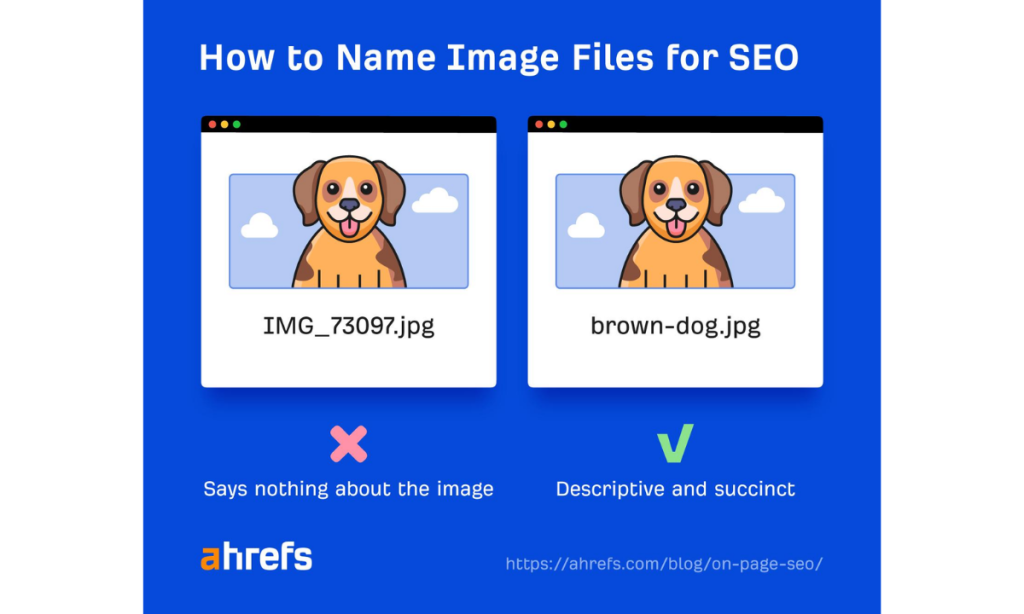
3. Use Proper File Names

Example:

  • ❌ IMG1234.jpg
  • ✅ ai-image-enhancer-before-after.jpg

4. Add Alt Text (VERY IMPORTANT)

Describe your image using keywords.

Example:

“AI image enhancer improving blurry photo to HD”

5. Use Responsive Images

Ensure images work on mobile devices.

6. Choose the Right Format

  • JPEG → photos
  • PNG → graphics
  • WebP → best performance

7. Add Image Captions

Captions increase engagement and context.

📊 Common Image SEO Optimization Mistakes

  • Using low-quality images
  • Missing alt text
  • Large file sizes
  • Irrelevant file names

Want to improve image quality before optimizing?
👉 Read: Picsart AI Image Enhancer

🏆 Final Thoughts

Image SEO is one of the easiest ways to improve rankings — yet most bloggers ignore it.

Start by improving image quality and optimizing properly.

🧩 FAQs for Image SEO Optimization Guide (2026)

❓ What is Image SEO Optimization?

Image SEO Optimization is the process of optimizing images to improve website rankings, page speed, and visibility in search engines.

❓ How do I optimize images for SEO?

To optimize images:

  1. Use high-quality images
  2. Compress file size
  3. Add alt text
  4. Use descriptive file names
  5. Choose the right format

❓ Does image quality affect SEO?

Yes, high-quality images improve user engagement and reduce bounce rates, which can positively impact SEO rankings.

❓ What is alt text in image SEO?

Alt text is a description of an image that helps search engines understand its content and improves accessibility.

❓ How can I improve image quality before SEO?

You can enhance images using tools like Picsart AI Image Enhancer before optimizing them for SEO.

❓ What is the best image format for SEO?

WebP is the best format for SEO because it offers high quality with smaller file sizes, improving page speed.

Image SEO Optimization Guide (2026): How to Optimize Images for Higher Rankings Read More »

Digital Discite - SEO Tools for Beginners

Best SEO Tools for Beginners in 2025

1. Introduction

In 2025, SEO is essential for anyone running a website, blog, or online business. Higher search rankings mean more visibility, traffic, and potential revenue.

For beginners, SEO can feel overwhelming. Challenges like keyword research, on-page optimization, backlink tracking, and analytics often seem complex and technical.

That’s where SEO tools for beginners come in. These tools simplify the process, provide actionable insights, and help you make informed decisions without guesswork.

Preview: This guide explores the best SEO tools for beginners in 2025 that make optimizing your website easier and more effective.

2. Why Beginners Need SEO Tools

Using SEO tools for beginners offers several advantages:

  • Save time: Automate keyword research and content analysis.
  • Learn best practices: Tools provide guidance on optimization techniques.
  • Track performance: Monitor rankings, traffic, and site health.
  • Boost confidence: Beginners can implement SEO strategies with clarity.

These tools make learning SEO less intimidating and more actionable.

3. Key Features to Look for in SEO Tools

When selecting SEO tools for beginners, consider:

  • Keyword research: Find search terms with high potential.
  • Content optimization: Improve readability, keyword usage, and meta tags.
  • Backlink tracking: Monitor links pointing to your site.
  • Technical audits: Identify errors, broken links, and crawl issues.
  • Reporting & analytics: Track progress and measure SEO impact.

Focusing on these features ensures the tools are practical for beginners.

4. Best SEO Tools for Beginners in 2025

1. Google Search Console

  • Free and essential for monitoring indexing and search performance.
  • Provides search queries, click data, and technical issues.

👉 Read our complete Google Search Console setup guide to get started.

2. Ubersuggest

  • Keyword research and content suggestions.
  • Beginner-friendly interface with SEO tips.

👉 Explore our complete Ubersuggest SEO tool guide to unlock its full potential.

3. SEMRush (Free Version)

  • Basic competitor analysis, keyword research, and site audit tools.
  • Great starting point for tracking website performance.

4. Ahrefs Webmaster Tools

  • Backlink analysis and website health monitoring.
  • Helps beginners understand link-building importance.

5. Moz Free SEO Tools

  • Keyword explorer, domain analysis, and SEO recommendations.
  • Simple interface for beginners to grasp essential metrics.

6. AnswerThePublic

  • Generate content ideas and FAQs based on search queries.
  • Perfect for planning blog posts and videos.

7. Yoast SEO (WordPress Plugin)

  • On-page SEO guidance and readability suggestions.
  • Ideal for WordPress beginners optimizing posts and pages.

8. SEO Minion (Chrome Extension)

  • Analyze on-page SEO, SERPs, and links.
  • Quick insights without leaving the browser.

5. How to Use SEO Tools Effectively

To maximize the benefit of SEO tools for beginners:

  1. Start with keyword research → Use Ubersuggest or Moz.
  2. Optimize your content → Implement Yoast or SEMRush suggestions.
  3. Track backlinks and performance → Use Ahrefs and Google Search Console.
  4. Monitor progress regularly → Check rankings, clicks, and site health monthly.

Combining tools ensures you cover all SEO aspects without feeling overwhelmed.

6. Common Mistakes Beginners Should Avoid

  • Using too many tools at once and getting confused.
  • Ignoring SEO basics while relying solely on tools.
  • Keyword stuffing or over-optimizing content.
  • Failing to monitor and adjust strategies based on data.

Staying focused and consistent will yield better results than using every tool at once.

7. Tips for Maximizing SEO Results

  • Start with one or two SEO tools for beginners and gradually expand.
  • Schedule monthly site audits to track performance.
  • Focus on high-impact keywords and quality content.
  • Follow tutorials and join SEO communities for ongoing learning.

8. Conclusion

SEO tools for beginners make learning SEO accessible, practical, and actionable. By using the right tools, tracking results, and applying best practices, even newcomers can improve search rankings and website visibility in 2025.

Call to Action: Start using one or two of these beginner-friendly SEO tools today and watch your website grow!

Top Writing Tools to Sound Professional in 2025

Best SEO Tools for Beginners in 2025 Read More »

Scroll to Top