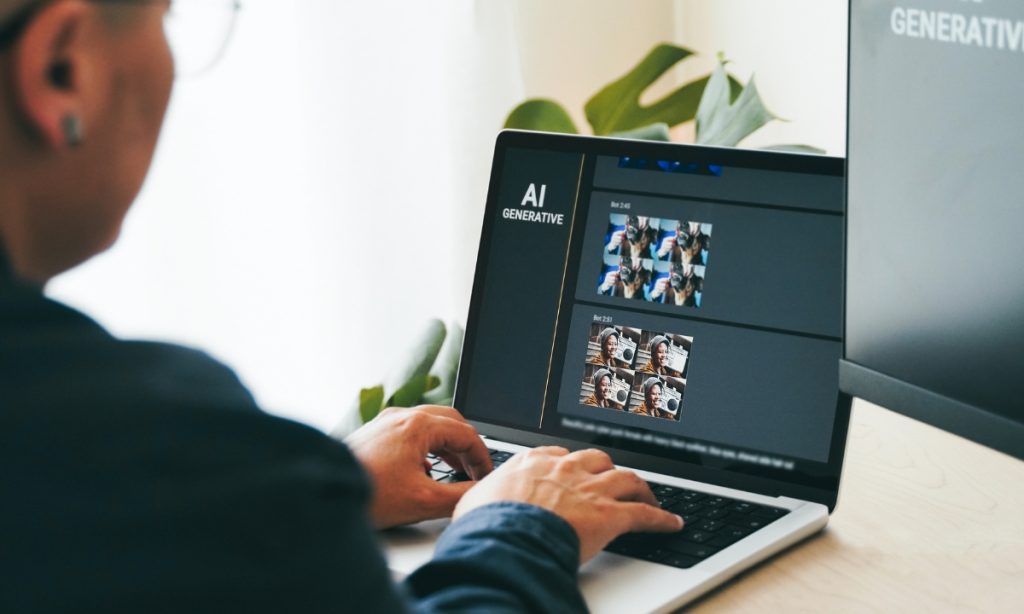

AI Tools

AI Agents for Real Estate

AI Agents for Real Estate: How Intelligent Automation is Transforming Property Businesses in 2026

The real estate industry is experiencing a major technological shift, and AI agents for real estate are leading the transformation. From automating lead generation to handling client communication and predicting market trends, AI-powered systems are helping brokers, agencies, investors, and property managers work smarter and faster.

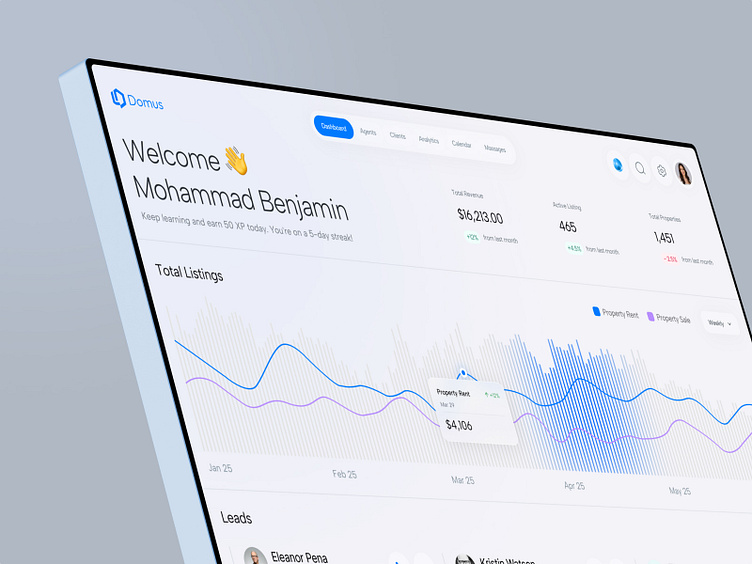
AI Real Estate Dashboard

As artificial intelligence becomes more advanced, AI agents are no longer simple chatbots. Modern AI agents can autonomously manage workflows, schedule appointments, analyze property data, qualify leads, generate listings, and even assist with property valuation.

Industry reports show that AI adoption in real estate is growing rapidly, with businesses investing heavily in automation and predictive analytics.

What Are AI Agents for Real Estate?

AI agents for real estate are intelligent software systems designed to automate and optimize real estate operations. Unlike traditional software tools, AI agents can make decisions, communicate naturally with users, and perform multi-step tasks with minimal human intervention.

These AI systems typically use:

  • Large Language Models (LLMs)
  • Machine Learning
  • Predictive Analytics
  • Natural Language Processing (NLP)
  • CRM Integrations
  • Property Data APIs
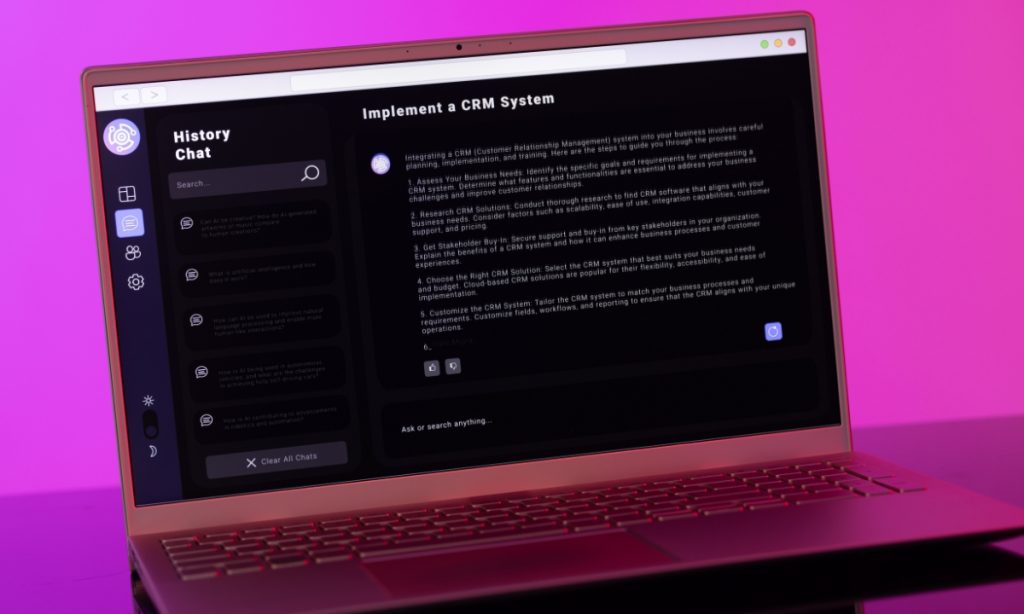
AI CRM for Real Estate

Modern agentic AI systems can handle complex workflows autonomously, making them highly valuable for real estate businesses.

Why AI Agents Matter in Real Estate

Real estate professionals handle repetitive and time-consuming tasks every day. AI agents help reduce manual work while improving customer experiences and operational efficiency.

Key Benefits of AI Agents for Real Estate

1. 24/7 Lead Qualification

AI agents can instantly respond to inquiries, qualify buyers, answer property questions, and schedule appointments without human involvement.

This reduces response time dramatically and improves lead conversion rates.

2. Automated Property Recommendations

AI systems analyze buyer behavior, search history, location preferences, and budget to recommend highly relevant properties.

Property Recommendation AI

Hyper-personalized recommendations are becoming one of the biggest AI trends in real estate.

3. Faster Property Valuation

AI-powered valuation models can estimate home prices using market trends, comparable properties, neighborhood insights, and property features.

Research shows LLMs are increasingly capable of generating interpretable property price estimates.

4. Marketing Automation

AI agents can automatically:

  • Generate listing descriptions
  • Create ad copy
  • Write emails
  • Schedule social media posts
  • Run follow-up campaigns

This allows agents to focus on closing deals rather than repetitive marketing tasks.

AI Marketing Automation

5. Better Customer Experience

AI assistants provide instant support through:

  • Website chat
  • WhatsApp
  • Voice assistants
  • SMS automation
  • Email communication

This improves engagement and customer satisfaction.

Top Use Cases of AI Agents for Real Estate

AI-Powered Lead Generation

Lead generation remains one of the most important applications of AI in real estate.

AI agents can:

  • Identify motivated buyers and sellers
  • Analyze browsing behavior
  • Score leads automatically
  • Follow up with prospects
  • Book consultations

Predictive analytics is becoming a major advantage for real estate teams.

Virtual Property Assistants

Virtual assistants powered by AI can:

  • Answer property questions
  • Schedule site visits
  • Explain financing options
  • Share neighborhood insights
  • Provide multilingual support

This creates a seamless customer journey.

Virtual Real Estate Assistant

Smart Property Valuation

AI valuation systems analyze:

  • Historical sales data
  • Neighborhood demand
  • Market trends
  • Property conditions
  • Comparable listings

However, experts warn that AI valuations should complement human expertise rather than replace it entirely.

AI in Property Management

Property managers use AI agents for:

  • Maintenance ticket automation
  • Tenant communication
  • Rent collection reminders
  • Lease management
  • Occupancy forecasting

AI-powered property management is helping businesses improve efficiency and reduce costs.
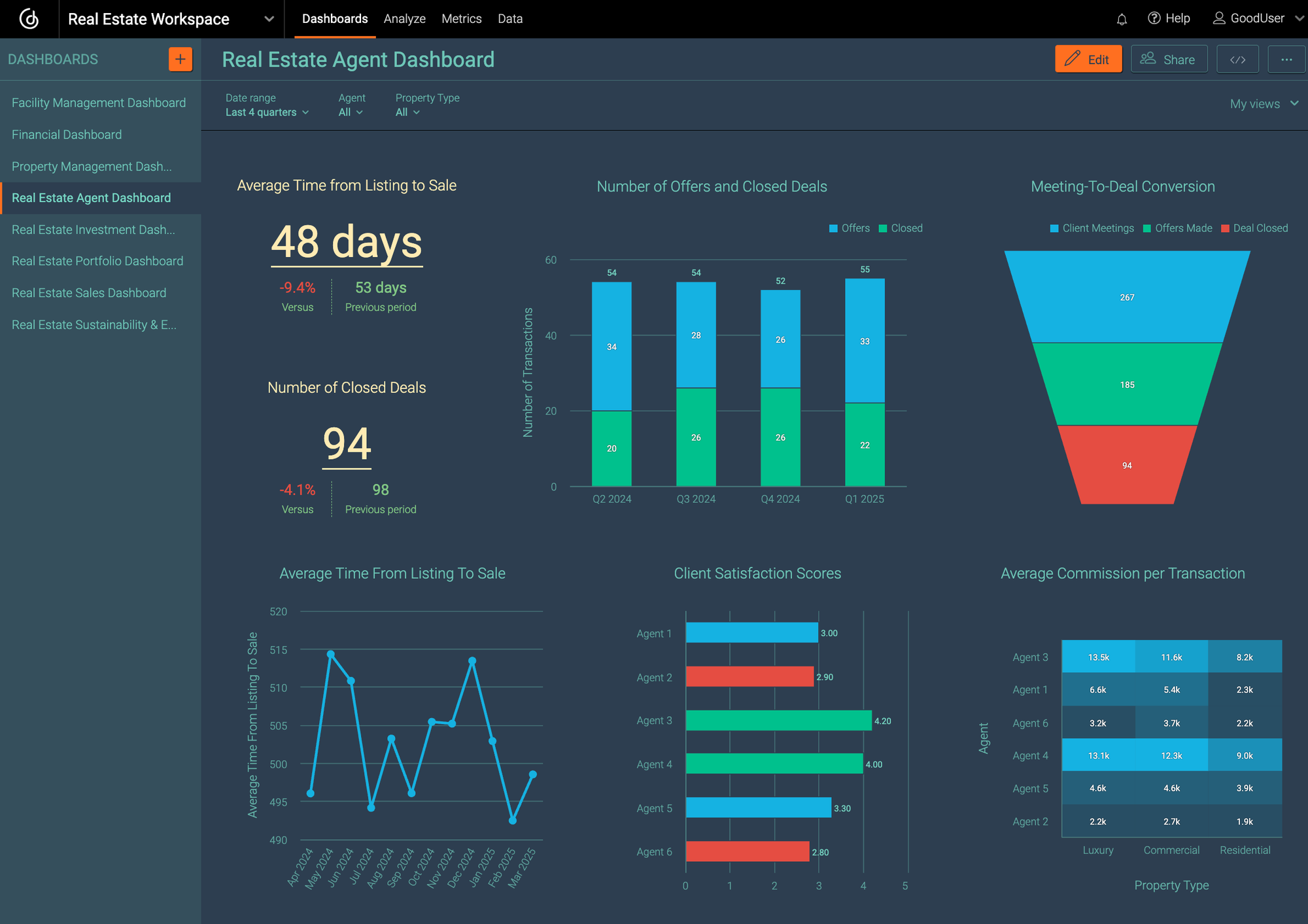
Property Management Dashboard

AI-Powered Real Estate Marketing

AI agents can generate:

  • SEO property descriptions
  • Facebook ads
  • Google Ads copy
  • Email newsletters
  • Video scripts

Generative AI is rapidly transforming digital marketing in real estate.

How AI Agents Are Changing the Real Estate Industry

Smarter Decision-Making

AI tools help investors and brokers make informed decisions using predictive analytics and real-time market insights.

Increased Productivity

AI could automate a significant portion of real estate operations, leading to major efficiency gains over the next decade.

Improved Sales Conversion

AI-driven lead nurturing improves engagement by delivering personalized interactions at scale.

Enhanced Market Forecasting

AI can detect trends earlier than traditional analysis methods by processing massive datasets quickly.
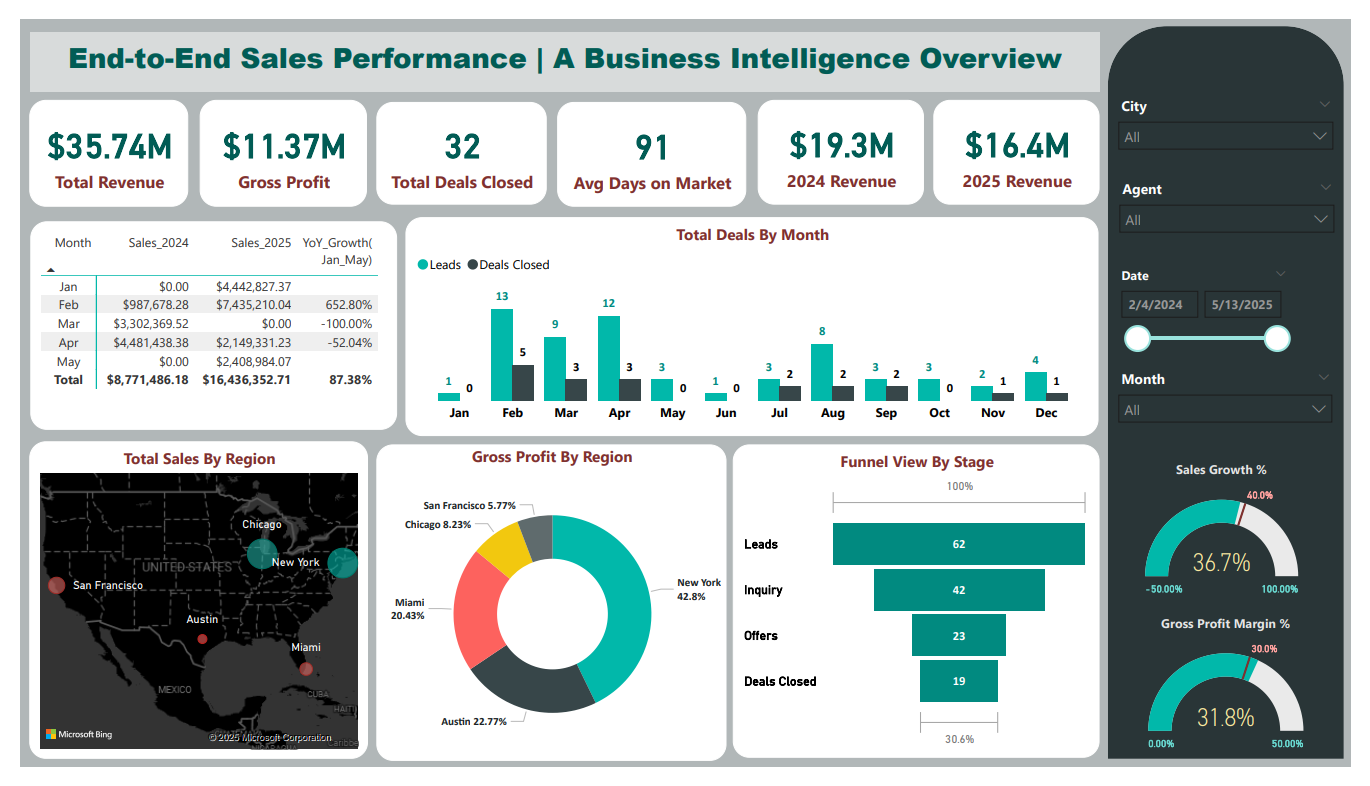
Real Estate Analytics Dashboard

Challenges of AI Agents in Real Estate

Despite the benefits, AI adoption comes with several challenges.

Data Privacy Concerns

Real estate platforms collect sensitive financial and personal information. Businesses must ensure compliance with privacy regulations.

AI Bias in Property Valuation

AI systems can unintentionally inherit biases from historical datasets.

Over-Reliance on Automation

Human expertise remains critical in negotiations, relationship-building, and final decision-making.

Fake Reviews and Content Risks

The rise of AI-generated reviews has raised concerns about trust and transparency in property platforms.

Future Trends in AI Agents for Real Estate

Agentic AI Systems

The future of AI in real estate is shifting toward autonomous AI agents capable of handling entire workflows independently.

These systems can:

  • Analyze leads
  • Schedule meetings
  • Send contracts
  • Manage pipelines
  • Coordinate transactions
Future AI Real Estate Technology

AI-Powered Virtual Tours

AI combined with AR and VR technologies will enable immersive virtual property experiences.

Blockchain + AI Transactions

AI-driven smart contracts may streamline legal and financial transactions in real estate.

Predictive Investment Analytics

Investors will increasingly rely on AI to identify profitable markets and forecast property appreciation.

Best AI Tools for Real Estate Businesses

Popular AI-powered solutions include:

  • AI CRM platforms
  • Predictive analytics tools
  • Automated listing generators
  • AI chat assistants
  • Property valuation systems
  • Marketing automation platforms

The market for AI in real estate is expected to grow significantly over the next decade.

Conclusion

AI agents for real estate are reshaping how the industry operates. From lead generation and customer service to property valuation and transaction automation, AI is helping businesses increase efficiency, reduce costs, and deliver better customer experiences.

While AI will not replace human real estate professionals entirely, it will significantly enhance productivity and decision-making capabilities. Companies that embrace AI-powered automation early will likely gain a strong competitive advantage in the rapidly evolving property market.

As AI technology continues to mature, the future of real estate will become increasingly data-driven, automated, and customer-centric.

AI for Daily Organization: How AI Can Help You Stay Organized and Boost Productivity

AI Agents for Real Estate: How Intelligent Automation is Transforming Property Businesses in 2026 Read More »

AI for Daily Organization

AI for Daily Organization: How AI Can Help You Stay Organized and Boost Productivity

Staying organized used to mean planners, sticky notes, and endless to-do lists. Today, artificial intelligence has changed the game. AI for daily organization goes beyond simply tracking tasks—it can prioritize, automate, remind, and even think ahead for you.

If your days feel scattered, overwhelming, or inefficient, this guide will show you exactly how AI for daily organization can bring structure, clarity, and control back into your routine.

🧠 1. Smart Task Management That Thinks for You

https://images.openai.com/static-rsc-4/XyzOTWYYB1Mhl_bDrabDqWN0GPqDbxcC5iSBqpjZbxHRT85VyVJqm9vSE4mrqBl3dNJ2UltUbD2Y90hjnXGiDN3msjYVzWWaR8Auqx6nfi-iuUtyINDw5o0bqZe7ECEZdCbSAkE93m7leMoOghiYf75lLFoW2RxYh7RIC_IGhm8t8jAQ2pCixb6Pgu8kt92K?purpose=fullsize
https://images.openai.com/static-rsc-4/fj2yIzNaCgGVgZ1HrvCdUtP0fYEV_5B2OWOvm6KH1VVoTr82swLU8AN1Dh5w1nO1WejeyuMOJXOAi5Rh2h03ykk1XeP1TZwW3-xKDv3liTBi-qoNrmOu3_qrBj4V2mfg8Ha6wkifKrtAkmcw07P2YjIXV-wtWR7oy6PXfp7a-XzfJDvoGGvIr8xQpLRsobLL?purpose=fullsize
https://images.openai.com/static-rsc-4/Yu9oH8kAPATjutvwTrVn0KHkis_c4eOpC9g8jL6tY9lkf9gJMhI6MwT1UHYlee0qmgk7JPf5b1ur-qkDM_VC_ej6xlirozT9h3bANRDJk6yBj-8GY6Ko4x5Z57cInmjlt64TcrSzddTiCWPdXvnodGIDMoeziD2EfxFmuYywlaiCXINMX1LCfzZk5oYfWWlx?purpose=fullsize

Traditional to-do lists rely on you to decide what matters most. AI flips that.

What AI does differently:

  • Automatically prioritizes tasks based on urgency and importance
  • Suggests deadlines based on your habits
  • Reorders your day dynamically

How to use it:

Use tools like Notion, Todoist, or ClickUp with AI features enabled.

Example:

Instead of writing:

“Finish report”

AI-enhanced tools can turn it into:

  • Break into subtasks
  • Assign time blocks
  • Remind you at optimal times

Result: You stop guessing what to do next—AI guides your workflow.

📅 2. Intelligent Scheduling and Calendar Optimization

https://images.openai.com/static-rsc-4/fTk8Z77Y85-QA0v49pULqwvGuC09Cd9KfPuPTZysRceSJ3XQ1VbEVW-IH-dgVijnkXgyRJlymlojYG5ciENAt3FdNa7EpP_opoW-SqMSfSAJYP2TfLNyoi7PzEn7ZoeyQaJOA4no4U9Yvfh5Ow8-VarTj-xSQA6kiA-tlAVvAkNm_OcLeTA3YUAj5GId_rQi?purpose=fullsize
https://images.openai.com/static-rsc-4/gWDyiL7ewUAusxGsfnzyd6ayYvzA9c5HRtUu7ZQgT27HYrhSKV4hgZ5gw_yvpxDVh8T7E5ssedK1xJOvpfpCY_ouUzcZOtd8-jq4Vk2sU832599IlApFLlSsy1FEpylVsH7ShzKxJpV_0fRGXs7xGiFf9GBnBE4_pq6A0AbzNWUzXRa2p-Zc7JLrjGLZRx0Z?purpose=fullsize
https://images.openai.com/static-rsc-4/6ALXJ1JjCEo159VV97zMaNGhEA-WVs56S1JYHvZ7PD9a2XQevFKbB_mFp67bp_5JfSCtj9_cy8UMTW5fnUHD9uJg1bDs9xhhMUU-fbhVe86_ByN3kgT9n1RjVYr-Ovj3Fb4FwzP24H9giueVVpO1dhDN_-soqHeK6G5Jj3qdhqbKDuZAdxE7S9LJvER6geSo?purpose=fullsize

Your calendar shouldn’t just hold events—it should help you manage energy and time effectively.

What AI can do:

  • Find the best time slots for deep work
  • Avoid overbooking
  • Automatically schedule meetings
  • Suggest breaks to prevent burnout

Tools to try:

  • Google Calendar (with AI integrations)
  • Motion
  • Reclaim.ai

Why it matters:

AI doesn’t just manage time—it manages how your time feels.

📨 3. Email Organization Without the Stress

https://images.openai.com/static-rsc-4/_bsXdHWi3tdQOQ8NmwuG5oBsf3fyvrLG4zNVFDMIfENLhzPTldjvhwBmqWaTck3E7LybZhinTNDJGByN0xS3_V4VB29IQOt2DjtccfmNSCuOLSIxCoSr1N-nsXAZXEPccTB25a5k-sNYYkByitVYXcAwjHhWctZIe9aUshA1VlrxwVXdhDTWSvdG7bzKpAqs?purpose=fullsize
https://images.openai.com/static-rsc-4/a4a8INK7f364PzrRbvMfXXypEsGnnVR13rpakk3A6uYB4f2bbacfVlBGbyOMX6DHd1q1XdeMbkcKdXY9GNAWE9rvpslbvyZ32K48926rkK0vveoc0YCuNJWYQBCmxiOyv2oQOZ8OuVZm7ukgLJ4P93PSVmo6cT5UdfgUVppKPLdaugsSb-SllXXluZM8qK1v?purpose=fullsize
https://images.openai.com/static-rsc-4/ApySFQuo-dKbjD8FY7cm7SaN1I6AWtIOb9LcWZqj1mCPRaVBsV09G14_9IIawqbd_FNyBz0qiOtYIPJi9lwuMqu2VbO-VCqj7mOIt4vtdLZQ5hgbUSszoBEwAJa--O6mskFuO-sjKqNISQ84YSMxqrJzK-G5hg-u7U5-gV2sgFfRGKYbr7A7D0hUejFCpU6X?purpose=fullsize

Inbox overload is one of the biggest productivity killers.

AI can:

  • Sort emails into categories automatically
  • Highlight important messages
  • Draft replies for you
  • Summarize long threads

Platforms that excel:

  • Gmail
  • Microsoft Outlook

Daily impact:

Instead of spending hours on email, you spend minutes.

🧾 4. Note-Taking That Actually Organizes Itself

https://images.openai.com/static-rsc-4/OJBvk6DcayQFOzubNFtWqmfVQP9pjXtfRk-oppayKy_KR0E6gt6sHgJMYXDhhitULcgMofZvrZpCA54RRVH-SiZU_bgsSzhypPGH2Nbv9c6knnAz3l0Qt-g3mwHkC9T10dKZ8LBXv8OOnipGQBRCf9Ikdc9SMyvieg6akG1pyqytvIFoL3yb73SzKOIHFbsN?purpose=fullsize
https://images.openai.com/static-rsc-4/dWbpU2gq4e6YSNXheAk6oEkJjrO0cdZZFWUvAwdBZ3Kp9MxomvTGa5NP8eyhd6_w0km8lTSRWIxHZng26aXMchVzOTn5WKFfuXuFwCefU33yTmMvEbaMfqEX5nyZX4t7jJX2BvjUFIP1lvCa9Rkr7vaq6sOtpCTZhsP_dbKEg1nkOidqR9EhxRESVEPp0BL_?purpose=fullsize
https://images.openai.com/static-rsc-4/CjknjSk3TZwOpDXE8V0geEVffyUdyBWetGZHehUVXNGOnMkT9Gf1ZD2ohlIyg9dBPtEl_JjxD_xKNdsnh2BHG4gnuOsATl_Ec6C4uG_6JrRoYy1_WceFPMyR7ifasabbRnC0ApxlDysOy1gW9vwD8HrbcGSectFf99cBJui1wk8yHh-Hia8hKieyesMrT3Cq?purpose=fullsize

Taking notes is easy. Finding them later is not.

AI-powered note tools can:

  • Summarize long notes
  • Extract key ideas
  • Auto-tag and categorize content
  • Convert voice to text

Tools to explore:

  • Evernote
  • Notion
  • Obsidian

Example:

After a meeting, AI can instantly generate:

  • Summary
  • Action items
  • Follow-ups

No more messy notebooks or forgotten ideas.

⏰ 5. Smart Reminders That Actually Work

https://images.openai.com/static-rsc-4/aOzt8cyIkODF64QYRYhCAyhvIJvvL6jDewiwfHaoNdyP-KN6VwO2lnTv6CtWEL74OHinjSrWPpzqF6JUujqm24YXymQeYDmsJgb9DGlZy2nCJfV654VTNeWYYTrfnwIeljotrzOthEkr6vrFk0jgwN6EqUoJwnBeTFpVaKAzIQyjNZA88BQW76bJ4hTzxZoW?purpose=fullsize
https://images.openai.com/static-rsc-4/Ro0SCXVj-EoMdr8xiOJXZs8jDWj22kogcwL8qPP7xHJJOGJQBPBmfUpOwYB8QimYaG8-LfBYQ43ayTGBkBNwdDi2U9TEK1bl_MdJkQTW5CH6VGe6RypBIsmkluy6tIauOBvCNdqyMbs4zW5rM8W-kD1zAyqT-8Wdqa_v7yH_S5kTr9K1K_zj-d9-71VnXSH6?purpose=fullsize
https://images.openai.com/static-rsc-4/Kd_fMSGPCuA4eqHKaO1104jQoH1zaYfjz4wAbX0yfimjfiUktJ1mPNkM3EjnF5DMTQ4zLfFDGRedLLxATkNeAZp_WKilu0HQMheyIGeL_BkGuhkxQ81y8dpbJ3UhmI-WYhQEr905WeDh6Y3CfHxnSsakMK8mIE_EmXK2Td_eA_SOp8zeqw7uu7QEQKoInIj4?purpose=fullsize

Standard reminders are easy to ignore. AI makes them smarter.

What AI improves:

  • Timing (when you’re most likely to act)
  • Context (location, behavior, habits)
  • Frequency (not too much, not too little)

Examples:

  • “Remind me to call John when I leave work”
  • “Remind me to review notes at 8 PM when I’m usually free”

AI understands context—not just time.

🤖 6. Automating Repetitive Daily Tasks

https://images.openai.com/static-rsc-4/c09UN2G-NL1oXKA3qpovOboqsgptXtoGWCSg0x7P6oTEePjTJAs0Ccx0nB05wigNLsaHZh1M1vOT2auzGu7d3SlRVotDLYjV4UjjP9fgfCK-jicWU_pBLc19SCd6-GJnyExcV30dN6kAx1xgVyWXr9MwHTYou-5MUP8lRGRC6oGBFYzSGWSKk5_Sab0LZAO-?purpose=fullsize
https://images.openai.com/static-rsc-4/KlCrrRREszcDCgDrQzWhBtHP9hvfjVgUbqj7Fj49p6zrq-IqEMn66OsjEqkN1XkchrXSUEKa9DtP_xgN1YWIF0aR-lP6tB4mNukovGGse-4VPGXBXUnMrJHSH5hrJezVzr6ucMuqKqjodZJza_MGeIFyngEUDceqXkSueK9fk85UVr3a_G-simMgzjErq9hO?purpose=fullsize
https://images.openai.com/static-rsc-4/blm1viCQ5rqUEgrMQuJ5CicKyoIVRYQb0aY0iiyfjIlChqo20H0UOnJ38vHLvoAQenVYQo5UjeLjOyDLXqj1J74uhrXc4irdBweCOUyVw6rcD8FQigkNueznqcUET4SRCc83TxOf6w6Rvg23CRWjbThCIwaEc2b_FYWMDUada9KmexgoX57GSx0qYplXX8po?purpose=fullsize

A huge part of disorganization comes from too many small tasks.

AI can automate:

  • File organization
  • Data entry
  • App integrations
  • Routine workflows

Tools to consider:

  • Zapier
  • Make (formerly Integromat)

Result:

Less mental clutter. More focus on meaningful work.

📊 7. Daily Insights and Productivity Tracking

https://images.openai.com/static-rsc-4/PUKDkDlfyQ3yrjM1uYBA8bkPz64dvgKQuwjVbVfIJYdbhSGlNII8srNhxaISDLVURsFSGu0SwnYEN5PGF7IlalQj2hlL7o7pWO1wg6ZqWE8Wn5yMt5o1v__Gz_AOERoyHBPd2iLNRwO_RWCcykslWMsXOY-GzZy52OhDIXtrNl3qswizelxVsszvM-DrgDZA?purpose=fullsize
https://images.openai.com/static-rsc-4/OtNENYhD2yTOfkmLIrB7vEpY_0NHxwxHQulEQ_9AjiK48yD2PwzBq4vrOtPBfvl38iicKrUeoMPmBSuJMB2BQFQZ30-HNXq2tcq5nDOtSSW7p_dOJrw7bv65OCUymIcSIa3lCYc4Qy2swHnSUIKd63G6CfQDhSo1m9JppakViVQ5XYVk_6tcR9mk60sr5Txp?purpose=fullsize
https://images.openai.com/static-rsc-4/T_CpQ7xc9aV5JdspXtBsiNAynyL0kWT7ko7ExD_i7310WxhMGq4aaWgUdswZAB2H2UOKrXii0ACD3qb4VbHbkAA3tjpm5dqJ_TLQoLrE-HWS3h0JPxKnGllpGOL4eW0ivP7t--J3ItnjaJIq6ZpNboeW13gNPPQJb01K1u87FpTYWNCR3W3ejioT_Z-8OVGq?purpose=fullsize

AI doesn’t just help you organize—it helps you improve over time.

It can analyze:

  • Where your time goes
  • When you’re most productive
  • What habits help or hurt you

Example:

AI might tell you:

“You’re most productive between 9–11 AM. Schedule deep work here.”

That’s insight you can act on immediately.

🧘 8. Reducing Mental Overload (The Hidden Benefit)

https://images.openai.com/static-rsc-4/GOzKESJbn7xLWrVlPM1LRuTaurnEGleYSOnDTLVgCnAmVA_j4enpfO5boXVmb5tqBCUemo6yOITHgRXk-zPj_HXN4IPjyMfa9M5_OwMsJ_1Ss6XhGnDUVKVBZKB06gduXO_1E5byH-mgM80H-Zhmv7afqsrIKkA9pSG3dmnX5-o-i2kbeKoP2NC9_AmgErt-?purpose=fullsize
https://images.openai.com/static-rsc-4/-IEYUH2boS57BQxLKMZ-IX3_ypSljIOb9UjtN6m5oBBrHOA5pGvinaE0cwmys7Wm2oRAsZr74X9f6FnM1cRv-Jbm7Y0GyID6GZkFzrdzv2A9tPCcW_S5h26hQx6-ztc1wGlqtAaM2y5H9WDfIAqTAdwlf7YbCKtlJ7NHKIugoRfDbe6SPx6MY90H29CS_NDD?purpose=fullsize
https://images.openai.com/static-rsc-4/BQAQfqKgEXXmKQnFQkMowNSx2WVMq8YHBsrl_o6-yMaVdjlKkiOm6xxtZvJZ5SBBL9JmZ3RBDlrV9Vcn7N4TgKiJ1kEGbuYizh7XzLhXWYfz8z79Woz7eePzBmiiO_qE0c95oPC9SaBwZ_Rf9oNjI8o-kGyi2i1nDyHO_mUgBtBRDYCanYk_B5zfEbBqTc9t?purpose=fullsize

Organization isn’t just about tasks—it’s about mental clarity.

When AI handles:

  • Planning
  • Remembering
  • Tracking

You free up brainpower for:

  • Creativity
  • Decision-making
  • Problem-solving

🚀 Final Thoughts on AI for Daily Organization

AI is not about doing more—it’s about doing the right things with less effort.

When used correctly, it becomes:

  • Your planner
  • Your assistant
  • Your reminder system
  • Your productivity coach

The real advantage:

You stop reacting to your day… and start designing it.

✅ Simple Daily AI Routine (Start Here)

If you’re new, keep it simple:

  1. Use AI to plan your top 3 tasks each morning
  2. Let AI schedule your day
  3. Automate one repetitive task
  4. Review insights at night

Do this consistently—and your days will feel clearer, calmer, and far more productive.

AI for Daily Organization: How AI Can Help You Stay Organized and Boost Productivity Read More »

Use AI to Get More Clients

How to Use AI to Get More Clients (A Complete, Practical Guide)

Artificial intelligence isn’t just a buzzword anymore—it’s one of the most powerful tools available for attracting, converting, and retaining clients. Whether you’re a freelancer, agency owner, consultant, or small business, AI can dramatically improve how you market yourself and close deals.

This guide walks you through real, actionable ways to use AI to get more clients—without needing to be technical.

1. Use AI to Define Your Ideal Client (Before You Do Anything Else)

https://images.openai.com/static-rsc-4/W53g8lgwiTIC0TFtldFEQ12U-YAqnXCsypbV1SKplUXCIyLsk92I2133Oy1GRcUIKYA5qjW70MmEoCnawQm_lJmtovno7qbaws9HoTaFtdf5fQzMaPHpobLD4cr1VzkkjnjbHh0bAe2u5tzRd4gYtRmybvZe9lmoNjl8i5u2Po5pBB98AW3lrFuE-K_rTrnT?purpose=fullsize
https://images.openai.com/static-rsc-4/ro9oHW0vT8j_eU8IaAFVKKWwyjVCGjfePXU_6yeHR_5wW4gMB5IueVv73LY-n4hDcDTIh_B6MTqHr1ophf4TwWDgkcexWmSDZXIFrilwS5y_zOSUhHSsrvfb6rupa9amKpqAXxjXas6urXESw0GXyh76aMiA5VbtXFZaYjUlYfXGrL5UUb5P3IIf3mwXw8fX?purpose=fullsize
https://images.openai.com/static-rsc-4/HviWvnm4HdPbh3A_Lme5-qkwdv3IghoF8llg4TtsREqgSBv5zoDz4PWc7CUqlpQjoGXKV2MhmzMNJWSoSZuUCsqfe5zdqIr0OKk4du1rCdvCzy9qZMNCnNtSJyTpEx9Qzq61HvBCxmt08aR5oyvhPSYeq5LhJUvlaXKwChEHKIl39qNY5YDEKt9sZjPgYHCy?purpose=fullsize

Most people skip this step—and it’s why their marketing doesn’t work.

AI tools can analyze:

  • Market trends
  • Competitor audiences
  • Customer behavior patterns

What to do:

  • Use AI tools (like ChatGPT, Claude, or analytics platforms) to answer:
    • Who is most likely to buy from me?
    • What problems are they actively trying to solve?
    • Where do they spend time online?

Example prompt:

“Act as a marketing strategist. Based on my service [X], define my ideal client, their pain points, and where I can find them online.”

Why this matters:
When you know exactly who you’re targeting, every piece of content becomes more effective—and attracts the right clients.

2. Generate High-Converting Content at Scale

https://images.openai.com/static-rsc-4/ekFEpeaVmXBgJ7mvraxxfJUhDhhoLPDHir8LqCmhQID2ElRHNIO-TwuYtve1M8OECRx7AZOTOEuyPElIjvhMWhCvR_UJS1SSxQeykOJhY9cy3Qs71DLBpLkf7tGK3BQT5KsSbo64VW_OVoObZ88aYHJleT8Z1-6R3835GC0teuq4L7FJDIV2ZcWR1DFJB93O?purpose=fullsize
https://images.openai.com/static-rsc-4/Ur-GluZOVa9M5RAqIS-rh6JyhsAlgOA-hkyCsJY7pRSAhItlDuMJjRhu2Epm8QjuwU4E1A5aNMQDdoUjEZUaMZ64IgAaP8EUoJ_VKWfjaLfjNzZqAzIV3nQjL3UEvX47ONEx_7W2yx203ilzUZTbsvHBPuuZyjFl-2cYPPquTOLXjpECCiF5MmPVNKzLWDAZ?purpose=fullsize
https://images.openai.com/static-rsc-4/eGkfV1ATXZkWXHG06JX4FEEA-tsjOvbhSKBYwGGrQ8VWKvbb7842Bsa_SyZnJhkC0yfIfS18qJPLkey9HBLxqyO-n8eCmfhxpqdxsJNBciShW-bj_eApUIkpFN3P-o2DRXSbfgeKo1moVo3mpBXqttDFW1v7lUKE-0AahGHzljcXTGA3AEdCvgPq0onqUjnu?purpose=fullsize

Content is still king—but AI is the kingmaker.

You can use AI to create:

  • Blog posts
  • LinkedIn posts
  • Email newsletters
  • Sales copy
  • Landing pages

What to do:

Instead of staring at a blank screen, use AI to:

  • Generate outlines
  • Rewrite weak content
  • Improve headlines
  • Add emotional hooks

Pro tip:

Don’t just ask AI to “write a post.”
Ask it to:

  • Match your tone
  • Speak to a specific audience
  • Solve a clear problem

Example prompt:

“Write a LinkedIn post targeting small business owners struggling with lead generation. Make it conversational, insightful, and end with a soft call-to-action.”

Why this works:
Consistency builds trust—and AI helps you stay consistent without burnout.

3. Personalize Outreach (Without Spending Hours)

https://images.openai.com/static-rsc-4/vjgOFgfxnyxc79VGZ1fO51Y0YgecVAZBEnHdmkEAUCta0WJOy5f25gqqZjdpuwcMGZ-g2iH4ZOFrbkXHg8RhouzKKFFtJXNxLnV5GpgZeM1vVcyQAwkaBn-mu2udhcz5CHsMXQeDH641srd2vyQ2TU7CshD_lwyHpzs4C8s54b305NylOro6sKEB9kgzASch?purpose=fullsize
https://images.openai.com/static-rsc-4/Eb303YndR22dMAhx5T9yfTO62eLgxYkxHfE61U72qhFPPWnkaIErScO2lwWhF_KXRvZA3VIGp3GB7v86DlLVrOX6SnD5Uw-j-5RZIuJMCOh6Dy6A9zJ2ATNCDAfgTKBsr3eOSyjPuc2VYKhS2BUKe2O5pJxGUnngnNTvgBjo6AxqXHL__vDkvgGk71uCpSAL?purpose=fullsize
https://images.openai.com/static-rsc-4/Ho6YFHdVQTKjz8Cv_xuNzwkb6P8JzcDpcbkEyddbGJOEWwMkAROsARLzKqzejPD9cFu3Aik6aKEbh6DyJeKpDOlDPKNvUPEdbIjPX6igTtZkGyYStVZVSHZCJc9PmdAX0QIOdG52PCryzSH6D_kq0eHo1LKs3OOfbnpWcLUw7JEuhvBO2OJmMEeBaZ2LFlea?purpose=fullsize

Cold outreach still works—but generic outreach does not.

AI helps you:

  • Personalize emails in seconds
  • Reference a prospect’s business or content
  • Adjust tone based on industry

What to do:

  • Feed AI basic info about your prospect:
    • Their website
    • Their LinkedIn profile
    • Their industry

Then ask AI to write a custom message.

Example:

“Write a short outreach email to a fitness coach who struggles with online client acquisition. Keep it friendly, not salesy.”

Why this works:
People respond to relevance. AI lets you scale personalization—something that used to be impossible.

4. Use AI Chatbots to Capture Leads 24/7

https://images.openai.com/static-rsc-4/nktfU7XnvQU9SoTwL859z9O3Pc7GS1mhje8hq3vcyVc5rDI3VQFoAbvdlg6CWPp4MzRNVZHMA94JLDKbWzDFRY5l_PQiclGdmgeTUyz_ZyOQZ4d9_1UB3hi3J1N2vWF6kjrlWx-J6JIP8KWuIO8K4fDf1xMVm7gNTprUe7K-tk8b6I9cbFS_6PSeyA3QyMPc?purpose=fullsize
https://images.openai.com/static-rsc-4/JByucoRDdpbwFyKXGORwISczB-bT04uqwjRJh6bPA9PeXznzrOF1_HXbEQZe8D685UfnHGbx-tFCBuQFZVuxBO8Ed8mYivXjUaRWzHUgq9L6q_s_HjhB_At9dpcsflz6R3rjO2ne8qI43ZjKQ9Bfx1x6Z9OFnq8hP3cBWThi3tRKDpPYvcCrXedh0GlxF6PC?purpose=fullsize
https://images.openai.com/static-rsc-4/ATeWPPtj4rDZU_8uuTfmrTd5R6W3NvoDN8NmKIvLI8Cn3KTM1PR_RUP8QuTvoHF8nQPrzX_P-Byn_5dfFRuxHX64z7X-lik8zLwX7TZPhO4HaX_SqoPCFCYHuts0bWWZCuhRZB2V53Em9nm84aShhPz4ve4XYKzDf-DxXzwTG2sajnxOLF1KwMlYIE5Fr0Kq?purpose=fullsize

Imagine having a salesperson who never sleeps.

AI chatbots can:

  • Answer common questions
  • Qualify leads
  • Book appointments
  • Collect contact information

Where to use them:

  • Your website
  • Landing pages
  • Social media DMs

What to include:

  • Clear introduction
  • Quick options (pricing, services, booking)
  • Lead capture form

Why this works:
Many potential clients leave because they don’t get instant answers. AI eliminates that gap.

5. Analyze What’s Working (and Double Down Fast)

https://images.openai.com/static-rsc-4/yOwFaXcUSjJxylDqljQ3G3Nj0WDQb0j_eylW7igXtQhM4EqJHvImRLAk7WGpMUdO-DewTlZPKSPPLx-TTsLfTvRF4O2ktmAQsc01100NU9e6Yz5SqK00Sklu9Hugblmd7pXd6uOW7lvdzUfwYUUSkd9XW79caCR2e4v2L7nxnKzsLINTNpMXfzsmy9b9MUG1?purpose=fullsize
https://images.openai.com/static-rsc-4/3DrEWyvjYMTG07Qp_7CTjCEEnGm9ZMMFF6nVyV2qawufsGZ0pUgQlaLUDkFDTgWB8HoLPuFmRQvlebx5Evc2MJA0U4TxRzxr6c7erPYObfGIS5ljdD_Qp5wUzrwMQK--eM8R9zQic6zTmOJSAXgZG_hsIOpgG0ustit4sWpxZwdKpAnrkoEX2lAVmQ_9nGWN?purpose=fullsize
https://images.openai.com/static-rsc-4/R22ox7iUBPrXiXtmhKJGRolRJEsgbdCx67VtRtMXQHp8lSGNnOb0QqbRzPxO9b0nS9u9Gcflm0B10Cvu9zuenQwNgIT1IkCdnFJh9_YoE8Er2laYdP35DtRHJe2X5UyV13wzGjQabet2mQ3G9RD9pn97TedkVE0K76d4R6xI7HMwCR7okfZBYeFLJQcARcSx?purpose=fullsize

8

AI doesn’t just create—it optimizes.

It can analyze:

  • Which posts perform best
  • What messaging converts
  • Where leads drop off

What to do:

  • Feed performance data into AI tools
  • Ask for insights and recommendations

Example prompt:

“Here are my last 10 posts and their engagement stats. Analyze patterns and suggest what I should do more of.”

Why this works:
Instead of guessing, you make decisions based on patterns and data.

6. Build an AI-Powered Sales Funnel

https://images.openai.com/static-rsc-4/i_4Z3TEERA22pYtiRYLzQfXnJhZwzZ8ugF4cE0fKcVp5fQvAHdMynIiYaKcsFlZ8UzmyJCS0-lBvHriUAUxpgSACQWzgglzNG9_T2YUVK_GSpHFeTexiMtzOWC6L7qsJTTsTsfAZI54rlJE4DWzqaaFuNClMalJ4bx-Pt4e0mud7GTaDmy8NNIKkL4DgiX3d?purpose=fullsize
https://images.openai.com/static-rsc-4/rdP5ygEcF849mhuEvhyqjmSrxCsQnfcAtLopjQ91CpYr-fmqN4KGG7cwN5dRWrxop8o0_X-Zx-GUfXYluSKSQr-uSdlS14iXCXOpShLs3zv37KhpVSLCXdxThDgIsp5RRY4VtW42Cy_MnJ7RM_9fMTI-SV-XNSDlFmCf3c9s8q2AKyGRHN02SgbU5PhhhrWe?purpose=fullsize
https://images.openai.com/static-rsc-4/xJ6_7KSZMHucZCcTA_vCs4qwasXfs2-lgpikr04AH1Z9C_bL5dubRMVjBk9KTATvsj5iW-hnZfOU6rCzJK546gOAI83mW-hqD7bEzKa4F6uNeca9mKv73ilOUijog0VcX8Hilcn0an5HTjSH3p9RvYENTKmsAftxWEGr2cRLbLOI_ilE6kgIc3NI_ui2w80z?purpose=fullsize

A strong funnel turns strangers into clients automatically.

AI can help you create:

  1. Lead magnet (e.g., guide, checklist)
  2. Landing page copy
  3. Email nurture sequence
  4. Sales pitch messaging

Funnel example:

  • Free AI-generated guide →
  • Email sequence →
  • Consultation booking →
  • Paid client

Why AI matters here:

It speeds up every stage—from idea to execution.

7. Improve Your Offers Using AI Feedback

https://images.openai.com/static-rsc-4/HHLnPnLzhGx3SQvHuRUdUXx0sm2WCrq3WZjlUap4NCSL9kgyd_bJ0yIOHfk7mG9d3GxwpYe3gAoyI3KnCrYykNoSW5ul1mpecvQoAfxamEw3nfK73gDJvc6NRWdLlm7-vBVEixrwOwU9JhFh_QFloQfHmQQ7nE1vv-bj7_xhTL1IajJ8dIvBeyWCT8mvvq-0?purpose=fullsize
https://images.openai.com/static-rsc-4/AFars3JDwAtnZ2DKTdcWAyv6-OebZtid3sJWoOPcDoRhN9viOj94CNVkXnBNWMdeo_rGjZ_4FtBJWM00BrZM-V9JKnZlyTOc30m_tSc0VbHUJ9RnUH_AgfcLsd9p17ESzYS4nOy37y9l2l2JETaEap7H1DKH7fvhtR7uDoTwnmxAd1l8PcpqCIo_JZS26xc-?purpose=fullsize
https://images.openai.com/static-rsc-4/wrXVobkZmH_SVOu6omAxBUjUYD94HInX_Oc2t7bbrO7DQjjD5uotPlgy97pooTQyUIBt6RzeZ-gXG_Teiuv3Ftw74-XFSnVbd5GYlTyHzcsYOb5MVbHlI7_tU04COh6HTHvoEXnW7lrniJ9oDdVF2ofzaB-fRJU3M7jLuKQ6thANCGrXYqC9TjCJmzYmYMw2?purpose=fullsize

Sometimes the issue isn’t your marketing—it’s your offer.

AI can help you:

  • Refine your pricing
  • Improve positioning
  • Identify missing value

Example prompt:

“Here’s my service offer. Analyze it and suggest how to make it more attractive and competitive.”

Why this works:
A strong offer reduces the need for aggressive selling.

8. Automate Repetitive Work (Focus on Closing Clients)

https://images.openai.com/static-rsc-4/GGW-VFhsLQKsyWm9-ddXdHro1nTrrWQell-_eXl42a6UCtNSsrQBRNMLkWAtbDPSqtIDv9n1X7NqcsPfTuPYdcxroyk7SuH_ELS0xP_EOvzADVDGx_yr8drBvIgkq681cqGX9aJ1LYDA2Oo69ULYCAkrlz-yb5bD_Pi3dDMgtH5iAKoErB3ZcHWAlH94tedD?purpose=fullsize
https://images.openai.com/static-rsc-4/dxxEbAtZLr2hPUfQc0f2nQGU5HwCGGnLLg1bNme979iW0ElEQ3S7qfIkDzhKM2loL-XPtxRnEmKLH6jODGhyoOaFuecfM-TyYkuXhHmOVhEzRF2ZjteCISOFtiC8U7gn3x24T2vGdGXSznLs02DNm8QtqnO-NDfufgCN-AeQAAVDq3zJmBjsryqv6KuOfXDi?purpose=fullsize
https://images.openai.com/static-rsc-4/R6KwzWRlcuLlcQDoEJy-CKmwRIlJT0nLjUSwve2v_PKYl7NI_WfxLXsAGOvclWsziDamlNG4NPkRxQvRqrIffCLBeTf7c3ahKHbpt7xUApXfO1-8kLxdKNhilQpVc87prB99aGV3zXLUs4CTmM1ZBOo6Xl4uyZtFB6MUOWwbEWhDq9Quyj0kFcbIhTpJ4I3W?purpose=fullsize

Time is your most valuable asset.

AI can automate:

  • Scheduling
  • Follow-ups
  • CRM updates
  • Proposal generation

Result:

You spend less time on admin—and more time:

  • Talking to leads
  • Closing deals
  • Delivering results

Final Thoughts on How to Use AI to Get More Clients

AI won’t magically bring clients—but it amplifies everything that already works.

If you:

  • Target the right audience
  • Create valuable content
  • Personalize your outreach
  • Optimize with data

…AI becomes a serious competitive advantage.

The real shift:

Businesses that use AI effectively don’t just work harder—they work smarter and faster.

If You Want to Start Today

Here’s a simple action plan:

  1. Define your ideal client using AI
  2. Create 3 pieces of targeted content
  3. Send 5 personalized outreach messages
  4. Set up a basic lead capture system

Do this consistently—and you’ll start seeing results.

How to Use AI to Get More Clients (A Complete, Practical Guide) Read More »

Top Free AI Tools for Bloggers

Top Free AI Tools for Bloggers (2026): Boost Content, SEO & Productivity

Free AI Tools for Bloggers
Free AI Tools
AI Tools for Bloggers

📌 Introduction

AI tools for bloggers are transforming how content is created in 2026. Instead of spending hours on writing, design, and SEO, bloggers can now use AI to work faster and more efficiently.

From generating content to enhancing images and optimizing search rankings, these tools can save time and boost results.

In this guide, we’ll explore the best free AI tools for bloggers you should start using today.

🏆 Best Free AI Tools for Bloggers

1. AI Image Enhancer (For Visual Quality)

  • Turns blurry images into HD
  • Perfect for blog thumbnails & Pinterest
  • Free version available

📌 Read full guide: Picsart AI Image Enhancer

2. AI Writing Assistants

  • Generate blog ideas
  • Improve readability
  • Save time on content creation

3. AI SEO Tools

  • Keyword research
  • Content optimization
  • Ranking suggestions

4. AI Graphic Design Tools

  • Create blog banners
  • Design Pinterest pins
  • Build thumbnails

5. AI Video Tools

  • Turn blogs into videos
  • Boost engagement
  • Grow traffic from multiple platforms

📊 Why Bloggers Should Use AI Tools

  • Save time (hours → minutes)
  • Improve content quality
  • Increase traffic potential
  • Automate repetitive tasks

🔗 Internal Linking Opportunity

If you want to improve your blog visuals, check our detailed guide on
👉 Picsart AI Image Enhancer

🧠 Pro Tips for Bloggers

  • Combine AI tools (don’t rely on one)
  • Focus on quality over quantity
  • Use AI to assist — not replace your creativity

🏆 Final Thoughts

AI tools are no longer optional — they are essential for modern blogging success.

Start with simple tools like Picsart Image Enhancer and expand your workflow gradually.

🧩 FAQs for Top Free AI Tools for Bloggers (2026)

❓ What are the best free AI tools for bloggers?

The best free AI tools for bloggers include writing assistants, SEO tools, design platforms, and image enhancers like Picsart AI Image Enhancer, which helps improve image quality instantly.

❓ How can AI help bloggers grow faster?

AI helps bloggers by automating tasks like content writing, keyword research, image editing, and design, allowing them to publish faster and focus on strategy.

❓ Are AI tools good for SEO?

Yes, AI tools can improve SEO by helping with keyword optimization, content structuring, internal linking, and image enhancement.

❓ Which AI tool is best for blog images?

Picsart AI Image Enhancer is one of the best tools for improving blog images by increasing resolution and removing blur automatically.

❓ Can beginners use AI tools for blogging?

Yes, most AI tools are beginner-friendly and require no technical skills, making them ideal for new bloggers.

❓ Do AI tools replace human bloggers?

No, AI tools assist with tasks but creativity, strategy, and originality still depend on the blogger.

Top Free AI Tools for Bloggers (2026): Boost Content, SEO & Productivity Read More »

Picsart vs Remini: Which AI Image Enhancer is Better?

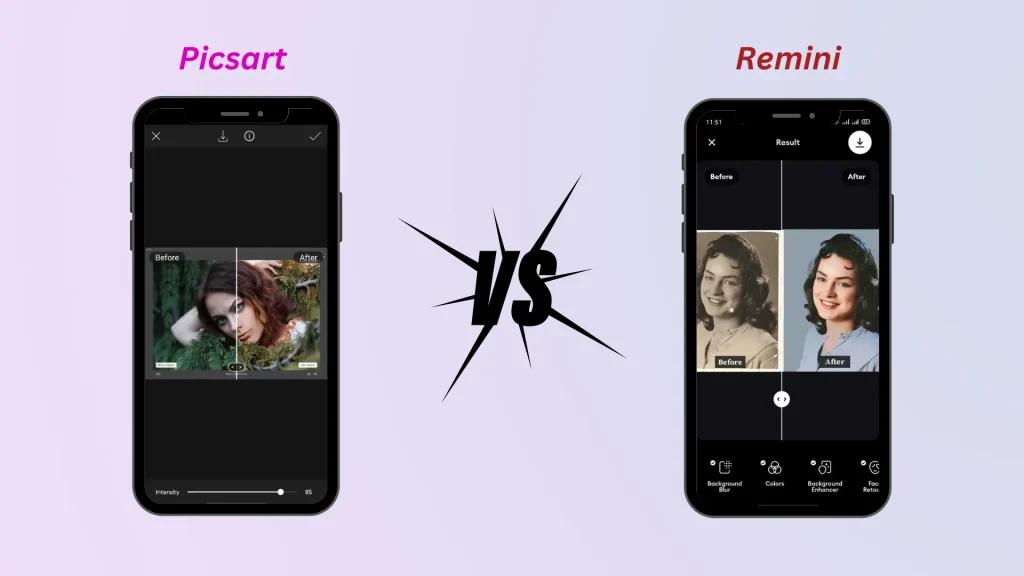
Picsart vs Remini Comparison
Picsart vs Remini Before & After Comparison
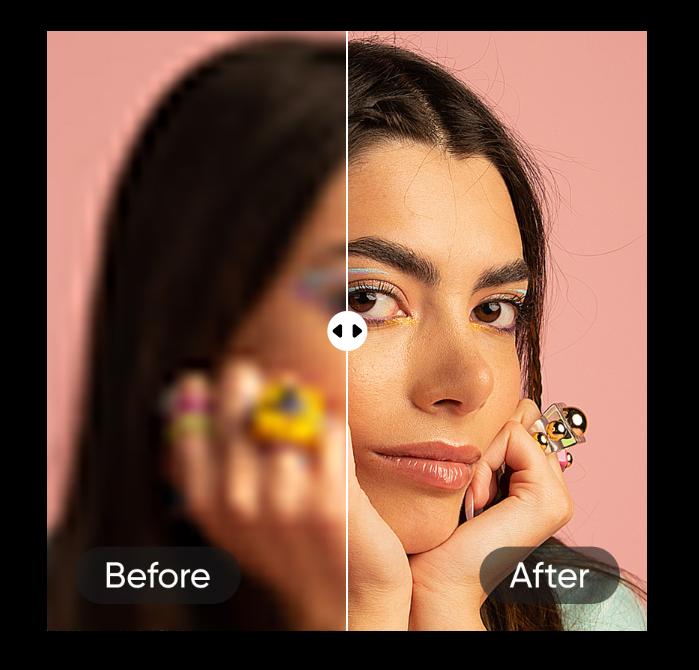
Before & After Comparison

📌 Quick Answer (Snippet Ready)

Picsart is better for general image enhancement, while Remini is better for face-focused photo restoration.

⚔️ Comparison Overview

FeaturePicsartRemini
Best UseGeneral imagesFace enhancement
Ease of UseVery EasyEasy
Free VersionYesLimited
SpeedFastFast

🧠 Detailed Comparison

🔹 Picsart AI Image Enhancer

  • Works on all types of images
  • Great for blogs, thumbnails, products

👉 Full review here: Picsart AI Image Enhancer guide

🔹 Remini AI

  • Focuses on faces
  • Best for portraits and selfies

🏆 Final Verdict

  • Choose Picsart → for blogging, design, general use
  • Choose Remini → for portraits and face enhancement

🧩 FAQs for Picsart vs Remini Comparison

❓ Which is better: Picsart or Remini?

Picsart AI Image Enhancer is better for general image enhancement, while Remini is better for enhancing faces and portraits.

❓ Is Remini better than Picsart for faces?

Yes, Remini specializes in facial detail enhancement, making it better for portraits and selfies.

❓ Can Picsart enhance faces?

Yes, Picsart can enhance faces, but it is more focused on overall image quality rather than just facial details.

❓ Which app is best for photo clarity?

For overall clarity, Picsart is a strong choice, while Remini excels in face-specific improvements.

❓ Are Picsart and Remini free to use?

Both tools offer free versions, but premium features require a subscription.

Picsart vs Remini: Which AI Image Enhancer is Better? Read More »

How to Fix Blurry Images Online

How to Fix Blurry Images Online (Free AI Tools Guide)

Fix Blurry Images
Before and After AI Image Enhancer
Video Enhancer

📌 Quick Answer (Snippet Optimized)

You can fix blurry images online using AI tools that sharpen details, remove noise, and increase resolution automatically.

🔧 Best Ways to Fix Blurry Images

✔ Use AI Image Enhancers

AI tools can restore lost details automatically.

👉 Example: Picsart AI Image Enhancer

✔ Increase Image Resolution

Upscaling helps improve clarity without distortion.

✔ Sharpen Details

AI detects edges and enhances them for better visibility.

🧩 Step-by-Step Guide

  1. Upload your blurry image
  2. Choose an AI enhancer tool
  3. Click “Enhance”
  4. Download the improved image

⚡ Best Free Tools

  • Picsart AI Enhancer
  • Remini
  • Fotor

🏆 Pro Tip

For best results, use images that are not extremely damaged — AI works best with moderate blur.

🧩 FAQs for How to Fix Blurry Images Online

❓ How can I fix a blurry picture online for free?

You can use AI tools like Picsart AI Image Enhancer to upload your image and enhance it instantly without manual editing.

❓ Why do images become blurry?

Images become blurry due to:

  • Low resolution
  • Camera shake
  • Poor focus
  • Compression

❓ Can you unblur a photo completely?

AI can significantly improve clarity, but extremely blurry images may not be restored perfectly.

❓ What is the easiest way to sharpen an image?

Using an AI enhancer is the easiest method — it automatically detects and improves details.

❓ Does increasing resolution fix blur?

Increasing resolution helps, but combining it with AI sharpening gives the best results.

How to Fix Blurry Images Online (Free AI Tools Guide) Read More »

Best AI Image Enhancers

Best AI Image Enhancers (2026): Top Free & Paid Tools Compared

AI Image Enhancer
Comparing Upscaling Tools
Instant AI Photo Editing

📌 Introduction

Low-quality images can ruin your content — but AI tools have changed everything.

In this guide, we’ll explore the best AI image enhancers in 2026 that can turn blurry photos into HD instantly.

👉 If you want a detailed breakdown of one of the best tools, check our full review of Picsart AI Image Enhancer

🏆 Top AI Image Enhancers

1. Picsart AI Image Enhancer

  • Best for beginners
  • One-click enhancement
  • Free version available

👉 Read full guide: Picsart AI Image Enhancer review

2. Remini AI

  • Best for face enhancement
  • Strong detail recovery
  • Mobile-friendly

3. Let’s Enhance

  • Professional-grade upscaling
  • Ideal for prints

4. VanceAI

  • Multiple AI tools in one
  • Batch processing

5. Fotor AI Enhancer

  • Easy interface
  • Good for quick edits

📊 Comparison Table

ToolBest ForFree VersionEase of Use
PicsartBeginnersYesVery Easy
ReminiFacesLimitedEasy
Let’s EnhanceProfessionalsLimitedMedium
VanceAIBulk editingLimitedMedium
FotorQuick editsYesEasy

🧠 Final Verdict

If you want simplicity + strong results, Picsart AI Image Enhancer is the best starting point.

Best AI Image Enhancers (2026): Top Free & Paid Tools Compared Read More »

Picsart AI Image Enhancer

Picsart AI Image Enhancer (2026 Review): Turn Low-Quality Images into HD in Seconds

AI Enhance
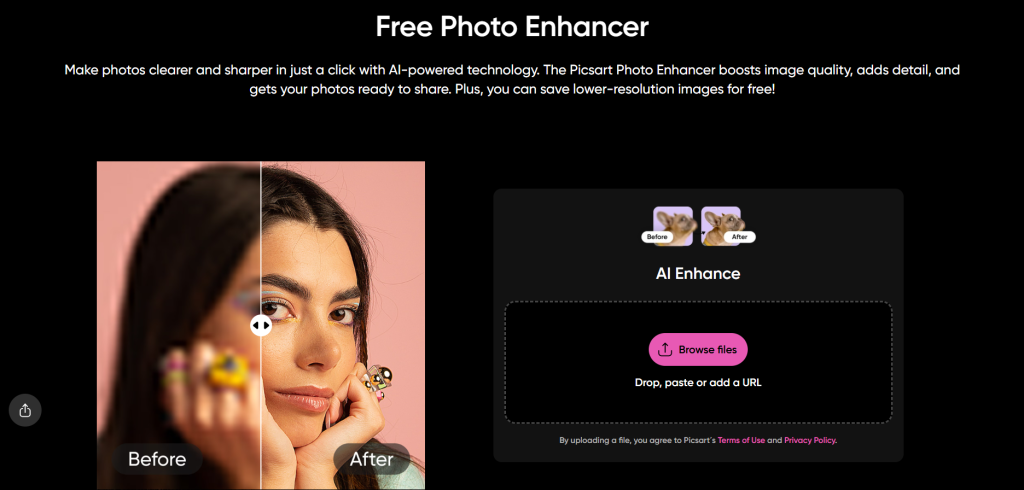
Free Photo Enhancer
Before and After Images

If you’re still struggling with blurry or low-resolution images, you’re wasting content potential.

In 2026, visual quality directly impacts SEO rankings, engagement, and conversions. Whether you run a blog, eCommerce store, or social media page, one tool stands out:

👉 Picsart AI Image Enhancer

This AI-powered tool can upgrade image quality, remove blur, and generate HD visuals instantly — even in the free version.

If you’re exploring more tools, check out our guide on Best AI Image Enhancers

Picsart AI Image Enhancer is an AI-powered tool that improves image quality by increasing resolution, removing blur, and enhancing details automatically.

It uses artificial intelligence to reconstruct missing pixels, making low-quality images look sharp and high-definition.

⚡ How Does Picsart AI Image Enhancer Work? (Snippet Block)

How Does Picsart AI Image Enhancer Work?
Traditional vs AI Upscaling
AI Image Upscaling Technology

Picsart AI Image Enhancer works in 4 simple steps:

  1. Upload your image
  2. AI scans for blur and low-resolution areas
  3. Missing details are reconstructed
  4. Enhanced HD image is generated

👉 The AI doesn’t just stretch pixels — it rebuilds image details intelligently.

You can also compare this with other tools in our Picsart vs Remini comparison guide

🧠 What Does Picsart AI Enhancer Do? (Quick Answer Section)

Picsart AI Enhancer can:

  • Increase image resolution
  • Remove blur and noise
  • Sharpen details
  • Improve overall clarity
  • Restore old or low-quality photos
  • One-click image enhancement
  • No editing skills required
  • Free version available
  • Fast processing (seconds)
  • Works for all types of images

🧩 How to Use Picsart AI Image Enhancer (Step-by-Step Snippet)

Follow these steps to enhance an image using Picsart:

  1. Go to the Picsart AI Image Enhancer page
  2. Upload your image
  3. Click on “Enhance”
  4. Download the improved image

💡 Key Features

✔ AI Upscaling

  • Boost resolution without losing quality

✔ Blur Removal

  • Fix pixelated or blurry images

✔ Detail Enhancement

  • Sharpen textures and edges

✔ Batch Processing

  • Enhance multiple images

✔ Free Access

  • Try basic enhancement without cost

📊 Picsart AI Enhancer vs Manual Editing (Snippet Table)

FeaturePicsart AI EnhancerManual Editing
TimeSecondsHours
Skill RequiredNoneHigh
CostFree / LowExpensive
Output QualityConsistent HDSkill-dependent

📈 Best Use Cases (List Snippet Opportunity)

Picsart AI Image Enhancer is best for:

  • Bloggers improving thumbnails
  • eCommerce product images
  • Social media posts
  • Restoring old photos
  • Freelancers & designers

For bloggers, image quality also affects SEO — read our full guide on Image SEO optimization

✅ Pros and Cons (Snippet Friendly)

Pros:

  • Easy to use
  • Fast results
  • Free version available
  • High-quality output

Cons:

  • Premium needed for full resolution
  • Limited improvement for extremely damaged images

🏆 Final Verdict (Short Answer Snippet)

Picsart AI Image Enhancer is one of the best free AI tools for improving image quality instantly, making it ideal for beginners and professionals alike.

🧠 FAQs for Picsart AI Image Enhancer

❓ What is Picsart AI Image Enhancer?

Picsart AI Image Enhancer is an AI-powered tool that improves image quality by increasing resolution, reducing blur, and enhancing details automatically. It can turn low-quality images into HD in seconds.

❓ Is Picsart AI Image Enhancer free?

Yes, Picsart offers a free version that allows users to enhance images. However, higher-resolution downloads and advanced features may require a premium plan.

❓ How do I make a blurry image clear using AI?

To fix a blurry image:

  1. Upload your image to an AI enhancer
  2. Click “Enhance”
  3. Let AI process the image
  4. Download the improved version

❓ Does AI image enhancer really work?

Yes, AI image enhancers use machine learning to reconstruct missing details, sharpen edges, and improve resolution, producing significantly clearer images.

❓ What is the best free AI image enhancer?

Picsart AI Image Enhancer is considered one of the best free tools due to its ease of use, fast results, and strong enhancement quality.

❓ Can AI increase image resolution without losing quality?

Yes, AI upscaling increases resolution by intelligently adding pixels, maintaining quality better than traditional resizing methods.

Want more tools like this? Explore our curated list of Top Free AI Tools for Bloggers

Picsart AI Image Enhancer (2026 Review): Turn Low-Quality Images into HD in Seconds Read More »

Claude vs ChatGPT

Claude vs ChatGPT: Which AI Thinks Better in 2026?

1. Introduction

Claude vs ChatGPT: AI chatbots and large language models continue to redefine productivity, creativity, and research in 2026. With applications from content creation to coding assistance, these AI tools are now essential for students, professionals, and businesses.

When it comes to choosing the right AI assistant, many ask: which one thinks smarter, faster, and more effectively in 2026?

Preview: “This guide compares Claude and ChatGPT to help you determine which AI suits your workflow, whether for content, coding, or business automation.”

2. Overview of Claude and ChatGPT

Claude

  • Developed by Anthropic, designed with safety, reasoning, and helpfulness in mind.
  • Excels in context-aware conversations and structured responses.

ChatGPT

  • Developed by OpenAI, with GPT-4 and GPT-5 versions powering advanced AI capabilities.
  • Known for creativity, versatility, and fast responses across multiple domains.

Claude vs ChatGPT: The main difference is philosophy: Claude prioritizes logical consistency and ethical responses, while ChatGPT emphasizes adaptability and creative outputs.

3. Key Features Comparison

  • Conversational Abilities: Claude is structured and cautious; ChatGPT is dynamic and versatile.
  • Knowledge Base: ChatGPT is up-to-date with a wide range of datasets; Claude focuses on accurate reasoning and safe outputs.
  • Creativity & Problem-Solving: ChatGPT excels in brainstorming; Claude shines in step-by-step reasoning.
  • Integration Capabilities: ChatGPT supports plugins, APIs, and third-party tools; Claude’s integrations are growing steadily.
  • Customization & Fine-Tuning: ChatGPT allows advanced user fine-tuning; Claude guides outputs for safety and clarity.

4. Performance in Different Scenarios

  • Content Generation: ChatGPT is ideal for blogs, social media, and storytelling; Claude is strong for structured, coherent, and precise content.
  • Code Assistance: ChatGPT generates code and debugging solutions quickly; Claude explains logic thoroughly for better learning.
  • Research & Data Analysis: Claude provides accurate, reasoned insights; ChatGPT summarizes creatively and handles complex queries efficiently.
  • Customer Support & Automation: Both can automate replies; Claude ensures professional, ethical responses, while ChatGPT integrates easily across platforms.

5. User Experience and Accessibility

  • Ease of Use: Both are user-friendly; ChatGPT is more widely recognized.
  • Responsiveness: ChatGPT responds faster for general queries; Claude takes slightly longer for detailed reasoning.
  • Free vs Paid Plans: ChatGPT offers free and subscription tiers; Claude has limited free access with premium options.
  • Platform Support: Both support web, mobile, and API access, with ChatGPT having a broader ecosystem.

6. Strengths and Weaknesses

Claude

  • Pros: Safe, structured reasoning, consistent outputs.
  • Cons: Slower responses, fewer integrations.
  • Best For: Businesses, research tasks, and professional communication.

ChatGPT

  • Pros: Fast, creative, versatile, widely integrated.
  • Cons: Can occasionally generate inaccurate info, less cautious reasoning.
  • Best For: Content creators, developers, and general AI tasks.

Claude vs ChatGPT: The choice depends on whether you value structured reasoning or speed and creativity.

7. Cost and Value Comparison

  • Free Access: ChatGPT has limited free queries; Claude offers restricted free usage.
  • Subscription Plans: ChatGPT Plus (~$20/month) unlocks advanced features; Claude’s premium tiers vary.
  • Enterprise vs Individual: ChatGPT scales easily via APIs; Claude focuses on safe business applications.
  • ROI: ChatGPT is better for creative tasks; Claude is ideal for professional, risk-sensitive tasks.

8. Real-World Recommendations

  • Content Creators: ChatGPT for speed and creative writing; Claude for structured, polished content.
  • Developers & Coders: ChatGPT for coding and automation; Claude for step-by-step explanations and logic understanding.
  • Businesses & Customer Support: Claude ensures professional, safe replies; ChatGPT supports multi-channel engagement efficiently.

9. Conclusion: Claude vs ChatGPT

Claude vs ChatGPT each excel in different areas in 2026:

  • Claude focuses on accuracy, reasoning, and safe outputs.
  • ChatGPT focuses on creativity, versatility, and speed.

Final Verdict: Choose ChatGPT for creative tasks or fast outputs, and Claude for structured, high-quality reasoning.

Call to Action: “Test both Claude and ChatGPT in 2026 to see which AI best fits your workflow and needs.”

AI Tools for Content Creation: Your 2025 Guide to Smarter, Faster Output

How to Use ChatGPT for Research: A 2025 Guide to Smarter, Faster Insights

10 Best AI Tools for Students in 2025: Study Smarter, Save Time, and Boost Your Grades

Claude vs ChatGPT: Which AI Thinks Better in 2026? Read More »

AI Tools for Content Creation

AI Tools for Content Creation: Your 2025 Guide to Smarter, Faster Output

Hey, content creators! If you’re knee-deep in the digital world—whether you’re a blogger, YouTuber, social media guru, or marketer—2025 is the year AI truly takes center stage. Gone are the days of staring at a blank screen for hours; AI tools for content creation are revolutionizing everything from ideation to distribution. With advancements like multimodal AI (think text-to-video in one go) and hyper-personalized algorithms, these tools aren’t just helpers—they’re co-creators. According to a 2025 Forbes report, over 60% of creators now use AI daily, boosting output by up to 5x while maintaining quality. From writing killer copy to generating stunning visuals and optimizing for SEO, AI is making content more accessible, efficient, and engaging.

The demand for fresh, high-quality content is skyrocketing—think TikTok reels, LinkedIn posts, and newsletters that need to cut through the noise. AI bridges the gap by automating the tedious bits, letting your creativity shine. In this post, we’ll explore why these tools are essential and dive into the top picks for 2025. Here are the top AI tools in 2025 that help you create smarter, faster, and more engaging content. We’ll break them down with benefits, tips, and real-world vibes to get you started.

Why AI Tools Matter for Content Creators

In 2025, the content game is fiercer than ever. With platforms like Instagram and YouTube pumping out billions of posts daily, creators face constant pressure to produce faster without sacrificing quality. A DemandSage survey shows that 75% of marketers cite “time constraints” as their biggest hurdle, but AI flips the script by handling repetitive tasks.

How? AI saves time on ideation (brainstorming 10x faster), writing (drafting in minutes), editing (spotting errors instantly), and design (auto-generating visuals). Benefits include:

  • Consistency: Maintain brand voice across channels with tone-matching features.
  • Creativity Boost: Suggests fresh angles you might miss, like hybrid trends in niches.
  • Automation: From SEO tweaks to video clipping, it handles the grunt work.
  • Productivity: Creators report 40% more output, per a Social Media Examiner study.

Whether you’re a solo creator or team lead, AI democratizes pro-level content— no massive budget required.

10 Best AI Tools for Students in 2025: Study Smarter, Save Time, and Boost Your Grades

Top AI Tools for Content Creation in 2025

Based on 2025 reviews from sites like DemandSage and Synthesia, these tools stand out for their updates and real-user impact. Each gets bullet-point benefits and pro tips.

1. ChatGPT – Your AI Writing Partner

ChatGPT, powered by OpenAI’s GPT-5 in 2025, is the Swiss Army knife for text-based content. It’s ideal for blog posts, social captions, outlines, and brainstorming, with natural language that feels human.

Why Use It? Benefits for Creators:

  • Versatile Writing: Generates full articles, scripts, or ideas from prompts—perfect for overcoming writer’s block.
  • Creative Sparks: Offers unique angles, like “10 unconventional marketing hacks for 2025.”
  • Customization: Train it on your style via custom GPTs for consistent voice.
  • Multimodal Bonus: Now integrates image gen and search for hybrid content.

Pro Tips:

  • Prompt smart: “Write a 500-word blog intro on AI ethics, in a conversational tone like Gary Vaynerchuk.”
  • Use Search mode for real-time facts.
  • Free basics; Plus ($20/mo) for advanced features.

2. Jasper AI – Advanced Copywriting Assistant

Jasper focuses on marketing copy, product descriptions, and ads, with 2025 updates like AI brand voice training.

Why Use It? Benefits for Creators:

  • Template-Driven: 50+ templates for blogs, landing pages, and social—streamlines workflows.
  • SEO Integration: Built-in keyword tools for optimized content.
  • Team Collab: Share projects for agency-level output.
  • High-Quality Output: Users rate it 4.7/5 for natural, persuasive copy.

Pro Tips:

  • Start with “Boss Mode” for long-form.
  • Pricing from $49/mo—test the trial.

3. Copy.ai – Fast and Simple Writing Automation

Copy.ai excels at short-form like emails, captions, and headlines, with a clean interface for quick wins.

Why Use It? Benefits for Creators:

  • Speed Demon: Generates 10 variations in seconds.
  • Tone Variety: Fun, professional, or witty—matches your audience.
  • Free Tier Perks: Unlimited basic use for bootstrappers.
  • Workflow Tools: Integrates with Google Docs for seamless edits.

Pro Tips:

  • Prompt: “10 Instagram captions for a fitness brand, emoji-inclusive.”
  • Upgrade for unlimited words ($36/mo).

4. Writesonic – SEO & Marketing-Focused AI

Writesonic’s 2025 edge is SEO optimization, with ChatSonic for queries and Surfer integration.

Why Use It? Benefits for Creators:

  • SEO Magic: Auto-generates ranked articles.
  • All-in-One: Blogs, ads, and e-com descriptions.
  • ChatSonic: Like ChatGPT but with web search.
  • Affordable: Starts at $12/mo, with 10K free words.

Pro Tips:

  • Use for “SEO-optimized 1000-word post on sustainable fashion.”

5. Canva Magic Studio – Visual & Video AI Creation

Canva’s Magic Studio uses AI for designs, images, and videos—perfect for non-designers.

Why Use It? Benefits for Creators:

  • Image Gen: Text-to-image for thumbnails.
  • Video Edits: Auto-cuts, adds effects.
  • Branding Tools: Magic Resize for platforms.
  • Free Access: Pro features from $15/mo.

Pro Tips:

  • Prompt: “Generate a YouTube thumbnail for ‘AI Trends 2025’.”

6. Runway ML – Video Editing Reinvented

Runway’s AI handles text-to-video, background removal, and more for pro edits.

Why Use It? Benefits for Creators:

  • Gen AI Video: Create scenes from text.
  • Advanced Tools: Motion tracking, upscaling.
  • YouTuber Favorite: 4.8/5 ratings.
  • Integration: With Adobe for workflows.

Pro Tips:

  • Start with free credits; pro at $12/mo.

7. Synthesia – AI Video Presenter

Synthesia turns text into avatar videos with natural voices.

Why Use It? Benefits for Creators:

  • Pro Explainers: Custom avatars for tutorials.
  • Multilingual: 120+ languages.
  • Time-Saver: No filming needed.
  • 2025 Updates: Better lip-sync.

Pro Tips:

  • Script: “Create a 1-min product demo.”

8. Pictory – Turn Blogs into Videos

Pictory auto-converts articles to videos with stock footage.

Why Use It? Benefits for Creators:

  • Repurposing Pro: Blog to reel in minutes.
  • Voiceovers: AI-generated narration.
  • Social Boost: Shareable clips.
  • Easy UI: No editing skills needed.

Pro Tips:

  • Paste blog URL for instant video.

9. SurferSEO – Content Optimization

Surfer analyzes SERPs for keyword-optimized structures.

Why Use It? Benefits for Creators:

  • Rank Higher: Content scores based on top pages.
  • Keyword Tools: Real-time suggestions.
  • Integration: With Jasper/Writesonic.
  • Results-Driven: Boosts traffic 2x.

Pro Tips:

  • Optimize drafts post-writing.

10. Grammarly & DeepL Write – Polishing & Clarity

These duo refine text: Grammarly for grammar, DeepL for structure.

Why Use It? Benefits for Creators:

  • Error-Free: Catches tone, clarity issues.
  • Multilingual: DeepL excels in non-English.
  • Learning Aid: Explains fixes.
  • Free Basics: Pro for advanced.

Pro Tips:

  • Paste drafts for instant upgrades.

How to Choose the Right AI Content Tool

Define goals: Writing? Try Jasper. Video? Runway. Balance creativity (human input) and automation (AI drafts). Test demos—most offer free trials.

For comparisons, here’s a table grouping by category (based on 2025 reviews from DemandSage and Reddit).

Writing Tools Comparison

ToolBest ForFree Tier?RatingProsCons
ChatGPTVersatile writingYes4.8Custom GPTs, multimodalHallucinations
JasperMarketing copyTrial4.7Templates, collabPricey ($49/mo)
Copy.aiShort-formYes4.6Speed, tonesLimited long-form
WritesonicSEO articlesYes4.7Surfer integrationLearning curve

Visual/Video Tools Comparison

ToolBest ForFree Tier?RatingProsCons
CanvaDesigns/thumbnailsYes4.8Easy UI, Magic ResizeBasic for pros
Runway MLVideo gen/editingCredits4.8Text-to-videoCompute-heavy
SynthesiaAvatar videosTrial4.7Multilingual voicesLess customizable avatars
PictoryBlog-to-videoTrial4.6Auto-repurposingStock footage limits

Optimization Tools Comparison

ToolBest ForFree Tier?RatingProsCons
SurferSEOKeyword optimizationTrial4.7SERP analysisSubscription ($59/mo)
Grammarly/DeepLPolishingYes4.6Real-time fixesNot creative gen

Pick based on needs—mix and match for a full stack.

Future of AI in Content Creation

2025 trends point to multimodal AI (one tool for text/video), hyper-personalization (AI tailoring to audience data), and co-creation (human-AI hybrids). Per Synthesia, expect VR integrations and ethical AI for bias-free output. Human creativity stays key—AI handles scale, you add soul.

Conclusion

AI tools for content creation make 2025 workflows faster, more creative, and efficient—from ChatGPT’s brainstorming to Runway’s videos. They save time, boost quality, and open doors for all creators.

Experiment with a few—start free and scale up. Start using these AI tools in 2025 to create content that stands out.

FAQs: 20+ Questions on AI Tools for Content Creation

1. What are the best free AI tools for content creation in 2025? ChatGPT, Copy.ai (basic), Canva Magic Studio—great starters for writing and visuals.

2. Can AI replace human content creators? No—AI aids, but lacks unique voice and emotion. Use for efficiency.

3. Is using AI for content ethical? Yes, if disclosed and original. Avoid plagiarism by rewriting.

4. Which AI tool is best for SEO content? Writesonic or SurferSEO for optimization.

5. How do AI tools help with video creation? Tools like Runway and Synthesia generate from text, saving filming time.

6. What’s new in AI content tools for 2025? Multimodal features, like ChatGPT’s image/video gen.

7. Should I pay for premium AI tools? For heavy use—free tiers suffice for basics.

8. Which tool is ideal for social media captions? Copy.ai for quick, varied options.

9. Can AI tools handle multilingual content? Yes, DeepL Write and Synthesia support multiple languages.

10. How to integrate AI into my workflow? Start with ideation (ChatGPT), draft (Jasper), optimize (Surfer), polish (Grammarly).

11. Are AI-generated videos realistic in 2025? Improving, but still need human tweaks for pro quality.

12. What’s the best AI for blog writing? Jasper or Writesonic for structured posts.

13. Do AI tools detect plagiarism? Grammarly does; always check outputs.

14. How much do these tools cost? From free to $50/mo—ChatGPT Plus at $20.

15. Can AI create thumbnails? Canva Magic Studio excels here.

16. What’s a good alternative to ChatGPT? Claude for sensitive content.

17. How to repurpose content with AI? Pictory for blog-to-video.

18. Are these tools safe for data? Most encrypt; review policies.

19. Can AI help with podcasts? Descript (similar) for editing; Synthesia for intros.

20. Future trend for AI content? Hyper-personalization via audience data.

21. Best for beginners? Canva—intuitive and visual.

22. Do tools work offline? Few; most need internet.

23. How to cite AI in content? Note “Generated with [tool]” if needed.

How to Use ChatGPT for Research: A 2025 Guide to Smarter, Faster Insights

AI Tools for Content Creation: Your 2025 Guide to Smarter, Faster Output Read More »

Scroll to Top