An AI agent becomes more useful when it can work inside your accounts. But sharing a password in a chat gives it a secret you may want to keep private.
1Password for Agents, announced on October 22, 2026, lets supported agents sign in through an approval process without receiving the password itself. You authorize the login, and 1Password fills the credentials into the website.
Here is how it works, which integrations are arriving, and what you should check before connecting an account.
Table of Contents
What Is 1Password for Agents?
1Password for Agents connects the password manager with compatible AI agents. The agent performs the task, while 1Password handles the approved sign-in.
For example, you could authorize an agent to use a saved travel login instead of copying the password into a conversation.
If you are new to these tools, our guide to the best personal AI agents explains the kinds of tasks they can handle.
How Can AI Sign In Without Seeing Your Password?
According to 1Password, the process works like this:
The agent reaches a login page. It needs access to continue the task.
It identifies itself to 1Password. A unique digital key verifies the agent’s identity.
You review the request. You see which credential is needed and why.
You approve on your own device. You can also deny the request.
1Password completes the credential fill. The agent continues after sign-in without receiving the password.
1Password calls its supported browser sign-in capability Agentic Autofill. It can fill passwords or one-time codes after approval.
Why Can’t the Agent Simply Read the Filled Password?
1Password’s security documentation for its Claude integration provides a concrete example. The agent pauses reading the page while 1Password fills and submits the form. If submission fails, 1Password clears the filled values before the agent resumes.
The website still receives the login credentials. The protection keeps those secrets out of the agent’s view and model context. Implementation details vary between integrations, so this Claude design should not be assumed to describe every partner connection. 1Password Support
That distinction matters: hiding the password requires coordination between the agent and the sign-in software.
Which AI Agents Support 1Password?
The October 22 announcement lists the following rollout plans:
AI agent
Announced integration status
Meta Muse
Rolling out over the coming days across platforms
SpaceXSI Grok Bot
Rolling out over the coming days across platforms
Anthropic Claude Duet
Coming soon
OpenAI ChatGPT Work and dots
Coming soon
Town Townie
Web and iOS integrations coming soon
These statuses were checked on October 24, 2026. Being named as a partner does not mean an integration is already available to every user.
Additional partners include Browserbase, Browser Use, Dana, Instinct, KERNEL, Perplexity, Ramp, Tomo, and Wajo, with more integrations planned.
For background on browser-based agents, explore our best AI browsers comparison. Check the specific integration’s availability before expecting a browser or assistant to connect.
Is 1Password for Agents Free?
The feature is included at no additional cost for eligible 1Password Individual and Families accounts.
That means it is included with a qualifying subscription. It does not mean the underlying 1Password subscription is permanently free. The company also advertises a 14-day trial for new customers.
Your chosen AI agent may have its own subscription or usage charges. Check those separately when deciding whether the complete workflow suits your budget.
Which Account Regions Are Supported?
At launch, the new personal integrations support eligible accounts hosted on 1Password.com. Accounts on 1Password.eu and 1Password.ca are not currently supported.
This restriction concerns the account’s hosting domain. It should not be read as a simple list of countries where people may use the feature. Platforms and capabilities also vary by partner.
Before beginning, confirm your account eligibility and the integration’s device and setup requirements. These can vary. Follow the instructions for your specific agent when its connection becomes available.
A sensible first test is a small task you can easily review:
Choose an account containing information you are comfortable letting the agent access.
Give the agent one clearly defined task.
Read the login request before approving it.
Check the account and selected login carefully.
Review the finished work before relying on it.
For example, ask an agent to gather information for a draft before letting it send a message or complete an order. This helps you assess its accuracy before delegating more consequential work.
If you are still comparing tools, see our guide to free AI agents. Free access alone does not establish compatibility with 1Password.
What Could You Use It For?
The integration is useful when a task requires information behind a login.
1Password’s Grok Bot examples include travel planning, website projects, and study planning through services such as Canvas. These illustrate potential workflows; what you can complete depends on the agent, website, and available integration.
For your own first experiment, consider a task with an easy-to-check result:
Travel: Prepare a draft itinerary using reservation details you authorize the agent to access.
Study: Turn visible assignment deadlines into a proposed weekly schedule.
Website administration: Gather information for an update and let you review the proposed changes.
Be specific about the output. “Prepare a draft schedule for my review” gives the agent a clearer stopping point than “organize everything.”
Connecting an agent does not give it unrestricted access to everything stored in 1Password. You review requests for particular logins and can approve or deny them. Where multiple saved logins match, you can choose which one is used.
The frequency of approval requests can vary by integration.
Account Contents May Be Accessible
After sign-in, the agent may be able to read information or perform actions within that account. 1Password’s Claude security documentation explicitly separates credential protection from the agent’s behavior inside the resulting session.
Our assessment: judge the account access as carefully as the password request. An account may contain addresses, private documents, customer records, or payment options. Keeping its password out of the model does not automatically limit the account to one harmless action.
Action Approvals Depend on the Agent
Approving a login and approving a purchase are different decisions.
For Muse, 1Password says sensitive actions such as purchases and sending emails require confirmation. Check the safeguards offered by your particular agent before approving access.
You Can Disconnect the Connection
1Password’s Muse and Grok Bot pages say you can disconnect the agent when you no longer want it to use saved logins through the integration.
For a complete cleanup, also review active sessions on the destination website. Do not assume disconnecting the password-manager connection automatically signs the agent out of every website.
Frequently Asked Questions
Can Claude Duet Use 1Password for Agents Now?
The October 22 announcement lists the Claude Duet connection as coming soon. Check the current integration listing before expecting access.
Can It Fill Two-Factor Authentication Codes?
Supported integrations can fill one-time codes without showing them to the agent. This does not establish support for every authentication method or security challenge.
Does It Work With Every AI Tool?
No. It requires a supported integration. An assistant’s ability to browse websites does not automatically mean it can connect to 1Password.
Do I Have to Connect an AI Agent?
No. The personal agent integrations are optional. You can continue using 1Password without connecting an agent.
A 60-page PDF can contain exactly the information you need—and take far too long to search manually.
An AI PDF summarizer helps you get an overview, find important details and ask questions about a document. Some tools also link answers to supporting passages, making it easier to check what the AI says.
The best choice depends on your files. A scanned textbook chapter needs different handling from a searchable business report. Studying several papers also requires a different workflow from summarizing one short document.
This guide compares five useful options: ChatPDF, Smallpdf, Adobe Acrobat AI Assistant, ChatGPT and Gemini Notebook, the Google research tool many readers know as NotebookLM.
Editorial note: This comparison is based on official product documentation checked on October 24, 2026. It is not a hands-on accuracy benchmark. Features, pricing and usage limits can change.
Table of Contents
Best AI PDF Summarizers at a Glance
These are recommended starting points for different tasks, rather than a ranking of measured accuracy.
Tool
Recommended use
Free access
Source-checking features
ChatPDF
Focused PDF questions and answers
Two documents daily, according to its website
Built-in citations and side-by-side document viewing
Smallpdf
Quick summaries and scanned-document workflows
Free entry access with usage limits
Clickable page references
Adobe Acrobat AI Assistant
Readers already working in Acrobat
Trial offers; ongoing access depends on subscription
Citations linked to supporting document content
ChatGPT
Summaries followed by explanations, comparisons and writing
File uploads on Free, with limits
Ask for references and verify them against the PDF
1. ChatPDF: A Focused Starting Point for PDF Questions
ChatPDF offers a straightforward way to ask questions about documents.
Its useful features include built-in citations and a side-by-side view of your conversation and PDF. Instead of receiving a summary alone, you can follow references back to the document.
You might ask:
What are the main findings, and which passages support each one?
Its website also describes folders for conversations across multiple files. A free account unlocks features such as saved history and multi-document chats.
Free access and limitations
ChatPDF currently advertises two document analyses per day on its free plan. Check the upload interface for any additional file or usage restrictions.
Choose it when: You want a document-focused interface with references close to the answer.
Check before relying on it: Whether each cited passage supports the entire claim, including any numbers or exceptions.
2. Smallpdf: A Practical Option for Quick Summaries and Scans
Its product page advertises support for scanned PDFs, multiple document uploads and formats beyond PDF, including Word, PowerPoint and image files.
Smallpdf also offers clickable page references. These help you move from a summary back to the relevant material.
Free access and limitations
Smallpdf advertises free access without registration, but free usage is limited. Check the current allowance in the tool before starting a large batch of documents.
Scanned-document support does not guarantee accurate reading of every page. Blurry printing, handwriting and complicated layouts still need checking.
Choose it when: You want a quick overview or a starting point for summarizing scanned material.
Check before relying on it: Names, dates, numbers and text extracted from low-quality scans.
3. Adobe Acrobat AI Assistant: For Existing Acrobat Workflows
Adobe Acrobat AI Assistant is worth considering if Acrobat is already where you read and manage documents.
Adobe describes summaries and answers with citations linked to supporting content. That connection is useful when you want to move between an explanation and the original document.
For example, you could ask an assistant to identify a report’s recommendations, then inspect the passages behind them.
Free access and limitations
Adobe offers trial access, while ongoing AI access depends on the subscription or package. Free Acrobat Reader access should not be confused with unlimited AI Assistant access.
Check the current offer, renewal terms and supported document requirements before subscribing.
Choose it when: You prefer to work within Acrobat and need to verify answers against document passages.
Check before relying on it: Important qualifications, exclusions and details that a short overview could omit.
4. ChatGPT: For Turning PDF Content Into Useful Outputs
ChatGPT supports PDF uploads and can summarize, compare and explain document content.
Its appeal is what you can do after the summary. You can request a beginner-friendly explanation, a comparison table, revision questions or an email based on the document.
For example:
Summarize this report, then turn its recommendations into a checklist. Separate the report’s recommendations from any suggestions you add.
OpenAI’s current upload documentation lists file uploads on Free and paid plans. Free users are limited to three file uploads per day, and limits may be reduced during peak hours.
The same documentation lists a 512 MB maximum for documents and a two-million-token limit for text and document files. Upload capacity does not guarantee that every detail will appear in a summary.
Choose it when: You need explanations and follow-up writing alongside document analysis.
Check before relying on it: Whether the answer comes from your file or includes outside knowledge. Requested page references should also be checked.
5. Gemini Notebook: For Research Across Several Sources
Google’s current help documentation uses the name Gemini Notebook for the tool many readers know as NotebookLM.
It lets you assemble sources and ask questions about that collection. Google documents support for PDFs, Word files, presentations, web pages and other source types.
This makes it a useful option to consider when one document is not enough. You might compare several reports or ask where different authors agree and disagree.
Free access and limitations
Google’s source documentation lists up to 50 sources for Free users, with a limit of 500,000 words per source or 200 MB for uploaded files. Other feature and usage limits also apply.
Keep the selected sources relevant. Adding more documents is not automatically helpful when you only need an answer from one chapter.
Choose it when: Your task involves a defined collection of research material.
Check before relying on it: Which source supports each point and whether the answer combines claims from different documents correctly.
Which AI PDF Summarizer Should You Choose?
Start with the task you need to complete:
Questions about one document: Try ChatPDF.
A quick overview or scanned-document workflow: Consider Smallpdf.
Reading within Acrobat: Evaluate Adobe Acrobat AI Assistant.
Explanations, rewriting and follow-up outputs: Consider ChatGPT.
Research across several selected sources: Consider Gemini Notebook.
Try a representative file before paying. A tool that works well on a clean report may struggle with your scanned textbook or complex tables.
Try selecting text in the PDF. If you cannot, it may be an image-only scan and need optical character recognition, or OCR.
OCR turns images of text into machine-readable text. It can still make mistakes, especially in poor scans.
2. Give the summary a clear purpose
“Summarize this PDF” is a useful start, but a specific request gives you more control.
For studying, request concepts and definitions. For work, request findings, recommendations and action items.
3. Ask for supporting references
Request a citation or supporting passage for each important point. Then open several references yourself.
A reference is only useful if it supports the claim attached to it.
4. Check details separately
After the overview, ask targeted questions about figures, dates, exceptions and conclusions.
For tables, specify the page and ask the tool to preserve units, column headings and footnotes.
Useful AI PDF Summary Prompts
For a general overview
Summarize this PDF using only information in the document. Include its purpose, main arguments, findings and limitations. Provide supporting references where available. Say when information is missing or unreadable.
For study notes
Turn this chapter into revision notes with headings, definitions and examples. Separate examples stated in the chapter from examples you create to explain it.
For a business report
Extract the key findings, recommendations, dates and figures. Preserve units and reporting periods. Flag unclear or conflicting information.
For checking a summary
Review your summary against the PDF. Identify claims without clear support, check the figures and list important qualifications you may have omitted.
Yes, some tools support scanned PDFs, but results depend on scan quality and the product’s capabilities.
Smallpdf explicitly advertises scanned-PDF support. For any tool, check that it has read the pages correctly before trusting the summary.
A useful first request is:
Identify any pages or sections you could not read clearly before summarizing this document.
For difficult scans, run OCR first and inspect a sample of the extracted text.
What About Privacy?
Before uploading a private file, check the provider’s retention, deletion, sharing and model-training policies.
Work documents may also be subject to your organization’s rules. Use an approved service and remove unnecessary personal information where possible.
Security features do not automatically mean that a document is processed only on your device.
Frequently Asked Questions
What is the best free AI PDF summarizer?
It depends on the task. ChatPDF offers a focused document-chat workflow, Smallpdf offers quick summaries, and ChatGPT supports summaries alongside explanations. Gemini Notebook is worth considering for a collection of sources. Free limits apply.
Which tools provide PDF citations?
ChatPDF, Smallpdf and Adobe Acrobat AI Assistant describe reference or citation features in their official product information. Always check whether the linked passage supports the answer.
Can ChatGPT summarize PDFs for free?
Yes. OpenAI lists document uploads on the Free plan, subject to usage limits. Its current documentation states three file uploads daily for Free users, with possible reductions during peak periods.
Can an AI PDF summarizer make mistakes?
Yes. It can omit exceptions, misread figures or combine information incorrectly. Check important claims against the original document.
Is a PDF summarizer the same as a PDF editor?
No. Summarizing explains content. Editing changes the document itself. Some platforms offer both, but access to one feature does not guarantee access to the other.
Can I summarize a whole textbook?
Check copyright permissions, file limits and tool restrictions first. Working chapter by chapter can make summaries easier to inspect and correct.
AI research tools have moved far beyond giving quick answers.
The best AI research tools in 2026 can search hundreds of sources, compare conflicting information, analyze academic papers, work with uploaded documents, and create detailed research reports with citations.
This is especially useful for students, marketers, journalists, researchers, business owners, and anyone who regularly spends hours searching Google.
However, not every AI research tool works the same way.
Some are designed for researching the open web. Others specialize in scientific papers, while certain tools are much better when you already have documents and sources that need to be analyzed.
Here are the best options for deep research in 2026.
Table of Contents
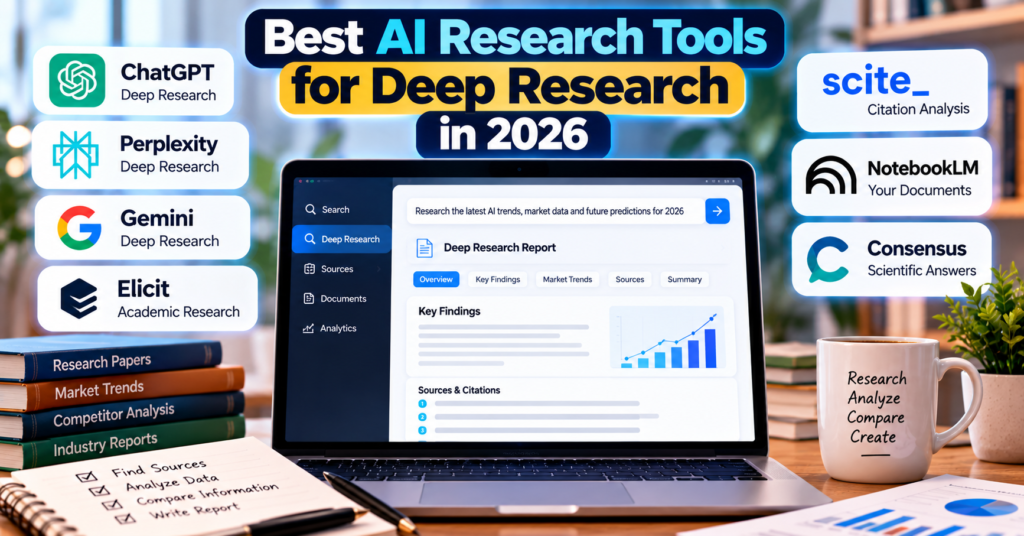
Best AI Research Tools in 2026
AI Research Tool
Best For
Key Strength
ChatGPT Deep Research
Overall deep research
Multi-source research reports
Perplexity Deep Research
Web research
Fast source discovery
Gemini Deep Research
Google ecosystem
Web + Google sources
Elicit
Academic research
Scientific literature
Scite
Verifying research
Citation analysis
NotebookLM
Researching your sources
Source-grounded analysis
Consensus
Scientific questions
Academic evidence
1. ChatGPT Deep Research
ChatGPT Deep Research is one of the strongest general-purpose AI research options available in 2026.
Instead of performing one search and generating an answer, Deep Research can investigate a complicated question across many sources before producing a structured report.
You provide the research objective, context, preferred sources, and desired output.
ChatGPT can then create a research plan that you can review or modify before the deeper investigation begins.
According to OpenAI, Deep Research is intended for complex questions that require comparing evidence and synthesizing information across multiple sources. Completed research also includes citations or source links that can be checked individually.
Best for:
Competitive research
Industry reports
Product comparisons
Market research
Technical research
Long-form content research
Business decision-making
The ability to control sources is particularly useful when you do not want an AI system pulling information indiscriminately from the entire web.
When Deep Research is selected, Perplexity says the system can perform dozens of searches, examine hundreds of sources, reason over the collected information, and turn the findings into a research report.
This makes it particularly useful when your research begins with the public web.
Instead of opening dozens of Google results yourself, you can give Perplexity a broader research question.
For example:
“Research the growth of AI browsers in the United States and identify the major products, companies, features, and market trends.”
Perplexity can search multiple angles before combining its findings.
It creates a research plan, searches across sources, analyzes what it finds, and generates a detailed report.
Its biggest advantage is integration with Google’s ecosystem.
Google Search is included as a source by default, while users can also select additional supported sources such as Gmail, Google Drive, uploaded files, and NotebookLM notebooks.
That makes Gemini particularly interesting for research projects where information is divided between the public internet and your own material.
Google has also continued expanding its autonomous research technology during 2026, including newer Deep Research systems aimed at longer and more complex research workflows.
Best for:
Google-heavy workflows
Web research
Research involving personal documents
Business research
Complex topic exploration
4. Elicit
Elicit is different from general AI search engines.
It is built primarily for scientific research and evidence-based decision-making.
Elicit can gather evidence from academic journals, scientific databases, public datasets, and uploaded internal documents.
In 2026, Elicit also introduced its Research Agent for more complex research workflows. The company has continued developing tools for systematic reviews, evidence gathering, research libraries, and collaborative research.
Best for:
Literature reviews
Academic assignments
Scientific research
Healthcare research
Systematic reviews
Evidence-based decision-making
If your question is mainly “What does scientific research say about this?”, Elicit can be more appropriate than a general web-search AI.
5. Scite
Scite is one of the most useful AI research tools when verification matters more than simply finding information.
Its standout feature is Smart Citations.
Instead of showing only how many times a research paper has been cited, Scite analyzes how later papers cite it.
This can help researchers see whether subsequent literature supports, contrasts with, or simply mentions a particular study.
Scite says its platform searches more than 300 million research items and provides access to a large full-text scholarly database.
Its AI Assistant can then answer questions using scientific literature as its evidence base.
Best for:
Checking scientific claims
Validating citations
Finding contradictory research
Academic writing
Literature reviews
This solves an important problem with AI research: finding a paper does not automatically mean the paper’s conclusion has held up over time.
Instead of starting primarily with the entire internet, NotebookLM is especially powerful when you already have the sources.
You can collect documents and research materials into notebooks and then use AI to understand and connect the information.
Google significantly expanded NotebookLM’s research capabilities in 2026, including more advanced reasoning and agentic capabilities for complex research projects.
This makes it useful when working with:
PDFs
Reports
Research papers
Notes
Reference documents
Large collections of source material
For example, a student could upload multiple research papers about one topic and use NotebookLM to identify recurring arguments, disagreements, concepts, and evidence.
Best for:
Researching a controlled collection of documents rather than searching the entire web.
7. Consensus
Consensus is another useful choice for people who want answers based on academic literature.
Instead of approaching a topic like a conventional search engine, Consensus helps users search scientific research and understand what published evidence says about a question.
It can be particularly useful for questions such as:
“Does creatine improve cognitive performance?”
or
“What does current research say about remote work productivity?”
Rather than relying primarily on ordinary websites, the goal is to surface relevant scientific evidence.
Best for:
Students
Researchers
Evidence-based questions
Scientific literature discovery
Quick academic research
Deep Research vs Normal AI Search
There is an important difference between asking an AI a question and asking an AI to conduct research.
A normal AI search may involve:
Question → Search → Answer
Deep research is closer to:
Question → Research plan → Multiple searches → Source evaluation → Follow-up searches → Analysis → Synthesis → Citations → Final report
That difference becomes important as the complexity of the question increases.
If you only need the release date of a product, normal search is enough.
If you want to understand how that product compares with five competitors, what users think about it, how its pricing has changed, and where the market is heading, deep research becomes much more useful.
Which AI Research Tool Should You Use?
There isn’t one research tool that is ideal for every situation.
Choose ChatGPT Deep Research when you need broad, structured research across multiple sources.
Choose Perplexity Deep Research when web discovery and source-heavy research are the priority.
Choose Gemini Deep Research when you work heavily with Google Search, Drive, Gmail, or other Google sources.
Choose Elicit when your project revolves around scientific literature and systematic evidence gathering.
Choose Scite when you need to verify whether academic evidence supports or challenges a claim.
Choose NotebookLM when you already have a collection of documents that needs deeper analysis.
Choose Consensus when you want a simpler way to investigate what scientific research says about a question.
How to Get Better Results From AI Deep Research
The quality of the research still depends heavily on the question.
Instead of writing:
“Research AI video generators.”
Try:
“Compare the leading AI video generators available in 2026 for professional marketers. Evaluate video quality, audio generation, pricing, commercial-use options, major limitations, and recent product updates. Prioritize official sources and clearly cite each factual claim.”
The second prompt defines the topic, audience, comparison criteria, timeframe, preferred sources, and output requirements.
That gives the research agent much more direction.
Even sophisticated research agents can misunderstand sources, miss important evidence, use outdated information, or draw conclusions that are stronger than the underlying evidence.
Citations help, but citations should not be treated as automatic proof.
For important research, check:
Whether the cited source actually supports the claim
When the source was published
Whether the source is primary or secondary
Whether newer evidence exists
Whether multiple independent sources agree
Whether important contradictory evidence was ignored
For academic, medical, financial, legal, or other high-stakes work, human verification remains essential.
Are AI Research Agents Replacing Google Search?
Not exactly.
Search engines are excellent when you know what you need and want to explore sources yourself.
AI research agents are useful when the job involves finding information and then organizing, comparing, analyzing, and synthesizing it.
The two approaches are increasingly blending together.
Search engines are adding AI-generated answers, while AI assistants are gaining autonomous browsing and research capabilities.
That is also why AI visibility is becoming important for website owners. If you run a brand or publication, our guide to Best GEO Tools to Track Your Brand in ChatGPT and AI Search explains how brands can monitor their presence across AI-generated answers.
Final Thoughts
The best AI research tools in 2026 are becoming closer to digital research assistants than simple chatbots.
ChatGPT Deep Research, Perplexity Deep Research, and Gemini Deep Research are strong options for broad web research.
Elicit, Scite, and Consensus are more specialized toward scientific and academic evidence.
NotebookLM is particularly useful when the research needs to stay grounded in a collection of sources you already trust.
The biggest change, however, is not any single tool.
It is the shift from AI answering questions to AI conducting multi-step research.
As research agents improve, searching, reading, comparing sources, verifying claims, and creating reports are increasingly becoming parts of one AI-powered workflow.
FAQs
What is the best AI research tool in 2026?
There is no single option for every research task. ChatGPT Deep Research, Gemini Deep Research, and Perplexity Deep Research are designed for broad multi-source research, while Elicit, Scite, and Consensus are more focused on academic and scientific evidence.
What is AI Deep Research?
AI Deep Research is a workflow where an AI system performs multiple searches, examines numerous sources, analyzes the information, and produces a detailed report rather than generating an immediate answer from a single search.
What is the best AI tool for academic research?
Elicit, Scite, and Consensus are particularly useful for academic research because they focus heavily on scientific literature. Scite is especially useful when you want to investigate how later research has cited a particular study.
Is Perplexity good for deep research?
Yes. Perplexity offers a dedicated Deep Research mode designed to perform multiple searches, analyze numerous sources, and generate a detailed research report.
Can ChatGPT conduct deep research?
Yes. ChatGPT Deep Research can create a research plan, search and analyze sources, synthesize evidence, and produce structured reports with citations or source links.
Is Google Gemini good for research?
Gemini offers a dedicated Deep Research feature and can combine Google Search with supported sources such as uploaded files, Gmail, Drive, and NotebookLM notebooks.
Can AI research tools replace human researchers?
They can automate significant parts of information discovery, summarization, comparison, and synthesis, but important research still requires human judgment. Sources and AI-generated conclusions should be checked before they are used in academic, professional, or high-stakes decisions.
For years, choosing a browser mostly came down to speed, extensions, privacy, and synchronization. In 2026, there is another major factor to consider: artificial intelligence.
A new category of AI browsers can summarize webpages, understand multiple open tabs, answer questions about what you are reading, remember context, and even perform certain online tasks for you.
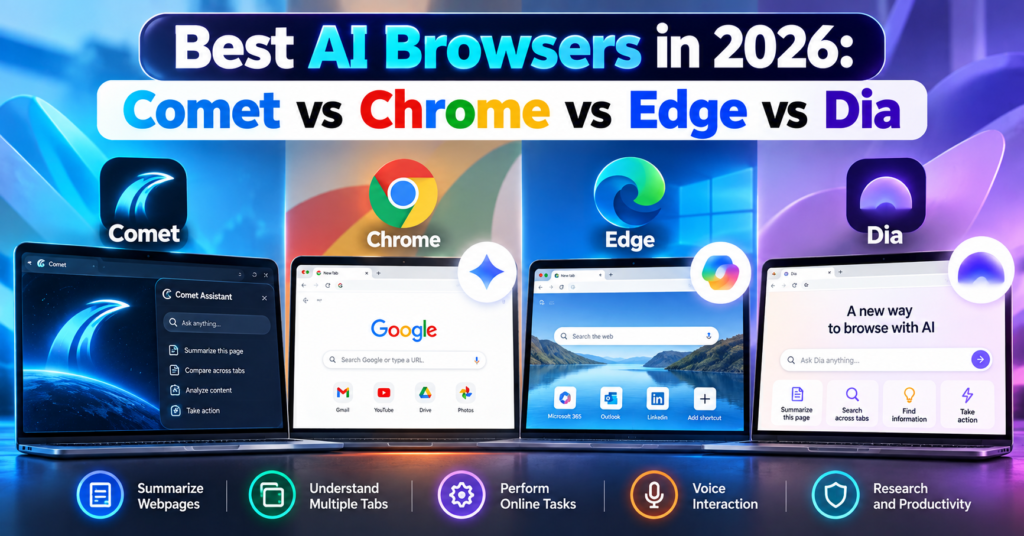
Four browsers stand out in this new competition:
Perplexity Comet
Google Chrome with Gemini
Microsoft Edge with Copilot
Dia Browser
But which is the best AI browser in 2026?
The answer depends on whether you want AI for research, everyday browsing, work, automation, or productivity.
In this guide, we compare Comet vs Chrome vs Edge vs Dia, including their AI features, pricing, advantages, limitations, and ideal users.
Table of Contents
What Is an AI Browser?
An AI browser is a web browser that integrates artificial intelligence directly into the browsing experience.
Instead of opening a website, copying information, switching to an AI chatbot, and pasting the content there, an AI browser can understand what you are already viewing.
Depending on the browser, you may be able to ask:
“Summarize this article.”
“Compare the products in these tabs.”
“What were the main differences between the three hotels I opened?”
“Find the webpage about AI agents I visited yesterday.”
More advanced AI browsers are moving beyond answering questions.
They can potentially navigate websites and complete multi-step tasks.
This development is part of the wider shift toward AI agents. If you want to understand how autonomous AI tools work outside browsers, read our guide to the 10 Best Free AI Agents You Can Use in 2026.
Best AI Browsers in 2026: Quick Comparison
Feature
Comet
Chrome
Edge
Dia
AI assistant
Comet Assistant
Gemini
Copilot
Dia AI
Page summarization
Yes
Yes
Yes
Yes with AI plan
Multi-tab understanding
Yes
Yes
Yes
Yes
Agentic web actions
Yes
Yes, availability varies
Yes, through Copilot features
Task-focused AI capabilities
Voice interaction
Yes
AI features vary by platform
Yes
Voice/dictation features
Browser history intelligence
Yes
AI context features
Yes
Yes
Built around AI
Yes
No
Increasingly
Yes
Free browser
Yes
Yes
Yes
Yes
AI pricing
Free + Perplexity paid tiers
Some advanced features require eligible Google AI plans
Some features/plans have limits
Main AI plan starts at $20/month
Best for
AI research
Google users
Microsoft/work productivity
Context-heavy knowledge work
Feature availability can differ by device, region, account, subscription and browser version.
1. Perplexity Comet
Best for: AI-powered research and web automation
Perplexity Comet is one of the clearest examples of a browser designed around artificial intelligence from the beginning.
Instead of adding an AI chatbot to a traditional browser interface, Comet puts Comet Assistant directly into the browsing workflow.
The assistant can understand webpages, work with multiple tabs and perform certain browser actions.
What Can Comet Do?
Comet can help you:
Summarize webpages
Analyze PDFs
Ask questions about websites
Compare information across tabs
Navigate webpages
Fill forms
Draft content
Manage tabs
Use voice commands
Assist with online tasks
Its cross-tab capabilities are particularly useful.
Imagine researching four laptops.
Instead of manually creating a spreadsheet containing their specifications, you could open the product pages and ask Comet to compare them.
The same workflow can work for hotels, software, academic research, products and competitor analysis.
Comet Assistant
Comet Assistant lives directly inside the browser.
It understands the page you are viewing and can also reference specific tabs.
For example:
“Compare the pricing on these three tabs.”
or:
“Summarize these articles and tell me where they disagree.”
This makes Comet particularly attractive for people who regularly conduct online research.
Comet Can Perform Browser Actions
Comet goes beyond summarization.
Perplexity says its browser can navigate webpages, interact with web content, fill forms and perform certain online actions.
This moves Comet closer to an agentic browser rather than simply an AI chatbot attached to a browser.
Is Comet Free?
Yes.
The Comet browser is available free, although Perplexity also offers paid subscriptions and some advanced capabilities may depend on your plan.
We have also covered Comet separately in our detailed Perplexity Comet Browser Review 2026, where we look more closely at whether it can replace Chrome.
Comet Pros
Excellent AI research capabilities
Strong multi-tab understanding
Built-in AI assistant
Webpage summarization
Browser automation
Voice mode
Chrome data and extension importing
Available across major desktop and mobile platforms
Some AI features have usage or availability restrictions
Certain enterprise capabilities require Microsoft 365 Copilot
Feature availability varies between accounts and devices
4. Dia Browser
Best for: AI-assisted knowledge work and connected work apps
Dia takes another approach to the AI browser.
It is developed by The Browser Company, the team behind Arc.
Dia was created around a simple idea:
Your browser should understand the context of your work.
Rather than treating every tab as an isolated webpage, Dia is designed to let users work with information across tabs, browsing activity and connected applications.
Chat With Your Tabs
One of Dia’s fundamental ideas is the ability to chat with your tabs.
You might have several research pages open and ask Dia to summarize what you have discovered.
Or you could use context from your work tools when asking questions.
This makes Dia particularly interesting for people whose browser acts as their main workspace.
Dia Integrations
Dia has expanded its integrations with work applications.
Its paid AI offering can work with context from tools such as:
Gmail
Slack
Notion
Microsoft Outlook
GitHub
Google Calendar
Figma
That makes Dia less about traditional search and more about connecting information from your digital workspace.
Dia Search and Work Context
Dia has continued expanding contextual search in 2026.
For example, it can search previous chats and browsing history. Recent updates have also added deeper integrations such as Figma.
This can be useful when you remember seeing something but cannot remember exactly where.
Instead of manually searching through dozens of tabs and browser-history entries, you can ask Dia to retrieve relevant context.
Is Dia Free?
This requires an important distinction.
Dia offers a free browser plan, but its main AI capabilities are part of paid plans after the trial.
At the time of writing, Dia lists:
Better Browser — Free
Includes normal browser features such as profiles, tab groups, split view, ad/tracking blocking and cross-device sync.
Better Answers — $20/month
Adds AI chat across your tools, tabs and documents.
Better Days — $100/month
Adds substantially more AI usage along with features such as reports, recaps, meeting preparation and a Morning Brief.
Because AI pricing changes frequently, check the official Dia plans page before subscribing.
Core AI capabilities require a paid plan after trial
$20/month may be difficult to justify for casual users
Smaller ecosystem than Chrome or Edge
Best features are targeted more toward knowledge workers
Comet vs Chrome vs Edge vs Dia: Which Has the Best AI?
There is no single answer because each browser approaches AI differently.
Choose Comet If You Do Lots of Research
Comet makes sense for researchers, students, marketers, writers and people who constantly compare information online.
Its combination of webpage understanding, cross-tab intelligence and browser actions makes research its strongest use case.
Choose Chrome If You Use Google Every Day
Chrome is particularly compelling if your digital life already revolves around Google’s services.
Gemini’s integration with Gmail, Calendar, Maps and YouTube makes Chrome much more than a normal browser with a chatbot.
Chrome also has the advantage of maturity, compatibility and an enormous extension ecosystem.
Choose Edge If You Use Windows and Microsoft 365
Edge is particularly attractive for Windows and Microsoft users.
Copilot Mode, Vision, multi-tab reasoning and Microsoft’s work ecosystem make it a strong productivity browser.
It is especially interesting for businesses already using Microsoft 365.
Choose Dia If Your Browser Is Your Workspace
Dia is aimed more directly at people who spend their workday inside the browser.
Its ability to connect information across tabs, history and apps such as Slack, Gmail, Notion, GitHub and Figma can be useful for professionals dealing with large amounts of digital context.
The downside is that the most interesting AI features are not included permanently in the free browser tier.
AI Browsers vs Traditional Browsers
The distinction between an “AI browser” and a “traditional browser” is becoming less meaningful.
Chrome and Edge demonstrate why.
Both started as conventional browsers and are now receiving increasingly sophisticated AI capabilities.
Meanwhile, Comet and Dia were designed during the generative-AI era.
The bigger shift is therefore not:
AI browsers vs normal browsers.
It is:
Browsers that display the web vs browsers that understand and act on the web.
That second category is becoming much more important in 2026.
Are AI Browsers Safe?
AI browsers introduce privacy and security questions that traditional browsers did not have to handle at the same level.
For an AI assistant to understand your browsing context, it may need access to information such as:
Current webpages
Open tabs
Browsing history
Connected applications
Documents
Account information
Agentic browsers can potentially go further by interacting with websites on your behalf.
That makes permissions extremely important.
Before giving an AI browser access to sensitive accounts, review:
What browsing information the AI can access.
Whether the feature can be disabled.
What information is sent to cloud servers.
Whether connected apps can be removed.
Whether confirmation is required before sensitive actions.
Google and Microsoft have both introduced protections around prompt injection and sensitive actions, while Comet and Dia provide their own privacy and security controls.
However, no AI agent should be assumed to be error-free.
Be particularly cautious when allowing browser agents to interact with financial, medical, confidential business or other sensitive information.
Can AI Browsers Replace Chrome?
This question is becoming more complicated because Chrome itself is now an AI browser.
Comet and Dia originally stood out because AI was integrated much more deeply into their browsing experience.
But Google and Microsoft are moving quickly.
Chrome now combines Gemini with multi-tab reasoning and agentic browsing.
Edge combines Copilot with browsing context, Vision and actions.
That means newer AI browsers must compete not only on AI quality but also on:
Speed
Privacy
Compatibility
Extensions
Mobile support
Reliability
Ecosystem integrations
Price
Comet and Dia can still offer different experiences, but Chrome and Edge are no longer standing still.
Which AI Browser Should You Try First?
Your easiest approach is to test the browsers using the same real task.
For example, open several hotel pages and ask each AI browser:
“Compare these hotels by nightly price, location, guest rating, parking and breakfast. Put the results in a table and tell me what information is missing.”
Then try another research task involving long articles or product comparisons.
Look at:
Accuracy
Speed
Sources
Cross-tab understanding
Ease of use
Number of manual steps
Privacy controls
AI usage limits
This gives you a much better answer than choosing a browser because of marketing claims.
Frequently Asked Questions
What is the best AI browser in 2026?
Comet, Chrome, Edge and Dia are among the major AI-browser options in 2026. Comet emphasizes AI-assisted research and browser actions, Chrome combines Gemini with Google’s ecosystem, Edge integrates Copilot and Microsoft services, while Dia focuses heavily on contextual knowledge work.
Is Comet better than Chrome?
Comet offers an AI-first browsing experience and is particularly useful for research. Chrome provides a more mature browser ecosystem while increasingly offering comparable AI capabilities through Gemini. Read our full Perplexity Comet Browser Review 2026 for a detailed comparison.
Is Google Chrome an AI browser now?
Yes. Gemini is integrated into Chrome in supported markets and can summarize webpages, compare information across tabs and interact with Google services. Google has also introduced agentic browsing capabilities.
Is Microsoft Edge an AI browser?
Yes. Microsoft describes Edge as an AI browser and integrates Copilot directly into it. Copilot Mode provides additional AI-oriented browsing features.
Is Dia Browser free?
Dia has a free browser plan. However, its main AI capabilities are included in paid plans after the trial. Dia currently lists its Better Answers AI plan at $20 per month.
Can AI browsers perform tasks for me?
Some can. Agentic browser features can navigate webpages and perform certain online actions. The exact capabilities depend on the browser, account, device, region and subscription.
Which AI browser is best for students?
Comet can be particularly useful for research and summarizing multiple sources, while Chrome with Gemini can also summarize and compare information across tabs. Students should verify AI-generated summaries against original sources before using them academically.
Which AI browser is best for work?
Edge can be particularly useful in Microsoft 365 environments, while Dia focuses heavily on context from workplace tools. Chrome is attractive for Google Workspace users, and Comet can be useful for research-heavy professional workflows.
Are AI browsers free?
Chrome, Edge and Comet can be downloaded for free. Dia also has a free browser tier, although its primary AI capabilities require a paid plan after the trial. Some advanced AI functionality in Chrome, Edge and Comet may also depend on subscriptions, usage limits, region or account eligibility.
Final Thoughts
AI browsers are becoming one of the most interesting software categories of 2026.
Perplexity Comet shows what happens when a browser is designed around AI-assisted research and action.
Google Chrome demonstrates how Gemini can transform the world’s most established browser into an increasingly intelligent browsing assistant.
Microsoft Edge combines Copilot with productivity, browsing context and agentic features.
Dia takes a different path by trying to understand not just the webpage in front of you, but the wider context of your work.
The most important development is bigger than any one browser.
For decades, browsers mainly helped us find and display information.
AI browsers are increasingly trying to understand that information and act on it.
That shift could fundamentally change how we use the web over the next few years.
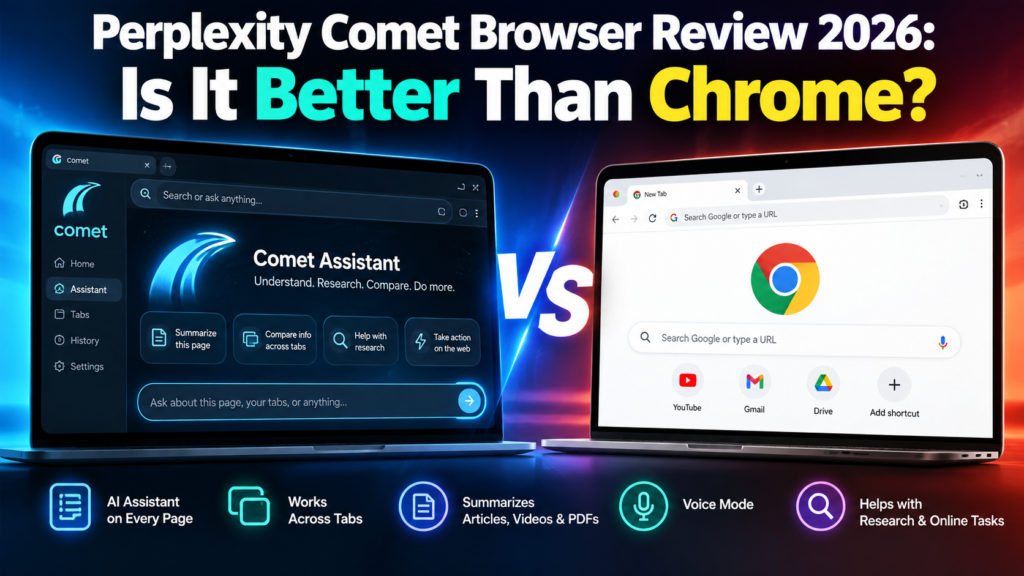
The Perplexity Comet Browser is no longer an experimental AI browser available only to a small group of users. Comet is now available for free worldwide, making it one of the most interesting alternatives to Google Chrome in 2026.
But Comet is not simply Chrome with an AI chatbot added to the side.
Perplexity designed Comet around an AI assistant that can understand webpages, work across tabs, summarize information, help with research, and assist with online tasks.
That raises an obvious question:
Is Perplexity Comet actually better than Google Chrome?
For people who spend hours researching, comparing products, reading long articles, studying, or working across dozens of browser tabs, Comet offers some impressive advantages. However, Chrome remains a mature browser with a huge ecosystem and increasingly powerful Gemini-based AI features.
In this Perplexity Comet Browser review 2026, we will look at its features, advantages, limitations, privacy, and how it compares with Google Chrome.
Table of Contents
What Is Perplexity Comet Browser?
Comet is an AI-powered web browser developed by Perplexity.
Instead of treating artificial intelligence as an optional feature, Comet places AI directly inside the browsing experience.
Its main feature is Comet Assistant, which appears alongside the websites you visit. The assistant can understand the content of your open pages and help you work with that information.
For example, while reading a long report, you could ask Comet:
“Summarize the important points from this page.”
Or if several tabs contain different products:
“Compare the products in these tabs and create a table showing price, features, pros and cons.”
This is where Comet begins to feel different from a traditional browser.
Perplexity says Comet users can use the assistant for research, coding, meetings, shopping and other online activities.
Comet originally launched in limited release in July 2025. Perplexity later opened the browser to everyone worldwide for free after millions of people joined its waiting list.
The browser itself being free does not mean every premium Perplexity feature or AI allowance is unlimited. Perplexity continues to offer paid subscriptions with additional capabilities and usage allowances.
The biggest difference between Comet and a conventional browser is its integrated AI assistant.
You do not always have to copy text from a webpage, open another AI tool, paste the information, and then ask your question.
Comet Assistant can work with the webpage you are already viewing.
You can ask questions about:
Articles
Research
Products
Documents
Images
Websites
Multiple open tabs
This can make web research considerably faster.
2. Ask Questions About Any Webpage
Imagine opening a 5,000-word article when you only need three pieces of information.
Instead of reading everything, you can ask Comet questions about the page.
For example:
“What are the main conclusions?”
“Explain this article in simple language.”
“What are the advantages and disadvantages mentioned here?”
This is particularly useful for students, researchers, marketers and professionals who regularly process large amounts of information.
3. Cross-Tab Intelligence
This may be one of Comet’s most useful features.
Comet can work with information across multiple tabs.
Suppose you are researching laptops and have five different models open.
Instead of manually switching between every tab, you could ask Comet to compare them.
The same idea can be applied to:
Hotels
Flights
Software
Research papers
News reports
AI tools
Competitors
Online products
This turns the browser into more of a research workspace.
4. Instant Webpage Summaries
Comet also provides quick summarization.
According to Perplexity’s documentation, its summarization capabilities can work with content including articles, videos, PDFs and social media pages.
For someone who regularly researches online, this can save a considerable amount of reading time.
5. Voice Mode
Comet supports voice interaction as well.
Instead of typing every request, users can talk to the assistant and ask questions while browsing.
Voice interaction can be useful when multitasking or when you want to quickly ask questions about information on the screen.
6. Chrome Data and Extension Support
Moving away from Chrome can be difficult because users may have years of bookmarks, saved passwords and browser extensions.
Perplexity has tried to make switching easier.
Its Comet documentation says users can import Chrome data including:
Bookmarks
Saved passwords
Autofill information
Browsing history
Preferences
Chrome extensions
This significantly lowers the barrier for existing Chrome users who simply want to test Comet.
Perplexity Comet vs Google Chrome
Here is the practical comparison.
Feature
Perplexity Comet
Google Chrome
Free browser
Yes
Yes
Built-in AI
Yes, Comet Assistant
Yes, Gemini integration
Ask questions about webpages
Yes
Yes, through supported Gemini features
Cross-tab AI research
Strong focus
Available/evolving through Gemini
Webpage summarization
Yes
AI features available
Chrome extensions
Supported
Native
Built-in ad blocking
Yes
More limited natively
AI-first interface
Yes
No — traditional browser enhanced with AI
Browser maturity
Newer
Extremely mature
Google ecosystem
Limited
Excellent
Best suited for
AI research and assisted browsing
General browsing and Google ecosystem users
Where Comet Is Better Than Chrome
AI Is Central to the Experience
Chrome has powerful AI capabilities, and Google has continued expanding Gemini throughout Chrome.
However, Chrome is fundamentally a traditional web browser that is becoming more intelligent.
Comet approaches the problem from the opposite direction.
It is designed around the idea that an AI assistant should accompany you while browsing.
That difference becomes noticeable when researching across many websites.
Research Is Faster
Comet is particularly attractive for users who constantly perform tasks such as:
Comparing information
Summarizing pages
Researching competitors
Reading reports
Finding answers across tabs
Organizing online information
Rather than repeatedly moving information between your browser and an AI chatbot, much of the interaction happens directly inside the browser.
Built-In Ad Blocking
Comet also includes built-in ad blocking.
Perplexity says this is partly intended to reduce tracking from advertising networks while also providing a cleaner browsing experience.
For users accustomed to installing separate ad-blocking extensions, having the functionality built into the browser is convenient.
Where Google Chrome Is Still Better
Comet has some impressive AI features, but that does not automatically make it the best browser for everyone.
Chrome Is More Mature
Google Chrome has been developed for many years and has an enormous global user base.
That maturity matters.
Users rely on Chrome for compatibility with websites, enterprise environments, extensions, synchronization and countless existing workflows.
Comet is much newer.
New AI browsers can therefore experience changes in functionality more frequently than established browsers.
Google Ecosystem Integration
If most of your digital life revolves around:
Gmail
Google Drive
Google Docs
Google Calendar
Android
Google Search
Google Password Manager
Chrome remains extremely convenient.
Google is also aggressively adding Gemini and agentic features to its products, so the AI gap between traditional browsers and AI-first browsers is becoming smaller.
Chrome’s AI Is Improving Quickly
Comet is not competing against the Chrome of several years ago.
Google announced numerous AI and agentic upgrades across Search, Gemini and Chrome during Google I/O 2026.
That means the browser competition is increasingly becoming:
Comet Assistant vs Gemini-powered Chrome
rather than simply:
AI browser vs normal browser.
Is Perplexity Comet Safe?
Comet includes many protections expected from a modern browser, including safe-browsing protections, a password manager, security updates and privacy controls.
Perplexity says much of Comet’s browsing data is stored locally on the user’s device.
However, there is an important distinction when using AI.
When you ask Comet Assistant to perform a task requiring personal context, information such as the current webpage and relevant browsing history may be sent to Perplexity’s servers so the request can be completed.
Perplexity has also introduced a Privacy Snapshot that lets users review privacy settings and control where Comet Assistant can take actions.
Users can, for example:
Disable Comet Assistant
Prevent the assistant from acting on selected websites
As with any AI browser, avoid giving unnecessary access to financial, confidential or highly sensitive information.
Who Should Use Comet?
Comet makes the most sense for people who spend significant amounts of time researching online.
It may be particularly useful for:
Students: Summarizing educational material and comparing sources.
Researchers: Processing information across multiple tabs.
Marketers: Studying competitors, products and industry information.
Content creators: Researching topics and organizing sources.
Developers: Understanding documentation and technical webpages.
Online shoppers: Comparing products and specifications.
Professionals: Working through large amounts of online information more efficiently.
Who Should Stay With Chrome?
Chrome may still be the better option if you primarily want a familiar, stable browser and do not regularly need AI assistance.
It also makes sense for users heavily dependent on Google’s ecosystem.
There is no requirement to completely replace Chrome either.
You can keep Chrome as your main browser and install Comet separately for research-intensive work.
That is probably one of the easiest ways to decide whether an AI browser genuinely improves your workflow.
Pros and Cons of Perplexity Comet
Pros
Free to download
AI assistant built directly into the browser
Excellent for web research
Can understand information across tabs
Quickly summarizes webpages
Supports voice interaction
Can import Chrome data
Supports Chrome extensions
Built-in ad blocking
Useful for comparing information
Cons
Much newer than Chrome
AI features introduce additional privacy considerations
Some advanced Perplexity capabilities may require paid access or have usage limits
Features and allowances can change as the product evolves
Chrome remains stronger for deeply integrated Google workflows
Is Perplexity Comet Better Than Chrome?
Comet is better than Chrome for some workflows, but it is not universally a better browser.
For AI-assisted research, webpage understanding, summarization and working across multiple tabs, Comet has a compelling approach. Its biggest advantage is that AI feels like part of the browser rather than a separate destination.
Chrome, however, remains the stronger choice for users who prioritize browser maturity, established workflows and deep integration with Google’s ecosystem.
The most interesting development is not necessarily whether Comet will replace Chrome.
It is that web browsers are turning into AI assistants.
Comet is one of the clearest examples of that transition.
Frequently Asked Questions
Is Perplexity Comet free?
Yes. Perplexity has made the Comet browser available to download for free worldwide. Some advanced Perplexity services, subscription features or usage allowances may still require payment.
Is Comet better than Google Chrome?
It depends on your workflow. Comet is particularly strong for AI-assisted research, summarization and cross-tab analysis. Chrome remains highly mature and deeply integrated with Google’s services.
Can Comet use Chrome extensions?
Yes. Perplexity’s documentation says Comet can import Chrome extensions along with bookmarks, passwords, history and other browser information.
Is Comet available on Windows?
Yes. Comet is available for Windows. Perplexity also currently lists Comet for Mac, iOS and Android.
Does Comet have an AI assistant?
Yes. Comet Assistant is one of the browser’s main features. It can understand webpages, answer questions about open tabs and assist with online tasks.
Can Comet replace Chrome?
For some users, yes. However, people heavily invested in Google’s ecosystem may prefer keeping Chrome as their primary browser while using Comet for AI-heavy research.
Is Comet safe to use?
Comet includes standard browser protections and additional privacy controls. However, AI-assisted actions can require webpage or browsing context to be processed by Perplexity. Users should review permissions and avoid granting unnecessary access to sensitive information.
Perplexity Comet Browser review
The Perplexity Comet Browser is worth trying in 2026, especially now that it is available free worldwide.
It is particularly useful for people who regularly research, compare information, read long webpages or manage many tabs.
Chrome remains difficult to replace as a general-purpose browser, but Comet offers something genuinely different: a browsing experience designed around an AI assistant from the beginning.
If your browser is mainly somewhere you open websites, Chrome remains excellent.
If you want your browser to help understand and work with those websites, Comet becomes much more interesting.
For more tools that can research, automate and complete tasks, explore our Best Tech Tools section.
Personal AI agents are starting to do the work instead.
You can now ask an AI agent to research a product, organize information, browse websites, prepare reports, monitor topics, automate repetitive tasks, manage parts of your inbox, or complete multi-step online work.
That is a major difference.
A chatbot might tell you how to organize a trip.
A personal AI agent can potentially research flights, compare hotels, build an itinerary, and help you work through the booking process.
But not every product marketed as an “AI agent” is equally autonomous.
Some are powerful task executors. Others are closer to traditional AI assistants with a few agentic features.
In this Digital Discite guide, we compare 10 of the best personal AI agents in 2026, what they can actually do, their free or entry-level access, and which type of user each one suits.
Important: AI-agent features and limits are changing rapidly. A platform may offer a free chatbot while reserving its more autonomous features for paid plans.
What Is a Personal AI Agent?
A personal AI agent is an AI system that can work toward a goal and perform multiple steps on your behalf.
Instead of requiring a new prompt after every step, an agent can often determine what needs to happen next.
For example, imagine giving this instruction:
“Find five highly rated hotels near Central Park for my dates, compare their prices and amenities, and prepare a shortlist.”
A traditional chatbot might explain where to search.
A capable personal AI agent can potentially:
Search the web.
Visit relevant pages.
Gather hotel information.
Compare options.
Organize the results.
Present a shortlist.
Depending on the agent and permissions you provide, some can go further and interact with websites or connected applications.
That is what separates agentic AI from ordinary AI chat.
Personal AI Agent vs AI Assistant
These terms are often used interchangeably, but there is an important difference.
Feature
AI Assistant
Personal AI Agent
Answers questions
Yes
Yes
Writes content
Yes
Yes
Researches information
Yes
Yes
Breaks goals into steps
Sometimes
Yes
Uses external tools
Sometimes
Often
Interacts with websites
Limited
Often
Performs actions
Limited
Yes
Handles multi-step jobs
Limited
Core capability
Can run scheduled work
Sometimes
Often
Requires constant prompting
Usually more
Usually less
The distinction is becoming less clear because major AI assistants are steadily gaining agentic capabilities.
The better question in 2026 is therefore:
What can this AI actually do for me after I give it a goal?
Let’s look at the options.
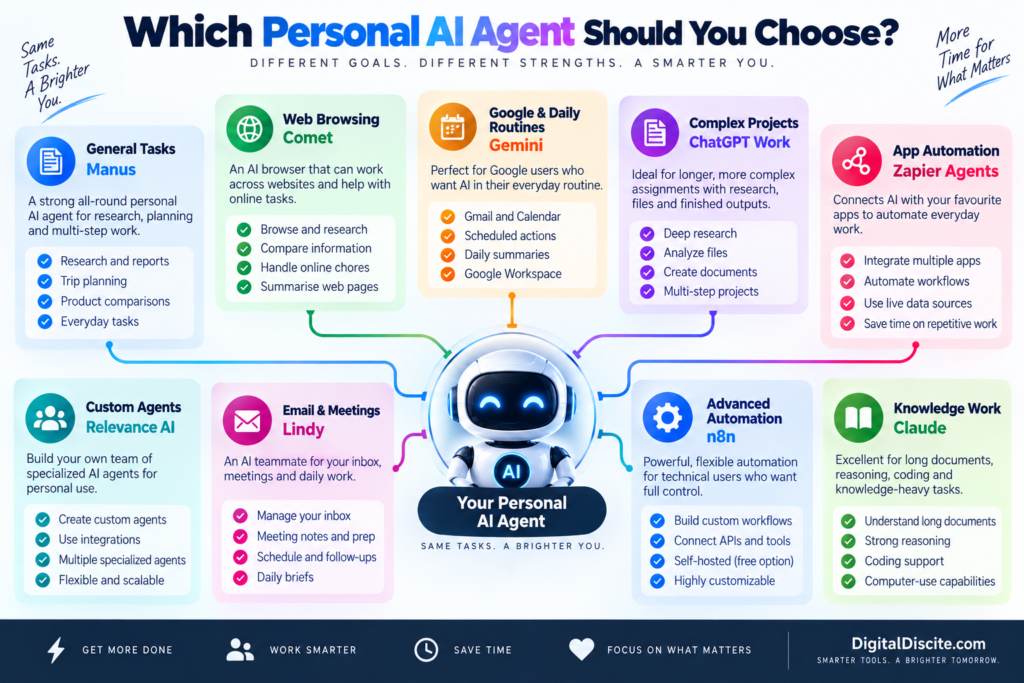
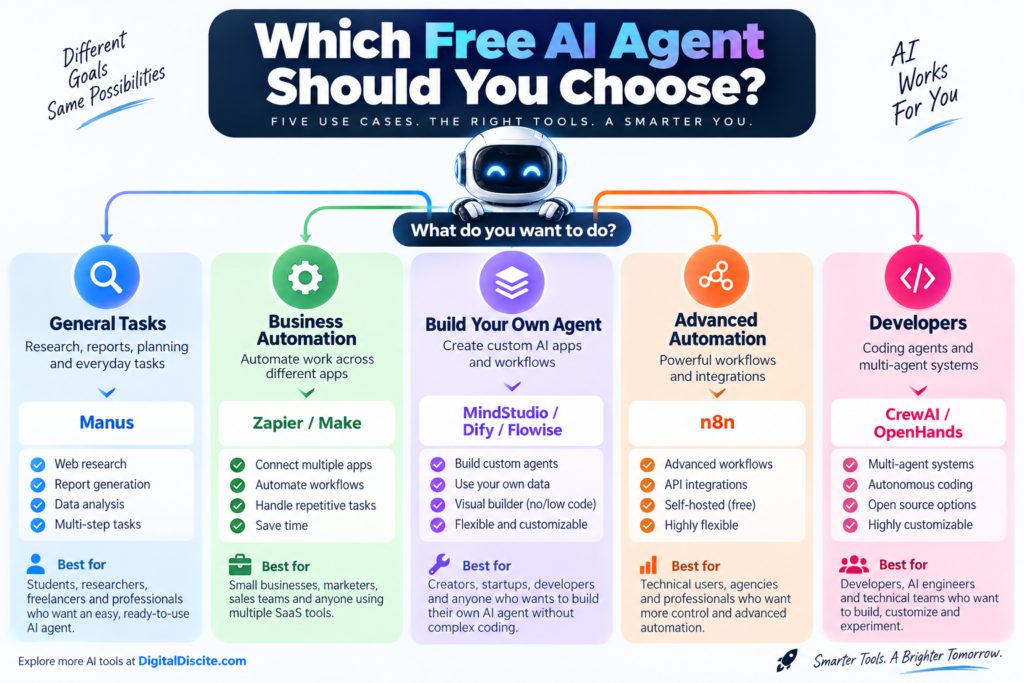
1. Manus — Strong General-Purpose Personal AI Agent
Best for: Research, planning, reports, web tasks and multi-step work
Manus is one of the clearest examples of the shift from AI chatbot to AI agent.
Instead of simply answering a question, Manus can work through a multi-step assignment.
You can give it a goal and allow it to determine many of the intermediate steps.
For example:
“Research the best destinations in Europe for a seven-day trip in October, compare approximate costs and weather, and create an itinerary.”
That type of request combines research, comparison, reasoning and organization.
What Can Manus Do?
Manus can be useful for:
Web research
Travel planning
Market research
Product comparisons
Data analysis
Report creation
Content research
File processing
Multi-step tasks
Scheduled work
Free Access
Manus currently provides free users with an initial credit allocation plus 300 daily refresh credits.
Credits are consumed when the agent is actively processing tasks.
This makes the free version useful for testing the platform before deciding whether autonomous AI is valuable enough for your workflow.
Why It Stands Out
The biggest advantage is that you don’t have to build the agent yourself.
There is no visual automation canvas to configure.
You describe the outcome you want.
That makes Manus particularly accessible for people experiencing autonomous AI for the first time.
Limitations
Complex jobs consume more credits.
You should also review important results before using them because autonomous research does not guarantee that every source or conclusion will be correct.
Best for: Students, researchers, creators, freelancers and professionals who want a general-purpose agent.
2. Perplexity Comet — Excellent for Agentic Web Browsing
Best for: Research, browsing, online chores and working across websites
Perplexity’s Comet turns the browser itself into an AI-assisted workspace.
Instead of copying information from multiple tabs into an AI chatbot, Comet Assistant can work alongside your browsing.
Perplexity describes Comet Assistant as agentic AI that can handle increasingly complex jobs across websites.
Potential use cases include:
Planning trips
Researching purchases
Job-search research
Comparing information
Working across multiple tabs
Handling repetitive online chores
Summarizing pages
Finding information while browsing
This makes Comet particularly interesting because much of our daily digital life already happens inside a browser.
Is Comet Free?
The Comet browser itself is available free.
However, Perplexity’s current plan comparison distinguishes the free Standard plan from paid access to Browser Agent/Comet Assistant queries. In other words, don’t assume that downloading the browser gives you unlimited autonomous agent usage.
Why It Stands Out
Comet reduces the gap between asking an AI a question and letting AI work with the websites you are already using.
Best for: Heavy web users, researchers, shoppers, travelers and professionals who spend much of their day in a browser.
3. Google Gemini — Great for Personal Routines and Google Users
Best for: Gmail, Calendar, Google services and recurring information tasks
Gemini becomes especially useful as a personal agent when your digital life already revolves around Google’s ecosystem.
One particularly useful feature is Scheduled Actions.
You can ask Gemini to prepare recurring information automatically.
Examples include:
Daily news digests
Calendar summaries
Email and task summaries
Weekly learning updates
Daily topic tracking
Creative prompts
Recurring research summaries
Google currently allows up to 10 active scheduled actions.
Gemini can also work with connected applications when appropriate permissions are provided.
Google has additionally been rolling out more advanced agentic capabilities, including browser-based task execution and its newer personal-agent experiences, although availability can depend on account, subscription and region.
Why It Stands Out
Gemini makes sense if the information needed to help you already lives in Google’s ecosystem.
You don’t necessarily need to create complicated workflows.
Limitations
Some of Google’s most advanced agent features are still being rolled out gradually and may be restricted by country, device or subscription.
Best for: Gmail, Google Calendar and Google Workspace users who want AI incorporated into everyday routines.
4. ChatGPT Work — Powerful for Longer Multi-Step Projects
Best for: Research, analysis, files and producing finished deliverables
ChatGPT’s agentic experience has evolved considerably.
OpenAI now positions ChatGPT Work for longer, more involved assignments.
It can research and analyze information, work across connected applications and files, navigate supported websites, and create finished outputs such as documents, spreadsheets, presentations and reports.
That changes the interaction from:
“Tell me how to make this report.”
to:
“Research this subject and produce the report.”
Examples of suitable tasks include:
Researching competitors
Analyzing files
Working across connected information
Preparing presentations
Building spreadsheets
Producing reports
Handling multi-step browser workflows
Running scheduled tasks
Is It Free?
No.
OpenAI’s current documentation says these longer-running agentic capabilities are rolling out on paid plans rather than the Free tier.
That is an important distinction if you’re comparing personal agents based on price.
The biggest advantage is combining research, reasoning, files, applications and finished artifacts in one environment.
Limitations
Agentic features are plan-dependent, and users should still review important actions and outputs.
Best for: Professionals, researchers, creators and knowledge workers with complex multi-step assignments.
5. Zapier Agents — Best for Connecting Your Everyday Apps
Best for: Automating repetitive tasks across applications
Your personal work probably doesn’t happen in one application.
You may use:
Gmail
Google Sheets
Slack
Notion
Calendar
CRM software
Project-management tools
Cloud storage
Zapier Agents is designed for situations where AI needs to interact with this broader software ecosystem.
An agent can combine AI reasoning with connected data and automated actions.
For example, you might create an agent that helps research information, summarizes it and then uses another connected tool as part of the workflow.
Free Plan
Zapier currently provides an Agents Free plan with:
400 activities per month
It also includes web browsing, live data sources and Chrome-extension access.
Be careful with the word “activity.”
A single agent run can perform multiple activities, so 400 activities does not necessarily mean 400 complete jobs.
Why It Stands Out
Zapier’s strength is integrations.
If your personal agent needs to work across many apps, integrations can matter more than having the smartest chatbot.
Limitations
Complex workflows can consume your monthly activity allowance quickly.
Best for: Freelancers, marketers, creators and professionals who use multiple web applications.
6. Relevance AI — Best for Building Your Own Personal AI Workforce
Best for: Custom agents with specialized roles
What if you don’t want one general AI assistant?
You might want:
One research agent
One email agent
One marketing agent
One sales agent
One reporting agent
Relevance AI is built around creating specialized AI agents and workforces.
Its free plan currently includes 200 actions per month, unlimited agents and tools, access to integrations, one workforce, one user and one project.
That makes it particularly interesting if you want to experiment with building multiple specialized agents without immediately paying for the platform.
Example
A creator could theoretically build separate agents for:
Agent 1: Research new content ideas.
Agent 2: Organize research.
Agent 3: Prepare briefs.
Agent 4: Monitor recurring information.
Instead of asking one chatbot to behave differently every time, each agent can have a defined job.
Pros
Custom agents
Large integration ecosystem
Free entry tier
Multi-agent/workforce concept
No traditional programming required for many workflows
Limitations
The free plan’s 200 actions will not support unlimited automation.
Best for: Entrepreneurs, marketers, creators, agencies and people interested in building specialized AI workers.
7. Genspark — Useful All-in-One Agent Workspace
Best for: Research, content, information gathering and AI-created outputs
Genspark has expanded from AI search into a broader collection of AI agents and creation tools.
Its platform can help with research-oriented and content-oriented tasks, making it another interesting option for people who want more than simple conversational AI.
Depending on your plan and available features, Genspark includes tools around areas such as:
AI chat
Research
Slides
Content creation
Coding
Images
Agentic workflows
Free Access
Genspark currently lists a Free Plan providing basic access with standard features.
More extensive agent and creation capabilities are available on paid tiers with larger credit allocations.
Why It Stands Out
Genspark tries to bring several AI tasks into one environment rather than requiring a separate application for every type of output.
Limitations
You need to pay attention to which agents and features are included with your current tier.
Best for: Researchers, students, content creators and users who want several AI creation capabilities in one platform.
8. Lindy — Strong for Email, Meetings and Daily Administrative Work
Best for: Inbox management, meetings, scheduling and work routines
Lindy takes a different approach.
Its goal is closer to providing an AI teammate that handles parts of your everyday work.
Current capabilities include areas such as:
Inbox management
Drafting email replies
Meeting notes
Meeting scheduling
Meeting preparation
Follow-ups
Daily briefs
Scheduled routines
Connected tools
Computer use
This makes Lindy particularly interesting for people whose biggest problem isn’t writing content.
It is administrative overload.
Free Access
Lindy’s current pricing is primarily paid.
Its Plus plan is listed at $29.99 per user per month with 3,000 credits.
The company currently offers a limited free-trial route for eligible new teammates joining through Slack rather than a normal permanent free personal tier.
Approval Controls
One useful feature is approval for actions with outside impact.
For example, Lindy says actions such as sending an email or publishing a document wait for approval.
That type of human control is important for personal agents.
Best For
Busy professionals, founders and people who spend significant time managing meetings and email.
9. n8n — Best for Advanced Personal Automation
Best for: People who want complete control over their automated workflows
n8n is not the easiest personal AI agent on this list.
But it may be one of the most flexible.
It allows you to create automated workflows that connect:
AI models
APIs
Email
Databases
Web services
Business applications
Custom logic
With AI Agent nodes and integrations, technically inclined users can create powerful personal automation systems.
For example, you could build a workflow that:
Receives information.
Sends it to an AI model.
Classifies it.
Looks up additional data.
Creates an output.
Stores the result.
Notifies you.
Is n8n Free?
n8n has a self-hosted Community Edition.
However, free software does not necessarily mean a zero-cost setup.
You may still pay for:
Hosting
AI API usage
Servers
External services
Why It Stands Out
Control.
Instead of accepting the restrictions of a closed AI assistant, technical users can design exactly how their automation should operate.
Limitations
It has a much steeper learning curve than Manus, Gemini or Comet.
Best for: Developers, automation enthusiasts, agencies and technically confident users.
10. Claude — Excellent for Knowledge Work With Growing Agentic Capabilities
Best for: Long documents, reasoning, coding and knowledge work
Claude remains particularly strong for tasks involving substantial amounts of information.
Anthropic has continued improving Claude’s abilities around:
Long-context reasoning
Coding
Agent planning
Computer use
Knowledge work
Complex documents
Claude’s computer-use technology is particularly important for agentic AI because it enables AI systems, in supported environments, to interact with graphical software more like a person.
Instead of requiring every service to provide a special API, an AI can potentially interpret what appears on a computer screen and interact with it.
Free Access
Claude provides a free consumer tier, although access to models, usage and specific agentic capabilities varies by plan and product.
Do not assume every computer-use or autonomous feature is included simply because basic Claude access is free.
Why It Stands Out
Claude is particularly compelling when the “task” involves understanding a large amount of information before taking the next step.
Limitations
Some agentic functionality depends on the environment and plan rather than being a universal one-click personal agent.
Best for: Writers, developers, researchers and knowledge workers.
Which Personal AI Agent Should You Choose?
There isn’t one correct choice because these tools solve different problems.
Choose Manus if…
You want to give an AI a multi-step assignment and let it work through much of the process for you.
Choose Comet if…
Most of the tasks you want AI to help with happen on websites.
Choose Gemini if…
Your personal digital life revolves around Gmail, Calendar and Google’s ecosystem.
Choose ChatGPT Work if…
You want AI to research, analyze files and produce substantial finished deliverables from complex assignments.
Choose Zapier Agents if…
Your biggest goal is connecting AI with the applications you already use.
Choose Relevance AI if…
You want to create several specialized agents instead of relying on one general assistant.
Choose Genspark if…
You want research and AI creation capabilities in one environment.
Choose Lindy if…
Email, meetings and administrative work consume too much of your day.
Choose n8n if…
You want maximum automation control and don’t mind a technical learning curve.
Choose Claude if…
Your workflow revolves around documents, coding, reasoning and knowledge-heavy work.
7 Real Tasks a Personal AI Agent Can Help With
The best way to understand agents is through actual tasks.
1. Research a Purchase
Instead of opening 20 tabs yourself, ask an agent to compare products based on your requirements.
It can potentially gather:
Prices
Specifications
Reviews
Advantages
Disadvantages
You still make the final buying decision.
2. Plan a Trip
An agent can research:
Destinations
Hotels
Transportation
Attractions
Restaurants
Estimated costs
It can then organize that information into an itinerary.
3. Prepare Your Morning Brief
A scheduled agent could gather:
Calendar events
Important emails
Tasks
News
Project updates
and prepare one morning summary.
4. Research a Topic
Instead of manually searching dozens of sources, an agent can collect information and organize findings into a report.
5. Manage Repetitive Email Work
With appropriate permissions, agents can help classify emails, summarize messages and prepare draft replies.
For important communication, keep human approval enabled.
6. Monitor Something for You
Agents and scheduled AI workflows can monitor recurring information such as:
Industry news
Competitors
Topics
Project updates
New content
and report meaningful changes.
7. Automate Repetitive Digital Work
The biggest opportunity may be boring work.
Copying information.
Formatting data.
Moving information between apps.
Preparing repetitive summaries.
Checking the same sources every day.
These tasks may not sound impressive in an AI demo, but automating them can save meaningful time.
What Personal AI Agents Still Cannot Reliably Do
The excitement around AI agents can create unrealistic expectations.
A personal AI agent is not a perfect digital employee.
Agents can still:
Misunderstand instructions
Use outdated information
Select the wrong website
Make reasoning errors
Misinterpret interfaces
Fail during long workflows
Produce incorrect summaries
Require human intervention
The consequences become more serious when the agent has permission to perform actions.
A chatbot giving you a wrong answer is one problem.
An agent taking the wrong action is another.
That is why important actions should still require confirmation.
Are Personal AI Agents Safe?
They can be useful, but permissions matter.
An agent becomes more powerful when you connect:
Email
Calendar
Cloud storage
Browsing history
Documents
Business applications
Personal accounts
Those connections also increase the amount of information the agent can potentially access.
Another important distinction is between an agent and traditional automation.
Traditional automation usually follows predefined rules:
If X happens → do Y.
An AI agent can potentially evaluate the situation and decide what action should happen next.
For example:
Traditional Automation
New email arrives → copy attachment to cloud storage.
AI Agent
New email arrives → understand what the email is about → decide whether it requires action → summarize it → prepare an appropriate response → ask you for approval.
This ability to reason between steps is what makes agentic automation so interesting.
However, traditional automation remains preferable when the workflow needs to be completely predictable.
Frequently Asked Questions
What is the best personal AI agent in 2026?
There is no single best option for every use case. Manus focuses on general autonomous tasks, Comet on web-based work, Gemini on Google’s ecosystem, ChatGPT Work on longer multi-step projects, Zapier Agents on integrations, and Lindy on email and meeting workflows.
What AI can actually do tasks for you?
Modern AI agents can research information, interact with supported websites and applications, organize data, prepare reports, automate workflows and perform other multi-step tasks. Exact capabilities depend on the agent and the permissions you provide.
Are personal AI agents free?
Some are. Manus, Zapier Agents and Relevance AI currently provide free entry tiers. Other platforms provide free basic AI access while reserving advanced agent capabilities for paid subscriptions.
What is the best free personal AI agent?
The answer depends on the task. Manus is useful for general autonomous work, Zapier Agents is useful for application automation, and Relevance AI is useful for creating custom agents.
Can an AI agent control my computer?
Some AI systems have computer-use capabilities that can interpret interfaces and interact with them. Availability and implementation differ significantly between platforms.
Can AI agents send emails?
Some can, provided you connect a supported email service and give the required permission. For important messages, approval before sending is strongly recommended.
Can an AI agent browse websites for me?
Yes. Browser-oriented agents can research websites and, depending on the platform, interact with web interfaces. Comet and several general-purpose agents are designed around this type of workflow.
Can AI agents work while I am away?
Some platforms support scheduled or background tasks. Availability varies by product and subscription.
Are AI agents better than ChatGPT?
That comparison is increasingly outdated because ChatGPT itself has agentic capabilities. The more useful distinction is between AI that mainly responds and AI that can execute a multi-step task using tools.
Will personal AI agents replace normal apps?
Probably not in the near term. Agents are increasingly becoming a layer that works across apps rather than replacing every specialized application.
Final Thoughts
The most important AI shift in 2026 is not simply that models can produce better answers.
It is that AI is increasingly able to take action.
Personal AI agents can research, browse, organize information, work across applications, automate routines and complete parts of multi-step digital tasks.
But choosing the right tool depends on where you want the work to happen.
Manus is built around general autonomous tasks.
Comet brings agentic AI into web browsing.
Gemini fits naturally into Google’s ecosystem.
ChatGPT Work focuses on substantial multi-step projects and finished outputs.
Zapier Agents connects AI with everyday applications.
Relevance AI lets you create specialized agents.
Genspark combines research and AI creation.
Lindy targets email, meetings and administrative work.
n8n provides much deeper automation control.
And Claude is especially relevant for knowledge-heavy and computer-assisted workflows.
Don’t choose an AI agent because it looks impressive in a demonstration.
Give it one repetitive task that currently takes you 30 minutes.
See whether it can complete the task accurately, safely and with less effort.
That is the real test of a useful personal AI agent.
AI agents are becoming one of the biggest AI trends of 2026.
Unlike a normal chatbot that simply answers questions, an AI agent can take a goal, decide what steps are needed, use tools, access information, and complete parts of the task automatically.
The good news is that you do not always need an expensive subscription to try them.
Several powerful platforms now provide permanent free plans, free credits, or open-source versions that let you experiment with agentic AI without paying a monthly subscription.
In this guide, we compare 10 of the best free AI agents you can use in 2026, including their free-plan limits, ideal use cases, advantages, and disadvantages.
If you are comparing the wider cost of artificial intelligence software, also see Digital Discite’s AI Tools Pricing Database 2026.
Important: “Free” does not mean unlimited. Some platforms provide monthly allowances, some provide daily credits, and open-source agents can still require paid API models or hosting.
What Is an AI Agent?
An AI agent is an artificial intelligence system designed to complete tasks with some degree of autonomy.
For example, you could tell an AI agent:
“Research five competitors, compare their prices, summarize their strengths, and prepare the results in a table.”
A normal chatbot may explain how to perform the task.
An AI agent can potentially break the job into steps, search for information, process the results, use connected tools, and return a completed output.
Depending on the platform, AI agents can:
Search the web
Analyze documents
Research competitors
Send or prepare emails
Update spreadsheets
Work with CRM systems
Generate reports
Automate repetitive workflows
Write and test code
Schedule tasks
Connect multiple apps
Monitor information
That ability to take action is what makes agents different from ordinary AI chatbots.
You can explore more artificial intelligence software in Digital Discite’s AI Tools section.
1. Manus — Best Free General-Purpose AI Agent
Best for: Research, reports, planning, web tasks, and general autonomous work
Manus is one of the most interesting general-purpose AI agents available in 2026.
Instead of only chatting with you, Manus is designed to work through multi-step tasks and produce a finished result.
You might ask it to research a market, compare products, analyze information, prepare a document, or work through another complex assignment.
Its biggest advantage is accessibility.
You do not need to build workflows or understand programming before using it.
What Can Manus Do?
Manus can be useful for:
Web research
Competitive analysis
Reports
Data organization
Planning
Content research
Document creation
Multi-step online tasks
Manus Free Plan
Manus currently provides a $0 free plan.
The free tier includes access to Chat Mode and the Lite version of Manus in Agent Mode. Manus says free users receive 300 daily refresh credits, can run one task concurrently, and can maintain up to two scheduled tasks.
That makes Manus particularly attractive for people who want to experience autonomous AI without first building an agent themselves.
Pros
Beginner-friendly
No coding required
General-purpose agent
Can handle multi-step tasks
Daily free credits
Useful for research
Cons
Free users receive the lighter agent model
Complex tasks can consume credits quickly
Only one concurrent task on the free plan
Best For
Students, researchers, marketers, freelancers, creators, and professionals who want a ready-made AI agent.
2. Zapier Agents — Best for Business Automation
Best for: Automating work across different apps
Zapier has long been known for connecting applications.
Zapier Agents takes that idea further by allowing AI agents to perform tasks using connected data and software.
For example, an agent could research a prospect, access information from connected tools, summarize the findings, and help trigger another workflow.
Zapier is especially useful when your work already involves several cloud applications.
Free Plan
Zapier currently offers an Agents Free plan with 400 activities per month.
The free plan also includes live data sources, web browsing, and access through its Chrome extension. Zapier counts actions performed by the agent as activities, so complex workflows can consume multiple activities.
Pros
Permanent free tier
No coding required
Excellent app ecosystem
Web browsing
Live data sources
Easy for business users
Cons
400 activities can disappear quickly with complex agents
Testing can count toward the free allowance
Advanced automation may require paid services
Best For
Small businesses, marketers, sales teams, freelancers, and anyone already using multiple SaaS tools.
3. Make — Best Free Visual Automation Platform
Best for: Visual AI automation and multi-app workflows
Make is another strong choice for people who prefer visual automation.
Instead of writing code, you create workflows by connecting modules on a visual canvas.
This makes it easier to understand what happens at every stage of an automation.
Make has also expanded its platform around AI and agentic workflows, making it useful for building systems that combine AI with business applications.
Make Free Plan
Make currently provides up to 1,000 credits per month on its free plan.
Free users also get its visual workflow builder, access to thousands of applications, routers, filters, and other core automation features. The free tier has a 15-minute minimum interval between scheduled runs.
Pros
1,000 free credits per month
Excellent visual interface
Thousands of app integrations
No-code friendly
Powerful workflow logic
Cons
More complicated than simple chat-based agents
Credit usage increases with automation activity
Some advanced capabilities require paid plans
Best For
Marketers, automation enthusiasts, small businesses, and people who want visual control over their AI workflows.
4. MindStudio — Best for Building an AI Agent Without Coding
Best for: Beginners creating custom agents
MindStudio provides a visual environment for creating AI-powered applications and agents.
Instead of developing an AI system from scratch, you can define its instructions, connect models and data, and design how the agent behaves.
Its free allowance makes it especially interesting for experimentation.
MindStudio Free Plan
MindStudio’s free offering currently includes:
One AI agent
Up to 1,000 runs per month
Access to its platform features
Connections to 200+ AI models through its service router
Option to bring your own API keys
The pricing page lists the platform at $0 for one agent, although usage-related costs can still apply depending on how you configure it.
Pros
Generous run allowance
No-code approach
Many AI models available
Good learning resources
Build your own specialized agent
Cons
Free tier is limited to one agent
External model or API usage may cost money
More setup than a ready-made agent such as Manus
Best For
Entrepreneurs, marketers, creators, agencies, and beginners experimenting with custom AI agents.
5. Dify — Best Free Platform for Custom AI Applications
Best for: Building AI apps, assistants, workflows, and agents
Dify is a flexible platform for building AI applications.
It allows you to connect large language models with tools, workflows, knowledge bases, and external services.
This means you can build far more than a basic chatbot.
For example, you could create an internal knowledge assistant that searches company documents and then calls external tools when necessary.
Dify Free Plan
Dify’s cloud Sandbox plan is free.
At the time of writing, it includes:
200 message credits
One team workspace
One team member
Five apps
50 knowledge documents
50 MB of knowledge storage
Once included model credits are exhausted, users can configure their own model-provider API keys.
Pros
Powerful agent-building environment
Knowledge-base support
Multiple model providers
Custom tools
Workflow creation
Free cloud tier
Cons
Only 200 included message credits
More technical than Manus or Zapier
External API usage may cost money
Best For
Developers, startups, SaaS builders, researchers, and businesses building customized AI applications.
6. Flowise — Best Free Visual AI Agent Builder
Best for: Visually building LLM workflows and AI assistants
Flowise is another excellent choice if you want to understand how AI agents actually work.
It uses a visual builder where components can be connected to create AI workflows and assistants.
This approach makes complex LLM systems easier to understand than building everything manually with code.
Flowise Free Plan
Flowise currently offers a cloud free plan with:
Two flows and assistants
100 predictions per month
5 MB storage
Evaluations and metrics
Custom embedded chatbot branding
Community support
The platform also has a strong open-source community.
Pros
Visual agent building
Beginner-friendly compared with coding frameworks
Free cloud plan
Open-source ecosystem
Useful for prototypes
Cons
Only 100 cloud predictions per month
Some technical understanding helps
Production-scale projects may require paid infrastructure
Best For
Developers, students, AI enthusiasts, and startups learning how agentic systems are constructed.
7. n8n — Best Free AI Agent for Advanced Automation
Best for: Technical users who want powerful self-hosted automation
n8n is one of the most powerful tools on this list.
It combines workflow automation with AI capabilities, allowing users to connect applications, APIs, databases, AI models, and agent nodes.
You could create an AI agent that receives a customer inquiry, analyzes it, searches a database, generates a response, updates a CRM, and triggers another workflow.
Is n8n Really Free?
The self-hosted Community Edition can be used without paying a normal n8n Cloud subscription.
That is important because hosted AI-agent platforms normally impose monthly limits.
However, self-hosting does not mean the entire setup costs nothing.
You may still need:
A server or computer
Hosting
AI API access
Database resources
Technical maintenance
So n8n is better described as free self-hosted software rather than a completely zero-cost AI service.
Pros
Extremely flexible
Self-hosting available
Advanced automation
AI Agent nodes
API integrations
Suitable for sophisticated workflows
Cons
Learning curve
Self-hosting requires technical knowledge
Model APIs may cost money
Maintenance is your responsibility
Best For
Developers, agencies, automation professionals, startups, and technical users.
8. CrewAI — Best for Multi-Agent AI Systems
Best for: Developers creating teams of specialized AI agents
Most tools on this list focus on one agent.
CrewAI takes a different approach.
It is designed around multiple AI agents working together.
Imagine creating:
A research agent
A writing agent
A fact-checking agent
An SEO agent
You could assign each one a different role and let them collaborate on a larger task.
That is why CrewAI is particularly interesting for developers experimenting with multi-agent systems.
Is CrewAI Free?
CrewAI has open-source components that developers can use to build agentic systems.
However, this is another case where free software does not necessarily mean free operation.
Your agents may rely on paid language-model APIs, hosting, databases, or external tools.
Pros
Built for multi-agent workflows
Open-source ecosystem
Highly customizable
Excellent for experimentation
Useful for complex agent architectures
Cons
Coding knowledge recommended
API costs can apply
Not ideal for complete beginners
Requires more setup than hosted agents
Best For
Developers, AI engineers, startups, researchers, and technical teams.
9. Relevance AI — Best for Business AI Workforces
Best for: Sales, marketing, research, operations, and business agents
Relevance AI focuses heavily on the idea of building an AI workforce.
Instead of simply chatting with AI, businesses can create agents for particular jobs.
These might include agents for:
Lead research
Sales
Customer support
Market research
Marketing
Data enrichment
Operations
Its visual approach makes agent creation more accessible to non-developers than traditional frameworks.
Free Access
Relevance AI provides entry-level access for experimenting with agents, although usage allowances and available features can change.
Because agent platforms are changing their credit systems rapidly in 2026, check the current allowance before designing a production workflow around the free tier.
Pros
Business-focused agents
No-code/low-code approach
Agent teams
Integrations
Good for sales and marketing automation
Cons
Free usage is limited
Complex business workflows may require upgrading
Credit consumption varies by task
Best For
Sales teams, agencies, marketers, startups, and small businesses.
10. OpenHands — Best Free Open-Source Coding Agent
Best for: Developers and autonomous coding tasks
OpenHands is different from the business automation platforms above.
It is focused on software development.
AI coding agents can go beyond traditional autocomplete. They can inspect a codebase, modify files, run commands, debug problems, and work through development tasks.
OpenHands is open source, making it especially attractive to developers who want greater control over their coding-agent environment.
What Can OpenHands Help With?
Depending on the configuration, coding agents can assist with:
Writing code
Fixing bugs
Understanding repositories
Editing multiple files
Running commands
Testing software
Working through development tasks
Is OpenHands Free?
The software is open source, but running an autonomous coding agent still requires computing resources and usually access to an AI model.
Therefore, your final operating cost depends on your model and hosting setup.
Pros
Open source
Developer-focused
Autonomous coding capabilities
Highly customizable
Greater control over your setup
Cons
Technical setup required
AI model costs may apply
Not intended for everyday non-technical automation
Best For
Programmers, software engineers, AI developers, and technical teams.
For more developer-focused software, browse Digital Discite’s Coding Tools section.
Which Free AI Agent Should You Choose?
The right option depends heavily on what you actually want the agent to do.
If you simply want an AI agent that can take a task and work through it without building anything yourself, Manus is one of the easiest starting points.
For automating everyday business applications, Zapier Agents and Make are easier choices.
People who want to build their own agent without becoming full-time developers should look at MindStudio, Dify, or Flowise.
More technical users who want control over complex automation should investigate n8n.
Developers interested in multi-agent systems can experiment with CrewAI, while programmers specifically interested in autonomous software development can explore OpenHands.
The important point is that these tools solve different problems. The “best” agent for writing code is unlikely to be the best one for automating a sales workflow.
Free Hosted AI Agents vs Open-Source AI Agents
There are two very different meanings of “free” in the AI-agent market.
Hosted Free Plans
Tools such as Manus, Zapier Agents, Make, MindStudio, Dify, and Flowise provide hosted infrastructure.
You create an account and start using the platform.
The advantage is simplicity.
The disadvantage is usage limits.
You may receive only a certain number of:
Credits
Activities
Runs
Predictions
Messages
Tasks
per month or day.
Open-Source Agents
Platforms and frameworks such as n8n Community Edition, CrewAI, and OpenHands give you much more control.
But you may need to provide the infrastructure yourself.
Your costs can therefore include:
Hosting + AI API usage + storage + maintenance
This distinction is important.
An open-source AI agent can have a $0 software licence while still costing money to operate.
Are Free AI Agents Actually Useful?
Yes, but their biggest value is experimentation.
Free tiers are excellent for learning:
How agents work
Which tasks are worth automating
How many agent actions your workflow needs
Which AI models perform best
Whether automation actually saves time
You should test your real workflow before paying.
For example, do not create a simple “Hello World” agent and immediately purchase an annual subscription.
Give it a realistic task.
If you run a website, you might ask an agent to:
Find five competitors.
Collect their article titles.
Group the titles by search intent.
Identify missing topics.
Produce a content-gap table.
You will quickly discover whether the agent is genuinely useful and how much of the free allowance a real task consumes.
What to Check Before Choosing a Free AI Agent
1. Free-Plan Limit
Do not stop at seeing “Free.”
Check exactly what is limited.
A provider might offer 1,000 credits, but one complicated workflow could consume many credits.
2. Integrations
An agent becomes much more useful when it can interact with the software you already use.
Look for integrations with tools such as:
Gmail
Google Drive
Google Sheets
Slack
Notion
CRMs
Databases
WordPress
APIs
3. Model Costs
Some agent builders require you to provide an API key from an AI-model provider.
That means the agent platform might be free while the underlying AI usage is not.
4. Privacy
Think carefully before allowing an agent to access:
Customer information
Private documents
Email
Financial information
Company databases
Proprietary code
Review the provider’s current privacy and data-retention policies first.
5. Human Approval
For important business processes, use human approval before an agent performs an irreversible external action.
An AI agent can still misunderstand instructions or use incorrect information.
Automation should reduce repetitive work—not remove sensible oversight.
Are AI Agents Better Than Chatbots?
Not necessarily.
They serve different purposes.
Feature
AI Chatbot
AI Agent
Answers questions
Yes
Yes
Generates text
Yes
Yes
Uses tools
Sometimes
Usually
Performs multi-step tasks
Limited
Yes
Makes workflow decisions
Limited
Yes
Connects with business apps
Sometimes
Often
Works autonomously
Limited
Core feature
Best for
Conversation
Completing tasks
If you only need help writing an email or explaining a topic, a chatbot may be enough.
If you want AI to do something across multiple steps or tools, an agent becomes much more useful.
Why AI Agents Are Becoming Popular in 2026
The first wave of generative AI focused on answers.
The next wave is increasingly focused on actions.
Instead of asking:
“How should I research my competitors?”
people increasingly want to say:
“Research my competitors and prepare the report.”
That difference explains much of the excitement around agentic AI.
Agents can potentially reduce repetitive digital work in areas such as marketing, software development, research, customer support, sales, and administration.
However, 2026’s agent market is still changing quickly.
Pricing changes.
Credit systems change.
Models improve.
Products appear and disappear.
That is why users should avoid choosing a platform based purely on hype.
Start with the free tier and test it using the exact workflow you eventually want to automate.
Frequently Asked Questions
What are the best free AI agents in 2026?
Popular options include Manus, Zapier Agents, Make, MindStudio, Dify, Flowise, n8n, CrewAI, Relevance AI, and OpenHands. They serve different purposes, ranging from general research to business automation and coding.
Are there completely free AI agents?
Yes, some agent software is available free or open source. However, self-hosted agents may still require server resources or paid AI-model APIs. Hosted free plans normally impose usage limits.
What is the easiest free AI agent for beginners?
A ready-made general-purpose agent such as Manus is easier for beginners because you can give it instructions in natural language without constructing an automation workflow.
What is the best free AI agent for business automation?
Zapier Agents and Make are strong options for business automation because they connect AI with large ecosystems of business applications.
What is the best free AI agent builder?
MindStudio, Dify, and Flowise are worth considering if you want to create customized AI agents without building the entire system from scratch.
What is the best free open-source AI agent?
It depends on the task. n8n is useful for automation, CrewAI focuses on multi-agent systems, and OpenHands is designed around software-development agents.
Can I use free AI agents for my business?
Many platforms can be used for business workflows, but you should verify the provider’s current licence, privacy policy, usage restrictions, and commercial terms before processing customer or confidential company data.
Do AI agents require coding?
Not always.
Manus, Zapier Agents, Make, and MindStudio can be used with little or no coding. Frameworks such as CrewAI and developer-oriented tools such as OpenHands require more technical knowledge.
Can an AI agent build a website?
Some AI agents and coding agents can generate website files, applications, layouts, or code. The quality varies considerably, so generated code should be tested for functionality, security, responsiveness, and accessibility before publication.
Are AI agents safe?
AI agents can make mistakes just like other generative AI systems. The risk becomes more important when an agent can perform actions rather than merely generate text. Use permissions carefully and require human approval for sensitive or irreversible actions.
Final Thoughts
The best free AI agents in 2026 are no longer simple experimental chatbots.
They can research information, automate workflows, interact with applications, build customized AI systems, and even work on software projects.
For beginners, Manus provides an easy introduction to autonomous AI tasks.
For business automation, Zapier Agents and Make provide accessible visual options.
For building customized agents, MindStudio, Dify, and Flowise provide useful starting points.
Technical users can go much further with n8n, CrewAI, and OpenHands.
The most important rule is simple: test before you pay.
Use the free allowance to run a real task from your everyday workflow. Measure how much time it saves, how reliable the results are, and how quickly it consumes the free allowance.
Then decide whether upgrading actually makes financial sense.
Pricing and free-plan limits were checked in September 2026. AI platforms frequently change credits, limits, features, and pricing, so verify the provider’s current plan before relying on a free allowance.
Pricing last checked: 29 August 2026. Prices are in US dollars unless stated otherwise. Taxes, regional pricing, app-store charges, introductory offers and usage-based fees may differ. Always verify the linked official pricing and terms pages before purchasing or using AI output commercially.
AI tools can look inexpensive until credits run out, an annual payment is charged upfront, or you discover that a free plan does not permit commercial use. This AI tools pricing database 2026 compares popular platforms using the details buyers actually need: free-plan availability, monthly prices, annual discounts, usage limits and commercial-use rules.
The fastest answer is that many leading AI assistants still offer a free plan, while common individual subscriptions begin near $10–$30 per month. Specialist video, SEO and marketing tools can cost considerably more. An annual plan often saves around 17%–60%, but it is only good value when you expect to use the product for most of the year.
Design, presentations, social content and AI media
Yes
Pro price is localized; Business starts around $20/person/mo in the US
Monthly and yearly billing available; savings shown at checkout
Commercial designs are often allowed, but Canva content, templates, music and AI features have separate licence conditions; do not resell unaltered stock assets
Billing options and included AI credits depend on tier
Code may be used in commercial projects, but developers must review suggestions for security and licensing; organization plans add policy controls and certain IP protections
AI image and video generation, editing and enhancement
Yes; 100 compute units daily
Pro displayed at $35/mo
Pro displayed at $21/mo with yearly billing; 40% savings
Commercial use depends on the subscription, applicable terms and rights in uploaded materials
Key Findings from the 2026 Pricing Data
Free does not always mean commercially usable
This is the most important distinction in the database. ElevenLabs states that its free plan does not include a commercial licence, while its paid plans generally do. Midjourney does not offer a permanent free tier and ties broad commercial rights to paid subscriptions. Other products may let you create commercial work on a free plan, but you still need rights to uploaded images, voices, data, trademarks and other source material.
Annual discounts can be substantial
Annual savings range from modest reductions to major differences. Midjourney and Runway advertise 20% annual savings. Claude Pro costs $200 per year instead of $240 through monthly payments. Grammarly Pro shows the largest headline difference in this comparison: $144 per year compared with $360 if twelve monthly payments of $30 are made.
Do not compare only the displayed “per month” number. Annual plans are usually charged upfront. A plan shown as $12 per month may therefore require a single $144 payment.
Credits and usage pools are becoming normal
Runway plans include generation credits. ElevenLabs plans include shared credits. Cursor can bill on-demand usage after the included model allowance is consumed. GitHub describes AI credits for chat and agent activity. Notion custom agents can require additional credits. For heavy users, the real cost is:
Subscription price + extra credits or overages + additional seats + taxes.
Commercial use is not the same as copyright ownership
A provider may permit commercial use without promising that every output is copyrightable, exclusive or free from third-party claims. Laws also differ by country. Businesses should keep human creative involvement, document their prompts and edits, check trademarks, scan generated code, confirm releases for voices or faces, and avoid uploading material they do not have permission to use.
Detailed AI Tool Pricing Notes
1. ChatGPT pricing in 2026
ChatGPT offers a free tier. OpenAI lists Go at $8 per month in the United States, Plus at $20 and Pro at $200, while local prices may differ. Business pricing is $25 per user on monthly billing or $20 per user per month when billed annually. Individual subscriptions and API usage are separate products, so a ChatGPT subscription does not automatically include API credits.
Best for: People who want one flexible tool for research, writing, images, file analysis and coding.
Claude has a free plan, Pro at $20 monthly or $200 annually, and Max tiers at $100 or $200 per month for higher usage. Team Standard seats cost $25 monthly or $20 per month on annual billing; Premium seats cost $125 monthly or $100 annually.
Best for: Long documents, careful writing, analysis and coding workflows.
3. Google Gemini pricing in 2026
Gemini has free access, while Google AI Pro is listed at $19.99 per month in the United States and includes additional Google storage and higher AI limits. Google uses localized pricing and changes included benefits by country, account type and availability. Google Workspace business offerings should not be confused with personal Google AI plans.
Best for: Users who already work in Gmail, Docs, Drive and other Google services.
4. Perplexity pricing in 2026
Perplexity Standard is free. Pro targets regular research users, while Max costs $200 per month or $2,000 per year. Enterprise Pro starts at $40 per seat monthly or $400 annually. A citation in a Perplexity answer is not a licence to copy the cited source, so publishers should open and verify original material.
Best for: Fast web research with source links.
5. Midjourney pricing in 2026
Midjourney’s Basic, Standard, Pro and Mega plans cost $10, $30, $60 and $120 per month. Paying yearly reduces the effective prices to $8, $24, $48 and $96 per month. Standard and higher plans include unlimited image generation in Relax Mode, while private Stealth Mode requires Pro or Mega.
Best for: High-quality visual concepts and creative image production.
Explore more comparisons in Digital Discite’s design tools guides.
6. Runway pricing in 2026
Runway Free includes 125 one-time credits. Standard costs $15 monthly or $12 per month on annual billing; Pro is $35 monthly or $28 annually; Max is $95 monthly or $76 annually. The annual rates represent 20% savings, but generation volume depends on the model and output settings.
Best for: AI video generation, editing, upscaling and creative media workflows.
ElevenLabs offers Free at $0, Starter at $6, Creator at $22, Pro at $99, Scale at $299 and Business at $990 per month, with Enterprise priced separately. Credits are shared across supported products. The free plan is for non-commercial use, while paid plans include commercial licensing subject to the provider’s terms and exclusions.
Best for: Voiceovers, narration, dubbing, sound effects and voice agents.
8. Canva pricing in 2026
Canva Free remains available. Canva Pro and Business pricing is localized, and annual or monthly billing may be offered. Canva announced Canva Business at $20 per person per month in the United States, but users should check their own pricing page. Commercial licensing is more nuanced than a simple yes/no because stock photos, music, templates, fonts, third-party apps and AI-generated assets can follow different rules.
Best for: Social graphics, presentations, videos, brand assets and collaborative design.
9. Jasper pricing in 2026
Jasper Pro is $69 per month or $59 per month when billed annually. The annual commitment saves about $120 over twelve monthly payments. Jasper offers a short trial rather than a broad permanent free plan; Business pricing is custom.
Best for: Brand-controlled marketing content and campaign workflows.
Grammarly Free includes core writing help and a limited number of AI prompts. Grammarly Pro costs $30 per member monthly, $60 quarterly or $144 annually. The annual plan averages $12 per month, but payment is generally collected upfront.
Best for: Editing, rewriting, tone improvement and brand consistency.
11. GitHub Copilot pricing in 2026
GitHub Copilot Free includes 2,000 completions and 50 chat requests. Paid plans add higher allowances and expanded agent features. GitHub now explains that AI credits are consumed by chat, agents, CLI, Spaces and Spark, while code completions and next-edit suggestions remain unlimited on paid plans. Business and Enterprise plans add organization controls; certain IP protection is tied to qualifying organizational use and settings.
Best for: Developers who work inside GitHub and supported code editors.
Find more options in Digital Discite’s coding tools category.
12. Cursor pricing in 2026
Cursor combines subscriptions with included model usage and optional on-demand charges. Teams Standard costs $40 per user monthly or $32 on annual billing. Teams Premium costs $120 monthly or $96 annually. Because model usage can continue after the included pool is used, teams should set spending controls where available.
Best for: Agent-assisted coding in an AI-first editor.
13. Notion pricing in 2026
Notion has Free, Plus, Business and Enterprise tiers. Displayed prices vary by region; the US Business reference price is around $20 per member monthly. Some AI capabilities are included or available as trials, while custom agents can use Notion credits priced separately. This means workspace subscription cost and agent usage should be budgeted independently.
Best for: Knowledge bases, project documentation, research and team productivity.
Zapier offers a free plan. Professional starts at $19.99 per month and Team starts at $69, with the final cost depending heavily on task volume. All plans bring together Zap workflows, Tables and Forms, but premium apps, multi-step workflows, webhooks and team controls vary by tier.
Best for: Connecting apps and automating repeatable business processes.
15. Semrush pricing in 2026
Semrush SEO Toolkit tiers are $139.95, $249.95 and $499.95 per month. Separate toolkits and add-ons can increase the bill: for example, the AI Visibility Toolkit is $99 per month and the Content Toolkit is $60 per month. Free accounts and trials are useful for evaluation but have strict limits.
Best for: Keyword research, competitor analysis, audits, rank tracking and AI-search visibility.
Visit Digital Discite’s SEO tools section for related guides.
16. Surfer pricing in 2026
Surfer’s Discovery plan is advertised at $49 per month when billed yearly, with higher Standard, Pro and enterprise-level options. AI Search Analytics can be purchased as a separate product and may cost far more than entry content optimization. Check document, page, prompt and workspace limits rather than comparing plan names alone.
Best for: Search-focused content briefs, optimization and AI visibility monitoring.
17. Krea pricing in 2026
Krea is an AI creative suite for image and video generation and editing. It offers a free plan with 100 compute units per day. Its pricing page currently displays Pro at $35 per month, or $21 per month with yearly billing, including 20,000 monthly compute units.
Generation costs vary by model and settings, so compare the compute allowance with your expected usage. Before using generated content commercially, check the terms for your subscription and ensure you have permission to use any uploaded materials. Confirm current prices on the official pricing page.
Best for: Creators who want image generation, video tools, editing and enhancement in one workspace.
How to Choose the Right AI Plan
Before subscribing, follow this five-step check:
Test the free plan or trial. Confirm that the output quality matches your real work, not only a sample prompt.
Estimate monthly usage. Count documents, images, video seconds, voice characters, coding requests, automation tasks or tracked keywords.
Calculate the full annual cost. Include seats, add-ons, overages, taxes and any credits that do not roll over.
Read the commercial terms. Check ownership, licence scope, attribution, revenue thresholds, privacy, training settings and prohibited uses.
Keep human review. Verify facts, sources, code security, plagiarism, brand claims and the rights attached to every input.
Which AI Tools Offer the Best Value?
There is no universal winner, but these are sensible starting points:
Best flexible free options: ChatGPT, Claude, Gemini, Perplexity, Canva, Grammarly and GitHub Copilot.
Best annual value for regular writing: Claude Pro or Grammarly Pro, depending on whether you need generation or editing.
Best for commercial AI voice: An eligible paid ElevenLabs plan, because its free tier is explicitly non-commercial.
Best for AI images: Midjourney for dedicated generation or Canva for an integrated design workflow.
Best for AI video: Runway, provided you calculate credit consumption before choosing a tier.
Best for developers: GitHub Copilot for GitHub-centric workflows or Cursor for an AI-first editor.
Best for SEO professionals: Semrush for broad SEO data or Surfer for content optimization; both require a larger budget than general AI assistants.
Frequently Asked Questions
What is the average price of an AI tool in 2026?
Many individual AI assistants cost around $10–$30 per month. Specialist marketing, video, coding-team and SEO platforms can range from roughly $40 to several hundred dollars per month, before add-ons and overages.
Which AI tools are free in 2026?
ChatGPT, Claude, Gemini, Perplexity, Canva, Grammarly, GitHub Copilot, Notion, Zapier and Krea offer free access with limits. Runway provides one-time free credits. Midjourney and Jasper generally require a paid plan or trial for continued use.
Can free AI tools be used commercially?
Sometimes, but not always. ElevenLabs specifically limits free-plan output to non-commercial use. Other tools may allow business use while still requiring you to respect input rights, trademarks, privacy, attribution rules and their acceptable-use policies.
Is annual AI pricing cheaper than monthly pricing?
Usually, when an annual option exists. Common savings are around 15%–20%, although Grammarly’s annual rate is substantially lower than twelve monthly payments. Annual billing normally requires an upfront payment and may be less flexible.
Does an AI subscription include API access?
Usually not. Chat subscriptions and developer APIs are commonly billed separately. Always check whether a plan covers the website or app, API usage, team seats, credits and overages.
Can AI pricing change during 2026?
Yes. Providers frequently change prices, credits, model access and plan names. Use this database as a comparison starting point and confirm the official pricing page before buying.
Final Verdict
The best AI subscription is not simply the one with the lowest monthly price. A useful comparison includes the free allowance, annual commitment, credit consumption, extra-user cost, overage policy, privacy settings and commercial licence.
For occasional use, begin with free plans and upgrade only when a limit repeatedly interrupts real work. For professional use, choose a paid tier whose commercial terms fit your content, confirm that client data is handled appropriately and calculate the total yearly cost before committing.
Disclosure: Pricing and licensing information is provided for general comparison and is not legal advice. Digital Discite may update this page as providers change their plans. If affiliate links are added later, include a clear affiliate disclosure before the first affiliate link.
In today’s digital-first world, visuals play a major role in marketing, branding, social media, and online selling. Whether you are a photographer, content creator, eCommerce seller, graphic designer, or marketer, having clean and professional images is essential.
One of the biggest challenges in image editing is removing backgrounds accurately and quickly. Traditional editing tools often require advanced skills and hours of manual work. Fortunately, AI-powered tools have transformed this process completely.
Among all available tools, the remove.bg background remover has become one of the most popular solutions for instantly removing backgrounds from images with just one click.
This detailed guide explores everything you need to know about the remove.bg background remover — including features, benefits, pricing, use cases, SEO advantages, alternatives, and professional tips.
What is Remove.bg Background Remover?
Remove.bg is an AI-powered online tool designed to automatically remove image backgrounds within seconds.
Instead of manually selecting subjects using complex editing software, remove.bg uses advanced artificial intelligence to detect objects, people, animals, and products automatically.
The tool works directly in the browser and supports:
Portrait images
Product photos
Logos
Vehicles
Animals
Social media graphics
Marketing visuals
The biggest advantage is speed and simplicity. Users can upload an image and receive a transparent PNG almost instantly.
Why Remove.bg Background Remover Became So Popular
The remove.bg background remover gained massive popularity because it solves a universal problem:
People want professional-looking images without learning Photoshop.
The platform became a favorite among:
Bloggers
YouTubers
Online stores
Freelancers
Marketing agencies
Social media managers
Graphic designers
Small businesses
Its AI accuracy and ease of use make it accessible even for beginners.
Popular Images for Remove.bg Background Remover
AI Background Removal Example
eCommerce Product Background Removal
Social Media & Creative Design Usage
Key Features of Remove.bg Background Remover
1. One-Click Background Removal
The main feature is automatic background removal.
Users simply:
Upload an image
Wait a few seconds
Download the transparent image
No manual editing is required.
2. AI-Powered Accuracy
The AI can accurately detect:
Hair
Fur
Clothing edges
Complex shadows
Fine details
This makes the remove.bg background remover superior to many traditional free tools.
3. Transparent PNG Downloads
The platform generates high-quality transparent PNG images that can be used for:
Websites
Product listings
Presentations
Social media
Marketing banners
4. Background Replacement
Users can:
Add solid colors
Use custom backgrounds
Create studio-style effects
Add blur effects
This is especially useful for branding and advertising.
5. API Integration
Developers can integrate remove.bg into:
eCommerce platforms
Mobile apps
CMS systems
Design software
This automation saves businesses huge amounts of editing time.
6. Batch Editing
Businesses handling large numbers of images can process multiple files simultaneously.
Artificial intelligence is rapidly changing how businesses interact with customers, and AI voice agents are becoming one of the most transformative technologies in the communication industry. From customer support automation to real-time multilingual conversations, AI-powered voice systems are helping companies improve efficiency, reduce costs, and deliver better user experiences.
Modern AI voice agents are far more advanced than traditional voice assistants or IVR systems. They can understand natural language, detect emotions, respond intelligently, and complete tasks autonomously in real time.
The voice AI industry is experiencing explosive growth. According to industry reports, the voice recognition market reached billions in value and is expected to grow rapidly over the next several years.
What Are AI Voice Agents?
AI voice agents are intelligent software systems that can communicate with humans using spoken language. Unlike basic chatbots or traditional phone automation systems, AI voice agents can understand context, respond conversationally, and perform complex tasks autonomously.
These systems typically combine:
Automatic Speech Recognition (ASR)
Large Language Models (LLMs)
Natural Language Processing (NLP)
Text-to-Speech (TTS)
Real-Time Voice Synthesis
Machine Learning
Modern AI voice agents can:
Answer calls
Book appointments
Handle customer support
Qualify leads
Process transactions
Conduct outbound sales calls
Provide multilingual assistance
Experts increasingly describe AI agents as the next evolution of intelligent automation.
Why AI Voice Agents Are Growing So Fast
Businesses are rapidly adopting AI voice agents because they solve major operational challenges while improving customer experiences.
Key Benefits of AI Voice Agents
1. 24/7 Customer Support
AI voice agents can answer customer calls at any time without requiring human staff. This reduces wait times and ensures continuous support availability.
2. Cost Reduction
Companies can significantly reduce operational expenses by automating repetitive phone interactions and customer service workflows.
3. Human-Like Conversations
Modern voice AI systems sound increasingly natural and conversational.
Recent innovations allow AI voice systems to understand tone, pacing, and emotional cues during conversations.
4. Scalability
AI voice agents can handle thousands of simultaneous conversations without performance issues.
Research indicates that enterprise adoption of AI agents is accelerating rapidly.
5. Faster Response Times
Unlike traditional support centers, AI voice agents provide instant responses and can complete tasks in seconds.
How AI Voice Agents Work
AI voice agents use several technologies together to create real-time conversational experiences.
Step 1: Speech Recognition
The system converts spoken language into text using ASR technology.
Step 2: Language Understanding
Natural Language Processing identifies user intent, context, and conversation history.
Step 3: Decision Making
The AI agent determines the appropriate response or action.
Step 4: Voice Generation
The response is converted back into natural-sounding speech using advanced TTS models.
New end-to-end speech-to-speech systems are replacing older multi-step voice pipelines, reducing latency and improving conversation quality.
Top Use Cases of AI Voice Agents
AI Voice Agents for Customer Support
One of the biggest applications of AI voice agents is customer service automation.
These systems can:
Answer FAQs
Handle billing inquiries
Reset passwords
Track orders
Route calls intelligently
Escalate complex issues
Businesses are increasingly replacing traditional call center workflows with AI-powered voice systems.
AI Voice Agents for Sales
AI voice systems are helping sales teams automate:
Cold calling
Lead qualification
Appointment scheduling
Follow-up calls
Customer onboarding
This improves sales productivity while reducing manual workloads.
AI Voice Agents in Healthcare
Healthcare providers use AI voice agents for:
Appointment reminders
Patient intake
Prescription refill requests
Medical transcription
Symptom screening
Voice AI is becoming increasingly important in healthcare automation.
AI Voice Agents in Banking
Banks and financial institutions use AI voice agents for:
Fraud alerts
Balance inquiries
Loan applications
Customer authentication
Financial assistance
Major AI companies are actively expanding AI agent solutions into finance and enterprise sectors.
AI Voice Agents for E-Commerce
E-commerce companies use voice AI for:
Order updates
Product recommendations
Returns processing
Customer engagement
Voice commerce
AI Voice Agents vs Traditional IVR Systems
Traditional IVR systems rely on rigid menus and scripted interactions. AI voice agents are much more advanced.
Feature
Traditional IVR
AI Voice Agents
Conversational Ability
Limited
Human-like
Context Understanding
Basic
Advanced
Personalization
Minimal
High
Task Automation
Limited
Extensive
Multilingual Support
Limited
Advanced
Real-Time Adaptation
No
Yes
AI voice agents provide significantly more natural interactions compared to older phone systems.
Emerging Trends in AI Voice Agents
Emotional AI
New voice models can detect user emotions and adapt responses dynamically.
This emotional intelligence is making AI conversations feel more human and empathetic.
Multilingual AI Voice Agents
Businesses increasingly require AI systems that can communicate across multiple languages in real time.
Multilingual support is becoming a standard expectation in voice AI platforms.
Agentic Voice AI
The next generation of AI voice agents can autonomously execute tasks without requiring continuous human input.
This includes:
Booking reservations
Completing transactions
Updating CRMs
Sending emails
Managing workflows
Agentic AI systems are becoming one of the most important enterprise AI trends.
Real-Time Translation
Voice AI systems can now translate conversations instantly while preserving natural speech characteristics.
AI Voice Commerce
Voice-enabled purchasing and transactional AI systems are becoming increasingly common in digital commerce.
Challenges of AI Voice Agents
Despite rapid advancements, AI voice agents still face important challenges.
Privacy and Security Risks
Voice systems process sensitive user information, making security a major concern.
Researchers have highlighted vulnerabilities involving privacy leakage and behavioral attacks in AI voice systems.
Hallucinations and Incorrect Responses
AI systems can occasionally generate inaccurate or misleading responses.
Regulatory Compliance
Businesses must comply with regulations related to:
Data protection
Voice recordings
Consent management
AI transparency
Trust and User Acceptance
Some customers still prefer human interaction for sensitive or complex situations.
Best Industries for AI Voice Agents
AI voice agents are transforming multiple industries, including:
Customer service
Healthcare
Banking
Insurance
E-commerce
Hospitality
Real estate
Logistics
Telecommunications
The adoption of voice AI continues to expand globally as businesses seek more efficient communication solutions.
The Future of AI Voice Agents
The future of AI voice agents looks extremely promising. Experts predict that AI-powered voice systems will become a core interface for digital interactions over the next decade.
Major trends shaping the future include:
Real-time conversational AI
Emotion-aware voice systems
Autonomous AI agents
Personalized AI communication
Voice-driven commerce
Multimodal AI experiences
Investment in voice AI startups is also accelerating rapidly. Companies like ElevenLabs have reached multi-billion-dollar valuations due to growing demand for AI voice technologies.
Conclusion
AI voice agents are revolutionizing how businesses communicate with customers. From customer support and sales automation to healthcare and banking, voice AI is enabling faster, smarter, and more personalized interactions.
As AI technology continues to improve, voice agents will become more human-like, emotionally intelligent, and capable of handling increasingly complex tasks autonomously.
Businesses that adopt AI voice agents early will gain significant advantages in efficiency, scalability, customer experience, and operational automation.
The future of communication is conversational, intelligent, and AI-powered.